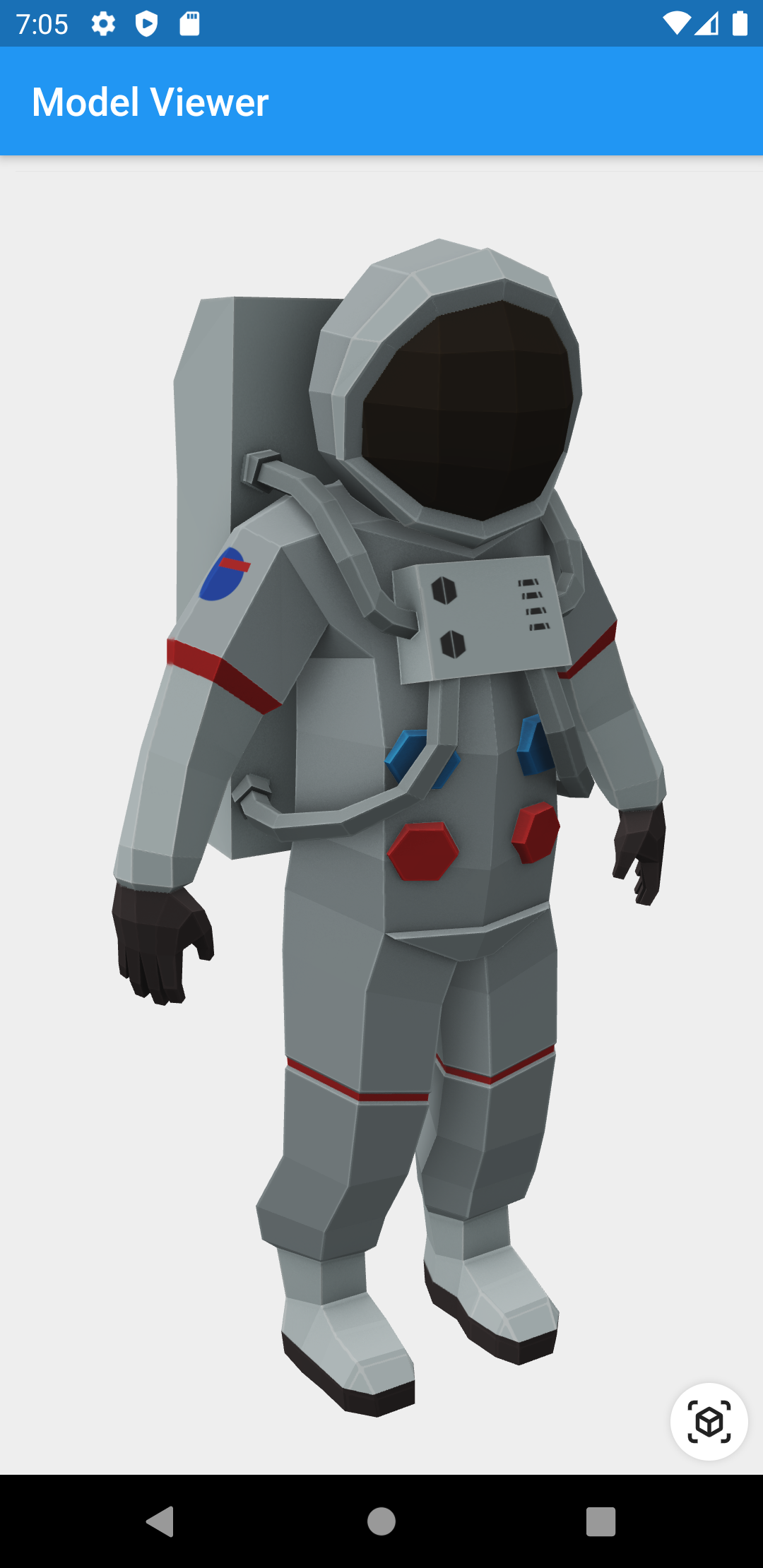
glTF 및 GLB 형식의 3D 모델을 렌더링하고 상호작용할 수 있도록 해주는 플러터 위젯입니다. 플러터 애플리케이션 내에서 3D 콘텐츠를 쉽게 삽입하고 조작할 수 있는 간단한 방법을 제공하며, 회전, 줌, 패닝과 같은 기능을 지원합니다. 제품 전시나 교육 도구와 같이 몰입형 시각 경험을 필요로 하는 앱에 적합합니다. 최적의 성능과 부드러운 상호작용을 위해 네이티브 플랫폼 기능을 활용합니다.
사용 사례
전자상거래 앱에서의 제품 시각화
인터랙티브 3D 교육 콘텐츠
패션 또는 액세서리용 가상 시도
증강 현실 통합
디자인 도구에서의 3D 모델 미리보기
주요 기능
glTF 및 GLB 3D 모델 형식을 지원합니다
회전 및 줌을 위한 내장 터치 제스처
네이티브 백엔드를 사용한 고성능 렌더링
Flutter 위젯과의 간편한 통합
경량화되고 핵심 3D 뷰잉에 집중
적합한 대상
3D 기능을 갖춘 Flutter 앱을 개발하는 개발자
제품을 전시하는 전자상거래 플랫폼
교육 또는 훈련 응용 프로그램
3D 자산을 갖춘 AR/VR 경험
고려 사항
glTF/GLB 형식 지원에 제한됨
내장된 애니메이션 또는 물리 처리 없음
최고의 성능을 위해 3D 모델 최적화가 필요합니다
플랫폼별 렌더링 동작은 다를 수 있습니다
원본 README
연결된 소스 저장소의 README 원문 스냅샷입니다. 최신 내용은 저장소에서 확인하세요.
3D Model Viewer for Flutter
This is a Flutter widget for rendering interactive
3D models in the glTF and
GLB formats.
To use this widget on Android 9+ devices, your app must be permitted to make
an HTTP connection to http://localhost:XXXXX. Android 9 (API level 28)
changed the default for android:usesCleartextTraffic from true to
false, so you will need to configure your app's
android/app/src/main/AndroidManifest.xml as follows:
This does not affect Android 8 and earlier. See #7 for more information.
Info.plist (iOS only)
To use this widget on iOS, you need to opt-in to the embedded views preview
by adding a boolean property to your app's ios/Runner/Info.plist file, with
the key io.flutter.embedded_views_preview and the value YES:
Note that due to browsers' CORS security restrictions, the model file
must be served with a Access-Control-Allow-Origin: * HTTP header.
Frequently Asked Questions
Q: Why do I get the error net::ERR_CLEARTEXT_NOT_PERMITTED?
You didn't configure your AndroidManifest.xml as per the installation
instructions earlier in this document. See also #7.
Q: Why does the example app just show a blank screen?
A: Most likely, the platform browser version on your device or emulator is
too old and does not support the features that Model Viewer needs.
For example, the stock Chrome version on the Android 10 emulator is too old
and will display a blank screen; it must be upgraded from the Play Store in
order to use this package. (The stock Chrome version on the Android 11
emulator works fine, however.) See google/model-viewer#1109.
Q: Why doesn't my 3D model load and/or render?
A: There are several reasons why your model URL could fail to load and
render:
It might not be possible to load the model URL due to CORS security
restrictions. The server hosting the model file must send appropriate
CORS response headers for Model Viewer to be able to load the file.
See google/model-viewer#1015.
It might not be possible to parse the provided glTF or GLB file.
Some tools can produce invalid files when exporting glTF. Always
run your model files through the glTF Validator to check for this.
The platform browser might not support the features that Model Viewer
needs. See google/model-viewer#1109.