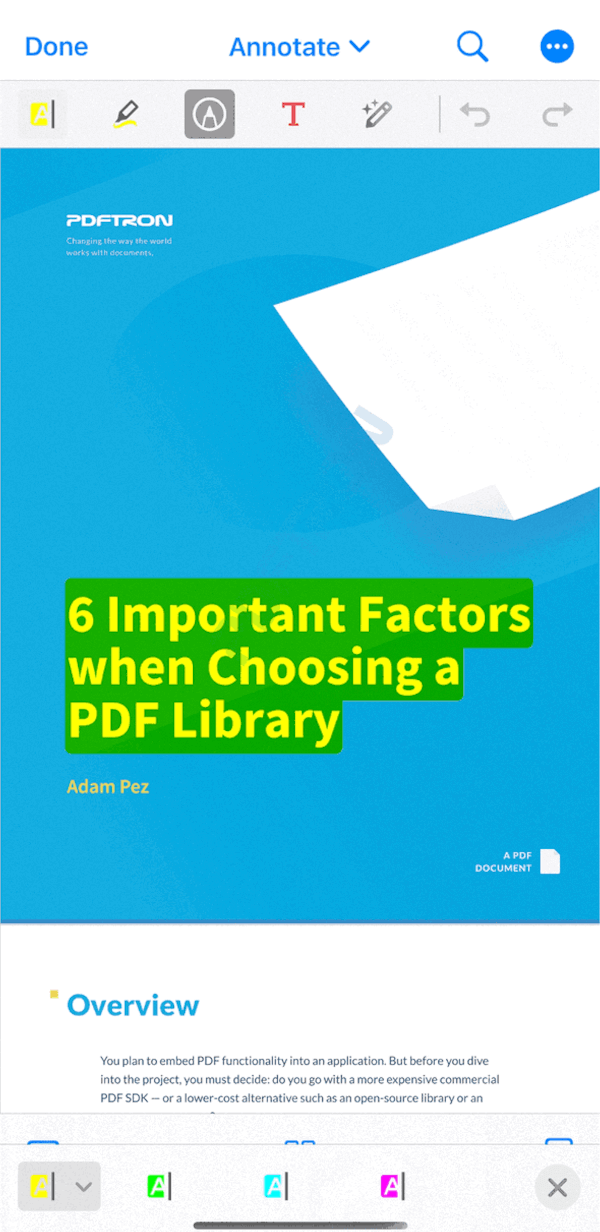
pdftron_flutter는 PDFTron 모바일 SDK를 래핑하는 Flutter 패키지로, 개발자가 Flutter 애플리케이션에 강력하고 고성능의 문서 보기 기능을 통합할 수 있도록 해줍니다. 이 패키지는 PDF 및 기타 파일 형식에 대해 앱 내에서 부드러운 렌더링, 주석 추가 및 문서 조작을 지원합니다. Android와 iOS에서 네이티브 성능을 활용하면서도 깔끔하고 Flutter 친화적인 API를 제공합니다. 웹 기반 솔루션에 의존하지 않고 강력한 문서 처리 기능이 필요한 앱에 적합합니다.
사용 사례
모바일 앱에서 문서 보기
인터랙티브 PDF 주석
오프라인 문서 처리
다양한 형식의 문서 지원
보안 문서 공유
주요 기능
PDFTron SDK를 통한 네이티브 성능
PDF 및 기타 문서 형식 지원
내장 주석 도구
오프라인 기능
크로스 플랫폼 호환성
적합한 대상
기업용 모바일 앱
전자학습 플랫폼
법적 및 의료 문서
디지털 양식 및 워크플로우
콘텐츠가 풍부한 애플리케이션
고려 사항
PDFTron의 라이선스가 필요합니다
네이티브 SDK 통합을 위한 추가 설정
앱 번들 크기의 잠재적 증가
SDK 지식 없이 제한된 사용자 정의
PDFTron의 업데이트 주기에 따라 다름
원본 README
연결된 소스 저장소의 README 원문 스냅샷입니다. 최신 내용은 저장소에서 확인하세요.
About PDFTron Flutter Wrapper
[!IMPORTANT]
This repository serves as a wrapper around the native SDKs. It exposes only a limited set of APIs intended for basic viewing, annotating and removing components from the out‑of‑box UI. Any advanced customization or access to lower‑level functionality should be performed directly through the native SDKs rather than this wrapper.
The rest of this README.md contains documentation, installation instructions, and information for the null safe version of our SDK.
Legacy UI
Version 0.0.6 is the last stable release for the legacy UI.
The release can be found here: https://github.com/ApryseSDK/pdftron-flutter/releases/tag/legacy-ui.
Installation
First follow the Flutter getting started guides to install, set up an editor, and create a Flutter Project. The rest of this guide assumes your project is created by running flutter create myapp.
Add the following dependency to your Flutter project in myapp/pubspec.yaml file:
If you want to use our null safe package from pub.dev:
In your myapp/android/app/src/main/AndroidManifest.xml file, add the following lines:
<manifest xmlns:android="http://schemas.android.com/apk/res/android"
package="com.example.myapp">
<!-- Required if you want to work with online documents -->
+ <uses-permission android:name="android.permission.INTERNET" />
<!-- Required if you want to record audio annotations -->
+ <uses-permission android:name="android.permission.RECORD_AUDIO" />
<application
...
+ android:largeHeap="true">
<!-- Add license key in meta-data tag here. This should be inside the application tag. -->
+ <meta-data+ android:name="pdftron_license_key"+ android:value="@string/PDFTRON_LICENSE_KEY" />
...
<activity
...
- android:windowSoftInputMode="adjustResize"+ android:windowSoftInputMode="adjustPan">
</activity>
If you are using the DocumentView widget, change the parent class of your MainActivity file (either Kotlin or Java) to FlutterFragmentActivity:
Check that your Android device is running by running the command flutter devices. If none are available, follow the device set up instructions in the Install guides for your platform.
Run the app with the command flutter run.
iOS
The following instructions are only applicable to iOS development; click here for the Android counterpart.
[!IMPORTANT]
As of March 2025, use of the PDFTron and PDFTronTools podspecs distributed specifically for the PDFTron Flutter wrapper (https://pdftron.com/downloads/ios/flutter/pdftron/latest.podspec and https://pdftron.com/downloads/ios/flutter/pdftron-tools/latest.podspec, respectively) is deprecated and no longer maintained.
Please update to the latest podspecs provided for the wrapper as soon as possible (https://www.pdftron.com/downloads/ios/cocoapods/xcframeworks/pdftron/latest.podspec) and (https://www.pdftron.com/downloads/ios/cocoapods/xcframeworks/pdftron-tools/latest.podspec)
# Uncomment this line to define a global platform for your project
- # platform :ios, '9.0'+ platform :ios, '10.0'
...
target 'Runner' do
...
+ # PDFTron Pods+ pod 'PDFTron', podspec: 'https://www.pdftron.com/downloads/ios/cocoapods/xcframeworks/pdftron/latest.podspec'+ pod 'PDFTronTools', podspec: 'https://www.pdftron.com/downloads/ios/cocoapods/xcframeworks/pdftron-tools/latest.podspec'
end
To ensure integration process is successful, run flutter build ios --no-codesign
Run flutter emulators --launch apple_ios_simulator
Run flutter run
Widget or Plugin
There are 2 different ways to use PDFTron Flutter API:
Present a document via a plugin.
Show a PDFTron document view via a Widget.
You must choose either the widget or plugin, and use it for all APIs. Mixing widget and plugin APIs will not function correctly. Whether you choose the widget or plugin is personal preference.
If you pick the Android widget, you will need to add padding for operating system intrusions like the status bar at the top of the device. One way is to set the enabled system UI, and then wrap the widget in a SafeArea or use an AppBar:
// If using Flutter v2.3.0-17.0.pre or earlier.SystemChrome.setEnabledSystemUIOverlays(
SystemUiOverlay.values
);
// If using later Flutter versions.SystemChrome.setEnabledSystemUIMode(
SystemUiMode.edgeToEdge,
);
// If using SafeArea:returnSafeArea (
child: DocumentView(
onCreated: _onDocumentViewCreated,
));
// If using AppBar:returnScaffold(
appBar: AppBar( toolbarHeight: 0 ),
body: DocumentView(
onCreated: _onDocumentViewCreated,
));
Usage
If you want to use local files on Android, add the following dependency to myapp/pubspec.yaml:
permission_handler:^11.3.1
Open lib/main.dart, replace the entire file with the following:
import'dart:async';
import'dart:io'showPlatform;
import'package:flutter/material.dart';
import'package:flutter/services.dart';
import'package:pdftron_flutter/pdftron_flutter.dart';
// Uncomment this if you are using local files// import 'package:permission_handler/permission_handler.dart';voidmain() => runApp(MyApp());
classMyAppextendsStatelessWidget{
@overrideWidgetbuild(BuildContext context) {
returnMaterialApp(
home: Viewer(),
);
}
}
classViewerextendsStatefulWidget{
@override_ViewerStatecreateState() => _ViewerState();
}
class_ViewerStateextendsState<Viewer> {
String _version = 'Unknown';
String _document =
"https://pdftron.s3.amazonaws.com/downloads/pl/PDFTRON_mobile_about.pdf";
bool _showViewer = true;
@overridevoidinitState() {
super.initState();
initPlatformState();
showViewer();
// If you are using local files delete the line above, change the _document field// appropriately and uncomment the section below.// if (Platform.isIOS) {// // Open the document for iOS, no need for permission.// showViewer();// } else {// // Request permission for Android before opening document.// launchWithPermission();// }
}
// Future<void> launchWithPermission() async {// PermissionStatus permission = await Permission.storage.request();// if (permission.isGranted) {// showViewer();// }// }// Platform messages are asynchronous, so initialize in an async method.Future<void> initPlatformState() async {
String version;
// Platform messages may fail, so use a try/catch PlatformException.try {
// Initializes the PDFTron SDK, it must be called before you can use any functionality.PdftronFlutter.initialize("your_pdftron_license_key");
version = awaitPdftronFlutter.version;
} onPlatformException {
version = 'Failed to get platform version.';
}
// If the widget was removed from the tree while the asynchronous platform// message was in flight, you want to discard the reply rather than calling// setState to update our non-existent appearance.if (!mounted) return;
setState(() {
_version = version;
});
}
voidshowViewer() async {
// opening without a config file will have all functionality enabled.// await PdftronFlutter.openDocument(_document);var config = Config();
// How to disable functionality:// config.disabledElements = [Buttons.shareButton, Buttons.searchButton];// config.disabledTools = [Tools.annotationCreateLine, Tools.annotationCreateRectangle];// Other viewer configurations:// config.multiTabEnabled = true;// config.customHeaders = {'headerName': 'headerValue'};// An event listener for document loadingvar documentLoadedCancel = startDocumentLoadedListener((filePath) {
print("document loaded: $filePath");
});
awaitPdftronFlutter.openDocument(_document, config: config);
try {
// The imported command is in XFDF format and tells whether to add, modify or delete annotations in the current document.PdftronFlutter.importAnnotationCommand(
"<?xml version=\"1.0\" encoding=\"UTF-8\"?>\n" +
" <xfdf xmlns=\"http://ns.adobe.com/xfdf/\" xml:space=\"preserve\">\n" +
" <add>\n" +
" <square style=\"solid\" width=\"5\" color=\"#E44234\" opacity=\"1\" creationdate=\"D:20200619203211Z\" flags=\"print\" date=\"D:20200619203211Z\" name=\"c684da06-12d2-4ccd-9361-0a1bf2e089e3\" page=\"1\" rect=\"113.312,277.056,235.43,350.173\" title=\"\" />\n" +
" </add>\n" +
" <modify />\n" +
" <delete />\n" +
" <pdf-info import-version=\"3\" version=\"2\" xmlns=\"http://www.pdftron.com/pdfinfo\" />\n" +
" </xfdf>");
} onPlatformExceptioncatch (e) {
print("Failed to importAnnotationCommand '${e.message}'.");
}
try {
// Adds a bookmark into the document.PdftronFlutter.importBookmarkJson('{"0":"Page 1"}');
} onPlatformExceptioncatch (e) {
print("Failed to importBookmarkJson '${e.message}'.");
}
// An event listener for when local annotation changes are committed to the document.// xfdfCommand is the XFDF Command of the annotation that was last changed.var annotCancel = startExportAnnotationCommandListener((xfdfCommand) {
String command = xfdfCommand;
print("flutter xfdfCommand:\n");
// Dart limits how many characters are printed onto the console. // The code below ensures that all of the XFDF command is printed.if (command.length > 1024) {
int start = 0;
int end = 1023;
while (end < command.length) {
print(command.substring(start, end) + "\n");
start += 1024;
end += 1024;
}
print(command.substring(start));
} else {
print("flutter xfdfCommand:\n $command");
}
});
// An event listener for when local bookmark changes are committed to the document.// bookmarkJson is JSON string containing all the bookmarks that exist when the change was made.var bookmarkCancel = startExportBookmarkListener((bookmarkJson) {
print("flutter bookmark: $bookmarkJson");
});
var path = awaitPdftronFlutter.saveDocument();
print("flutter save: $path");
// To cancel event:// annotCancel();// bookmarkCancel();// documentLoadedCancel();
}
@overrideWidgetbuild(BuildContext context) {
returnScaffold(
body: Container(
width: double.infinity,
height: double.infinity,
child:
// Uncomment this to use Widget version of the viewer.// _showViewer// ? DocumentView(// onCreated: _onDocumentViewCreated,// ):Container(),
),
);
}
// This function is used to control the DocumentView widget after it has been created.// The widget will not work without a void Function(DocumentViewController controller) being passed to it.void_onDocumentViewCreated(DocumentViewController controller) async {
Config config = newConfig();
var leadingNavCancel = startLeadingNavButtonPressedListener(() {
// Uncomment this to quit the viewer when leading navigation button is pressed.// this.setState(() {// _showViewer = !_showViewer;// });// Show a dialog when leading navigation button is pressed._showMyDialog();
});
controller.openDocument(_document, config: config);
}
Future<void> _showMyDialog() async {
print('hello');
return showDialog<void>(
context: context,
barrierDismissible: false, // User must tap button!
builder: (BuildContext context) {
returnAlertDialog(
title: Text('AlertDialog'),
content: SingleChildScrollView(
child: Text('Leading navigation button has been pressed.'),
),
actions: <Widget>[
TextButton(
child: Text('OK'),
onPressed: () {
Navigator.of(context).pop();
},
),
],
);
},
);
}
}