iOS용 APNs와 Android용 Firebase Cloud Messaging을 사용하여 푸시 알림 토큰을 가져오는 가벼운 플러터 패키지입니다. 하위 구현을 추상화하여 개발자가 알림을 전송하기 위한 디바이스 토큰을 쉽게 얻을 수 있도록 합니다. 복잡한 설정 없이 플랫폼 간 일관된 토큰 접근을 보장하는 간단하고 신뢰할 수 있는 설계를 하고 있습니다. 푸시 알림 기능이 필요한 앱에 원활하게 통합됩니다.
사용 사례
푸시 알림을 위한 디바이스 토큰 가져오기
Firebase Cloud Messaging와의 통합
iOS에서 APNs 토큰 설정하기
크로스 플랫폼 알림 지원 활성화
메시징 앱에서 토큰 검색 간소화
주요 기능
플랫폼별 토큰 검색
최소한의 보일러플레이트
Android 및 iOS를 지원합니다
FCM 및 APNs와의 간편한 통합
가볍고 종속성 없음
적합한 대상
푸시 알림이 필요한 앱
FCM 또는 APNs를 사용하는 개발자
간단함을 우선시하는 프로젝트
크로스 플랫폼 모바일 앱
장치 토큰을 관리하는 백엔드 서비스
고려 사항
FCM 또는 APNs의 올바른 설정이 필요합니다
토큰 갱신을 자동으로 처리하지 않습니다
네트워크 문제에 대한 내장된 오류 처리 없음
토큰 검색만 가능
실제 메시징을 위해 외부 서비스에 의존합니다
원본 README
연결된 소스 저장소의 README 원문 스냅샷입니다. 최신 내용은 저장소에서 확인하세요.
plain_notification_token
Get your push notification token via platform way (APNs for iOS / Firebase Clound Messaging for Android)
Getting Started
Android Integration
To integrate your plugin into the Android part of your app, setup Firebase:
Using the Firebase Console add an Android app to your project:
Follow the assistant, download the generated google-services.json file and place it inside android/app.
Modify the android/build.gradle file and the android/app/build.gradle file to add the Google services plugin as described by the Firebase assistant.
To integrate your plugin into the iOS part of your app, follow these steps:
Generate the certificates from Apple developer center for receiving push notifications. (Please see this article if you want the tutorial.)
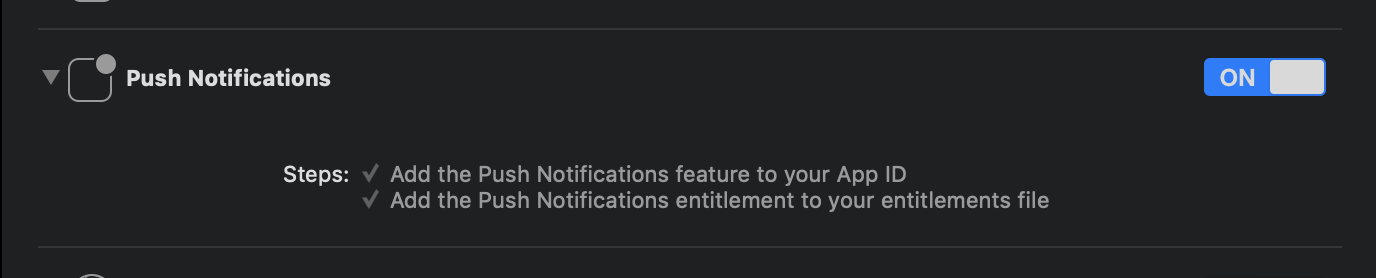
Enable Push Notification in Capabilities tab in Xcode opening your ios/Runner.xcworkspace.
Dart/Flutter Integration
From your Dart code, you need to import the plugin and instantiate it:
import'package:plain_notification_token/plain_notification_token.dart';
final plainNotificationToken = PlainNotificationToken();
To get token, call getToken():
// (iOS Only) Need requesting permission of Push Notification.if (Platform.isIOS) {
plainNotificationToken.requestPermission();
// If you want to wait until Permission dialog close,// you need wait changing setting registered. await plainNotificationToken.onIosSettingsRegistered.first;
}
finalString token = await plainNotificationToken.getToken();
... and use token on your server!!
Token is Base64 stringified APNs token (in iOS) / Firebase Cloud Messaging (FCM) string token (in Android).