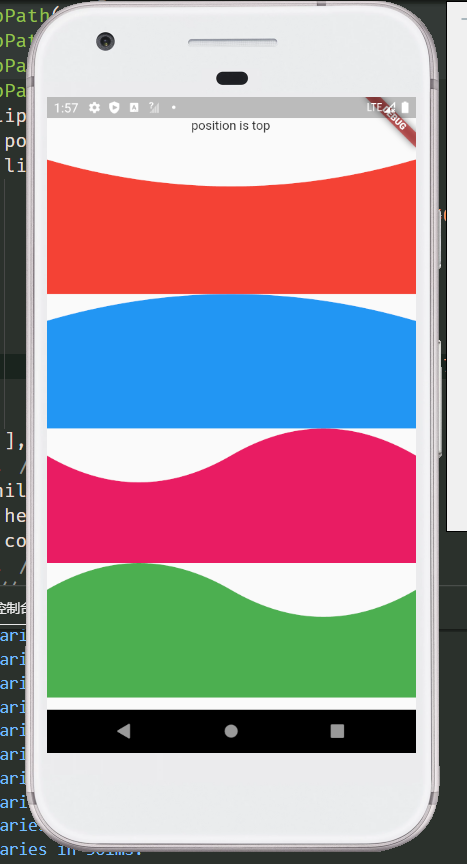
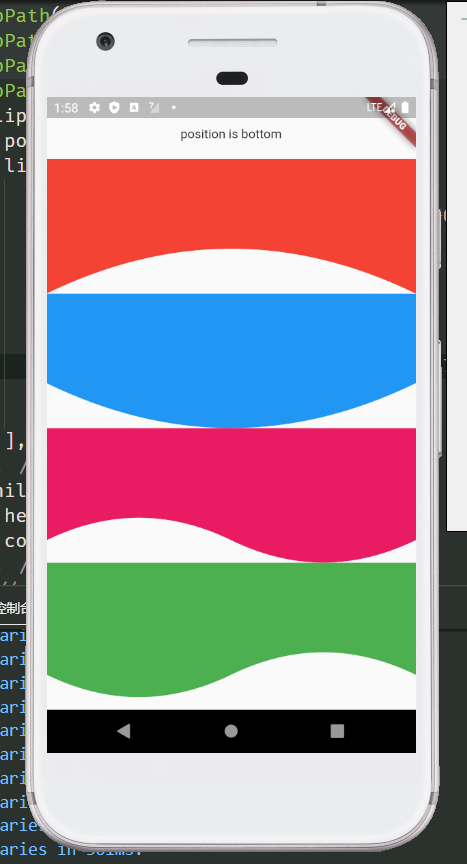
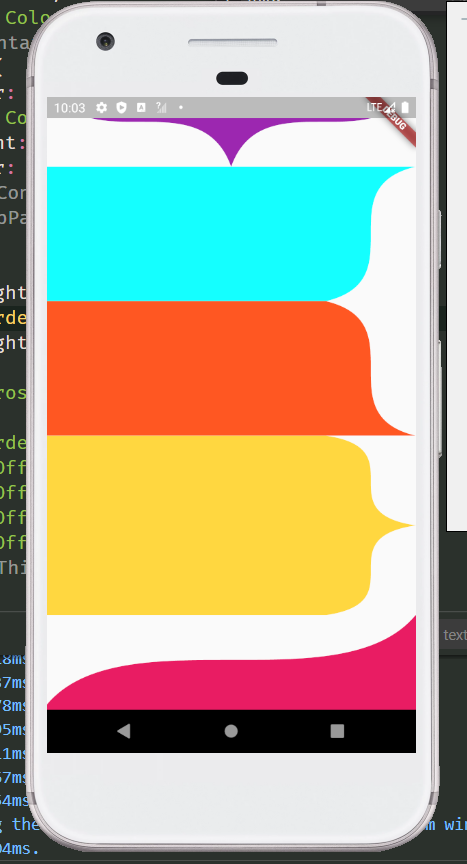
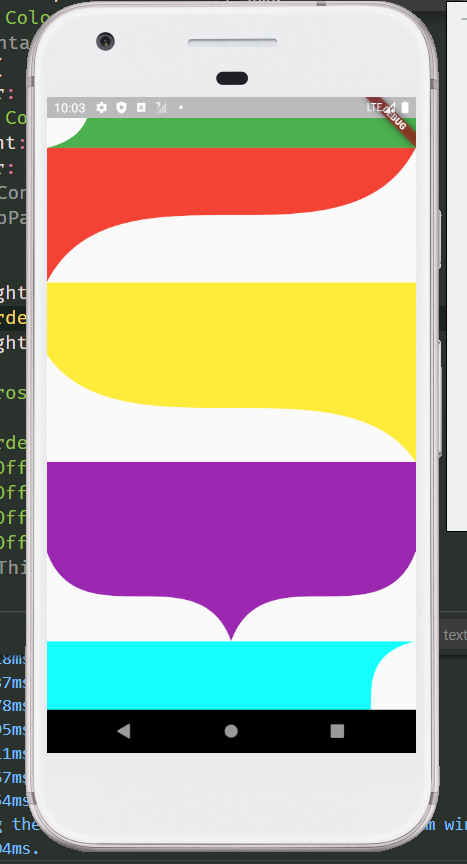
Proste Bezier Curve는 표준 베지어 곡선의 생성과 사용을 간소화하는 가벼운 Flutter 패키지입니다. 반복 코드와 복잡성을 줄여주며, 개발자가 쉽게 사용자 정의 경로를 그리거나 부드러운 곡선 모양으로 위젯을 클리핑할 수 있도록 합니다. 우아하고 유연한 외곽선이 필요한 UI 요소에 적합하며, Android, iOS, Web, macOS, Windows, Linux 등 모든 주요 플랫폼을 지원합니다. 최소한의 노력으로 현대적인 인터페이스를 설계하는 데 특히 유용합니다.
The control points of Bezier curve are obtained through data calculation, and then the points are drawn into curves through the drawing function of flutter.
The difference between using package and drawing your own path
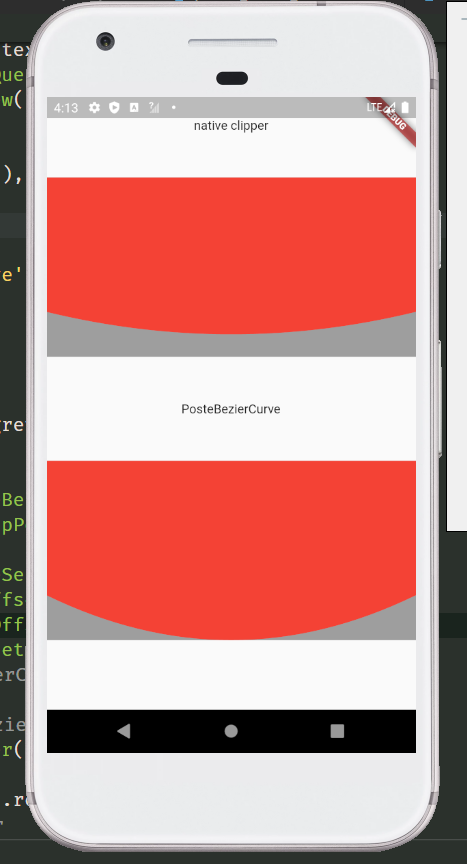
The common method of tracing points according to the position of elements will leave a gap. Only after the control points are calculated can the element information be completely filled. For example, in the following picture, the coordinates of the points used are the same, but the styles cut out are different. The function I want to provide is to restore the design style as much as possible. And after using the package, you only need to confirm the coordinates of each point, without other complex calculations, and the code is more concise.
BezierCurveDots Coordinates of Bezier curve control points
parameter
type
default
describe
x1
double
The X-coordinate of the first point
y1
double
The Y-coordinate of the first point
x2
double
The X-coordinate of the second point
y2
double
The Y-coordinate of the second point
Static function of ProsteBezierCurve
BezierCurveDots calcCurveDots(BezierCurveSection param) Obtain the coordinates of the control points after calculation, and draw the path after obtaining the control points, such as drawing curves with multiple edges or combining the curves with other drawing rules
ThirdOrderBezierCurveSection Fragment for drawing third order Bezier curve
parameter
type
default
describe
p1
Offset
The coordinates of the first point
p2
Offset
The coordinates of the second point
p3
Offset
The coordinates of the third point
p4
Offset
The coordinates of the fourth point
smooth
double
.5
The greater the value of smoothness 0 ~ 1, the straighter the value is, the smaller the value is, and the larger the arc is. When the drawing distance is short and saw tooth appears, try to increase this value
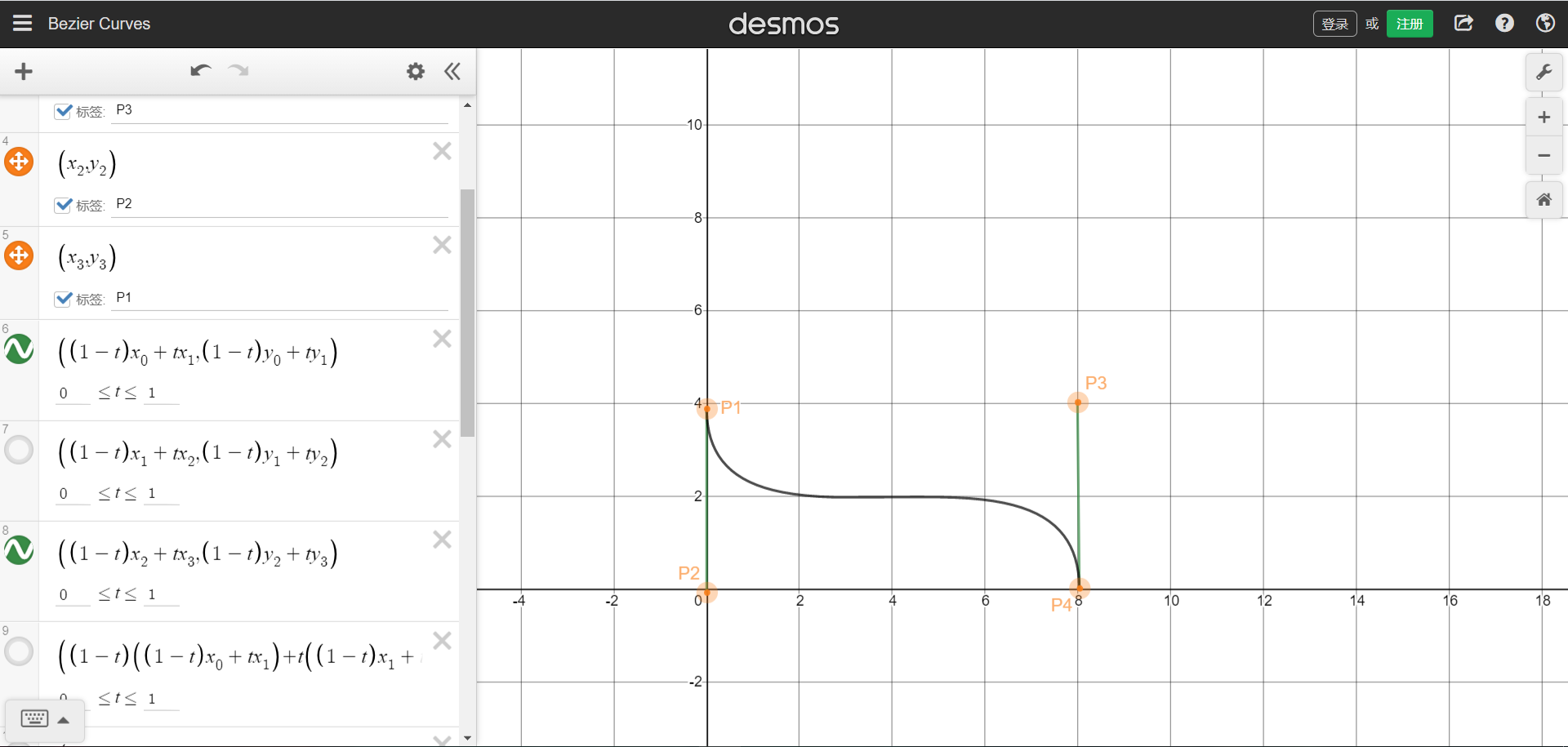
The position coordinates of the four points can refer to the figure below. The starting and ending points are P1 and P4 respectively.Picture sample URL。You can understand that four points form a rectangle, and the four coordinates are the positions of the four points. The curve will be drawn in the rectangle.
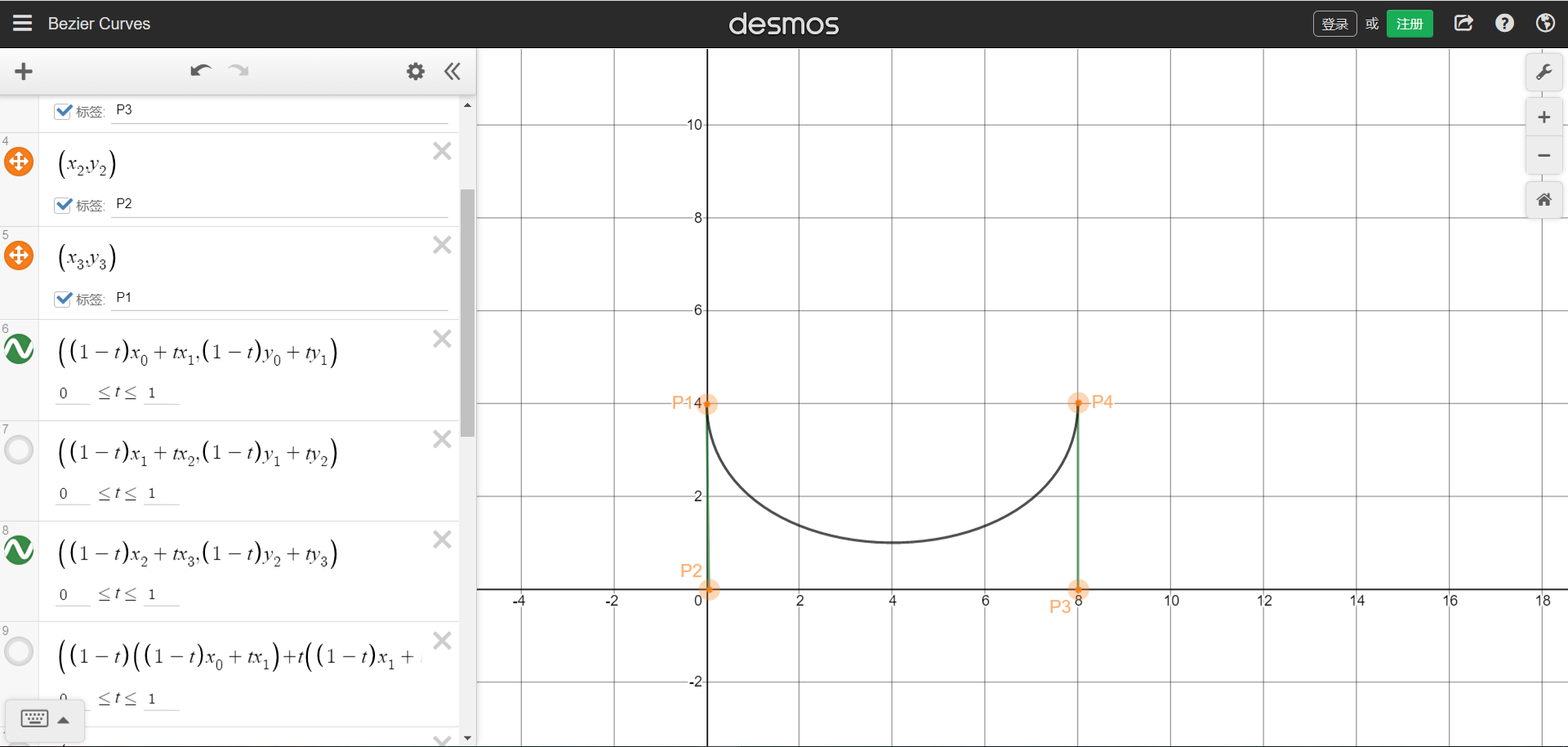
We can also draw a single arc graph through the third-order Bessel function, need P1 and P4 are on the same side,But that brings up the problem that was stated at the beginning,The arc does not cling to the bottom.
ThirdOrderBezierCurveDots Coordinates of third order Bezier curve control points
parameter
type
default
describe
x1
double
The X-coordinate of the first point
y1
double
The Y-coordinate of the first point
x2
double
The X-coordinate of the second point
y2
double
The Y-coordinate of the second point
x3
double
The X-coordinate of the third point
y3
double
The Y-coordinate of the third point
Static function of ProsteThirdOrderBezierCurve
ThirdOrderBezierCurveDots calcCurveDots(ThirdOrderBezierCurveSection param) Obtain the coordinates of the control points after calculation, and draw the path after obtaining the control points, such as drawing curves with multiple edges or combining the curves with other drawing rules