연결된 소스 저장소의 README 원문 스냅샷입니다. 최신 내용은 저장소에서 확인하세요.
PWA Install
A small Flutter package that allows you to prompt mobile web users to install your Flutter app as a progressive web application (PWA) on demand.
A very basic example can be found here: PWA Install
The contents of this package are based on this article by Pete LePage (@petele)
Out-of-the-Box
As of release 1.20, all Flutter apps can be installed as PWAs. Combine this with the fact that all Chromium based browsers support PWAs and it becomes clear that designing your Flutter application for a mobile browser can be the most effective way of reaching a large audience.
When a Flutter app is opened in a supported browser, the user will see an install prompt like this:
| Mobile Prompt |
Web Prompt |
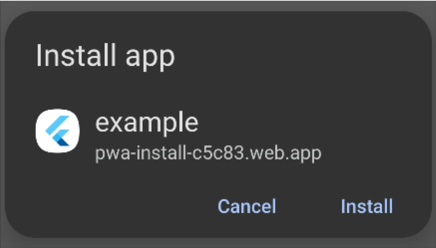 |
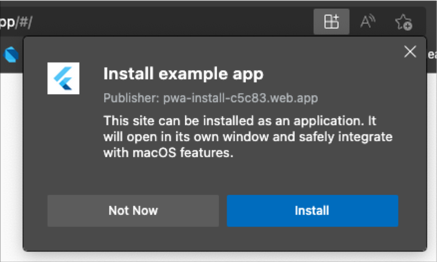 |
This is awesome, but there's a caveat. The browser will only show the install prompt to users the first time they open your app. If the user refreshes the page or returns to the app while it's still in their browser history, the prompt will not be shown.
The PWA Install Package
With this package, you can prompt the user to install your app as a PWA on demand (e.g, on a button click). This package works by capturing the beforeinstallprompt event web browsers use to install PWAs. The event is captured when your app is launched and can be called anytime thereafter.
Setup
1. Update index.html
Add the following <script> tag to the body of web/index.html:
<script>
let deferredPrompt;
window.addEventListener('beforeinstallprompt', (e) => {
deferredPrompt = e;
});
function promptInstall(){
deferredPrompt.prompt();
}
window.addEventListener('appinstalled', () => {
deferredPrompt = null;
appInstalled();
});
function getLaunchMode() {
const isStandalone = window.matchMedia('(display-mode: standalone)').matches;
if(deferredPrompt) hasPrompt();
if (document.referrer.startsWith('android-app://')) {
appLaunchedAsTWA();
} else if (navigator.standalone || isStandalone) {
appLaunchedAsPWA();
} else {
window.appLaunchedInBrowser();
}
}
</script>
2. Call PWAInstall().setup()
The following method can be called in main.dart before calling runApp(). PWAInstall() is instantiated as a singleton so you can use the class directly.
Future<void> main() async {
PWAInstall().setup(installCallback: () {
debugPrint('APP INSTALLED!');
});
runApp(MaterialApp(home: App()));
}
3. Check if the Install Prompt is enabled
Before calling the promptInstall_() method, you can check if the Install Prompt is available using PWAInstall().installPromptEnabled.
installPromptEnabled will be true if:
- [x] The app was launched in a browser (It doesn't make sense to prompt a PWA install if the app is already running as a PWA)
- [x] The
beforeinstallprompt event was captured.
promptInstall_() won't do anything if installPromptEnabled is false so you should check this flag before attempting to call the prompt.
4. Call PWAInstall().promptInstall_()
Finally, call PWAInstall().promptInstall_() to show the install prompt.
Prompt Config
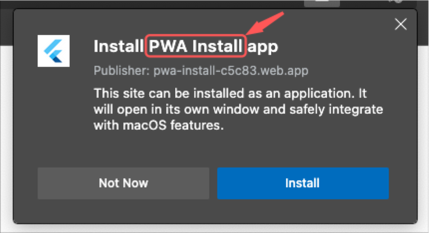
App Name
You can change the app name that's displayed in the prompt by updating the "name" field in web/manifest.json.
App Logo
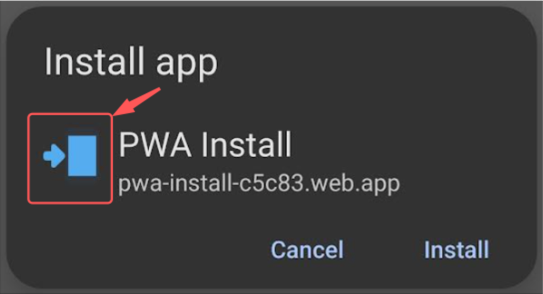
The logo displayed in the prompt also comes from the web/manifest.json file.
- (Optional) Use a website like favicon.io to generate your web icons
- Add your logos to the web/icons folder

- Add the following lines to the tag in index.html:
<link rel="icon" type="image/png" sizes="32x32" href="/icons/favicon-32x32.png">
<link rel="icon" type="image/png" sizes="16x16" href="/icons/favicon-16x16.png">
Screenshots
In addition to the name and logo, you can also add optional screenshots to the manifest.json file.
"screenshots": [{
    "src": "images/app_screenshot.webp",
    "platform": "windows",
    "label": "PWA is the way!"
  }],
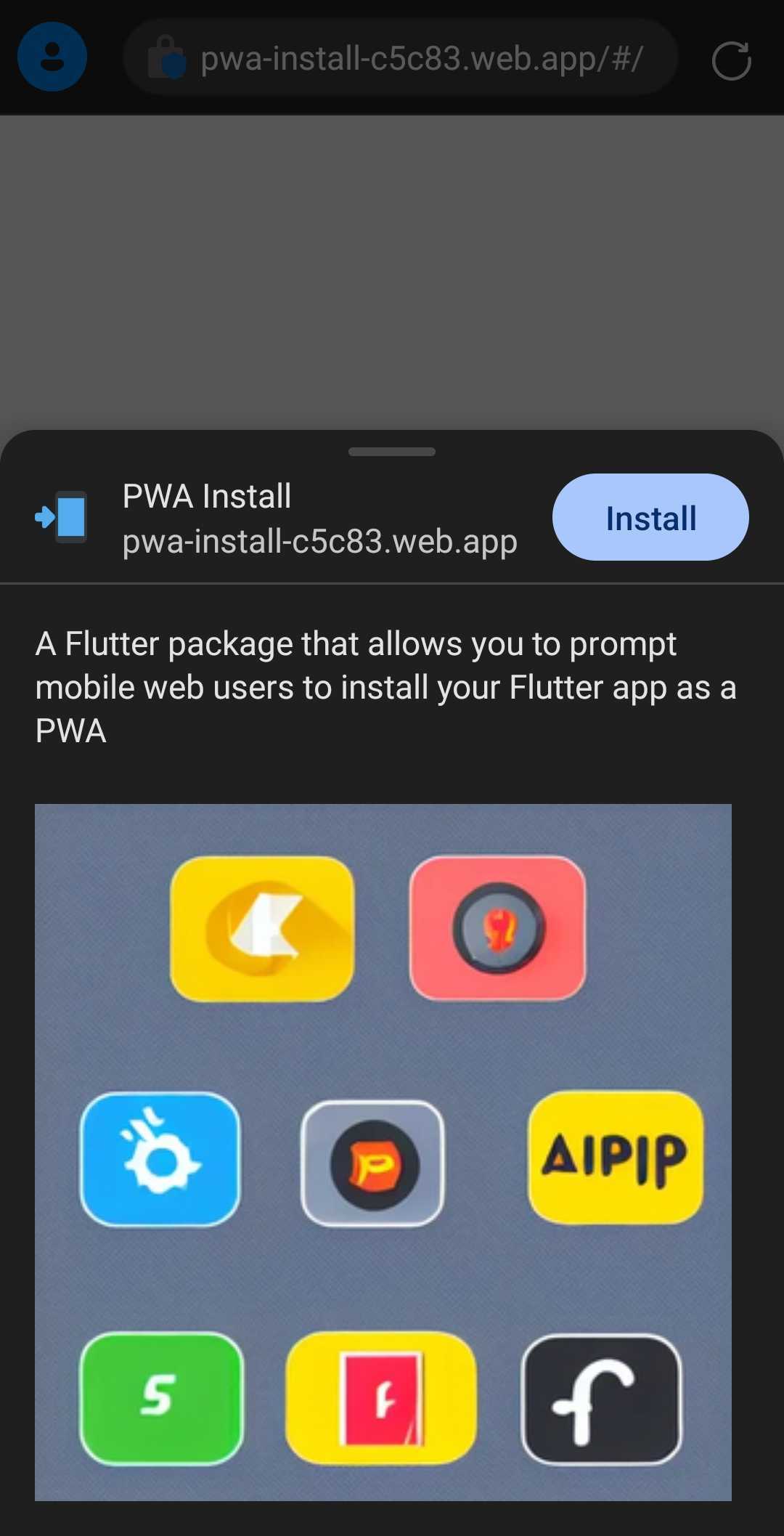
Note that the screenshots will not appear in every browser. After they are added, your new install prompt will look like this:
Troubleshooting
Supported Browsers
You can find all supported browsers here.
Support


:heart: Sponsor on GitHub
