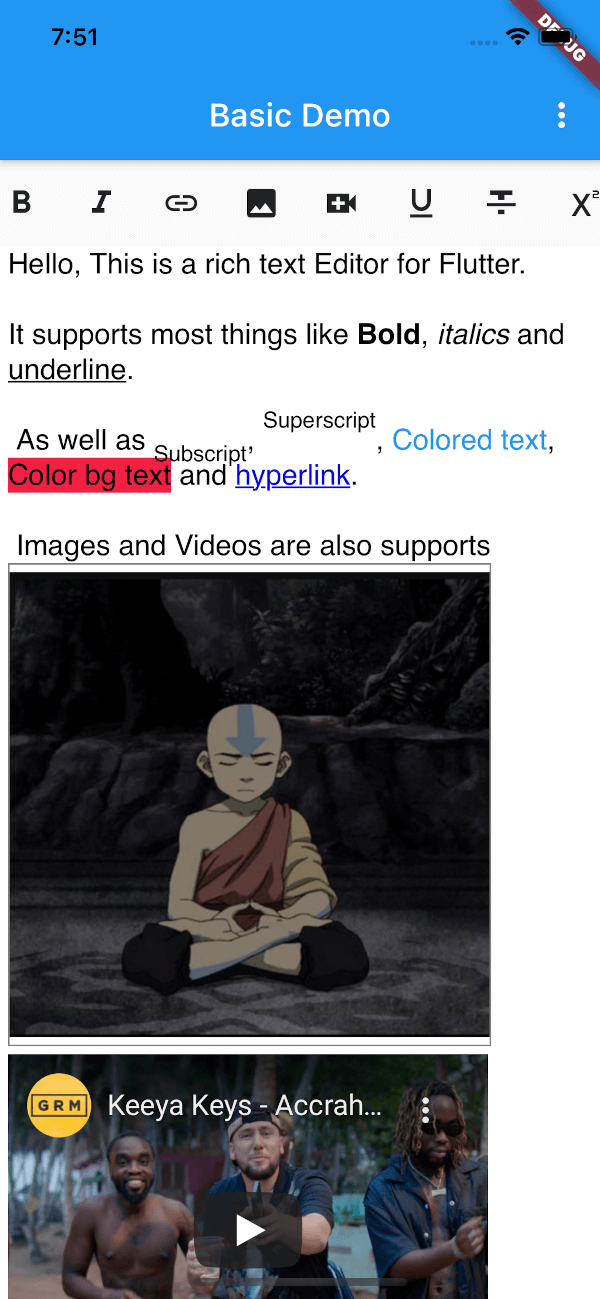
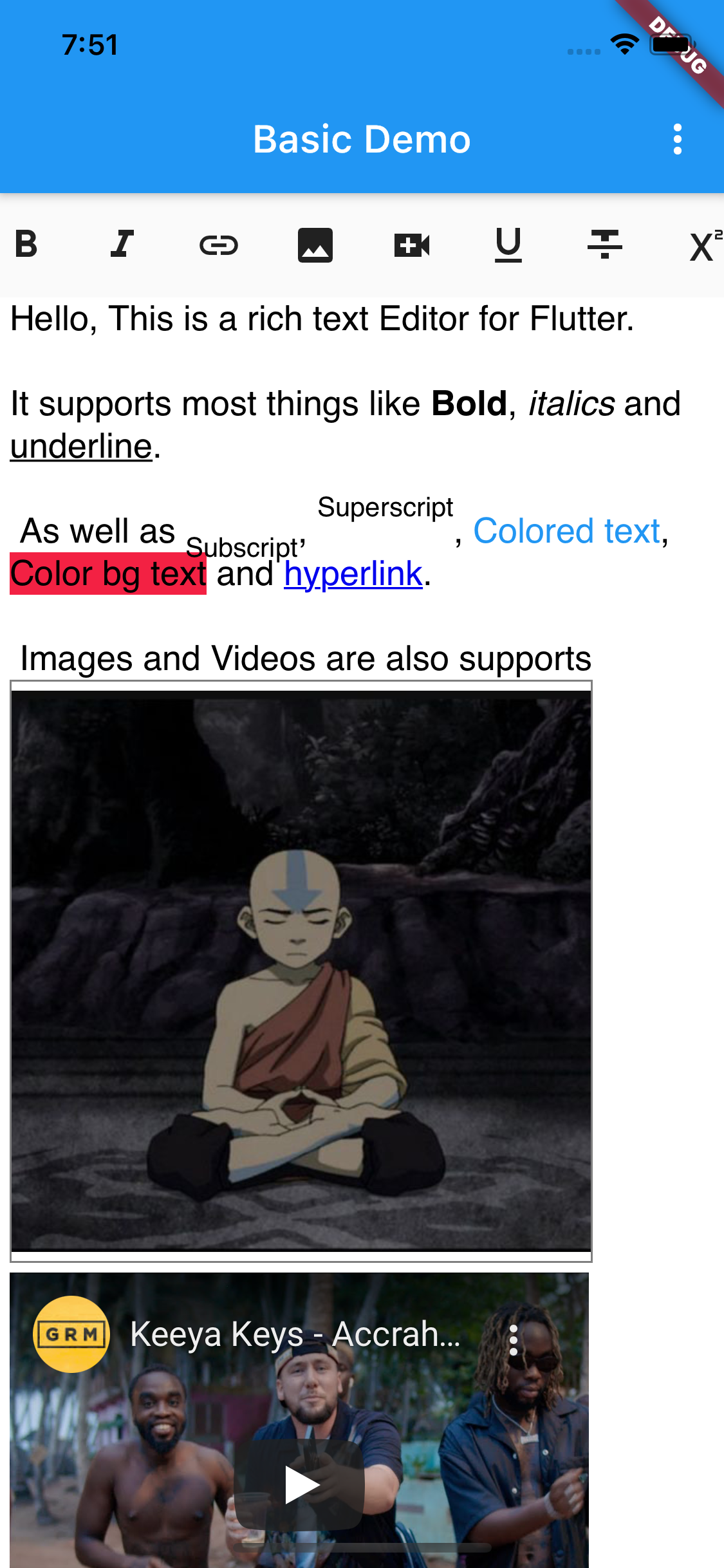
Flutter용 WYSIWYG 편집기로 강조, 기울임, 목록, 링크 등 풍부한 텍스트 형식을 지원합니다. 고급 텍스트 입력이 필요한 앱에 원활하게 통합될 수 있도록 설계되었으며, 포맷된 콘텐츠를 작성하기 위한 깔끔하고 직관적인 인터페이스를 제공합니다. 확장성에 중점을 두어 사용자 정의 스타일과 플러그인을 지원합니다. 패키지는 지속적으로 유지 관리되며 Android, iOS, macOS 및 Windows 플랫폼 모두와 호환됩니다.
사용 사례
노트 앱에서 풍부한 텍스트 콘텐츠 만들기
블로그 또는 기사 편집기 만들기
사용자 생성 콘텐츠 양식 구현
협업 문서 도구 개발
형식화된 메시징 인터페이스 활성화
주요 기능
실시간 WYSIWYG 편집
풍부한 서식 옵션(볼드, 기울임, 밑줄 등)
링크, 이미지 및 목록 지원
사용자 정의 가능한 도구 모음 및 테마
크로스 플랫폼 호환성
적합한 대상
콘텐츠가 풍부한 Flutter 애플리케이션을 개발하는 개발자
사용자 친화적인 텍스트 편집을 필요로 하는 앱
Markdown 또는 HTML 출력이 필요한 프로젝트
다중 플랫폼 텍스트 에디터 개발에 종사하는 팀
고려 사항
복잡한 스타일링을 위해 추가 구성이 필요할 수 있습니다
큰 문서에서는 성능이 달라질 수 있습니다
제한된 내장 이미지 업로드 처리
Flutter 렌더링 모델에 대한 이해가 필요합니다
원본 README
연결된 소스 저장소의 README 원문 스냅샷입니다. 최신 내용은 저장소에서 확인하세요.
✨ rich_editor
WYSIWYG editor for Flutter with a rich set of supported formatting options.
Based on https://github.com/dankito/RichTextEditor, but for Flutter.
[x] Heading 1 - 6, Text body, Preformatted, Block quote
[x] Font (reads all system fonts) (Android only)
[x] Font Size
[x] Text Color
[x] Text Background Color
[x] Highlight text
[x] Justify Left, Center, Right, Blockquote
[x] Indent, Outdent
[x] Undo, Redo
[x] Unordered List (Bullets)
[x] Ordered List (Numbers)
[x] Insert local or remote Image
[x] Insert Link
[x] Insert Checkbox
[ ] Search
[ ] Icon indicators
📸 Screenshots
Usage
// Insert widget into treeRichEditor(
key: keyEditor,
value: 'initial html here',
editorOptions: RichEditorOptions(
placeholder: 'Start typing',
// backgroundColor: Colors.blueGrey, // Editor's bg color// baseTextColor: Colors.white,// editor padding
padding: EdgeInsets.symmetric(horizontal: 5.0),
// font name
baseFontFamily: 'sans-serif',
// Position of the editing bar (BarPosition.TOP or BarPosition.BOTTOM)
barPosition: BarPosition.TOP,
),
// You can return a Link (maybe you need to upload the image to your// storage before displaying in the editor or you can also use base64
getImageUrl: (image) {
String link = 'https://avatars.githubusercontent.com/u/24323581?v=4';
String base64 = base64Encode(image.readAsBytesSync());
String base64String = 'data:image/png;base64, $base64';
return base64String;
},
)
Get current HTML from editor
String? html = await keyEditor.currentState?.getHtml();
print(html);
If you're interested in creating your own toolbar check the
custom_toolbar_demo.dart in the example
License
Copyright 2021 JideGuru

Licensed under the Apache License, Version 2.0 (the "License");
you may not use this file except in compliance with the License.
You may obtain a copy of the License at

   http://www.apache.org/licenses/LICENSE-2.0

Unless required by applicable law or agreed to in writing, software
distributed under the License is distributed on an "AS IS" BASIS,
WITHOUT WARRANTIES OR CONDITIONS OF ANY KIND, either express or implied.
See the License for the specific language governing permissions and
limitations under the License.