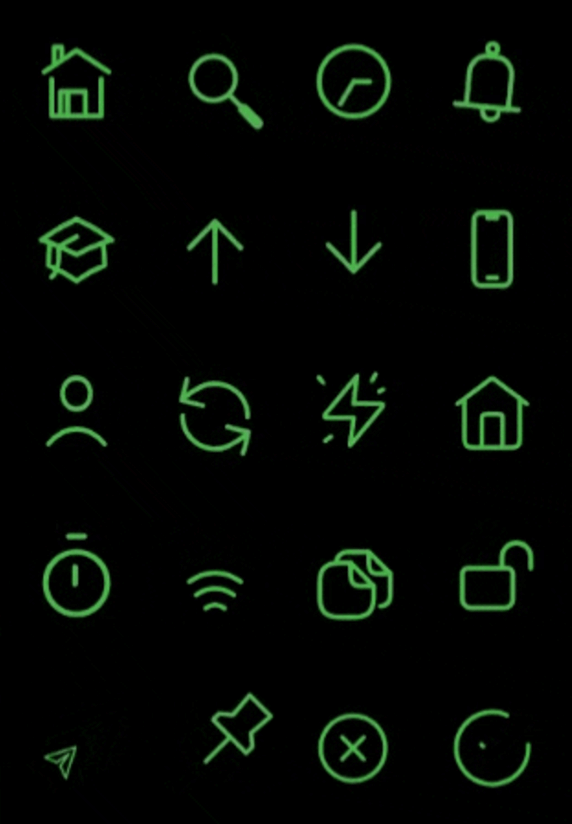
rive_animated_icon 패키지는 Rive로 구현된 사용자 정의 가능한 애니메이션 아이콘의 컬렉션을 제공하여 여러 플랫폼에서 부드럽고 인터랙티브한 애니메이션을 가능하게 합니다. 동적인 시각 요소를 원하는 개발자를 위한 것으로, Flutter 앱에 쉽게 통합되어 크기, 색상 및 애니메이션 상태를 간편하게 맞춤 설정할 수 있습니다. 사용자 인터페이스를 매력적인 마이크로 인터랙션으로 향상시키기에 적합하며, Android, iOS, Web, macOS, Windows, Linux를 지원합니다. Rive의 가벼운 애니메이션 엔진을 활용해 앱 반응성에 영향을 주지 않으면서도 고성능 시각 효과를 제공합니다.
사용 사례
애니메이션 아이콘으로 UI 향상
앱에 마이크로 인터랙션 추가하기
매력적인 로딩 표시기 만들기
테마별로 아이콘 애니메이션 사용자 정의
모션을 통한 사용자 피드백 향상
애니메이션 버튼 통합
주요 기능
Rive 기반 애니메이션
사용자 정의 가능한 크기 및 색상
다중 플랫폼 지원
Flutter와의 간편한 통합
사전 구축된 애니메이션 아이콘 세트
반응형 애니메이션 제어
적합한 대상
애니메이션 UI 요소를 찾는 플러터 개발자
상호작용 가능한 아이콘을 필요로 하는 앱
디자이너와 개발자들이 협력하는 방식
크로스 플랫폼 배포를 대상으로 하는 프로젝트
애니메이션에 Rive를 사용하는 팀
고려 사항
Rive 애니메이션에 익숙해야 합니다
Rive 자산으로 인한 추가 번들 크기
저사양 기기에서의 성능에 미치는 잠재적 영향
Rive 호환 애니메이션 형식에 한정
적절한 자산 관리가 필요합니다
복잡한 상호작용을 위해 사용자 정의 코드가 필요할 수 있습니다
원본 README
연결된 소스 저장소의 README 원문 스냅샷입니다. 최신 내용은 저장소에서 확인하세요.
RiveAnimatedIcons - 50+ Icons Available! 🚀
This package provides rive animated icons that can be customized to suit your preference. It includes the riveIcon type, onTap, color and other parameters to give you a level of control.
This parameter is used to define the icon type from the RiveIcon enum
Optional parameters
width:
This parameter is used to set the icon width
height:
This parameter is used to set the icon height
color:
This parameter is used to set icon color
loopAnimation:
When this parameter is set to true the icon's animation will be on loop
onTap:
This callback is set by the user to perform actions onTap
onHover:
This callback is set by the user to perform actions onHover
splashColor:
This parameter is used to set icon splash color
strokeWidth:
This parameter is used to set icon stroke width
splashFactory:
This parameter is used to set icon splashFactory
mouseCursor:
This parameter is used to set icon mouseCursor when hovered
enableAbsorbPointer:
When this parameter is set to true it disables all interactive features of the icon
Animated Icon stroke width sample ⬇️
Best practices 🙌
If a Rive animation is set to loop and is scrolled off-screen, you can disable the loop to stop the animation and conserve resources while it's not visible. Similarly, you can re-enable the loop when the animation comes back into view.