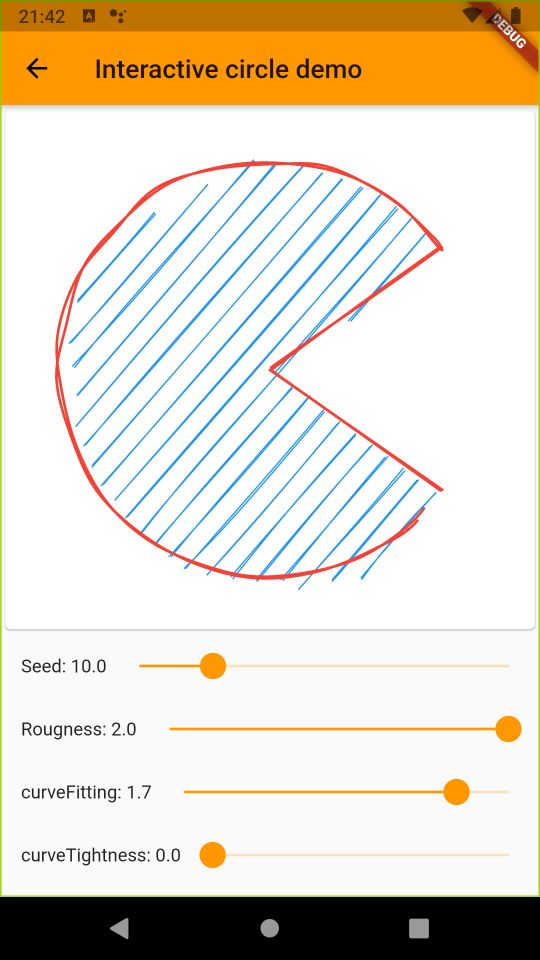
Rough는 개발자가 애플리케이션 내에서 거친 손그림 스타일의 그림을 만들 수 있도록 해주는 Flutter 라이브러리입니다. 실제 연필이나 펜 스케치의 불완전함을 모방하여 디지털 예술 작품이 더 자연스럽고 유기적으로 느껴지게 합니다. 인터랙티브한 그림 기능, 서명 입력 또는 예술적인 UI 요소에 이상적이며, Rough는 선, 도형, 텍스트를 거친 미학으로 렌더링할 수 있는 간단한 API를 제공합니다. 이 라이브러리는 가볍고 pub.dev를 통해 Flutter 프로젝트에 쉽게 통합됩니다.
사용 사례
손그림 스타일 주석
디지털 서명 캡처
예술적인 UI 요소
스케치 기반 인터페이스
인터랙티브 화이트보드
주요 기능
손그림 선 렌더링
사용자 정의 가능한 거칠기
형태 및 텍스트 지원
경량이며 간편한 통합
실시간 스케치 지원
적합한 대상
표현력 있는 그림 도구를 찾는 앱 개발자
자연스러운 시각적 요소를 원하는 디자이너
그림 기능이 있는 교육용 앱
인터랙티브 스케치 프로토타이핑
고려 사항
2D 도면 작성에 제한
고급 편집 도구 없음
복잡한 장면에서는 성능이 달라질 수 있습니다
고정밀 그래픽용이 아님
원본 README
연결된 소스 저장소의 README 원문 스냅샷입니다. 최신 내용은 저장소에서 확인하세요.
Rough
Rough is a library that allows you draw in a sketchy, hand-drawn-like style. It's a direct port of Rough.js.
Installation
In the dependencies: section of your pubspec.yaml, add the following line:
dependencies:rough:<latest_version>
Basic usage
Right now only drawing via canvas is supported. This is a basic documentation in case you want to play around with Rough. I can't ensure non-breaking changes of the library interface.
To draw a figure you have to:
Create a DrawConfig object to determine how your drawing will look.
Create a Filler to be used when drawing objects (you have to provide a configuration for the filling and a DrawConfig for the filling path).
Create a Generator object using the created DrawConfig and Filler. This will define a drawing/filling style.
Invoke the drawing method from the Generator to create a Drawable.
Paint the Drawable in the canvas using the drawRough method extension for Canvas.
Here an example on how to draw a circle:
//Create a `DrawConfig` object.DrawConfig myDrawConfig = DrawConfig.build(
roughness: 3,
curveStepCount: 14,
maxRandomnessOffset: 3,
);
//Create a `Filler` with a configuration (we reuse the drawConfig in this case).FillerConfig myFillerConfig = FillerConfig(
hachureGap: 8,
hachureAngle: -20,
drawConfig: myDrawConfig,
);
Filler myFiller = ZigZagFiller(myFillerConfig);
//Create a `Generator` with the created `DrawConfig` and `Filler`Generator generator = Generator(
myDrawConfig,
myFiller,
);
//4. Build a circle `Drawable`.Drawable figure = generator.circle(200, 200, 320);
//5. Paint the `Drawable` in the canvas.Canvas.drawRough(figure, pathPaint, fillPaint);
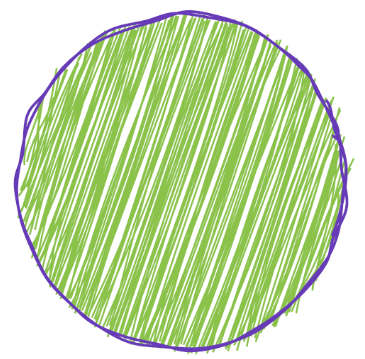
And this is the result:
Both DrawConfig and FillerConfig will use default values for anything not specified.