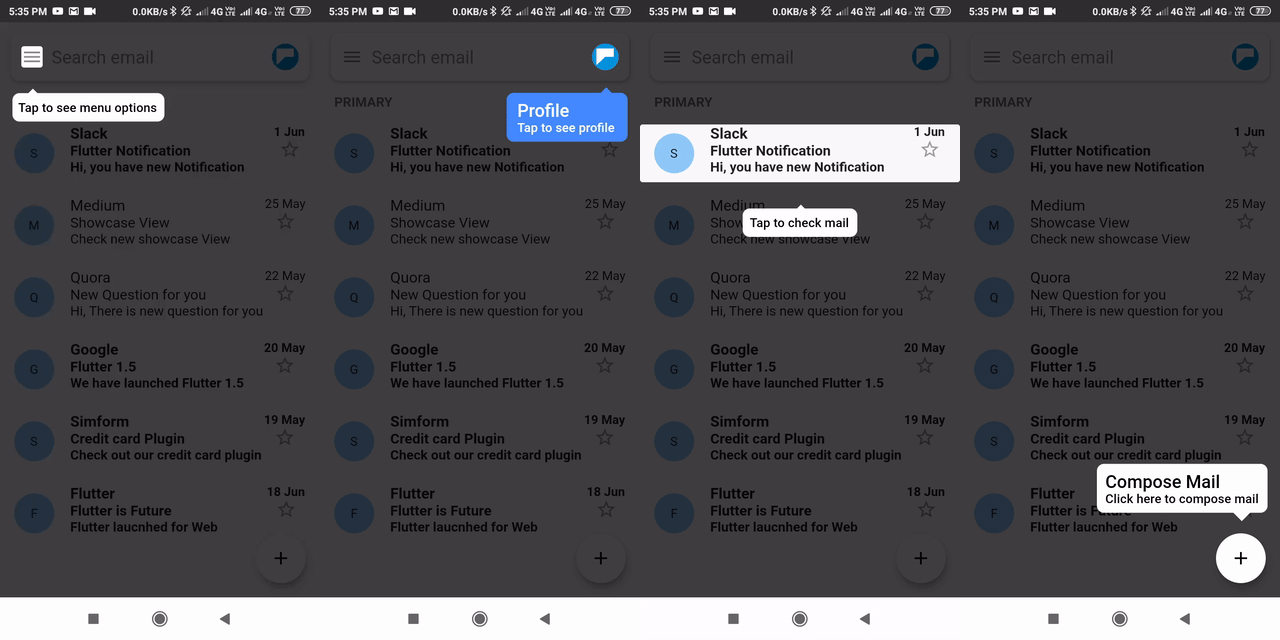
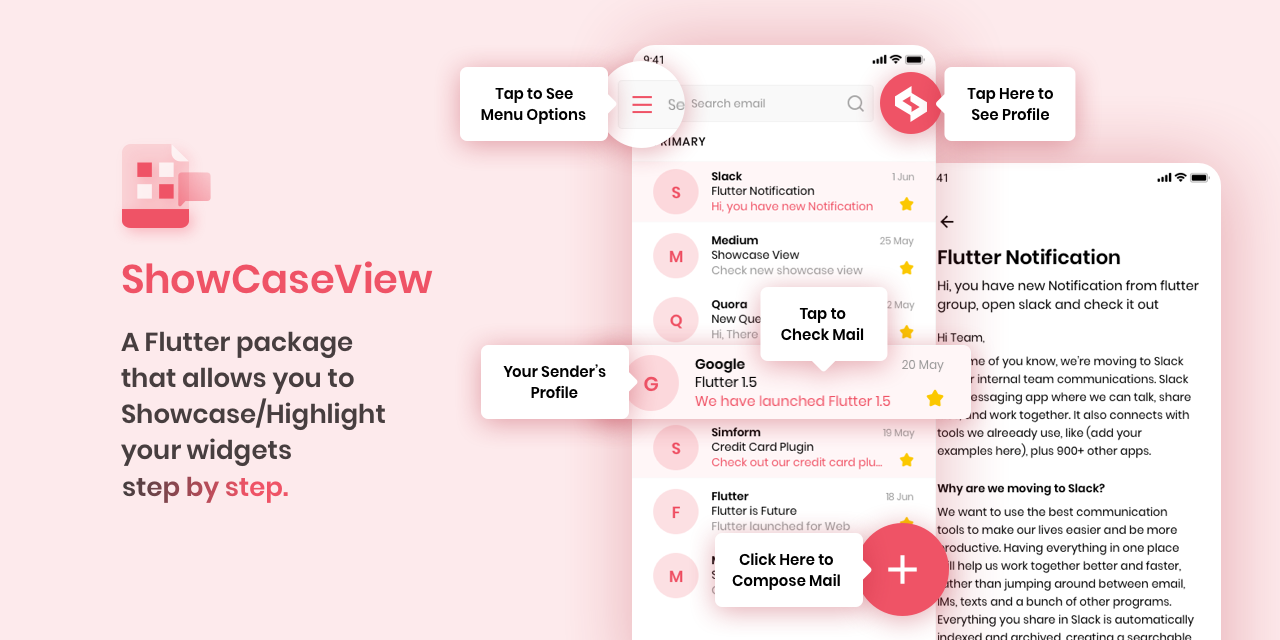
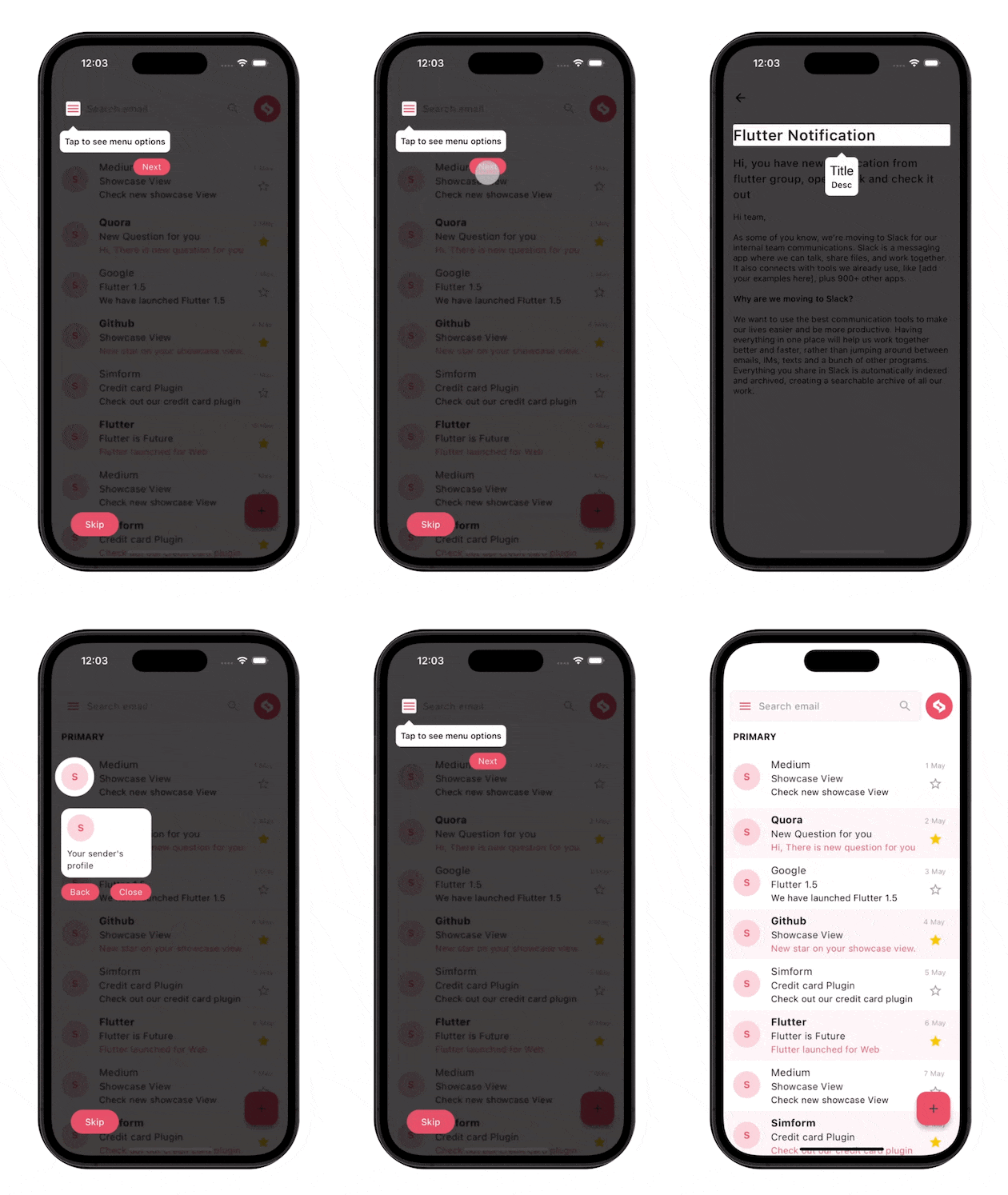
ShowcaseView는 특정 위젯을 단계적으로 강조함으로써 사용자가 앱 기능을 안내하는 데 도움이 되는 Flutter 패키지입니다. 중요한 UI 요소에 주목을 유도하는 상호작용형 코치 마크를 생성하여, 온보딩 또는 새로운 기능을 설명하는 데 이상적입니다. Android, iOS, Web, macOS, Windows, Linux 등 여러 플랫폼을 지원하며 장치 간 일관된 사용자 경험을 보장합니다. 사용자 정의 가능한 오버레이와 부드러운 애니메이션을 통해 초기 앱 상호작용 시 사용자 참여도를 향상시킵니다.
사용 사례
신규 사용자 온보딩
새로운 기능 강조
가이드된 앱 투어
사용자 교육 세션
기능 탐색 가능성 향상
주요 기능
단계별 위젯 강조
사용자 지정 오버레이 디자인
부드러운 전환 애니메이션
다중 플랫폼 지원
기존 위젯과의 간편한 통합
사용자 정의 가능한 탭-투-디스미스 동작
적합한 대상
앱 온보딩 흐름
복잡한 앱에서의 기능 소개
교육용 애플리케이션
제품 안내
UX 개선 이니셔티브
고려 사항
콘텐츠를 가리지 않도록 주의 깊게 배치해야 할 수 있습니다
많은 단계로 인한 성능 영향
다양한 화면 크기에서 테스트 필요
고급 스타일링을 위한 제한된 내장 사용자 정의
지속적인 UI 요소에는 적합하지 않습니다
원본 README
연결된 소스 저장소의 README 원문 스냅샷입니다. 최신 내용은 저장소에서 확인하세요.
ShowCaseView
A Flutter package that allows you to showcase/highlight your widgets step by step, providing
interactive tutorials for your application's UI.
Guide users through your app by highlighting specific widgets step by step.
Customize tooltips with titles, descriptions, actions, and styling.
Handles scrolling the widget into view for showcasing.
Support for custom tooltip widgets.
Animation and transition effects for tooltip.
Options to showcase multiple widgets at the same time.
Performance Gains on v5.x.x
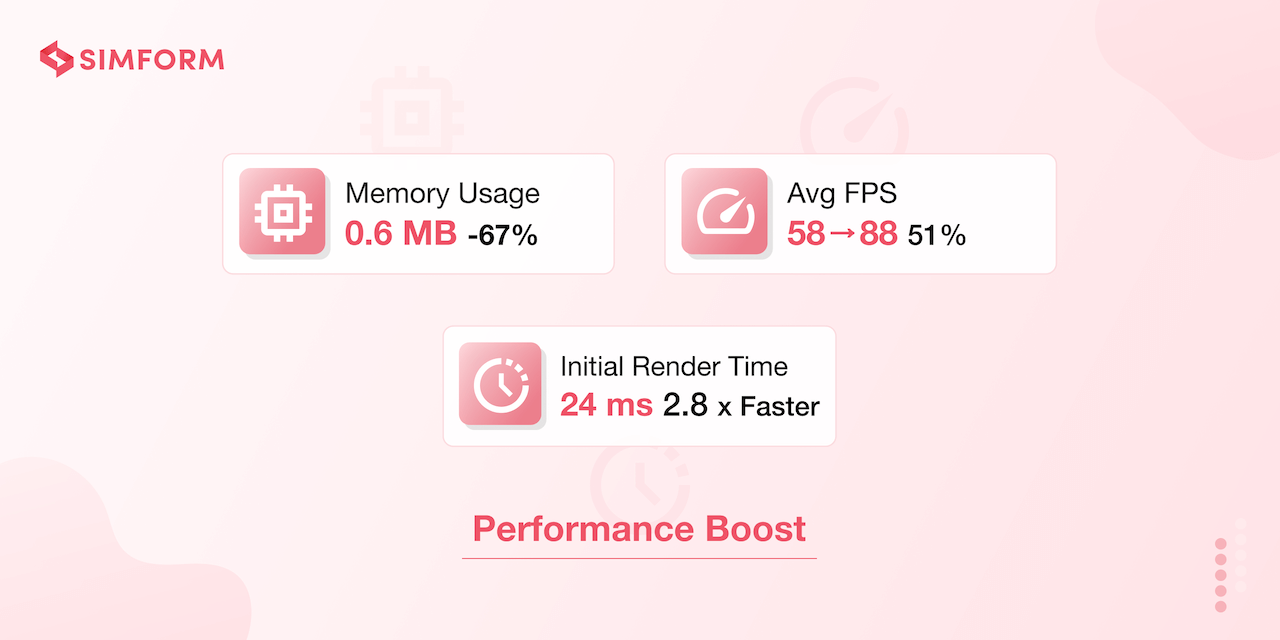
Version 5.0.0+ delivers exceptional performance improvements that make ShowcaseView faster and
more efficient than ever:
Performance metrics based on internal benchmarking tests performed on a mid-tier android device.
🚀 Memory Reduction
Optimized memory usage: Reduced from 1.8 MB to 0.6 MB
Significantly reduced memory footprint for better app performance
⚡ Faster Refresh
Smoother animations: Average FPS increased from 58 to 88 FPS
Better performance on lower-end devices and complex UI layouts
🎯 Quicker Rendering
Lightning-fast startup: Initial render time reduced from 68ms to 24ms
Dramatically improved time-to-interactive for showcases
Documentation
Visit our documentation site for all
implementation details, usage instructions, code examples, and advanced features.
Installation
dependencies:showcaseview:<latest-version>
Support
For questions, issues, or feature requests, create an issue on GitHub or reach out via the GitHub Discussions tab. We're happy to help and encourage community contributions.
To contribute documentation updates specifically, please make changes to the doc/documentation.md file and submit a pull request.