패키지, 저장소 및 앱 카테고리 검색

slide_action 표지
패키지 상세v0.0.2

slide_action

행동을 수행하기 위한 매우 사용자 정의 가능한 슬라이드 위젯입니다. 이 패키지는 여러 플랫폼에서 지원되는 사용하기 쉬운 위젯을 제공합니다.

AndroidiOSWebmacOSWindowsLinux
30일 다운로드
3.6천
좋아요
93
Pub 점수
160

패키지 설치

flutter pub add slide_action

패키지 개요

공개 정보를 바탕으로 생성한 선택 가이드입니다.

SlideAction는 사용자가 스와이프하여 작업을 트리거할 수 있는 사용자 정의 가능한 슬라이딩 위젯입니다. 크로스 플랫폼 사용을 위해 설계되어 Android, iOS, Web, macOS, Windows, Linux를 지원합니다. 부드러운 애니메이션과 직관적인 상호작용을 제공하여 항목 삭제 또는 요청 승인과 같은 작업을 확인하는 데 이상적입니다. 색상, 모양, 레이블 및 제스처 감도와 같은 옵션으로 매우 유연하게 구성할 수 있습니다. Flutter로 구현되어 추가 종속성 없이 기존 앱에 원활하게 통합될 수 있습니다.

사용 사례

  • 삭제 확인
  • 작업 승인
  • 사용자 온보딩 흐름
  • 폼 제출
  • 인터랙티브 튜토리얼
  • 토글 기반 인터페이스

주요 기능

  • 크로스 플랫폼 호환성
  • 사용자 정의 가능한 외관
  • 부드러운 스와이프 애니메이션
  • 사용자 정의 가능한 액션 트리거
  • 여러 플랫폼을 지원합니다
  • Flutter와의 간편한 통합

적합한 대상

  • 인터랙티브 UI를 구축하는 개발자
  • 제스처 기반 확인이 필요한 앱
  • 재사용 가능한 위젯을 찾는 디자이너
  • 다중 플랫폼을 대상으로 하는 프로젝트
  • 빠른 사용자 상호작용 프로토타이핑

고려 사항

  • 터치 감도에 맞게 조정이 필요할 수 있습니다
  • 스와이프 기반 상호작용에 제한됨
  • 복잡한 제스처에 적합하지 않음
  • 성능은 애니메이션의 복잡성에 따라 달라집니다
  • 접근성에 대한 신중한 설계가 필요합니다

원본 README

연결된 소스 저장소의 README 원문 스냅샷입니다. 최신 내용은 저장소에서 확인하세요.

pub.dev likes popularity pub points pub.dev

➡️ Slide Action

Slide action is a simple to use widget where the user has to slide to perform an action.


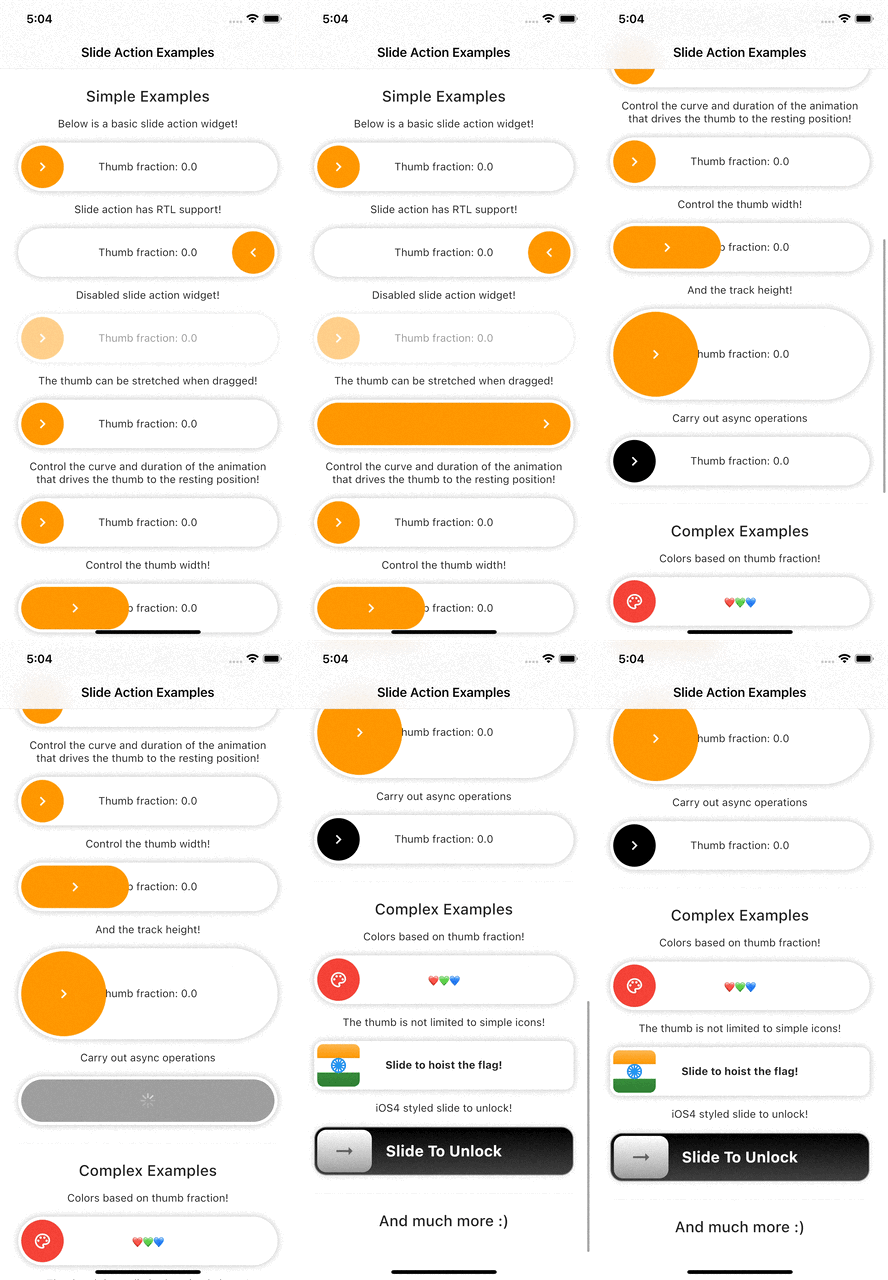
Example Preview 📱

Slide action preview


Features

  • Highly customizable.
  • Smooth thumb movement.
  • RTL support.
  • Async operations support.
  • Multi-platform support.
  • Multiple examples (included in example project)

Installing

Add this line to your pubspec.yaml under the dependencies:

dependencies:
  slide_action: ^0.0.1+3

alternatively, you can use this command:

flutter pub add slide_action

Usage

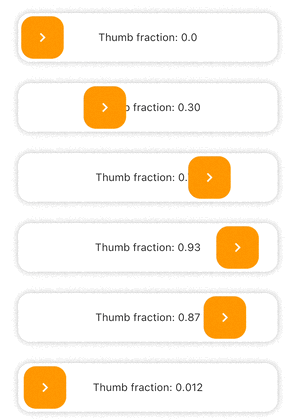
Simple Example

SlideAction(
    trackBuilder: (context, state) {
        return Container(
            decoration: BoxDecoration(
                borderRadius: BorderRadius.circular(16),
                color: Colors.white,
                boxShadow: const [
                    BoxShadow(
                        color: Colors.black26,
                        blurRadius: 8,
                    ),
                ],
            ),
            child: Center(
                child: Text(
                    "Thumb fraction: ${state.thumbFractionalPosition.toStringAsPrecision(2)}",
                ),
            ),
        );
    },
    thumbBuilder: (context, state) {
        return Container(
            margin: const EdgeInsets.all(4),
            decoration: BoxDecoration(
                color: Colors.orange,
                borderRadius: BorderRadius.circular(16),
            ),
            child: const Center(
                child: Icon(
                    Icons.chevron_right,
                    color: Colors.white,
                ),
            ),
        );
    },
    action: () {
        debugPrint("Hello World");
    },
);

SlideAction Simple Example 1


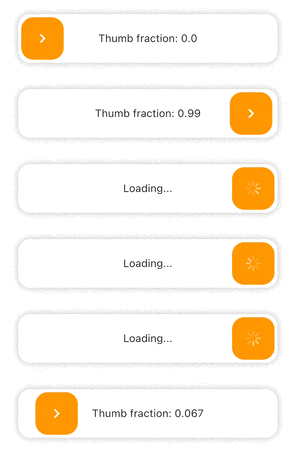
Async Example
SlideAction(
    trackBuilder: (context, state) {
        return Container(
            decoration: BoxDecoration(
                borderRadius: BorderRadius.circular(16),
                color: Colors.white,
                boxShadow: const [
                    BoxShadow(
                        color: Colors.black26,
                        blurRadius: 8,
                    ),
                ],
            ),
            child: Center(
                child: Text(
                    // Show loading if async operation is being performed
                    state.isPerformingAction
                        ? "Loading..."
                        : "Thumb fraction: ${state.thumbFractionalPosition.toStringAsPrecision(2)}",
                ),
            ),
        );
    },
    thumbBuilder: (context, state) {
        return Container(
            margin: const EdgeInsets.all(4),
            decoration: BoxDecoration(
                color: Colors.orange,
                borderRadius: BorderRadius.circular(16),
            ),
            child: Center(
                // Show loading indicator if async operation is being performed
                child: state.isPerformingAction
                    ? const CupertinoActivityIndicator(
                        color: Colors.white,
                    )
                    : const Icon(
                        Icons.chevron_right,
                        color: Colors.white,
                    ),
            ),
        );
    },
    action: () async {
        // Async operation
        await Future.delayed(
            const Duration(seconds: 2),
            () => debugPrint("Hello World"),
        );
    },
);

SlideAction Simple Example 2


Notes

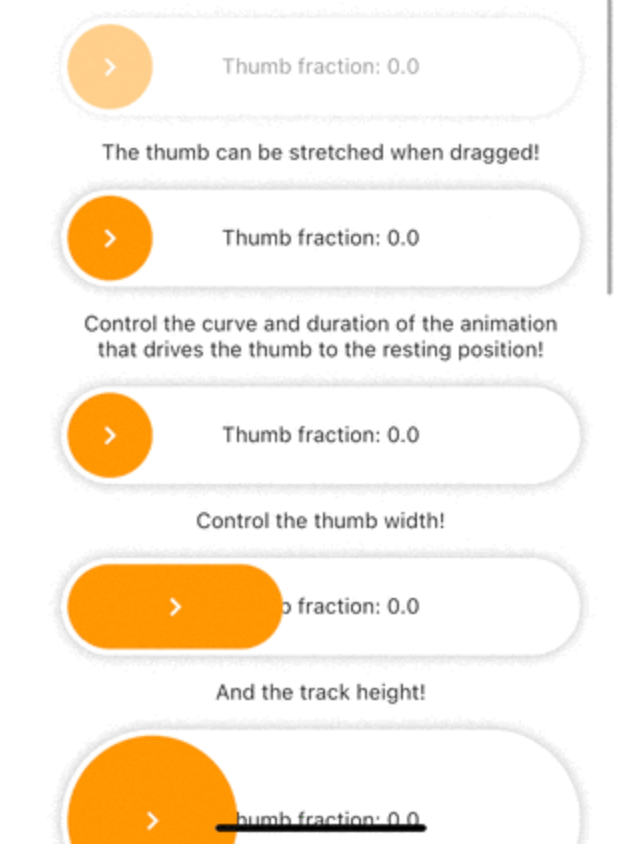
  • As of version 0.0.2, disabledColorTint property does not work on web as the color blend modes support is currently buggy for web. The opacity of the widget is reduced instead in case of web when disabled.

Additional information

Check the documentation or example project on github for advanced usage.

Facing issues? Feel free to report an issue on the Github Page

카테고리

소스 저장소

이 패키지를 사용하는 프로젝트

아직 데이터가 없습니다.