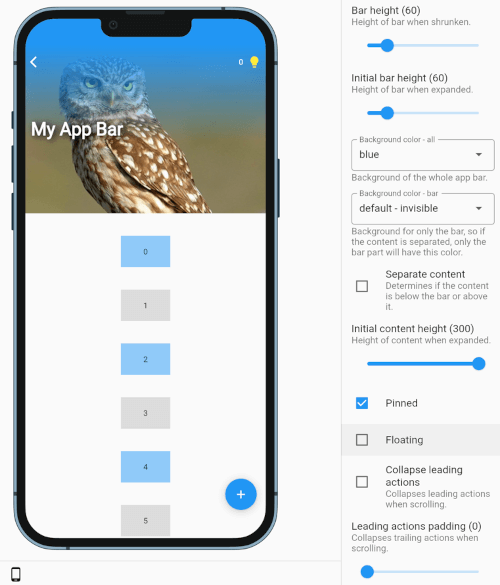
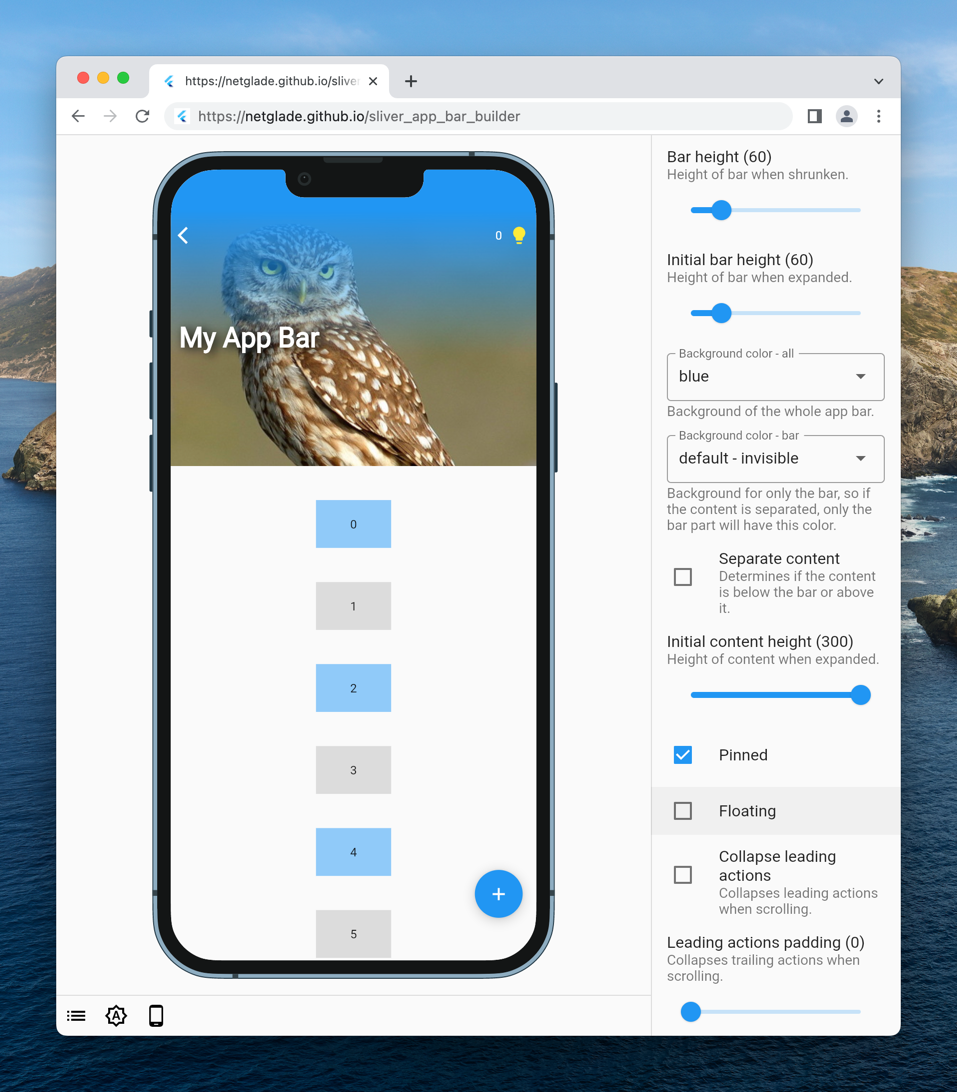
빌더 패턴을 활용하여 동적 콘텐츠 생성을 지원하는 매우 사용자 정의 가능한 슬리버 앱 바입니다. 개발자가 레이아웃과 동작에 대해 세밀한 제어를 하여 복잡하고 반응성 있는 앱 바를 구축할 수 있도록 합니다. 스크롤 가능한 목록 내에서 사용하기 위해 특별히 설계되었으며, 부드러운 전환을 지원하고 플러터의 슬리버 시스템과 원활하게 통합됩니다. 스크롤 위치나 상태 변화에 따라 헤더가 적응하는 몰입형 스크롤 경험을 만들기에 이상적인 패키지입니다.
A truly customizable sliver for app bars with the benefit of using builders.
Check the storybook demo and play with it yourself.
SliverAppBarBuilder supports various configurations:
bar
height
initialHeight (when expanded)
background (for everything or bar only)
content
builder
initialHeight
toggle contentBelowBar (whether content is on top or below bar)
padding
leading and trailing actions
list of builders
toggle collapsing
padding
stretching
toggle stretch
stretchConfiguration
misc
pinned mode
toggle mode
toggle debug (so you can debug each part visually)
Getting Started
Using the package is simple.
Just use the sliver SliverAppBarBuilder in place of SliverAppBar,
configure all the properties,
and enjoy.
Each builder, for content or leading/trailing actions,
provides expand ratio and content/bar height,
so you can easily use these values to customize your headers.
expandRatio is a value between 1.0 when expanded and 0.0 when shrunken
contentHeight/barHeight are current heights of corresponding parts
Content builder has additional property:
centerPadding, when contentBelowBar is false, is a value used to offset content to center it with bar
An example of a header with title moving from under back button to its right might look like this:
Flutter is pinned with FVM in .fvmrc (currently 3.41.5):
fvm install
fvm flutter pub get
The repository uses Melos as a task runner (the published package lives in the repository root,
so the root itself is the only Melos package). Melos is configured with sdkPath: .fvm/flutter_sdk,
so scripts always run against the pinned SDK:
fvm dart run melos run lint:all # format check + flutter analyze + DCM
fvm dart run melos run lint:format # dart format --set-exit-if-changed
fvm dart run melos run lint:dart # flutter analyze
fvm dart run melos run lint:dcm # dcm analyze
fvm dart run melos run format # write formatting
fvm dart run melos run test# flutter test
Run fvm dart run melos run --list to see all scripts. CI runs the very same commands; where FVM
is not available, set MELOS_SDK_PATH=auto to run the scripts against the SDK on the PATH.
lint:dcm needs the DCM CLI on the PATH; the version used by CI is pinned in dcm_global.yaml.