패키지, 저장소 및 앱 카테고리 검색

spoiler_widget 표지
패키지 상세v1.0.25

spoiler_widget

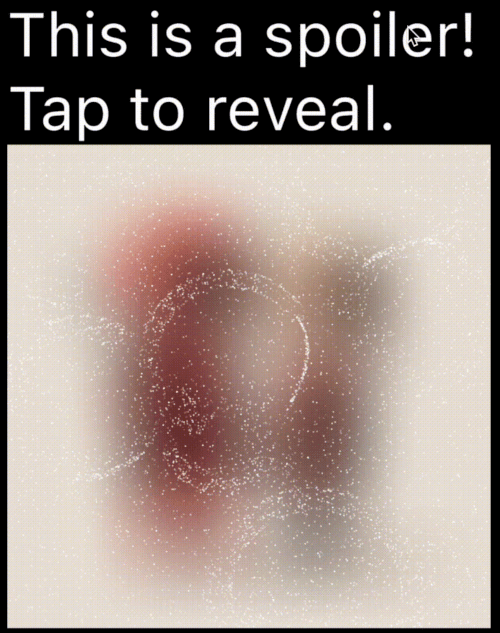
텔레그램에서 사용하는 것과 유사한 스포일러 애니메이션을 생성할 수 있는 플러터 패키지로, 탭하거나 클릭하기 전까지 민감하거나 스포일러가 포함된 콘텐츠를 숨길 수 있습니다.

AndroidiOSWebmacOSWindowsLinux
30일 다운로드
1.1천
좋아요
97
Pub 점수
160

패키지 설치

flutter pub add spoiler_widget

패키지 개요

공개 정보를 바탕으로 생성한 선택 가이드입니다.

spoiler_widget 패키지는 Flutter에서 인터랙티브한 스포일러 애니메이션을 만들 수 있게 해주며, 인기 있는 텔레그램 스타일의 노출 효과를 모방합니다. 민감하거나 놀라운 콘텐츠를 처음에는 숨기고 사용자 상호작용(예: 탭 또는 클릭) 시에 노출할 수 있습니다. 메시지, 이미지, 텍스트 내의 스포일러를 숨기는 데 이상적이며, 다양한 플랫폼에서 부드러운 전환을 통해 사용자 경험을 향상시킵니다. 이 패키지는 가볍고 기존의 Flutter 앱에 원활하게 통합될 수 있습니다.

사용 사례

  • 채팅 앱에서 스포일러 숨기기
  • 터치 시 이미지 내용 표시
  • 인터랙티브 스토리 요소 만들기
  • UI에서 민감한 정보 보호
  • 게임에서 유쾌한 공개 추가

주요 기능

  • 텔레그램 스타일 애니메이션
  • 터치하여 표시하는 상호작용
  • 부드러운 전환 효과
  • 크로스 플랫폼 지원
  • 기존 위젯과의 간편한 통합
  • 사용자 지정 가능한 노출 기간

적합한 대상

  • 채팅 및 메시징 앱
  • 인터랙티브 스토리텔링
  • 게임화 인터페이스
  • 제어되는 가시성을 필요로 하는 콘텐츠
  • 간단하지만 효과적인 애니메이션을 찾는 개발자

고려 사항

  • 많은 인스턴스에서 성능에 영향을 미칠 수 있습니다
  • 기본 애니메이션을 넘어서는 사용자 정의가 제한되어 있음
  • 노출을 위해 사용자 상호작용이 필요합니다
  • 정적 콘텐츠에 적합하지 않습니다
  • 놀라움 효과를 유지하기 위해 적절히 사용하는 것이 가장 좋습니다

원본 README

연결된 소스 저장소의 README 원문 스냅샷입니다. 최신 내용은 저장소에서 확인하세요.

Spoiler Animation for Flutter

Spoiler Widget

Pub Likes Pub Points Pub Version License: MIT Flutter GitHub stars

A Flutter package to create spoiler animations similar to the one used in Telegram, allowing you to hide sensitive or spoiler-filled content until it's tapped or clicked.

Demo

Mask Operation Demo Mask Operation Demo
PathOperation.intersect PathOperation.difference
PathOperation.union PathOperation.xor

Features

  • Spoiler Animation: Blur effect to hide content until tapped or hidden

  • Wave Effects: Optional wave/ripple expansions with SpoilerSpotsController

  • Particle System: Configure particle density (0–1 coverage), size, speed, color, and shape paths/presets.

  • Fade Animation: Smooth circular reveal/cover transitions

  • Gesture Control: Enable or disable gestures to users can tap toggle the spoiler.

  • Masking Support: Use custom Path + PathOperation via maskConfig.

  • Platform Agnostic: Works on iOS, Android, Web, Tizen and more


Installation

In your pubspec.yaml:

dependencies:
  spoiler_widget: ^1.0.25

Then run:

flutter pub get

Usage

1. Basic Spoiler Usage

Import the package:

import 'package:spoiler_widget/spoiler_widget.dart';

Wrap any widget you want to hide in a spoiler:

SpoilerOverlay(
  config: WidgetSpoilerConfig(
    isEnabled: true,
    fadeConfig: const FadeConfig(padding: 3.0, edgeThickness: 20.0),
    enableGestureReveal: true,
    imageFilter: ImageFilter.blur(sigmaX: 30, sigmaY: 30),
    onSpoilerVisibilityChanged: (isVisible) {
      debugPrint('Spoiler is now: ${isVisible ? 'Visible' : 'Hidden'}');
    },
  ),
  child: const Text('Hidden content'),
);

For text-only content, use SpoilerTextWrapper (preferred over deprecated SpoilerText):

SpoilerTextWrapper(
  config: TextSpoilerConfig(
    isEnabled: true,
    fadeConfig: const FadeConfig(padding: 3.0, edgeThickness: 20.0),
    enableGestureReveal: true,
    onSpoilerVisibilityChanged: (isVisible) {
      debugPrint('Spoiler is now: ${isVisible ? 'Visible' : 'Hidden'}');
    },
  ),
  child: const Text(
    'Tap me to reveal secret text!',
    style: TextStyle(fontSize: 16, color: Colors.black),
  ),
);

1.1 Wrap existing text widgets

If you already have a text subtree and just need to hide it with particles, use SpoilerTextWrapper:

SpoilerTextWrapper(
  config: TextSpoilerConfig(
    isEnabled: true,
    fadeConfig: const FadeConfig(padding: 10.0, edgeThickness: 20.0),
    enableGestureReveal: true,
  ),
  child: Column(
    crossAxisAlignment: CrossAxisAlignment.start,
    children: const [
      Text('Sensitive line 1'),
      Text('Sensitive line 2'),
    ],
  ),
);
1.2 Form field integration

Use SpoilerTextFieldWrapper to keep the native context menu/cursor while hiding parts of the input:

final controller = TextEditingController(text: 'Type here...');

SpoilerTextFieldWrapper(
  controller: controller,
  focusNode: FocusNode(),
  config: const TextSpoilerConfig(
    isEnabled: true,
    fadeConfig: FadeConfig(padding: 10.0, edgeThickness: 20.0),
    enableGestureReveal: true,
    textSelection: TextSelection(baseOffset: 0, extentOffset: 5),
    textStyle: TextStyle(fontSize: 18, color: Colors.white),
  ),
  cursorColor: Colors.deepPurple,
  maxLines: 3,
);
2. Wave Animations (SpoilerSpotsController)

For dynamic "wave" effects:

class WaveDemo extends StatelessWidget {
  @override
  Widget build(BuildContext context) {
    return SpoilerOverlay(
      config: WidgetSpoilerConfig( 
        isEnabled: true,
        maxActiveWaves: 3,
        fadeConfig: const FadeConfig(padding: 10.0, edgeThickness: 20.0),
        enableGestureReveal: true,
        imageFilter: ImageFilter.blur(sigmaX: 30, sigmaY: 20),
        onSpoilerVisibilityChanged: (isVisible) {
          debugPrint('Spoiler is now: ${isVisible ? 'Visible' : 'Hidden'}');
        },
      ),
      child: Image.network('https://your-image-url'),
    );
  }
}

3. Custom Path Masking

You can apply a custom-shaped mask using maskConfig in both TextSpoilerConfig and WidgetSpoilerConfig. This allows the spoiler effect to only appear inside specific areas defined by a Path.

SpoilerTextWrapper(
  config: TextSpoilerConfig(
    isEnabled: true,
    enableGestureReveal: true,
    particleConfig: const ParticleConfig(
      density: 0.1,
      speed: 0.2,
      color: Colors.white,
      maxParticleSize: 1.0,
    ),
    maskConfig: SpoilerMask(
      maskPath: myCustomPath,
      maskOperation: PathOperation.intersect,
      offset: Offset(50, 30),
    ),
    onSpoilerVisibilityChanged: (isVisible) {
      debugPrint('Spoiler is now: ${isVisible ? 'Visible' : 'Hidden'}');
    },
  ),
  child: const Text(
    'Masked spoiler!',
    style: TextStyle(fontSize: 24, color: Colors.white),
  ),
);

3. Full Example

You can find a complete, runnable example in the example/lib/main.dart file. It demonstrates various configuration options and both text and widget-based spoilers.

Configuration
Common Fields

Table showing common config parameters for both TextSpoilerConfig and WidgetSpoilerConfig.

Field Type Description
isEnabled bool Whether the spoiler starts enabled (hidden).
enableGestureReveal bool Whether tap should toggle visibility.
particleConfig ParticleConfig Particle system parameters (density, speed, color, size, shape).
fadeConfig FadeConfig? Fade parameters (padding, edgeThickness).
shaderConfig ShaderConfig? Custom fragment shader configuration for particles.
maskConfig SpoilerMask? Optional mask to apply using a Path.
onSpoilerVisibilityChanged ValueChanged? Callback fired when spoiler becomes visible/hidden.
Legacy fields (deprecated)

These fields are kept for backward compatibility; prefer particleConfig and fadeConfig.

  • enableFadeAnimation
  • fadeRadius (maps to FadeConfig.padding)
  • fadeEdgeThickness
  • particleDensity
  • particleSpeed
  • particleColor
  • maxParticleSize
ParticleConfig
Field Type Description
density double Area coverage percentage in the range 0..1 (0 = 0%, 1 = 100%). Values are clamped.
speed double Particle speed (px/frame).
color Color Base particle color.
maxParticleSize double Particle diameter in pixels.
shapePreset ParticlePathPreset? Built-in shapes or ParticlePathPreset.custom(...) for your own path.
enableWaves bool Enables ripple waves that push particles.
maxWaveRadius double Wave radius limit in pixels.
maxWaveCount int Maximum number of simultaneous waves.
TextSpoilerConfig
Field Type Description
textStyle TextStyle? The text style applied to the spoiler text.
textSelection TextSelection? Range of text to apply the spoiler.
textAlign TextAlign? Text alignment inside the widget.
maxLines int? An optional maximum number of lines for the text to span, wrapping if necessary.
isEllipsis bool? Determines whether overflowing text should display an ellipsis ("…") at the end.
WidgetSpoilerConfig
Field Type Description
imageFilter ImageFilter? Blur filter used to hide the child.
maxActiveWaves int Max concurrent waves for wave-based effects.
FAQ
  1. How can I animate the blur or wave concurrency? Adjust the properties in your configuration object at runtime. For instance, set a new imageFilter or call methods on the wave controller to dynamically tune the effect.

  2. Can I skip the wave logic? Yes—by default, you get a basic spoiler with fade. Use SpoilerSpotsController only if you want wave animations.

  3. Does this work on the web? Yes! It’s entirely in Flutter/Dart. Just ensure you handle any platform quirks with gesture input.

Dual Rendering Modes

spoiler_widget now supports two modes of rendering particles:

  1. Atlas Rendering (Default): Uses Flutter's drawRawAtlas. This is a CPU-driven approach that is highly efficient for most standard spoiler effects.
  2. Shader Rendering (GPU): Uses custom fragment shaders to render particles. This is ideal for complex visual effects and leverages GPU power for smoother performance on high-end devices.

To enable Shader Rendering, simply provide a ShaderConfig to your spoiler configuration.

Particle Shapes

Pick a shape once in ParticleConfig, and it works for both atlas and shader modes. Leave shapePreset null for the default circle (fastest path).

particleConfig: ParticleConfig(
  density: 0.1,
  shapePreset: ParticlePathPreset.snowflake,
),

If you need full control, provide a custom Path for particles:

final starPath = Path()
  ..moveTo(0.0, -1.0)
  ..lineTo(0.2, -0.2)
  ..lineTo(1.0, -0.2)
  ..lineTo(0.35, 0.15)
  ..lineTo(0.6, 0.9)
  ..lineTo(0.0, 0.4)
  ..lineTo(-0.6, 0.9)
  ..lineTo(-0.35, 0.15)
  ..lineTo(-1.0, -0.2)
  ..lineTo(-0.2, -0.2)
  ..close();

particleConfig: ParticleConfig(
  density: 0.1,
  shapePreset: ParticlePathPreset.custom(starPath),
),
4. Custom Fragment Shader (particles.frag)

You can use the default high-performance shader for particle rendering:

SpoilerTextWrapper(
  config: TextSpoilerConfig(
    isEnabled: true,
    enableGestureReveal: true,
    particleConfig: const ParticleConfig(
      density: 0.15,
      speed: 0.25,
      color: Colors.white,
      maxParticleSize: 1.0,
      shapePreset: ParticlePathPreset.star,
    ),
    shaderConfig: ShaderConfig.particles(),
  ),
  child: const Text('GPU-driven particles!'),
);
Contributing

Contributions are welcome! Whether it’s bug fixes, new features, or documentation improvements, open a Pull Request or Issue.


License

Licensed under the MIT License. Enjoy building your spoiler effects!

카테고리

소스 저장소

이 패키지를 사용하는 프로젝트

아직 데이터가 없습니다.