패키지, 저장소 및 앱 카테고리 검색

status_alert 표지
패키지 상세v3.0.1

status_alert

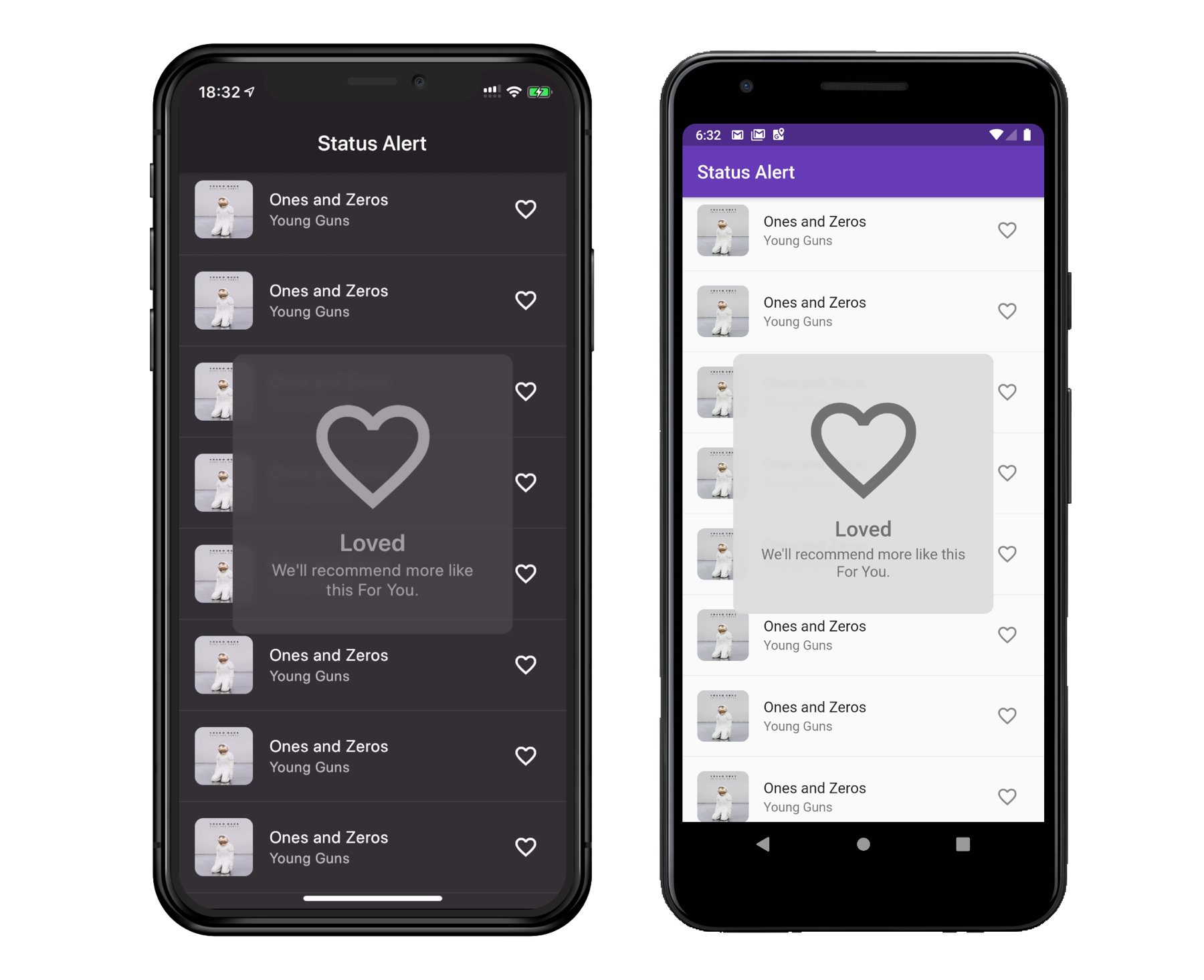
애플 시스템과 유사한 자동 숨김 상태 알림을 표시합니다. 사용자 흐름을 방해하지 않고 사용자에게 알리는 데 적합합니다.

AndroidiOSWebmacOSWindowsLinux
30일 다운로드
698
좋아요
287
Pub 점수
160

패키지 설치

flutter pub add status_alert

패키지 개요

공개 정보를 바탕으로 생성한 선택 가이드입니다.

Apple의 UI를 영감으로 한 시스템 스타일의 자동 숨김 상태 알림을 표시하는 Flutter 패키지입니다. 이러한 비방해적인 알림은 화면 상단에 짧게 나타났다가 자동으로 사라지며, 사용자 흐름을 방해하지 않고 피드백을 제공하는 데 이상적입니다. 깔끔하고 미니멀한 디자인으로 Android, iOS, Web, macOS, Windows, Linux 등 다양한 플랫폼을 지원합니다. 가볍고 쉽게 통합할 수 있으며, 장치 간에 부드러운 애니메이션과 신뢰할 수 있는 동작을 제공합니다.

사용 사례

  • 폼 제출 후 성공 메시지 표시
  • 임시 오류 알림 표시
  • 사용자 작업에 대한 피드백 제공
  • 백그라운드 프로세스 업데이트에 대해 사용자에게 알림
  • 세밀하고 차단되지 않는 알림을 통한 UX 향상

주요 기능

  • 자기 숨김 알림
  • 애플 스타일의 시각적 디자인
  • 크로스 플랫폼 호환성
  • 부드러운 페이드인/페이드아웃 애니메이션
  • 최소 설정으로 간단한 API
  • 사용자 정의 가능한 지속 시간 및 위치

적합한 대상

  • 경량 피드백이 필요한 앱
  • 사용자 경험을 우선시하는 개발자
  • 다중 플랫폼 대상 프로젝트
  • 중단을 피해야 하는 UI
  • 네이티브 스타일의 알림 스타일을 원하는 팀

고려 사항

  • 지속적이거나 중요한 경고에 적합하지 않습니다
  • 기본 스타일링을 초과한 사용자 정의는 제한적
  • 정확한 위치 지정을 위해서는 적절한 컨텍스트가 필요합니다
  • 복잡한 위젯 트리에서는 예상대로 작동하지 않을 수 있습니다
  • 짧은 기간 동안 비긴급 메시지에 가장 적합

원본 README

연결된 소스 저장소의 README 원문 스냅샷입니다. 최신 내용은 저장소에서 확인하세요.

Status Alert for Flutter

Pub Version CI

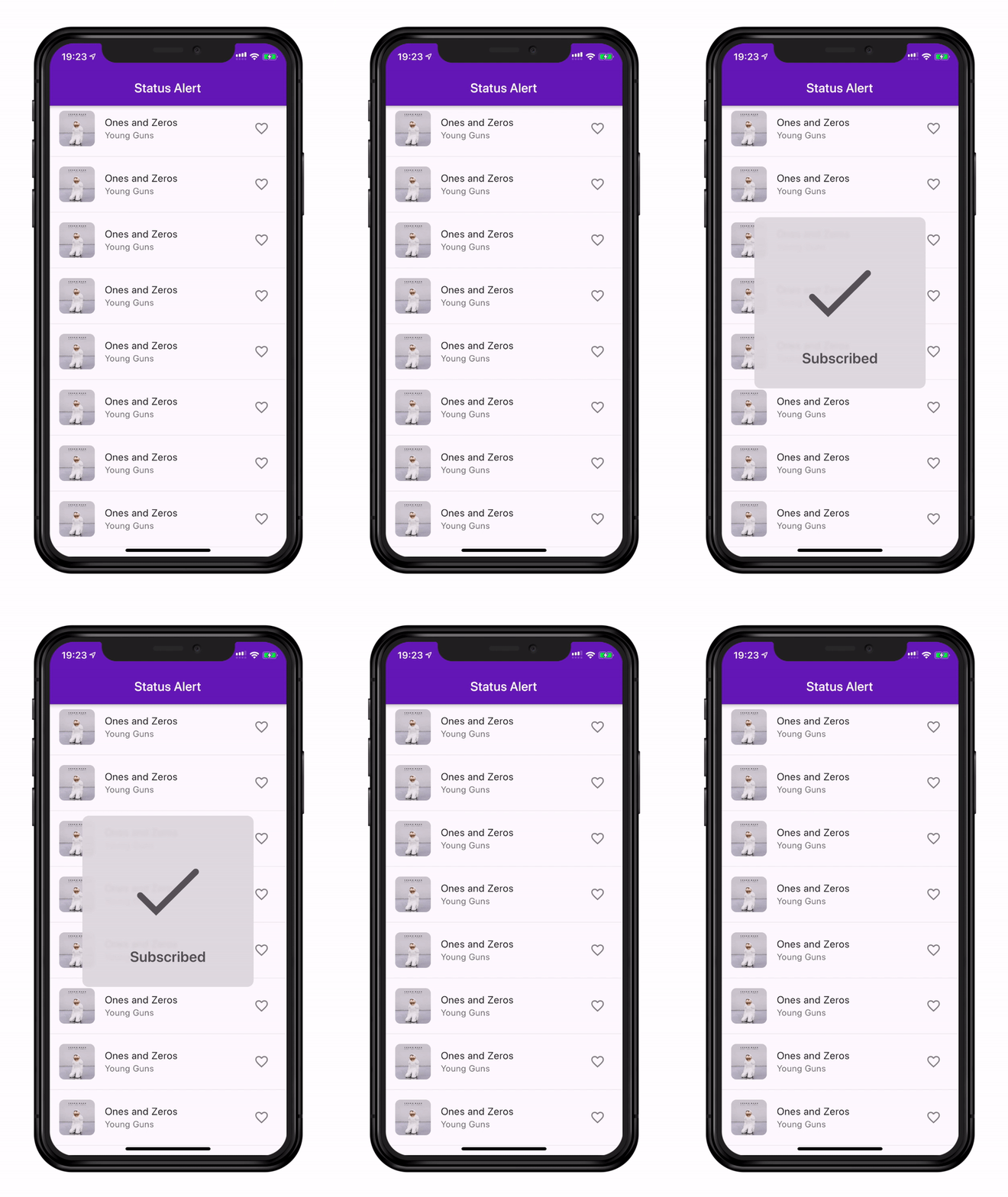
Display Apple system-like self-hiding status alerts. Well suited for notifying users without interrupting their flow.

Installing

dependencies:
  status_alert: ^2.0.0
import 'package:status_alert/status_alert.dart';

Basic Usage

StatusAlert.show(
  context,
  duration: Duration(seconds: 2),
  title: 'Subscribed',
  subtitle: 'You will be notified of new posts',
  configuration: IconConfiguration(icon: Icons.done),
  maxWidth: 260,
);

Parameters

Parameter Type Default Description
title String? null Main text
subtitle String? null Secondary text
configuration PopupMediaConfiguration? null Icon or custom widget
duration Duration 1300ms How long the alert stays visible
backgroundColor Color? Theme-based Alert background
blurPower double 2.0 Background blur sigma
maxWidth double? null Max width on large screens
alignment Alignment center Alert position on screen
margin EdgeInsets all(40) Outer spacing
padding EdgeInsets all(30) Inner spacing
borderRadius BorderRadius circular(10) Corner radius
dismissOnBackgroundTap bool false Dismiss when background is tapped
onComplete VoidCallback? null Called after dismiss animation ends
titleOptions StatusAlertTextConfiguration? null Title text styling
subtitleOptions StatusAlertTextConfiguration? null Subtitle text styling

Media Configurations

Icon
StatusAlert.show(
  context,
  title: 'Done',
  configuration: IconConfiguration(
    icon: Icons.check_circle,
    color: Colors.green,
    size: 60,
  ),
);
Custom Widget (e.g. Rive animation)
StatusAlert.show(
  context,
  title: 'Loading',
  configuration: WidgetConfiguration(
    widget: RiveAnimation.asset('assets/animation.riv'),
  ),
);

Programmatic Control

// Show
StatusAlert.show(context, title: 'Saved');

// Hide manually
StatusAlert.hide();

// Check visibility
if (StatusAlert.isVisible) { ... }

onComplete Callback

Called after the alert finishes its dismiss animation:

StatusAlert.show(
  context,
  title: 'Uploaded',
  onComplete: () => Navigator.push(context, ...),
);

Migration from 1.x

1.x 2.x
FlareConfiguration Use WidgetConfiguration with a Rive widget
textScaleFactor in StatusAlertTextConfiguration Use textScaler
Dart SDK <3.0.0 Requires Dart >=3.0.0

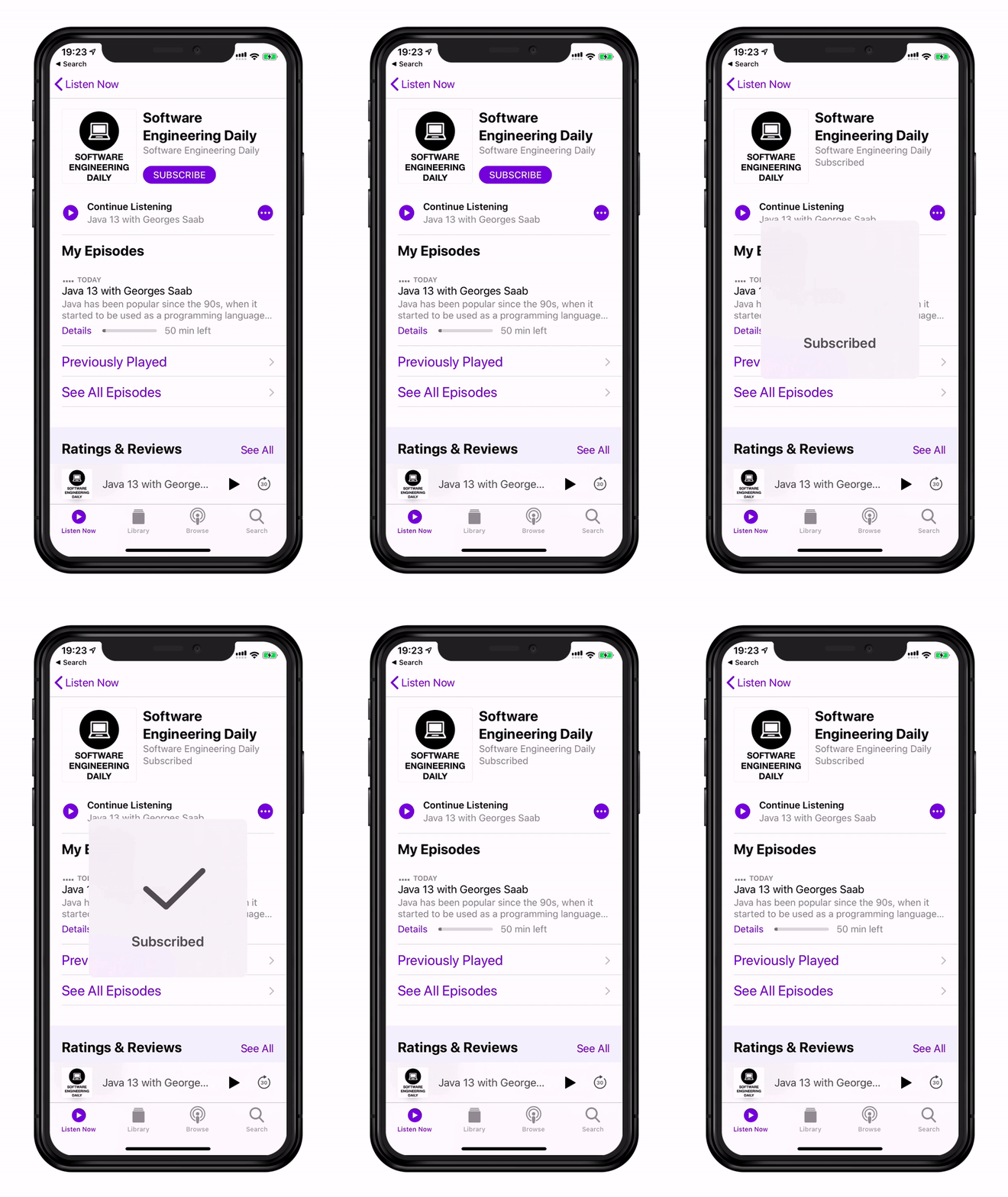
Apple Podcasts vs Status Alert

License

This project is licensed under the Apache License 2.0 — see the LICENSE file for details.

카테고리

의존성

의존성 목록 1 개

소스 저장소

이 패키지를 사용하는 프로젝트

아직 데이터가 없습니다.