패키지, 저장소 및 앱 카테고리 검색

suggest_a_feature 표지
패키지 상세v0.6.0

suggest_a_feature

사용자로부터 제안을 수집하기 위한 미리 준비된 Flutter 패키지입니다.

AndroidiOSmacOSWindowsLinux
30일 다운로드
96
좋아요
24
Pub 점수
150

패키지 설치

flutter pub add suggest_a_feature

패키지 개요

공개 정보를 바탕으로 생성한 선택 가이드입니다.

개발자가 앱 내에서 사용자 제안을 직접 수집할 수 있도록 설계된 미리 준비된 Flutter 패키지입니다. 사용자가 피드백과 기능 아이디어를 제출할 수 있는 간단하고 사용자 정의 가능한 인터페이스를 제공하여 통찰력을 수집하는 과정을 간소화합니다. 크로스플랫폼 지원을 갖추고 있어 Android, iOS, macOS, Windows 및 Linux에서 원활하게 작동합니다. 사용자 중심의 입력을 통해 개선을 추구하는 앱에 이상적이며, 제품 개발에 사용자를 참여시키는 접근성 높은 방법을 제공합니다. pub add를 통해 쉽게 통합되며, 투명성과 커스터마이징을 위해 GitHub에서 소스 코드도 제공됩니다.

사용 사례

  • 사용자 피드백 수집
  • 기능 요청 수집
  • 앱 사용성 향상
  • 사용자 참여도 향상
  • 제품 로드맵 계획 지원

주요 기능

  • 사전 구축된 제안 양식
  • 크로스 플랫폼 호환성
  • pub를 통한 간편한 통합
  • 사용자 정의 가능한 UI
  • 오픈소스 코드베이스

적합한 대상

  • 사용자 피드백을 찾는 개발자
  • 지속적인 개선에 중점을 둔 앱
  • 애자일 개발을 사용하는 팀
  • 기능 아이디어를 추적하는 제품 관리자
  • 오픈소스 프로젝트

고려 사항

  • 제안을 저장하기 위해 사용자 정의 백엔드가 필요합니다
  • 프론트엔드 피드백 수집에 제한됨
  • 추가 검증 로직이 필요할 수 있습니다
  • 실시간 협업에 적합하지 않습니다
  • 디자인은 브랜딩 조정이 필요할 수 있습니다

원본 README

연결된 소스 저장소의 README 원문 스냅샷입니다. 최신 내용은 저장소에서 확인하세요.

Suggest a Feature

What the Flutter

Crafted with passion by What the Flutter 🦜

Pub Build Status CodeFactor


This Flutter package is a ready-made module which allows other developers to implement additional menu in their own mobile app where users can share their suggestions about the application in real time, discuss them with others, and vote for each other's suggestions.

You can check interactive example here.

A small demo:

Usage

At first, you need to implement SuggestionsDataSource. This is an interface which we use to handle all the data-layer logic. There you can add the connection to your DB.

If you use firestore as a data source, you can use our ready-made implementation Suggest a feature Firestore.

Then you need to move the SuggestionsPage. For example:

Navigator.of(context).push(
  MaterialPageRoute(
    builder: (context) => SuggestionsPage(
      userId: '1',
      suggestionsDataSource: MyDataSource(
        userId: '1',
      ),
      theme: SuggestionsTheme.initial(),
      onUploadMultiplePhotos: null,
      onSaveToGallery: null,
      onGetUserById: () {},
    ),
  ),
);

If you want to give a user the ability to attach photos to suggestions and save them to the gallery, you just need to implement the onUploadMultiplePhotos and onSaveToGallery methods.

You can also either use our standard theme or create your own:

theme: SuggestionsTheme().copyWith(...),

Admin functionality

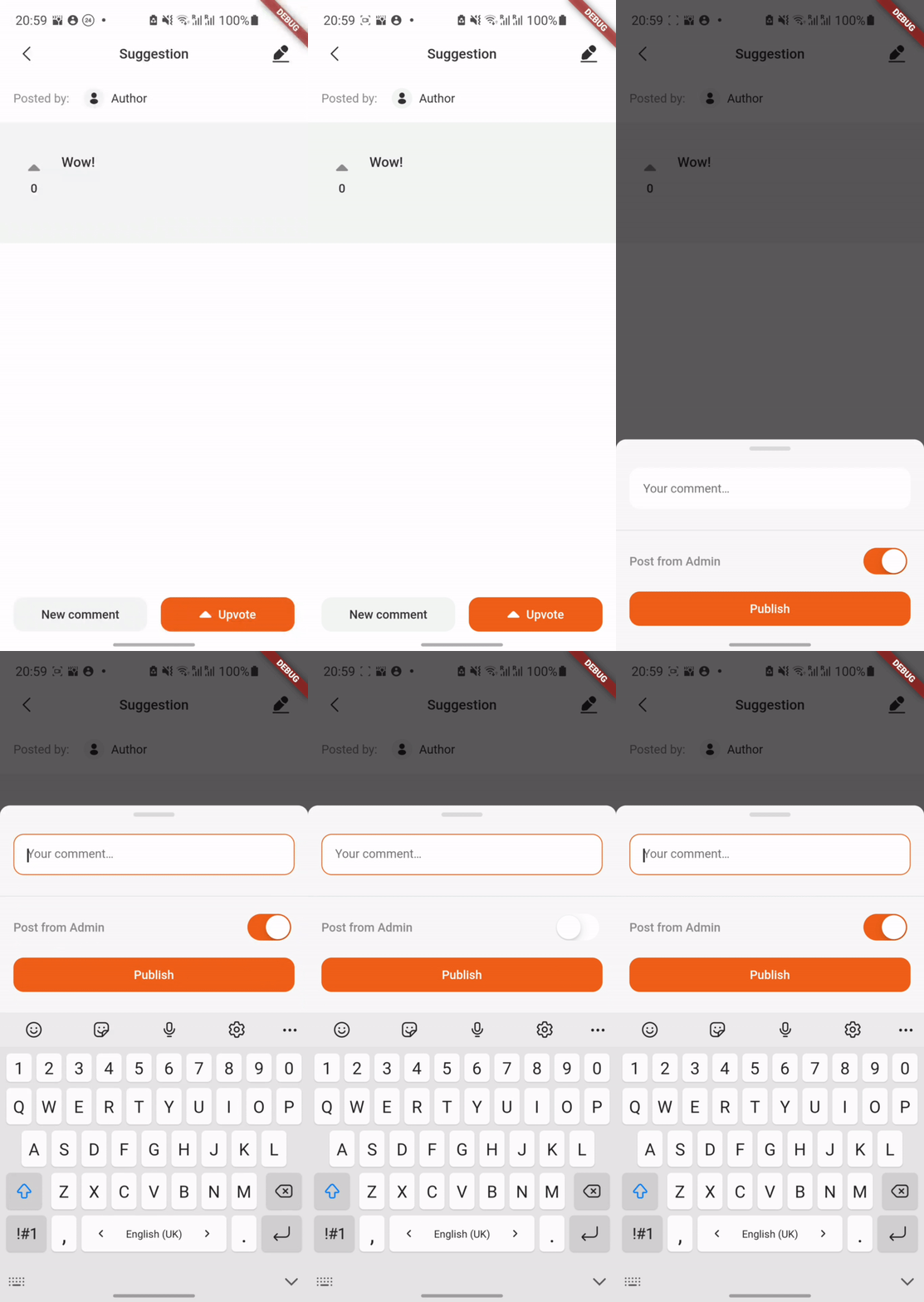
Admin functionality allows you to edit any suggestion (e.g change its' status) and to leave comments from the 'Admin'.

A small demo:

In order to enable admin functionality, you should specify the adminSettings and set isAdmin to true:

SuggestionsPage(
  isAdmin: true,
  adminSettings: const AdminSettings(
    id: '3',
    username: 'Admin',
  ),
);

Localization

At the moment the package supports 3 languages: English, Russian and Ukrainian. English is the default language, it will be set in case the current locale is not supported by the SuggestionsLocalizations.delegate.

MaterialApp(
  home: SuggestionsPage(),
  localizationsDelegates: [
    SuggestionsLocalizations.delegate,
    GlobalMaterialLocalizations.delegate,
  ],
);
  • SuggestionsLocalizations - strings localization
  • GlobalMaterialLocalizations- date format localization

You also have to invoke initializeDateFormatting() before MaterialApp() widget creation in order to support date formatting.

initializeDateFormatting();
return MaterialApp(
  home: SuggestionsPage(),
);

Essential checks

For each suggestion and comment manipulation (updating or deleting) we recommend to check whether user has author rights to commit those actions. Author rights concept is as follows: the user who has created a suggestion/comment is the only one who can delete or update it. If it somehow happens that a user without author rights tries to delete/update a suggestion, an Exception will be thrown. onGetUserById() function in SuggestionsPage constructor will help you with this.

Theme

The package uses the material theme of your application.

Text styles used in package:

  • TextTheme.titleLarge
  • TextTheme.titleMedium
  • TextTheme.labelLarge
  • TextTheme.bodyMedium

카테고리

의존성

의존성 목록 4 개

소스 저장소

이 패키지를 사용하는 프로젝트

아직 데이터가 없습니다.