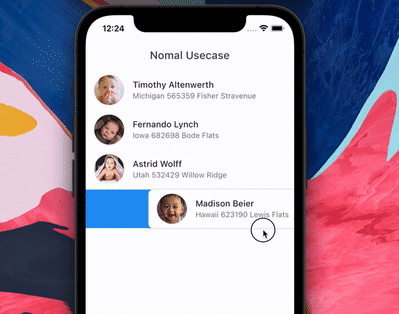
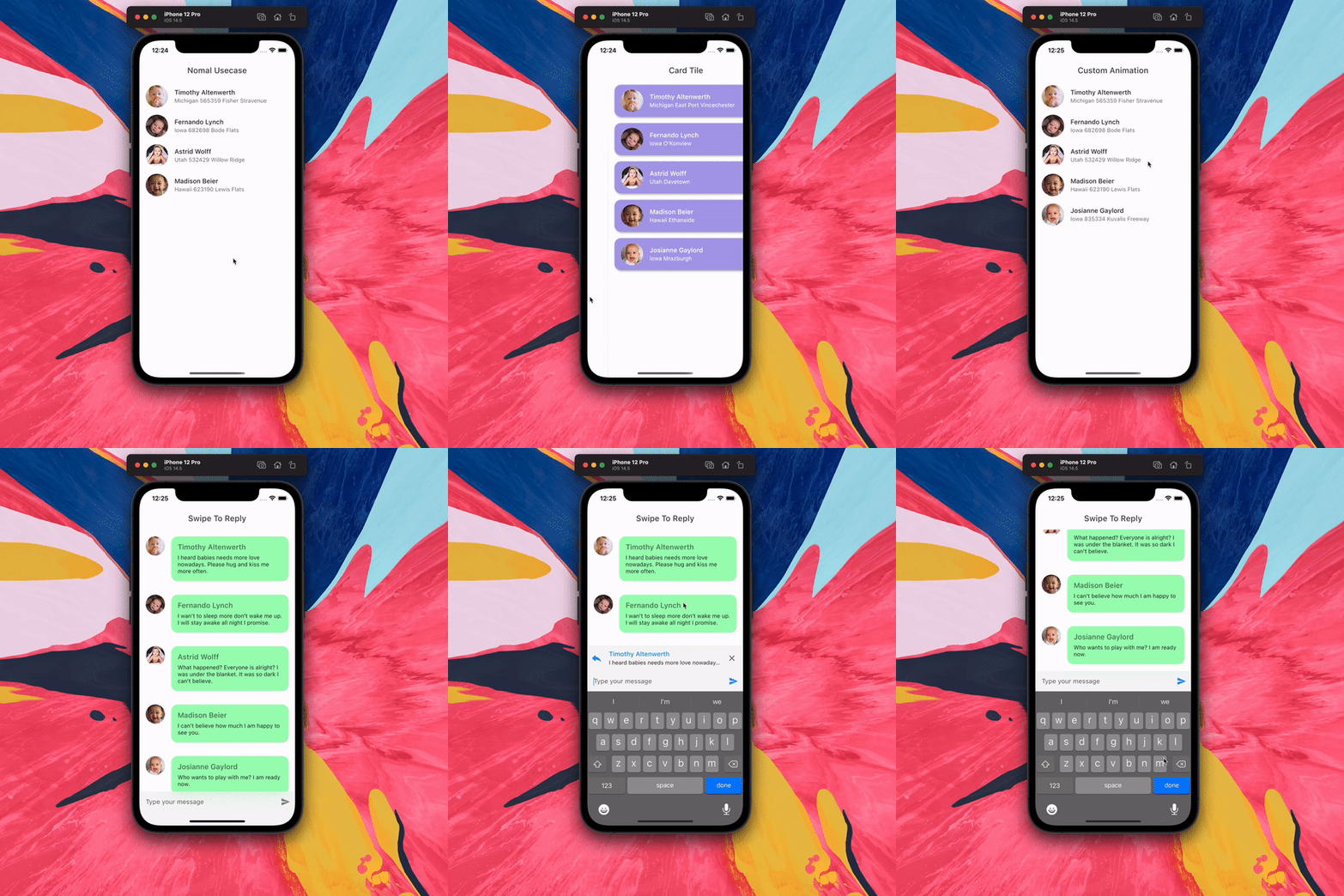
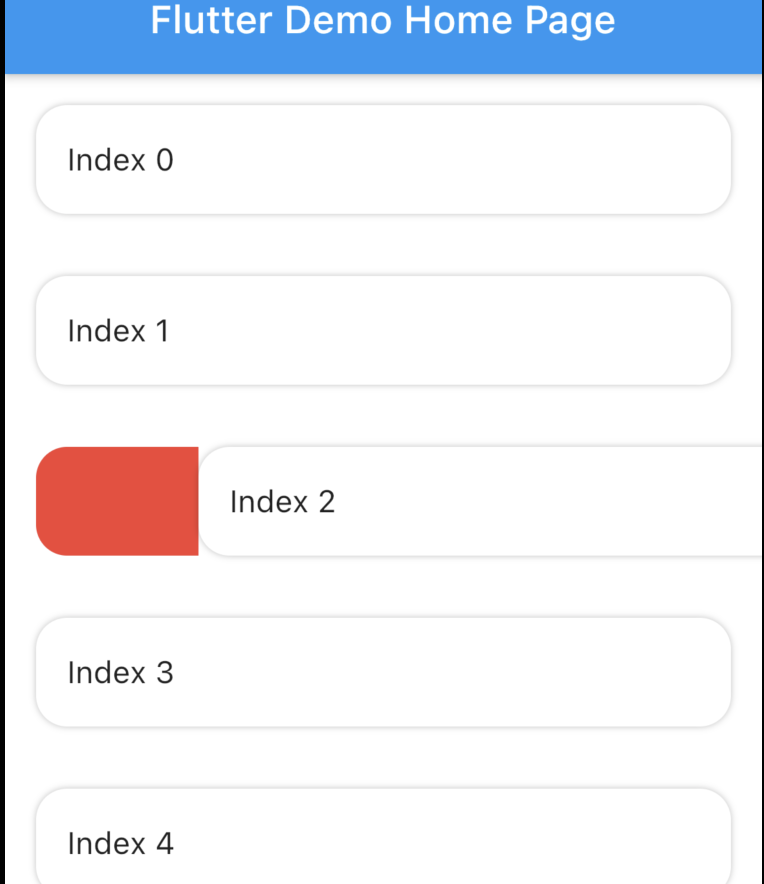
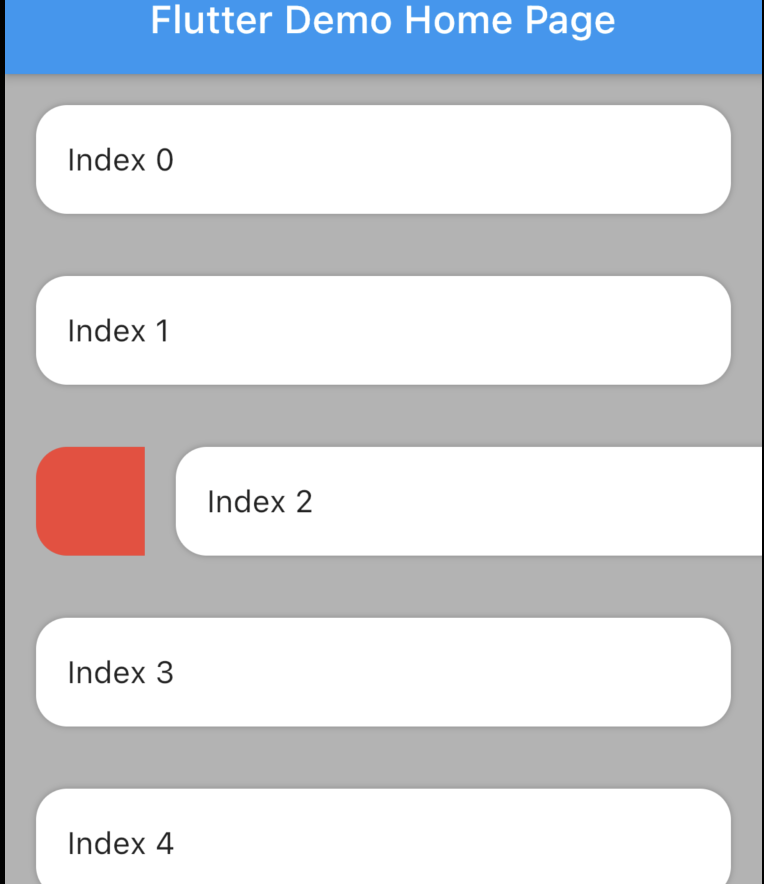
SwipeableTile는 사용자 정의 배경 효과가 있는 타일의 애니메이션 제거를 가능하게 하는 Flutter 패키지입니다. 스와이프하여 삭제하는 제스처뿐만 아니라 타일을 삭제하지 않고도 액션을 트리거할 수 있는 스와이프 기능을 지원합니다. 시각적 피드백이 있는 인터랙티브한 리스트 항목을 구현하는 데 이상적이며, Android, iOS, Web, macOS, Windows, Linux 등 주요 플랫폼에서 작동합니다. 이 패키지는 리스트 기반 인터페이스에 부드러운 애니메이션과 유연한 제스처 처리를 제공하여 사용자 경험을 향상시킵니다.
사용 사례
리스트에서 스와이프하여 제거 기능 구현하기
액션 트리거를 사용하여 상호작용 가능한 목록 항목 만들기
작업 관리 앱을 위한 직관적인 UI 구축
목록 항목 상호작용에 애니메이션 피드백 추가하기
반응형 카드 기반 레이아웃 설계
스와이프 제스처를 통한 사용자 참여도 향상
주요 기능
스와이프 중 애니메이션 배경
취소 및 액션 트리거 스와이프 지원
크로스 플랫폼 호환성
사용자 정의 가능한 스와이프 기준값
부드러운 애니메이션 전환
스와이프 동작에 대한 유연한 구성
적합한 대상
인터랙티브 리스트 인터페이스를 구축하는 개발자
스와이프 기반 상호작용을 필요로 하는 앱
제스처 기반 경험에 집중하는 UI 디자이너
다중 플랫폼을 대상으로 하는 프로젝트
경량 제스처 솔루션을 원하는 팀
풍부한 터치 피드백을 갖춘 모바일 우선 애플리케이션
고려 사항
복잡한 배경을 위해 추가 스타일링이 필요할 수 있습니다
큰 목록과 함께하는 성능 영향
애니메이션 곡선에 대한 내장된 사용자 정의 기능이 제한적
매우 높은 주파수의 스와이프 이벤트에 최적화되지 않음
스와이프 작업 중 상태를 신중하게 다뤄야 합니다
중간 크기의 목록에 가장 적합하여 반응성을 유지하기 위해
원본 README
연결된 소스 저장소의 README 원문 스냅샷입니다. 최신 내용은 저장소에서 확인하세요.
Features
Animated tile and backgound while swiping. Add padding to tile. Swipe to trigger action.
The package is fork of Dismissible. Without any vertical, up and down swipe.
Problems with dismissible
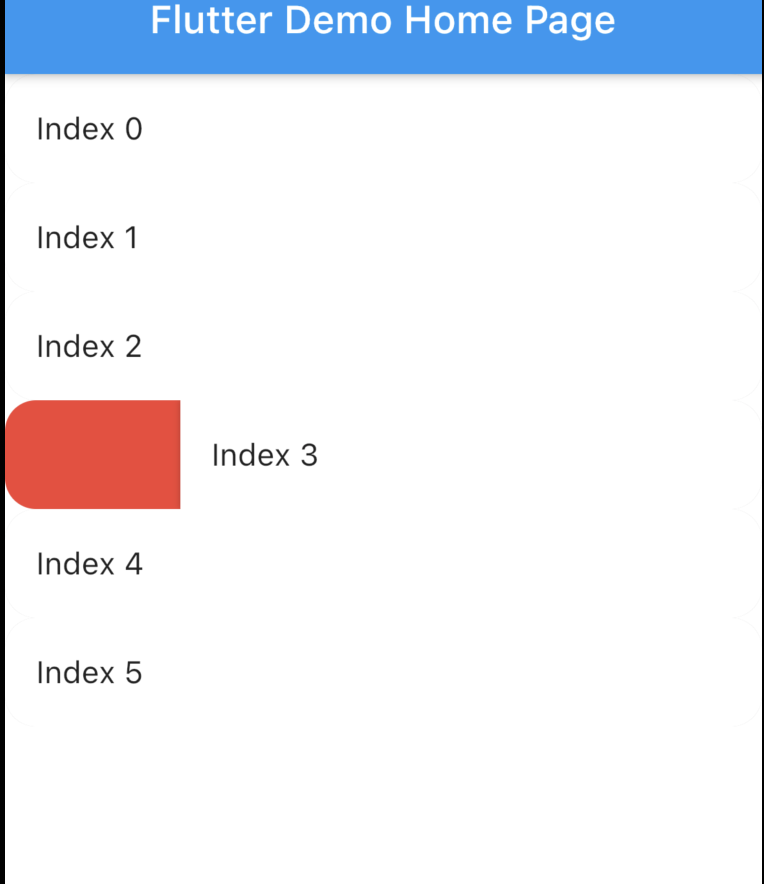
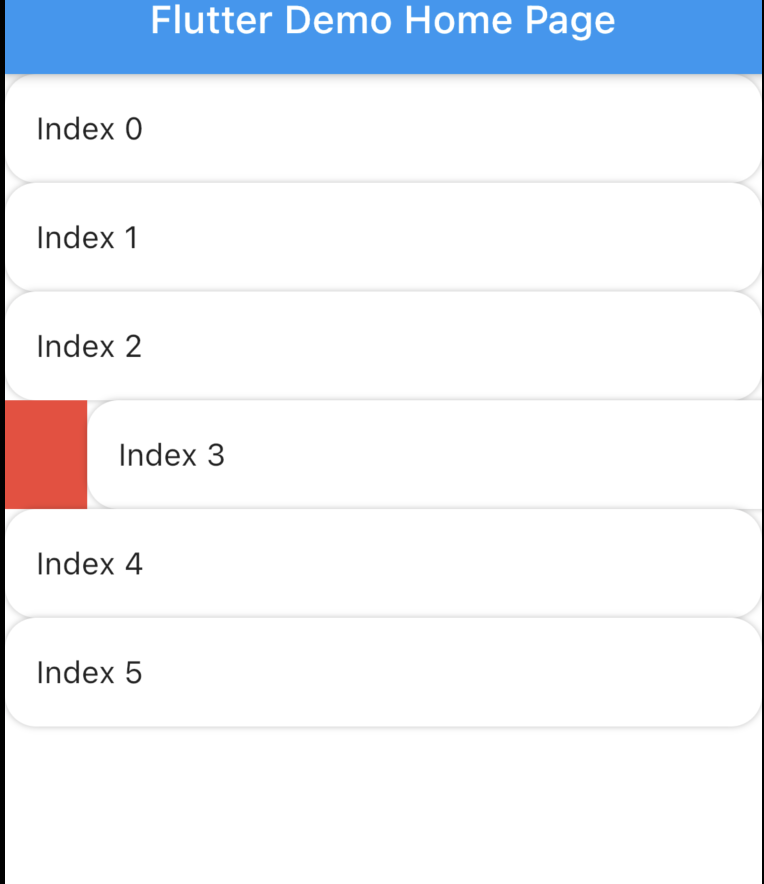
Dismissible doesn't allow animated rounded corner and elevation similar to google Gmail, Telegram, Messages (these are android apps) if you swipe you will notice. Here is the result with Dismissible.
Dismissible can't make rounded Card there is always some UI issue. Here is the result with Dismissible.
It's not possible to animated the background while swiping.
Swipe to trigger action function. Similar to telegram or instagram DM message reply.
How to use?
Installation
Add swipeable_tile to your pubspec.yaml dependencies then run flutter pub get
Set the Scaffold's (or whatever background widget you are using) backgroundColor and SwipeableTile or SwipeableTile.swipeToTrigger's color same.
There are four named constructors:
SwipeableTile When the tile is swiped there will be an elevation (remove elevation by setting isElevated to false) and rounded corner to the tile (set borderRadius to 0 if you don't want rounded corner).
SwipeableTile(
color: Colors.white,
swipeThreshold: 0.2,
direction: SwipeDirection.horizontal,
onSwiped: (direction) {// Here call setState to update state
},
backgroundBuilder: (context, direction, progress) {
if (direction == SwipeDirection.endToStart) {
// return your widget
} elseif (direction == SwipeDirection.startToEnd) {
// return your widget
}
returnContainer();
},
key: UniqueKey(),
child: // Here Tile which will be shown at the top
),
SwipeableTile.card This will make the tile look like card with constant rounded corner, unlike SwipeableTile. You also have to set the padding which will wrap around the tile as well background.
SwipeableTile.card(
color: Color(0xFFab9ee8),
shadow: BoxShadow(
color: Colors.black.withOpacity(0.35),
blurRadius: 4,
offset: Offset(2, 2),
),
horizontalPadding: 16,
verticalPadding: 8,
direction: SwipeDirection.horizontal,
onSwiped: (direction) {
// Here call setState to update state
},
backgroundBuilder: (context, direction, progress) {
// You can animate background using the progressreturnAnimatedBuilder(
animation: progress,
builder: (context, child) {
returnAnimatedContainer(
duration: constDuration(milliseconds: 400),
color: progress.value > 0.4
? Color(0xFFed7474)
: Color(0xFFeded98),
);
},
);
},
key: UniqueKey(),
child: Padding(
padding: constEdgeInsets.symmetric(vertical: 4.0),
child: // Here Tile which will be shown at the top
),
),
SwipeableTile.swipeToTrigger This is exactly the same as SwipeableTile but instead of dismiss it, it will trigger an action. The tile will return back to initial position when maximum drag reaches swipeThreshold
SwipeableTile.swipeToTriggerCard This is exactly the same as SwipeableTile.card but instead of dismiss it, it will trigger an action. The tile will return back to initial position when maximum drag reaches swipeThreshold
You can build the background dynamically and animate them using backgroundBuilder. Use direction parameter to check swipe direction and show different widget.
The progress is basically the same animation controller responsible for tile slide animation. You can use this controller to animate the background.
To trigger vibration you have to check when tile is dragged certain animation controller value. And I used vibration package for vibration and worked batter than HapticFeedback
swipeThreshold defines how far you can drag and will consider as dismiss. In case of swipe to trigger this will define maximun drag limit.
How to swipe to trigger action?
It's possible to do from backgroundBuilder using progress parameter but to select exact message (or tile) requires calling setState() which is not possible from backgroundBuilder however you can call setState() from onSwiped callback which will invoke when the tile return to initial position.
Vibrate & animate the icon when it's dragged maximum by checking progress.isCompleted or you can check animation value. Then call setState() from onSwiped User will not notice unless you set movementDuration to longer time and swipeThreshold to 0.4 (which is default). Check the example app how it's implemented.