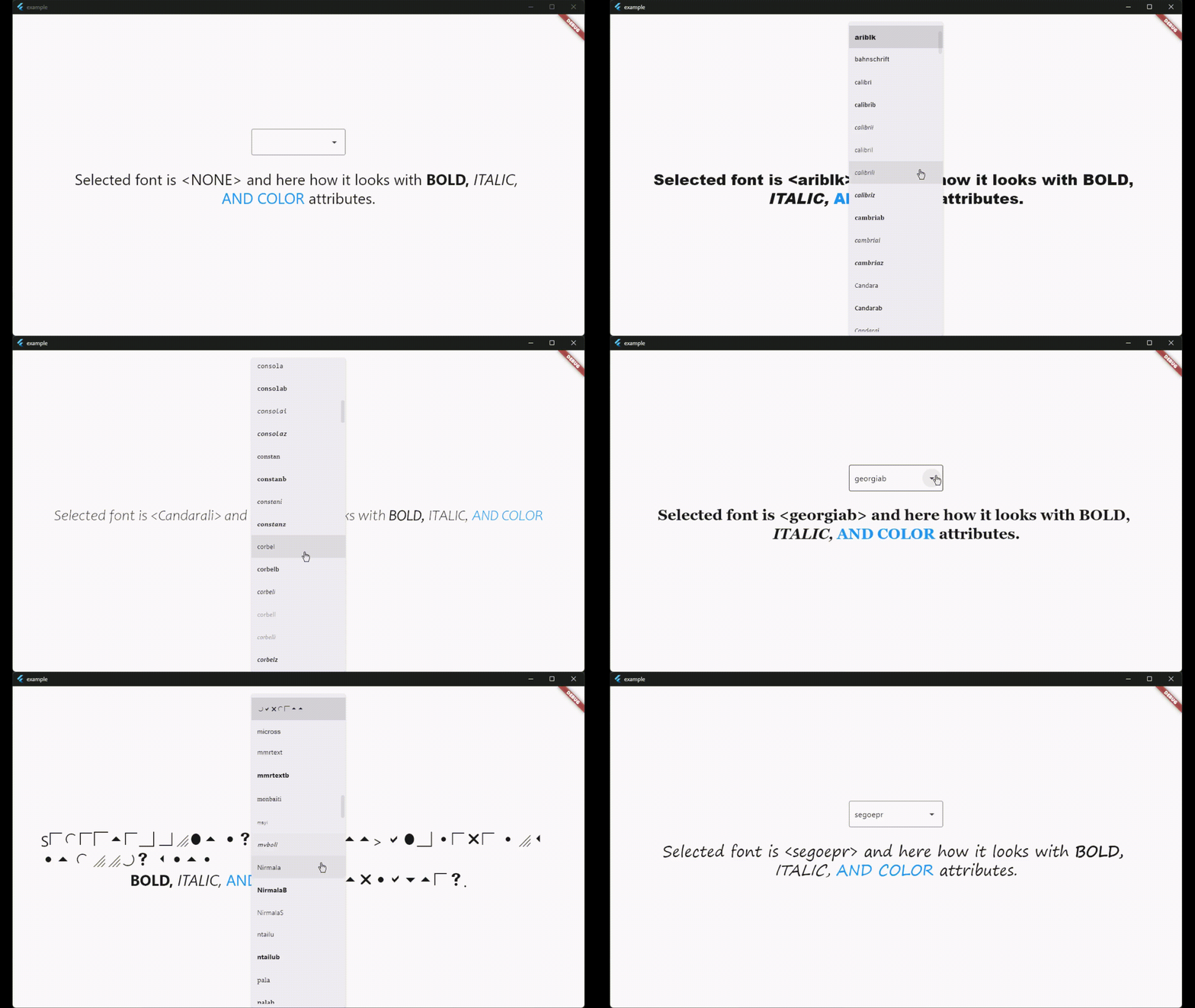
system_fonts 패키지는 Windows, macOS, Linux에 설치된 시스템 폰트를 Flutter 애플리케이션에서 접근하고 사용할 수 있게 해줍니다. 개발자는 사용자 운영 체제에 이미 존재하는 폰트를 동적으로 로드할 수 있어, 폰트 파일을 번들링하지 않고도 플랫폼 간 일관된 타이포그래피를 보장합니다. 이는 네이티브처럼 텍스트를 렌더링하거나 플랫폼 고유의 글꼴을 활용하고자 하는 앱에 특히 유용합니다. 이 패키지는 최소한의 구성으로 크로스플랫폼 개발을 지원합니다.
사용 사례
데스크톱 플랫폼에서 시스템 글꼴 로드
네이티브 타이포그래피로 앱 만들기
글꼴 파일 번들링 피하기
텍스트 렌더링 일관성 향상
동적 폰트 선택 지원
주요 기능
크로스 플랫폼 지원 (Windows, macOS, Linux)
시스템 폰트 자동 감지
최소한의 설정 필요
글꼴 자산을 포함할 필요가 없습니다
Flutter의 TextStyle과의 통합
적합한 대상
데스크톱 앱 개발자
네이티브 글꼴 렌더링이 필요한 앱
자산 크기 최소화 프로젝트
여러 운영 체제를 대상으로 하는 개발자
타이포그래피 정확성에 중점을 둔 애플리케이션
고려 사항
시스템에 설치된 글꼴로 제한
안드로이드 또는 iOS에서 사용할 수 없습니다
글꼴 사용 가능 여부는 호스트 OS에 따라 다릅니다
사용자 지정 또는 비표준 글꼴과 함께 작동하지 않을 수 있습니다
플랫폼별 테스트가 필요합니다
원본 README
연결된 소스 저장소의 README 원문 스냅샷입니다. 최신 내용은 저장소에서 확인하세요.
system_fonts
A Flutter package that allows users to easily load system fonts on Windows, MacOS, and Linux platforms.
Features
Load system fonts dynamically in Flutter applications.
Support for Windows, MacOS, and Linux platforms.
Supports ttf and otf font formats.
Simple API for loading and using system fonts in your Flutter project.
Installation
Add the following line to your pubspec.yaml file in the dependencies section:
dependencies:system_fonts:^VERSION
Usage
Font family names are the font file name in the system without extensions.
For example to change font family of Text widget to arial(arial.ttf), use loadFont(String fontName) method with parameter arial,
this function will load arial.ttf file in the system and return font family name.
You can load all the fonts on the system with loadAllFonts() method which returns all the available font family names
and then you can use any font in any widget.
You can specify a font folder to load every font inside it and then use them in flutter with addAdditionalFontDirectory(String path) method.
You can add any font from full path with loadFontFromPath(String path) method.
You can list all available font family names to use with getFontList() method.
There is also a widget called SystemFontSelector() for list and select fonts and example app shows how to use it.
License
This package is licensed under the MIT License. See the LICENSE file for details.