패키지, 저장소 및 앱 카테고리 검색

tap_to_expand 표지
패키지 상세v0.7.2

tap_to_expand

이 패키지는 몇 줄의 코드로 빠르고 쉽게 확장 가능한 위젯을 만들 수 있으며 원하는 대로 사용자 정의할 수 있습니다.

AndroidiOSWebmacOSWindowsLinux
30일 다운로드
100
좋아요
98
Pub 점수
150

패키지 설치

flutter pub add tap_to_expand

패키지 개요

공개 정보를 바탕으로 생성한 선택 가이드입니다.

tap_to_expand 패키지는 최소한의 코드로 개발자가 빠르고 쉽게 확장 가능한 위젯을 만들 수 있도록 합니다. 콘텐츠의 표시 여부를 전환할 수 있는 간단하고 사용자 정의 가능한 솔루션을 제공하여 사용자 인터페이스에서 접을 수 있는 섹션에 이상적입니다. Android, iOS, Web, macOS, Windows, Linux 등 모든 주요 플랫폼에서 지원되며, 어디서나 일관된 동작을 보장합니다. 애니메이션, 지속 시간 및 시각적 외관을 사용자 정의할 수 있도록 유연하게 설계되었습니다. 양식, 자주 묻는 질문 또는 필요 시 확장되는 콘텐츠에 적합합니다.

사용 사례

  • 접을 수 있는 자주 묻는 질문 섹션 만들기
  • 인터랙티브 폼 아코디언 만들기
  • 요구에 따라 자세한 정보 표시
  • 모바일 앱 탐색 개선
  • 복잡한 UI 레이아웃 간소화

주요 기능

  • 적은 코드 줄로 최소 설정
  • 사용자 정의 가능한 애니메이션 및 지속 시간
  • 모든 주요 플러터 플랫폼을 지원합니다
  • 확장 가능한 스타일 옵션
  • 기존 위젯과의 간편한 통합

적합한 대상

  • 초보자 플러터 개발자
  • 상호작용 가능한 확장 콘텐츠가 필요한 앱
  • UI 중심 애플리케이션
  • 빠른 프로토타이핑
  • 크로스 플랫폼 일관성 요구 프로젝트

고려 사항

  • 복잡한 레이아웃을 위해 추가 스타일링이 필요할 수 있습니다
  • 애니메이션 성능은 저사양 기기에서 테스트해야 합니다
  • 제한된 내장 접근성 기능
  • 매우 큰 데이터 세트에 최적화되어 있지 않음
  • 중첩된 확장 가능한 항목을 위해 사용자 정의 로직이 필요할 수 있습니다

원본 README

연결된 소스 저장소의 README 원문 스냅샷입니다. 최신 내용은 저장소에서 확인하세요.

anouncement pub package

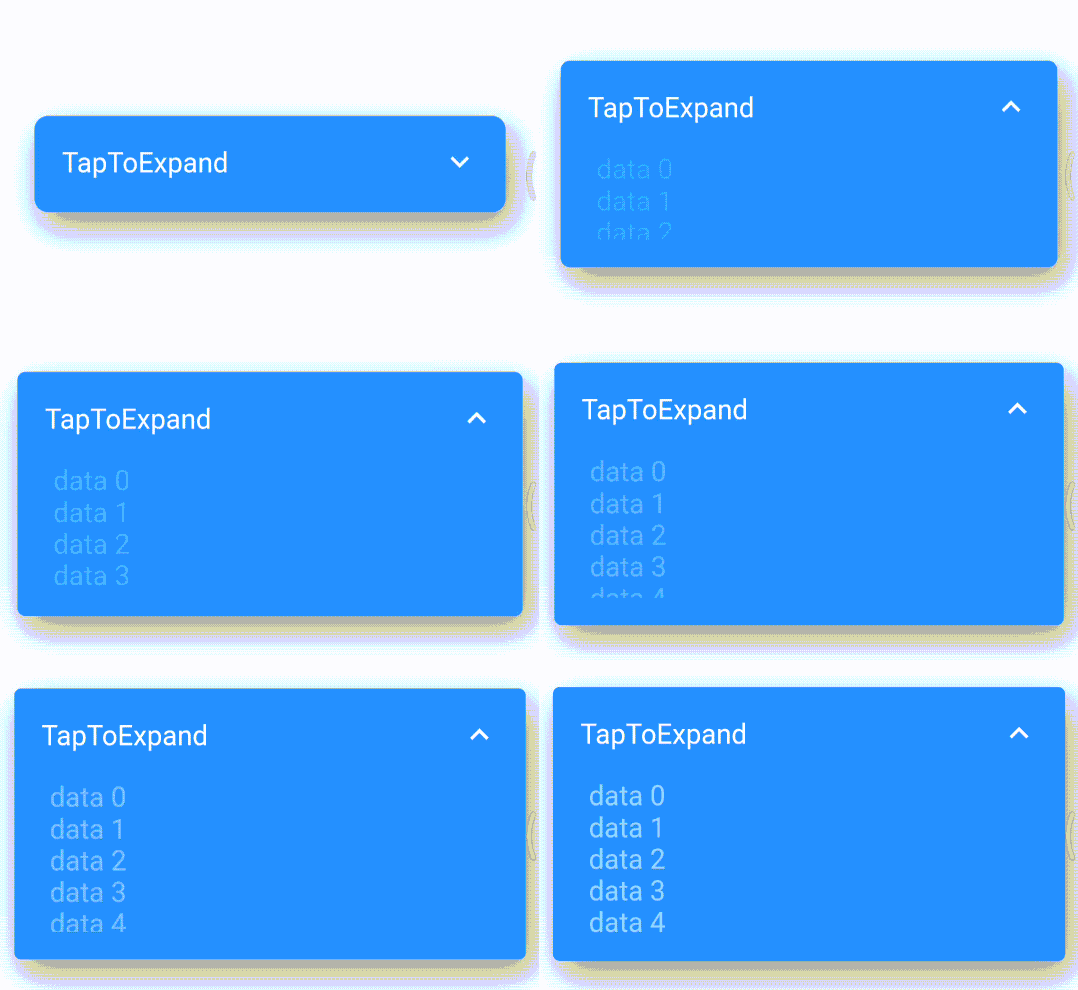
This package provides an easy and fast way to build expandable widgets with minimal code. You can customize these widgets according to your needs.

Features

  • Easily include your content
  • Enable scrolling with the isScrollable parameter
  • Beautiful animations

Getting started

To use this plugin, add tap_to_expand as a dependency in your pubspec.yaml file.

dependencies:
  tap_to_expand: ^1.0.0

Usage

Here is How to use TapToExpand class, You can find Package Api HERE

Center(
        child: TapToExpand(
          content: Column(
            children: <Widget>[
              for (var i = 0; i < 20; i++)
                Text(
                  "data $i",
                  style: const TextStyle(color: Colors.white, fontSize: 20),
                ),
            ],
          ),
          title: const Text(
            'TapToExpand',
            style: TextStyle(
              color: Colors.white,
              fontSize: 20,
            ),
          ),
          onTapPadding: 10,
          closedHeight: 70,
          scrollable: true,
          borderRadius: 10,
          openedHeight: 200,
        ),
      ),

For more information and customization options, visit the TapToExpand GitHub repository.

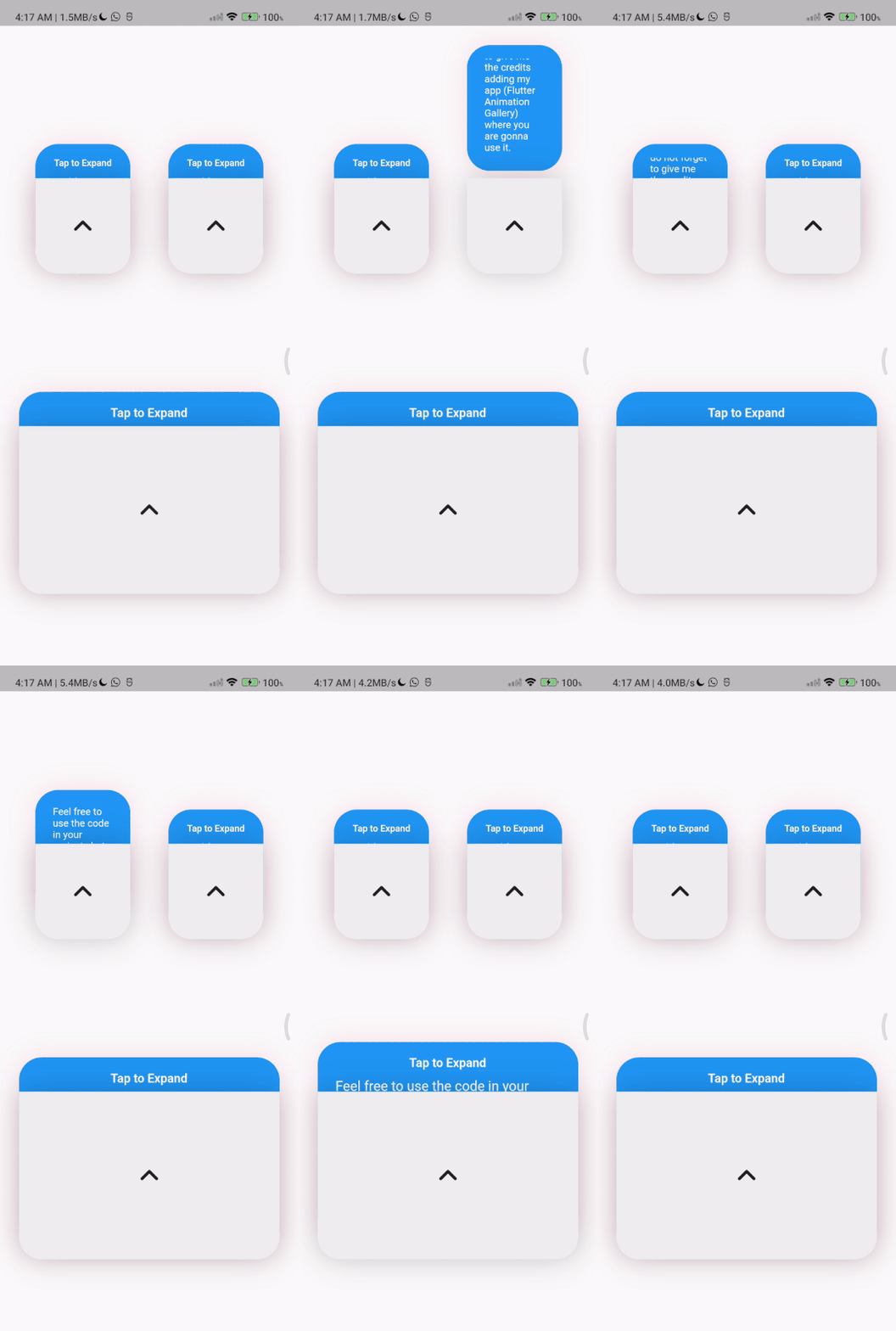
TapToExpandLetter(
                // autoClose: false, default is true
                title: const Text(
                  'Tap to Expand',
                  style: TextStyle(
                      color: Colors.white,
                      fontSize: 16,
                      fontWeight: FontWeight.w600),
                ),
                content: Column(
                  children: const [
                    Text(
                      'Feel free to use the code in your projects but do not forget to give me the credits adding  (Flutter Animation Gallery) where you are gonna use it.',
                      style: TextStyle(
                        color: Colors.white,
                        fontSize: 18,
                        fontWeight: FontWeight.w400,
                      ),
                    ),
                    // Image.asset(
                    //   'assets/image_ex.png',
                    //   width: 150,
                    //   height: 150,
                    // ),
                  ],
                ),
                centerWidget: const Icon(
                  Icons.expand_less_rounded,
                  size: 50,
                ))
          ],
        ),

카테고리

소스 저장소

이 패키지를 사용하는 프로젝트

아직 데이터가 없습니다.