패키지, 저장소 및 앱 카테고리 검색

tdesign_flutter 표지
패키지 상세v1.1.0

tdesign_flutter

모바일 프로젝트에 사용하기 적합한 Flutter용 텐센트 TDesign UI 컴포넌트 라이브러리입니다.

AndroidiOSmacOSWindowsLinux
30일 다운로드
3.5천
좋아요
107
Pub 점수
140

패키지 설치

flutter pub add tdesign_flutter

패키지 개요

공개 정보를 바탕으로 생성한 선택 가이드입니다.

TDesign Flutter는 텐센트에서 개발한 포괄적인 UI 컴포넌트 라이브러리로, 안드로이드, iOS, macOS, Windows 및 리눅스에서 일관되고 시각적으로 매력적인 모바일 애플리케이션을 구축하기 위해 설계되었습니다. TDesign의 디자인 시스템을 따르며 사용자 정의 가능한 풍부한 위젯 세트를 제공하여 통합된 사용자 경험을 보장합니다. 이 라이브러리는 pub 패키지 매니저를 통해 Flutter 프로젝트에 원활하게 통합되며, GitHub에서 풍부한 문서와 소스 코드를 제공합니다. 디자인 일관성과 빠른 개발을 우선시하는 팀에게 이상적입니다.

사용 사례

  • 크로스 플랫폼 모바일 앱 빌드
  • 기업용 애플리케이션에서 일관된 UI 만들기
  • 사전 구축된 구성 요소를 사용한 빠른 프로토타이핑
  • 디자인 시스템 기반 인터페이스 개발
  • 다양한 플랫폼 간 UI 일관성 향상

주요 기능

  • 사전 설계된 재사용 가능한 위젯
  • 크로스 플랫폼 호환성
  • TDesign 디자인 시스템과의 일치
  • 포괄적인 문서
  • GitHub에서 오픈소스

적합한 대상

  • 텐센트 또는 유사 기업의 플러터 개발자
  • TDesign 디자인 가이드라인을 사용하는 팀
  • 빠른 UI 개발이 필요한 프로젝트
  • 모바일 앱 팀은 디자인 일관성에 집중하고 있습니다
  • 여러 운영 체제를 대상으로 하는 개발자

고려 사항

  • TDesign 디자인 원칙에 익숙해야 합니다
  • 추가 번들 크기 도입 가능
  • 초기 버전에서 사용자 정의 옵션이 제한적임
  • 외부 유지보수에 의존
  • 대규모 또는 기업용 앱에 가장 적합

원본 README

연결된 소스 저장소의 README 원문 스냅샷입니다. 최신 내용은 저장소에서 확인하세요.

TDesign Logo

License Version Downloads Ask DeepWiki

English | 简体中文

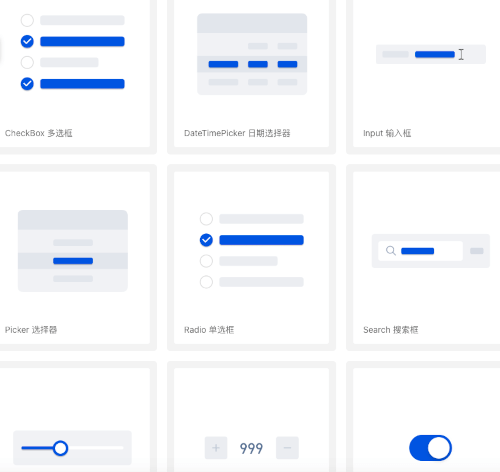
TDesign Flutter is a cross-platform UI component library based on Tencent's design system. Built with the Flutter framework, it enables rapid development of beautiful, consistent mobile/web applications with rich pre-built components and theme customization capabilities, supporting iOS, Android, and Web platforms.

🎉 Features

  • Provides Flutter UI component library following TDesign design specifications
  • Supports theme customization to match your App's design style
  • Includes a comprehensive Icon library with custom replacement support
  • Defines color groups according to TDesign specifications (viewable in TColors)
  • Real-time preview of default color values through the color declaration class

📱 Preview

Android: Scan the QR code to download the preview app

Download link: tdesign-flutter-example.apk

iOS: Run the project to preview

https://github.com/Tencent/tdesign-flutter/tree/main/tdesign-component

🔨 Installation

SDK Requirements
dart: ">=3.8.0 <4.0.0"
flutter: ">=3.32.0"
Add Dependency

Add the following to your pubspec.yaml:

dependencies:
  tdesign_flutter: 1.0.0-alpha.1
Import
import 'package:tdesign_flutter/tdesign_flutter.dart';

📖 Usage

Theme Configuration

Configure theme styles (colors, font sizes, font styles, corner radius, shadows) through JSON files. Retrieve theme data using TTheme.of(context) or TTheme.defaultData().

Recommendation: Use TTheme.of(context) for components that should follow the local theme. Only use TTheme.defaultData() for components that don't need to follow local themes.

// Colors
TTheme.of(context).brandNormalColor

// Fonts
TTheme.defaultData().fontBodyLarge
Icons

TDesign icons are in TTF format and do not follow the theme:

Icon(TIcons.activity)

🎨 Custom Theme

TDesign Flutter provides two flexible theming approaches:

Method 1: JSON Configuration

Define theme properties directly in JSON format:

String themeConfig = '''
{
  "myTheme": {
    "color": {
      "brandNormalColor": "#D7B386"
    },
    "font": {
      "fontBodyMedium": {
        "size": 40,
        "lineHeight": 55
      }
    }
  }
}
''';

MaterialApp(
  theme: ThemeData(
    extensions: [TThemeData.fromJson('myTheme', themeConfig)!],
  ),
  // ...
)

For all available theme keys, see t_default_theme.dart

Method 2: Theme Generator (Recommended)

If you don't want to customize too many colors but still want a beautiful custom theme, the "Theme Generator" is a great choice.

Note: Since v0.2.6, the Theme Generator supports "Dark Mode". See Dark Mode for details.

  1. Generate: Visit TDesign Theme Generator, click the theme generator below, select your desired colors in the generator on the right, and click download.

  2. Convert: You will get a theme.css file. Place it in tdesign-component/example/shell/theme/, modify css2JsonTheme.dart with your file name, theme name, and output path to generate a theme.json file.

img.png

  1. Apply: Load the theme JSON into TTheme, and your beautiful custom theme is ready.
var jsonString = await rootBundle.loadString('assets/theme.json');
var _themeData = TThemeData.fromJson('green', jsonString);
// ...
MaterialApp(
  title: 'TDesign Flutter Example',
  theme: ThemeData(
    extensions: [_themeData]
  ),
  home: MyHomePage(title: 'TDesign Flutter Components'),
);
Dark Mode Support

Theme configurations generated by the Theme Generator support dark mode colors by default.

// ...
// Set three properties in MaterialApp as follows. If you have custom theme properties, you can modify them using the copyWith() method.
// Note: Theme switching needs to be implemented by the business side, e.g., using Provider. See tdesign-flutter/tdesign-component/example/lib/component_test/dark_test.dart for reference.
MaterialApp(
  theme: _themeData.systemThemeDataLight,
  darkTheme: _themeData.systemThemeDataDark,
  themeMode: themeModeProvider.themeMode,
  // ...
)

🌍 Internationalization

TDesign Flutter does not have built-in internationalization, but supports integration with Flutter's i18n capabilities. You can extend the TResourceDelegate class, which abstracts all text resources inside the components, override the methods to get text for internationalization, and inject it via TTheme.setResourceBuilder.

Quick Setup
  1. Override TResourceDelegate class:
/// Internationalization resource delegate
class IntlResourceDelegate extends TResourceDelegate {
  IntlResourceDelegate(this.context);

  BuildContext context;

  /// Internationalization requires updating context each time
  updateContext(BuildContext context) {
    this.context = context;
  }

  @override
  String get cancel => AppLocalizations.of(context)!.cancel;

  @override
  String get confirm => AppLocalizations.of(context)!.confirm;
}
  1. Inject TResourceDelegate class:
var delegate = IntlResourceDelegate(context);
return MaterialApp(
  home: Builder(
    builder: (context) {
      // Set the text delegate. Internationalization only takes effect after MaterialApp is initialized, and context needs to be updated each time.
      TTheme.setResourceBuilder((context) => delegate..updateContext(context), needAlwaysBuild: true);
      return MyHomePage(
        title: AppLocalizations.of(context)?.components ?? '',
      );
    },
  ),
  // Set internationalization
  locale: locale,
  supportedLocales: AppLocalizations.supportedLocales,
  localizationsDelegates: AppLocalizations.localizationsDelegates,
);
  1. For Flutter internationalization configuration, please refer to the official documentation: Internationalizing Flutter apps

🔗 More Examples

For more usage examples, refer to example/lib/page/

🌐 TDesign Component Libraries

TDesign provides component libraries for other platforms and frameworks:

Platform Repository
Vue 2.x tdesign-vue
Vue 3.x tdesign-vue-next
React tdesign-react
Vue 3.x Mobile tdesign-mobile-vue
React Mobile tdesign-mobile-react
WeChat Miniprogram tdesign-miniprogram

🤝 Contributing

Contributions are welcome! Please read the contributing guidelines before submitting your Pull Request.

💬 Feedback

Create GitHub Issues or scan the QR code to join our user groups:

🙏 Acknowledgements

TDesign Flutter depends on the following component libraries. We appreciate the authors for their open-source contributions:

📄 License

TDesign Flutter is licensed under the MIT License.

카테고리

의존성

의존성 목록 5 개

소스 저장소

이 패키지를 사용하는 프로젝트