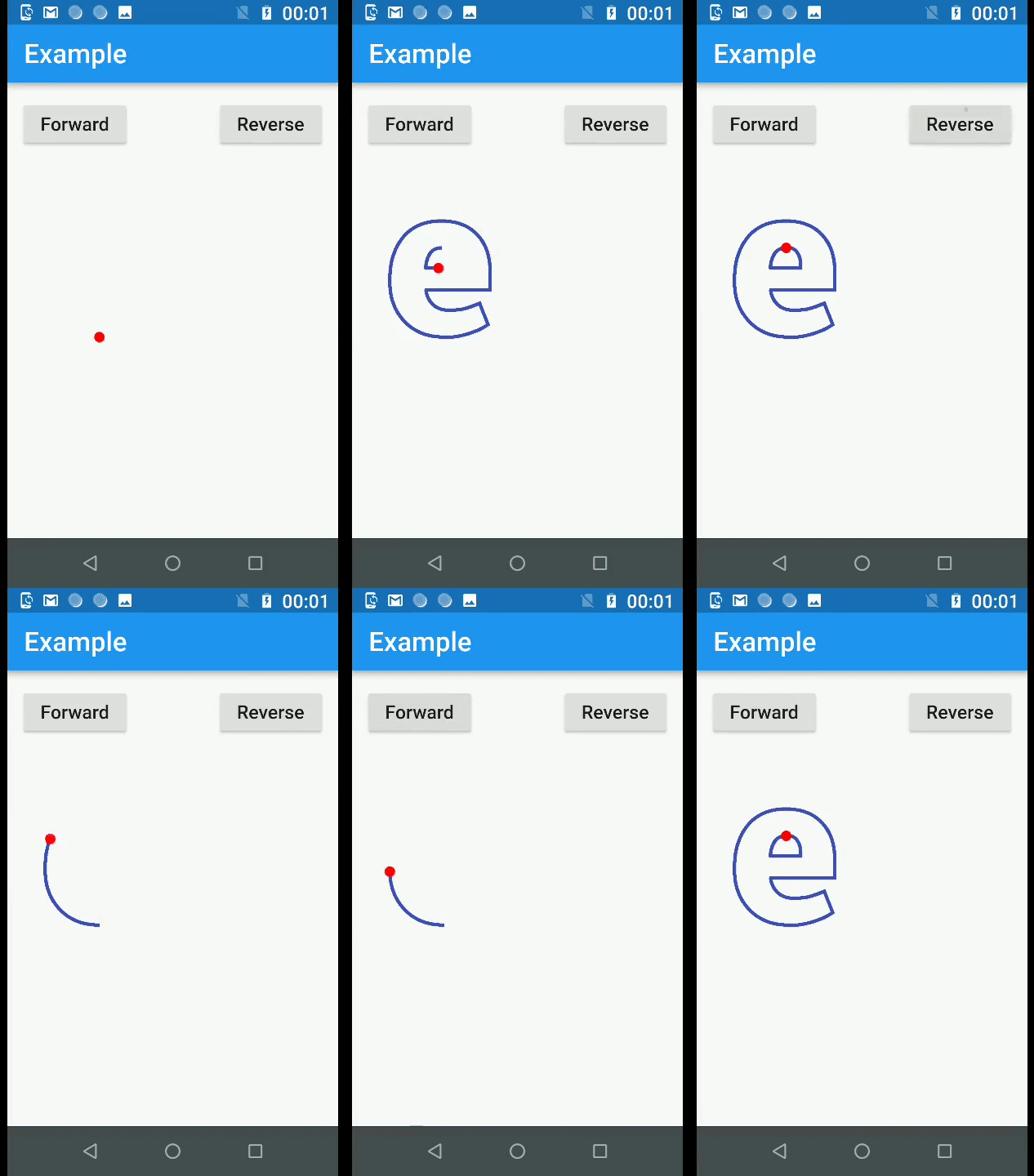
모든 폰트의 텍스트 문자를 벡터 경로로 변환하는 플러터 패키지로, 모양과 애니메이션에 대한 정밀한 제어가 가능합니다. 개별 경로 세그먼트를 조작하여 사용자 정의 애니메이션 텍스트 효과를 만들 수 있습니다. 크리에이티브 UI, 동적 타이포그래피, 다양한 플랫폼 앱에서의 시각적 스토리텔링에 이상적입니다. 이 패키지는 플러터의 렌더링 기능을 활용해 부드러운 애니메이션과 고품질 출력을 제공합니다.
사용 사례
애니메이션 텍스트 효과
사용자 정의 타이포그래피 디자인
인터랙티브 UI 요소
앱에서의 시각적 스토리텔링
다이내믹 로고 애니메이션
주요 기능
글꼴 문자를 경로로 변환합니다
사용자 정의 글꼴 로딩을 지원합니다
경로 기반 애니메이션을 활성화합니다
크로스 플랫폼 호환성
고해상도 출력
적합한 대상
고급 텍스트 제어를 원하는 디자이너
애니메이션 인터페이스를 구축하는 개발자
고유한 타이포그래픽 시각 효과가 필요한 앱
창의적인 멀티미디어 애플리케이션
예술적인 UI가 필요한 플러터 프로젝트
고려 사항
복잡한 텍스트에 대한 메모리 사용량 증가
신중한 성능 최적화가 필요합니다
비라틴 문자 스크립트에 대한 제한된 지원
애니메이션의 복잡도는 프레임 레이트에 영향을 줄 수 있습니다
임베딩을 위해 폰트 라이선스를 확인해야 합니다
원본 README
연결된 소스 저장소의 README 원문 스냅샷입니다. 최신 내용은 저장소에서 확인하세요.
Text to Path Maker
This is a pure Flutter and Dart package that allows you to convert text--both characters and icons--into paths. It can generate SVG path strings and Flutter Path objects too.
Additionally, this package offers a bunch of methods you can use to animate those paths.
At the core of this package is a .ttf file parser, written in pure Dart. You can, if you want to, use it to read the font tables present in your TrueType font file.
Getting started
You must always start by calling the parseTTFAsset() method available in the PMFontReader class to parse your font asset. Currently, only .ttf files are supported.
Once the font has been parsed, you'll have access to a PMFont object. You can call its generatePathForCharacter() method to convert any character into a Path object. Note that this method expects you to pass the character code of the character.
Next, you'll want to use the PMTransform.moveAndScale() method to position and scale the path. This is usually necessary because, by default, the paths can be quite large.
At this point, you can render the Path object onto any Canvas object. If you want to animate the path, however, you must call the PMPieces.breakIntoPieces() method. This method splits the path into tiny paths, depending on the precision you specify. These tiny paths, when rendered sequentially, will create the illusion of the character being drawn.
There's also a utility PMPainter class, which extends the CustomPainter class. You can use this to quickly render your animation using a CustomPaint widget.
Refer to the example code to learn more.
Notes
This package is still a work in progress. It works reasonably well with most fonts, but there's no guarantee that it will handle every single font you have. It has been tested with Roboto, FontAwesome, and Material Icons. If you find a bug, you can raise an issue on this project's GitHub repository.