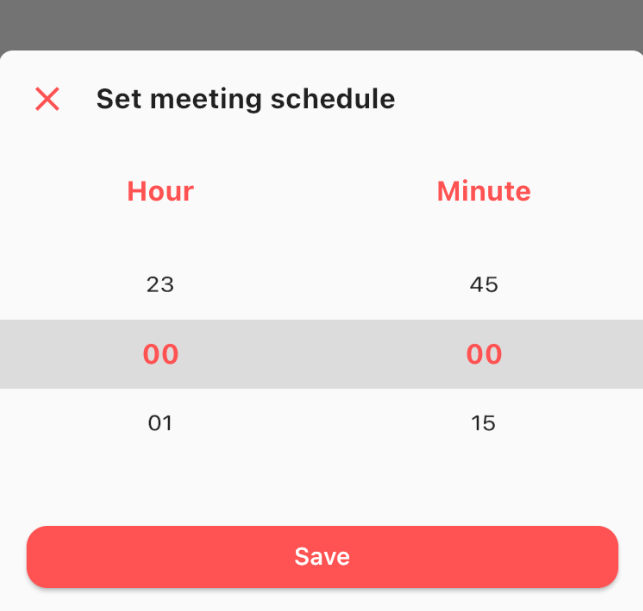
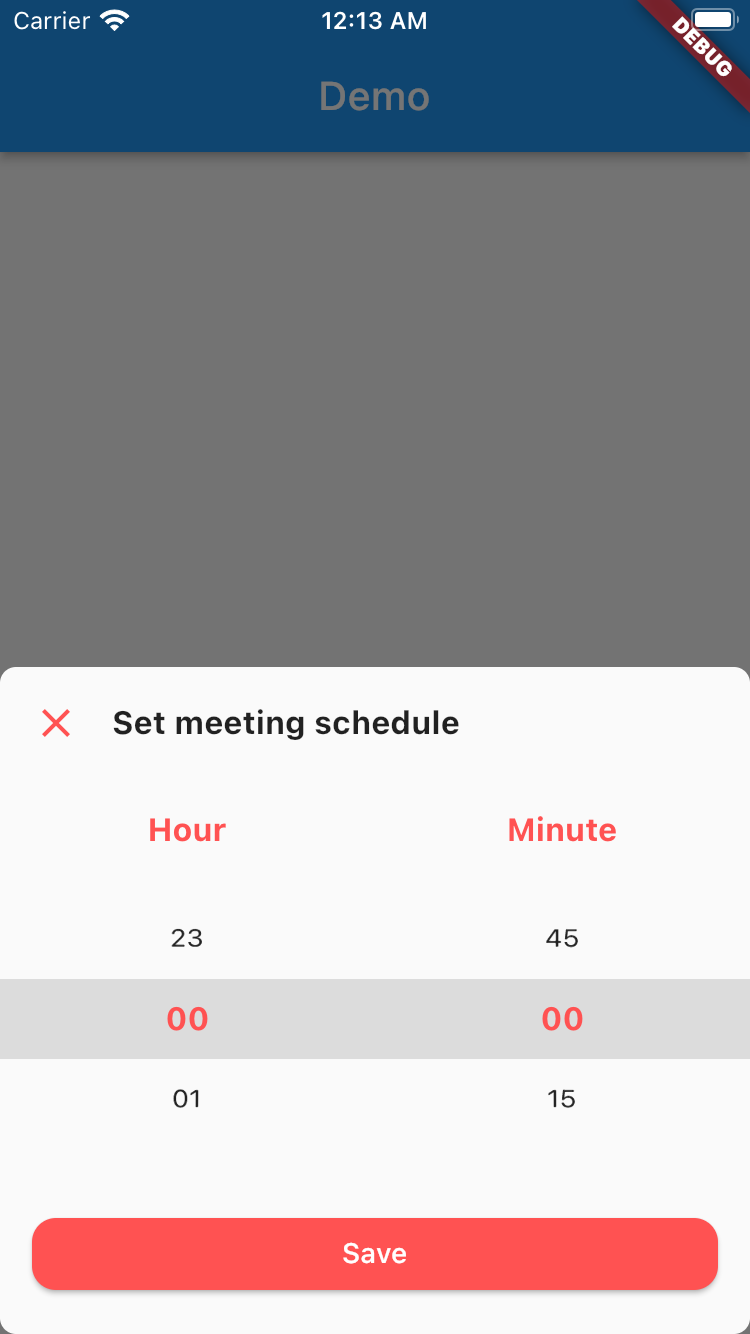
모바일 애플리케이션용으로 사용자 정의가 가능하고 시각적으로 매력적인 시간 선택기 시트를 제공하는 플러터 패키지입니다. 개발자가 유연한 디자인 옵션을 갖춘 세련된 하단 시트 스타일의 시간 선택기를 통합할 수 있도록 하며, 앱 전용 테마 및 요구 사항과 일치시킬 수 있습니다. 이 라이브러리는 기존 플러터 프로젝트에 쉽게 통합되고 사용하기 쉬운 설계를 하고 있습니다. 커스텀 스타일링과 부드러운 애니메이션을 지원하여 시간 선택 시 사용자 경험을 향상시킵니다.
사용 사례
양식 내 사용자 지정 시간 선택
현대적인 바텀 시트로 UI 향상
스케줄링 앱에 시간 선택기 통합하기
다양한 플랫폼 간에 일관된 시간 입력 설계
반응형 시간 선택 인터페이스 만들기
주요 기능
사용자 정의 가능한 디자인 및 테마 지원
바텀 시트 애니메이션 및 레이아웃
Flutter 위젯과의 간편한 통합
반응형이며 모바일 친화적인 인터페이스
오전/오후 및 24시간 형식을 지원합니다
적합한 대상
커스텀 UI가 필요한 모바일 앱을 개발하는 개발자
시간 입력에서 사용자 경험을 우선시하는 팀
일관된 시간 선택기 외관을 필요로 하는 앱
Flutter 초보자가 상호작용 컴포넌트 탐색 중
경량 날짜/시간 선택기 필요 프로젝트
고려 사항
제한된 플랫폼별 사용자 지정
내장된 검증 또는 오류 처리 없음
시간 형식 로직을 수동으로 구현해야 합니다
데스크탑 플랫폼에 최적화되지 않음
고급 기능을 위해 외부 종속성에 의존합니다
원본 README
연결된 소스 저장소의 README 원문 스냅샷입니다. 최신 내용은 저장소에서 확인하세요.
Time Picker Sheet
A Time picker sheet library for flutter. You can also customize the widget inside the sheet to align with your requirement.
How to use
This is really simple and to the point actually, simply by doing this then your time picker sheet will goes up.
If you wanna get the result from the time picker sheet then what you have to do is await the result. As you know if we wanna await the result
we need to do it as an async process right? so please make sure to do so. The code must be like this
final result = awaitTimePicker.show<DateTime?>(
context: context,
sheet: TimePickerSheet(
sheetTitle: 'Set meeting schedule',
hourTitle: 'Hour',
minuteTitle: 'Minute',
saveButtonText: 'Save',
),
);
the result from the sheet is should be nullable DateTime, if user closed the sheet the result will be null, but if the user click on the save button
then the result should be the selected time as a DateTime, so you can get the hour & the minute.
Customize
What you can customize?
Sheet title including the style
Sheet close icon including the color
Title hour including the style
Title minute including the style
Selected hour & minute including the style
Save button color & text
1 or 2 digit format
the default format is 2 digit
Hour interval with min & max value
the default interval is 1, so the options will be started from 0 to 23
Minute interval with min & max value
the default interval is 15, so the options will be 0, 15, 30, 45
Initial date time
to make sure when your sheet goes up it select the right time. by default this is set to 00:00
All these things already have default value, so if you want to change one of them please make sure to set it via constructor.