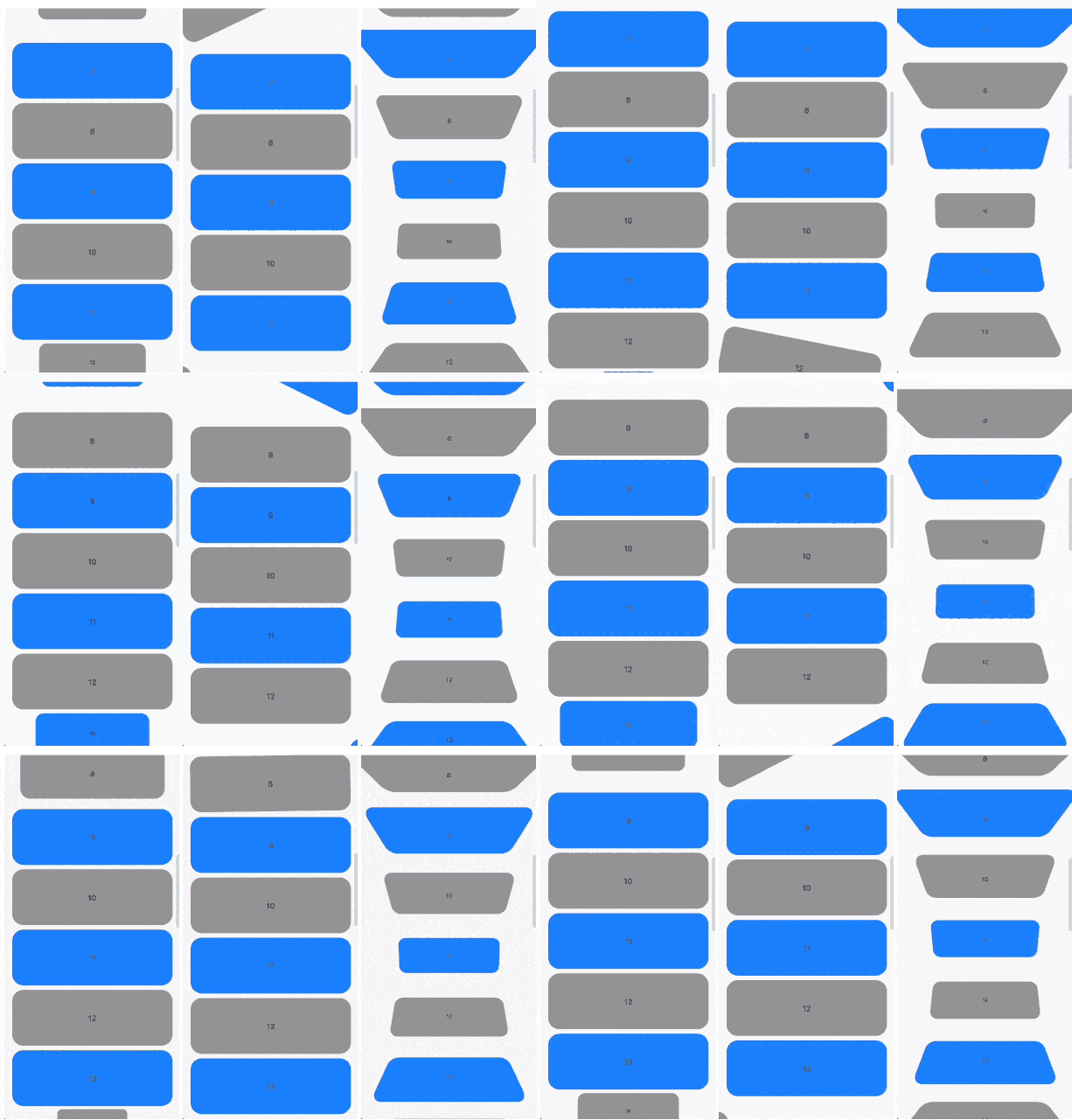
스크롤 위치에 따라 리스트 항목의 부드러운 변형 애니메이션을 가능하게 하는 ListView를 확장하는 Flutter 위젯입니다. 항목이 뷰포트에 진입하거나 탈출할 때 스케일링, 회전, 페이딩 등의 시각적 효과를 적용하여 동적이고 상호작용 가능한 리스트를 만들 수 있습니다. 스크롤이 많은 인터페이스에서 사용자 경험을 향상시키기에 이상적입니다. 이 패키지는 Android, iOS, Web, macOS, Windows, Linux 등 모든 주요 플랫폼을 지원합니다.
사용 사례
애니메이션 스크롤 목록 만들기
스크롤 트리거 변환을 통한 UI 향상
매력적인 제품 캐러셀 만들기
몰입형 콘텐츠 피드 설계
패럴랙스 효과 구현하기
스크롤 중 시각적 피드백 추가
주요 기능
스크롤 위치 기반 항목 변환
부드러운 애니메이션 전환
크로스 플랫폼 호환성
기존 ListView 코드와의 간편한 통합
크기 조정, 회전 및 투명도 변경 지원
사용자 정의 가능한 애니메이션 곡선 및 타이밍
적합한 대상
인터랙티브 요소를 찾는 UI 디자이너
스크롤 기반 애니메이션을 개발하는 개발자
매력적인 리스트 상호작용을 필요로 하는 앱
다중 플랫폼을 대상으로 하는 프로젝트
사용자 경험의 완성도에 집중하는 팀
고려 사항
대규모 데이터 세트에서 성능에 영향을 미칠 수 있습니다
애니메이션 매개변수를 신중하게 조정해야 합니다
중간 크기의 목록에 적합
매우 복잡한 애니메이션에는 적합하지 않음
다양한 기기 및 플랫폼에서 테스트 필요
원본 README
연결된 소스 저장소의 README 원문 스냅샷입니다. 최신 내용은 저장소에서 확인하세요.
Scrollable widgets with easily customizable transform animations.
Features
The package contains 3 widgets:
TransformableListView that extends ListView
TransformableSliverList that extends SliverList
TransformableSliver that extends SliverToBoxAdapter
Each of then has getTransformMatrix callback. In the callback you need to return Matrix4 that represetns transormation of the child at the current moment. If you don't need any transformations you can simply return Matrix4.identity().
In getTransformMatrix callback you receive TransformableListItem with the data about list item:
Offset offset is main axis offset of the child. By default (with vertical, non reversed scroll view) offset.dx is always 0 while offset.dy is the distance between top edge of the child and top edge of the viewport.
Size size is the child size received from its RenderBox.
SliverConstraints constraints describes the current scroll state of the viewport from the point of view of the sliver receiving the constraints.
int? index is the index of the child. Will be null when using TransformableSliver.
TransformableListItemPosition position is child position on the main axis viewport. Can be .topEdge, .middle or .bottomEdge.
double visibleExtent is currently visible portion of item. For example, if item is hidden it will be 0 while it's completely displayed will equal to size.height or size.width depending on axis.
Usage
First you need to add TransformableListView where you need transformations