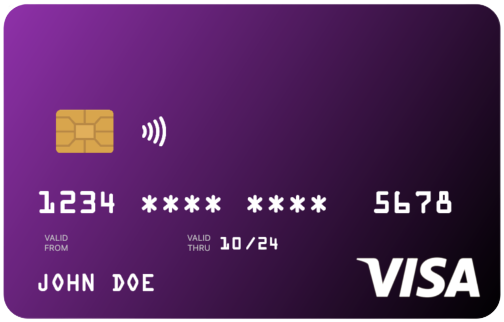
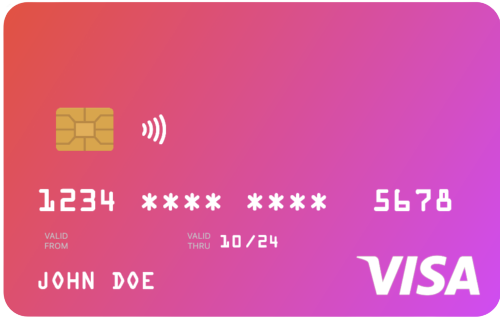
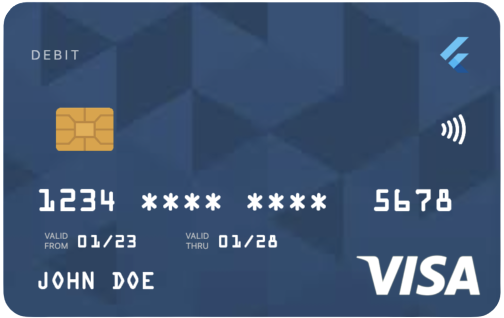
uCreditCard는 사용하기 쉬우면서도 시각적으로 매력적인 신용카드 UI 컴포넌트를 제공하는 Flutter 패키지입니다. 깔끔하고 현대적인 카드 인터페이스를 원하는 개발자를 위해 설계되었으며, Android, iOS, Web, macOS, Windows, Linux 등 다양한 플랫폼을 지원합니다. 직관적인 디자인과 결제 또는 금융 관련 앱에의 원활한 통합을 통해 사용자 경험을 향상시킵니다. Flutter 애플리케이션 내에서 카드 정보를 안전하고 세련되게 표시하는 데 이상적입니다.
사용 사례
앱에서 신용카드 정보 표시
결제 양식 인터페이스 만들기
금융 또는 은행 애플리케이션 구축
결제 경험 향상
안전한 카드 입력 화면 설계
주요 기능
아름답고 사용자 정의 가능한 카드 UI
크로스 플랫폼 호환성
Flutter와의 간단한 통합
여러 운영 체제를 지원합니다
모든 기기용 반응형 디자인
적합한 대상
Flutter 개발자가 결제 앱을 구축하고 있습니다
세련된 카드 컴포넌트를 원하는 디자이너
안전한 카드 표시가 필요한 앱
프론트엔드 중심의 금융 도구
카드 기반 인터페이스의 빠른 프로토타이핑
고려 사항
완전한 결제 처리를 포함하지 않음
민감한 데이터의 수동 처리가 필요합니다
사용자 인터페이스에 한정됨; 스캔 기능 없음
생산용 결제 게이트웨이에 적합하지 않습니다
사용자는 추가 보안 조치를 구현해야 합니다
원본 README
연결된 소스 저장소의 README 원문 스냅샷입니다. 최신 내용은 저장소에서 확인하세요.
u_credit_card
A Flutter widget that renders a realistic, customizable credit-card UI with optional flip animation, balance display, and provider-logo support.
Because card text is rendered in white, avoid light gradient colors.
Sizing the card
Use the width parameter rather than wrapping the widget in a SizedBox. The card is laid out at its natural width of 300 logical pixels and scales proportionally to fit width. Values above 300 are clamped.
cardType controls the small label at the top of the card (CREDIT, DEBIT, PREPAID, GIFT CARD); pass CardType.other to hide the label.
creditCardType controls the network logo (Visa, Mastercard, Amex, Discover). If omitted, the widget auto-detects the network from cardNumber. Pass CreditCardType.none to hide the logo entirely.
cardProviderLogo accepts any widget — typically your bank or wallet logo. Position it on the left or right of the card-type label with cardProviderLogoPosition. Add a background image with backgroundDecorationImage; both NetworkImage and AssetImage are supported.
Set showBalance: true and pass a balance to render the amount in the top-left of the card. Enabling autoHideBalance: true replaces the figure with a "TAP TO SEE BALANCE" placeholder; tapping reveals it for two seconds. currencySymbol defaults to $.
Set enableFlipping: true to render a back side (with the CVV) and enable a horizontal-drag gesture that flips between sides. Provide the CVV with cvvNumber.
Haptic feedback fires on each flip; disable it with disableHapticFeedBack: true.
Programmatic flipping API
For flows that need to flip the card in response to UI events — for example, flipping to the back when a CVV input field gains focus — attach a CreditCardController.