위젯 트리 어디에든 원활하게 통합될 수 있도록 설계된 다재다능한 Flutter 위젯입니다. 완전한 애니메이션 기능과 접근성 기능을 지원하여 다양한 맥락에서 일관되고 포용적인 사용자 경험을 보장합니다. 동적 행동과 스크린 리더 호환성이 필요한 재사용 가능한 컴포넌트에 이상적입니다. 패키지는 성능이나 사용성에 영향을 주지 않고 위젯의 유연성을 향상시킵니다.
사용 사례
재사용 가능한 UI 컴포넌트
동적 콘텐츠 렌더링
접근성 준수 인터페이스
크로스 플랫폼 위젯 통합
애니메이션 UI 요소
주요 기능
완전한 애니메이션 지원
내장형 접근성
위젯 트리 내에서의 유연한 배치
경량이고 효율적
확장 가능한 설계
적합한 대상
재사용 가능한 위젯을 개발하는 개발자
접근성 우선 고려 팀
애니메이션 UI가 필요한 앱
복잡한 위젯 계층 구조를 가진 프로젝트
크로스 플랫폼 Flutter 애플리케이션
고려 사항
Flutter 위젯 라이프사이클에 대한 이해가 필요합니다
고급 애니메이션을 위해 추가 구성이 필요할 수 있습니다
고주기 업데이트에 최적화되지 않음
제한된 플랫폼별 사용자 지정
상태 관리 흐름 내에서의 적절한 통합에 의존
원본 README
연결된 소스 저장소의 README 원문 스냅샷입니다. 최신 내용은 저장소에서 확인하세요.
The Mighty UniversalWidget
I'm just so excited to introduce to you my superhero widget: UniversalWidget
You can find the package at: https://pub.dartlang.org/packages/universal_widget
With UniversalWidget, you will have full control with it in the widget tree.
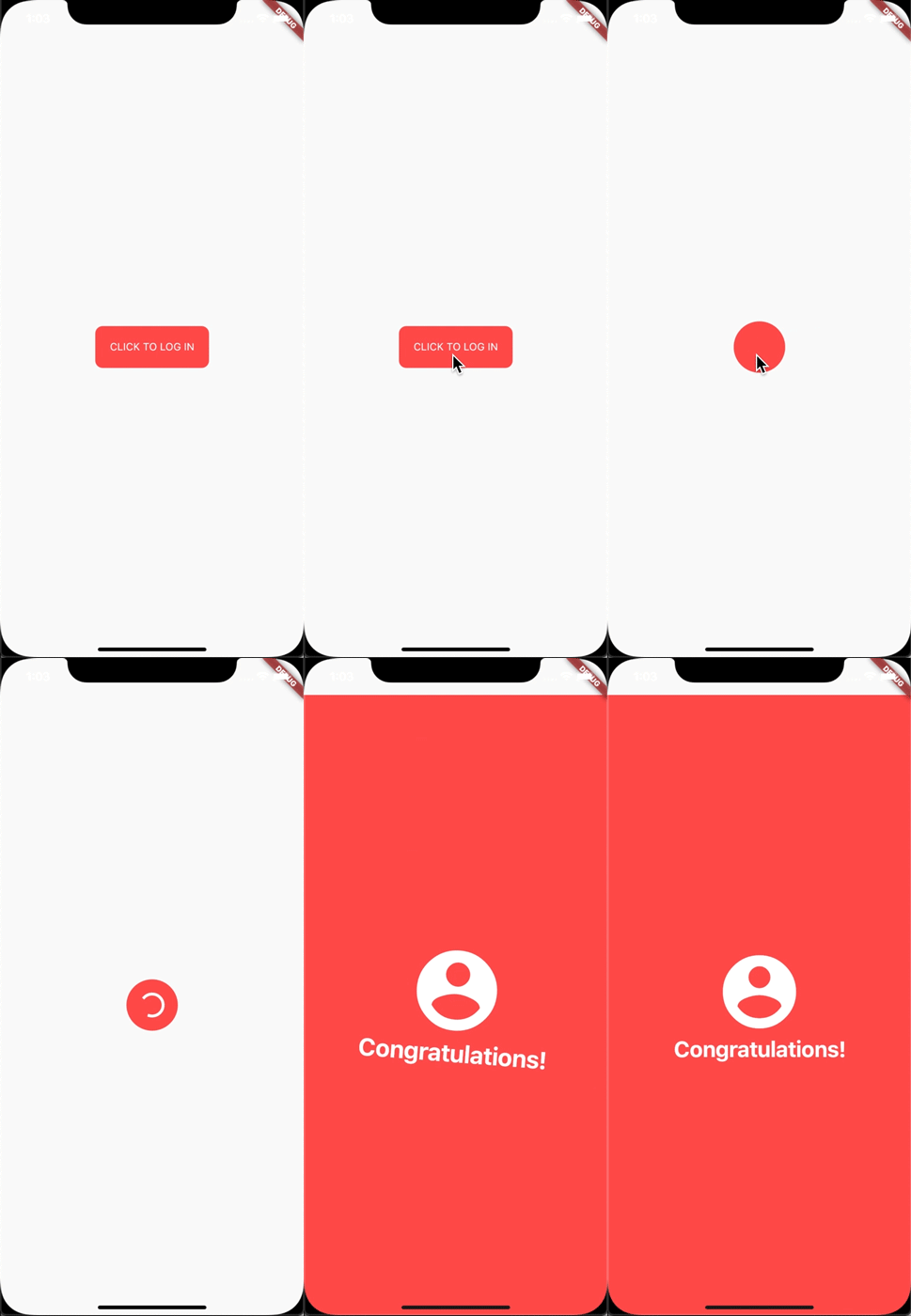
I made this login animation with UniversalWidget in only 8 lines of code. If you want to know how to do it with Flutter, see this cool tutorial: https://blog.geekyants.com/flutter-login-animation-ab3e6ed4bd19
Apply easing type to the animation, listen to the widget to see when the animation is finished, see the progress of the animation, or make the animation repeated. Here you go:
myWidget.update(
  duration: 0.5, // in seconds
  delay: 2, // in seconds - wait 2 seconds then play the animation
  height: 100,
  ease: Curve.elasticEaseOut, // or your can use Ease.elasticEaseOut, it's the same
  onComplete: (widget){
    print("I finished changing my height!");
  },
  onUpdate: (progress){
    print("Animation progress is $progress");
  }
);
If you want to repeat the animation 5 times:
myWidget.update(
  ...
  repeat: 5,
  ...
);
If you want the animation to play in reverse after it's finish: (like the way playing Yoyo in real life)
myWidget.update(
  ...
  yoyo: true,
  ...
);
If you want to repeat the animation forever:
myWidget.update(
  ...
  repeat: -1,
  ...
);
Combining "repeat" and "yoyo", you will have the animation go forward & backward forever:
myWidget.update(...repeat:-1,yoyo:true,...);
To stop the widget from animation:
myWidget.killAllTweens();
Additional Animation Easing Types
Yes, UniversalWidget has more easing type than Flutter framework, it supports:
Ease.backIn
Ease.backOut
Ease.backInOut
Ease.slowMo
Ease.sineIn
Ease.sineOut
Ease.sineInOut
Let play with it yourself! ;)
Accessibility
Let's take full control of your UniversalWidget, you can access to it everywhere, EVERYWHERE. (as long as it's still on your screen)
Notes that the given name should be unique, if you have many UniversalWidget with the same name, only the latest one in the widget tree can be accessible by a name, the others won't. So please name it wisely.
Wait, there's more. If you want to check for the size of the widget, do this:
UniversalWidget(
  child: Text("Hello World!"),
  // because the widget size can only be calculated after the widget are build, you need to listen on this event:
  onWidgetBuilt: (context){
    print("My size is ${context.size}");
  }
);
Phewwww... that's it for now. Now you guys might understand why I called it "The Mighty Widget", not too brag, eh? Hopefully it will save you a bunch of time, as it's saving me right now.
If you have any feedback, or meet any troubles while using this widget, please feel free to reach me via this Github repo.