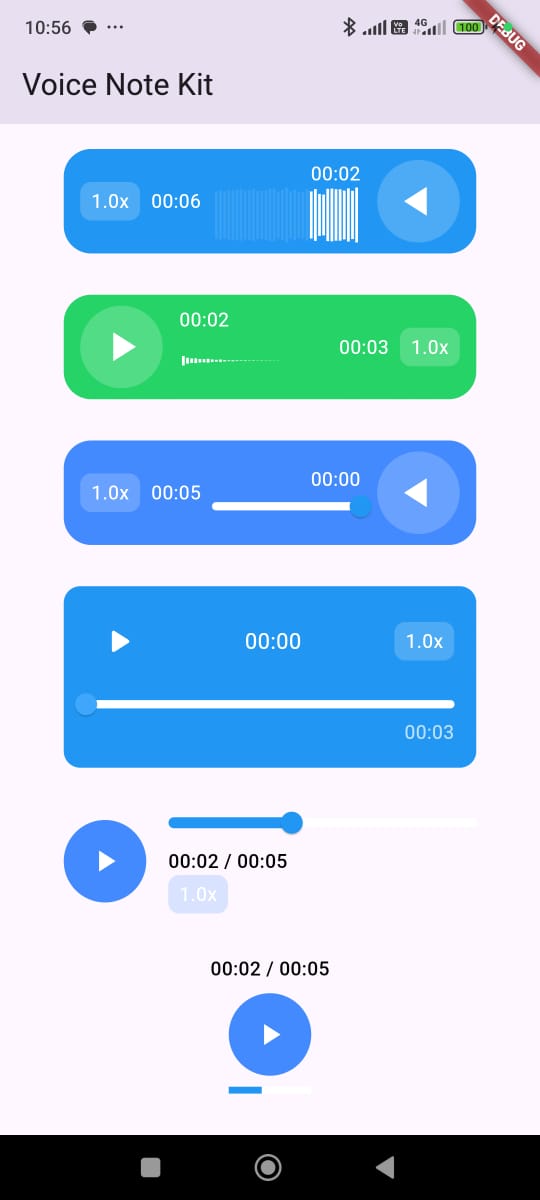
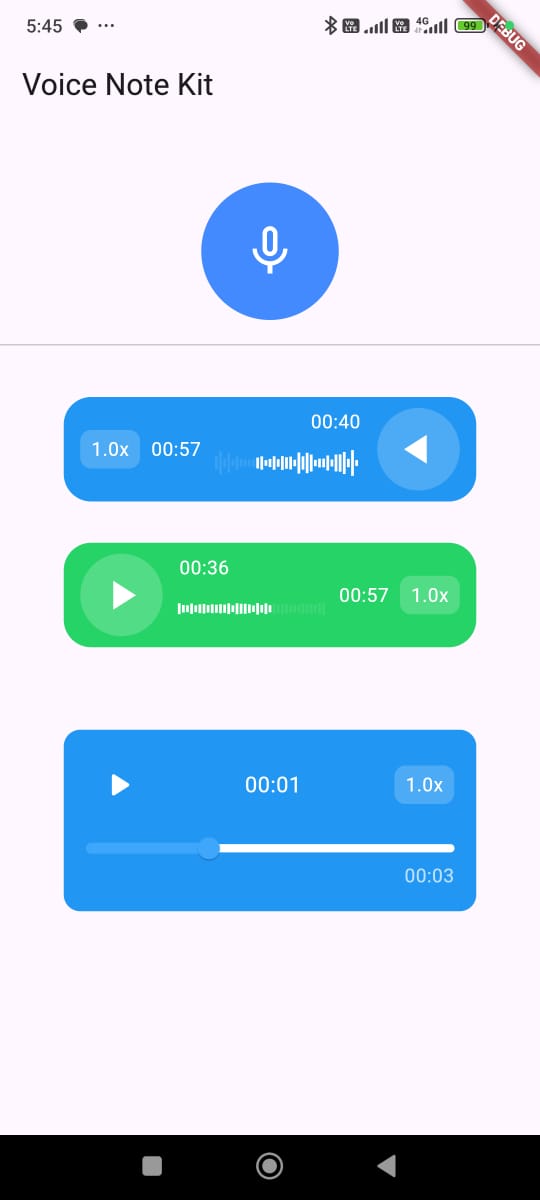
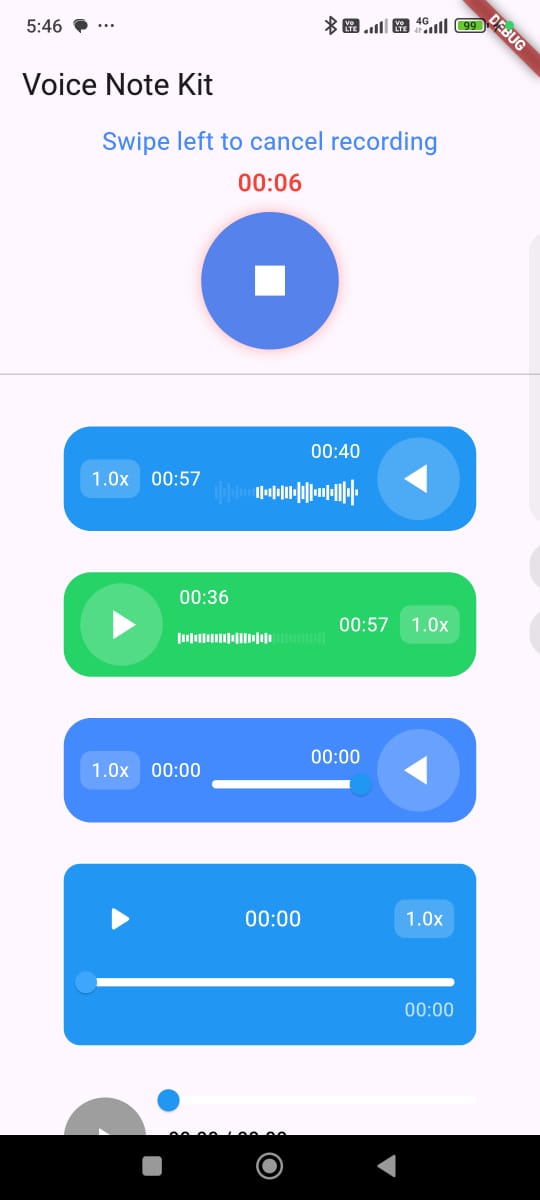
VoiceNoteKit은 사용자 정의 가능한 UI, 사운드 효과 및 제스처 지원을 갖춘 음성 메모 녹음 및 재생을 위한 현대적인 Flutter 패키지입니다. Android, iOS, Web, macOS 플랫폼에서 원활한 오디오 경험을 제공합니다. 개발자는 최소한의 설정으로 직관적인 녹음 컨트롤과 재생 기능을 앱에 쉽게 통합할 수 있습니다. 패키지는 사운드 효과와 반응형 제스처를 통해 실시간 피드백을 지원하여 사용자 상호작용을 향상시킵니다. 생산성, 일기 또는 음성 입력이 필요한 커뮤니케이션 앱에 적합합니다.
사용 사례
음성 메모 애플리케이션
오디오 항목이 있는 일기 앱
음성 메모가 있는 통신 도구
학생 녹음용 교육 앱
빠른 음성 캡처 기능을 갖춘 생산성 앱
주요 기능
사용자 정의 가능한 UI 구성 요소
녹음용 내장 사운드 효과
제스처 기반 녹음 제어
크로스 플랫폼 호환성
실시간 오디오 피드백
Flutter 앱과의 간편한 통합
적합한 대상
오디오 중심 앱을 개발하는 개발자
노트 작성 또는 메시징 앱을 만드는 팀
경량 음성 녹음이 필요한 앱
유연한 UI 커스터마이제이션을 원하는 디자이너
다중 플랫폼 대상 프로젝트
고려 사항
모바일 플랫폼에서는 마이크 권한이 필요합니다
웹 지원은 제한된 오디오 기능을 가질 수 있습니다
사운드 효과는 앱 크기를 증가시킬 수 있습니다
다른 기기용으로 제스처 감도를 조정해야 할 수 있습니다
플랫폼별 오디오 동작은 테스트가 필요할 수 있습니다
원본 README
연결된 소스 저장소의 README 원문 스냅샷입니다. 최신 내용은 저장소에서 확인하세요.
voice_note_kit
🎙️ Voice Note Kit is a Flutter plugin that allows you to record, save, and play voice notes with waveform visualization. It's built for mobile apps needing voice features like audio memos, task recordings, and more.
🎤 Record audio: Capture high-quality audio using the device's microphone.
💾 Save audio files locally: Store audio files locally on the device for later use.
🔊 Play recorded audio: Easily play back the recorded audio with built-in controls.
📈 Waveform visualization: Display a dynamic waveform using just_waveform for a visual representation of the audio.
🔁 Playback controls: Play, pause, resume, and stop recorded audio seamlessly.
🔐 Permissions management: Automatically handles permissions for recording audio and accessing the microphone using permission_handler.
🎨 Multiple audio player styles: Choose from various customizable player styles to fit the app’s theme and user interface.
🚀 Easy usage: Simple plug-and-play integration with minimal setup required, designed for seamless use in Flutter apps.
🏃♂️ Adjustable playback speed: Set the playback speed to multiple values (e.g., 0.5x, 1.0x, 1.5x, 2.0x, etc.) to suit the user’s preference for fast-forwarding or slowing down the audio.
🔧 Customizable UI components: Tailor the look and feel of the recorder and player with configurable options for icon sizes, colors, button shapes, and more.
Getting Started
Add dependency:
In your pubspec.yaml:
dependencies:voice_note_kit:^1.2.0
Install Package In your project:
flutter pub get
Android Configuration: In your AndroidManifest.xml:
<uses-permissionandroid:name="android.permission.RECORD_AUDIO" /><!-- Optional: Add this permission if you want to use bluetooth telephony device like headset/earbuds --><uses-permissionandroid:name="android.permission.MODIFY_AUDIO_SETTINGS" /><!-- Optional: Add this permission if you want to save your recordings in public folders --><uses-permissionandroid:name="android.permission.WRITE_EXTERNAL_STORAGE" />
in /android/app/build.gradle
minSdk = 23// Prefered
compileSdk = 35
iOS Configuration: In your iOS Info.plist, add:
<key>NSMicrophoneUsageDescription</key>
<string>This app needs access to the microphone to record audio.</string>
In Your Podfile
platform :ios, '12.0'
post_install do |installer|
  installer.pods_project.targets.each do |target|
    flutter_additional_ios_build_settings(target)
    target.build_configurations.each do |config|
      config.build_settings['GCC_PREPROCESSOR_DEFINITIONS'] ||= [
        '$(inherited)',
        'PERMISSION_MICROPHONE=1',
      ]
    end
  end
end
Macos Configuration: In your Macos Info.plist, add:
<key>NSMicrophoneUsageDescription</key>
<string>This app needs access to the microphone to record audio.</string>
In Your Podfile
platform :osx, '10.15'
Open your macos/Runner/DebugProfile.entitlements and macos/Runner/Release.entitlements files.
AudioPlayerWidget(
        autoPlay: false, // Whether to automatically start playback when the widget builds
        autoLoad: true, // Whether to preload the audio before the user presses play
        audioPath:
            "https://commondatastorage.googleapis.com/codeskulptor-demos/riceracer_assets/fx/engine-10.ogg", // The path or URL of the audio file
        audioType: AudioType.url, // Specifies if the audio is from a URL, asset, , file , or blobforWeb(for flutter web)
        playerStyle: PlayerStyle.style5, // The visual style of the player (you can choose between different predefined styles)
        textDirection: TextDirection.rtl, // Text direction for RTL or LTR languages
        size: 60, // Size of the play/pause button
        progressBarHeight: 5, // Height of the progress bar
        backgroundColor: Colors.blue, // Background color of the widget
        progressBarColor: Colors.blue, // Color of the progress bar (played portion)
        progressBarBackgroundColor: Colors.white, // Background color of the progress bar
        iconColor: Colors.white, // Color of the play/pause icon
        shapeType: PlayIconShapeType.circular, // Shape of the play/pause button (e.g., circular or square)
        showProgressBar: true, // Whether to show the progress bar
        showTimer: true, // Whether to display the current time/duration
        width: 300, // Width of the whole audio player widget
        audioSpeeds: const [0.5, 1.0, 1.5, 2.0, 3.0], // Supported audio playback speeds
        onSeek: (value) => print('Seeked to: $value'), // Callback when user seeks to a new position
        onError: (message) => print('Error: $message'), // Callback when an error occurs
        onPause: () => print("Paused"), // Callback when audio is paused
        onPlay: (isPlaying) => print("Playing: $isPlaying"), // Callback when audio starts or resumes playing
        onSpeedChange: (speed) => print("Speed: $speed"), // Callback when playback speed is changed
),
// If You Want to User Controller For The PlayerlatefinalVoiceNotePlayerController playerController;
@overridevoidinitState() {
playerController = VoiceNotePlayerController();
super.initState();
}
@overridevoiddispose() {
playerController.dispose();
super.dispose();
}
// Play the audio from the current position
playerController.play();
// Pause the audio playback
playerController.pause();
// Set the playback speed. Accepts a double value (e.g., 1.0 for normal speed, 1.5 for 1.5x speed)
playerController.setSpeed(1.5);
// Seek to a specific position in the audio. The value should be between 0 and 1, where 0 represents the beginning of the audio and 1 represents the end.
playerController.seekTo(0.2); // Seeks to 20% of the audio's total duration
This package uses (You do not have to import them):
just_audio:
just_waveform:
record:
path_provider:
permission_handler:
http:
About the Developer
Hello! 👋 I'm Abdallah Yassein, a Senior Flutter Developer with extensive experience in building high-quality mobile applications. I specialize in using clean architecture and native integrations to create scalable and efficient solutions with Flutter.
In addition to my development work, I am also a content creator and educator. I run a YouTube channel where I share in-depth Flutter tutorials in Arabic, helping developers across the Middle East enhance their skills and advance their careers in mobile app development.
I am also excited to offer an in-depth Flutter course on Udemy, designed to guide complete beginners to becoming job-ready Flutter developers. This course covers the fundamentals and best practices to help you build professional-quality Flutter apps.
Feel free to explore my YouTube channel and Udemy course for Flutter development tips, advanced topics, and step-by-step tutorials. Don’t forget to subscribe and enroll to continue your learning journey!