패키지, 저장소 및 앱 카테고리 검색

zoom_widget 표지
패키지 상세v2.0.1

zoom_widget

크기를 조정할 수 있는 캔버스 위에서 줌 인/아웃이 가능한 위젯으로 자식 위젯을 포함할 수 있습니다.

AndroidiOSWebmacOSWindowsLinux
30일 다운로드
8.2천
좋아요
215
Pub 점수
125

패키지 설치

flutter pub add zoom_widget

패키지 개요

공개 정보를 바탕으로 생성한 선택 가이드입니다.

zoom_widget 패키지는 크기를 조절할 수 있는 캔버스에서 상호작용 가능한 줌 기능을 제공하는 사용자 정의 가능한 Flutter 위젯을 제공합니다. 개발자는 어떤 자식 위젯도 줌 및 패닝 기능으로 래핑할 수 있으며, 이미지, 지도 또는 세부 탐색이 필요한 복잡한 UI 요소에 이상적입니다. 이 위젯은 Android, iOS, 웹, macOS, Windows, Linux 등 여러 플랫폼에서 터치 제스처와 마우스 인터랙션을 지원하여 일관된 동작을 보장합니다. 가볍고 기존의 Flutter 애플리케이션에 원활하게 통합될 수 있도록 설계되었습니다.

사용 사례

  • 인터랙티브 이미지 뷰어
  • 디지털 화이트보드
  • 지도 탐색 인터페이스
  • 데이터 시각화 도구
  • 확장 가능한 콘텐츠를 갖춘 교육 앱

주요 기능

  • 핀치 줌 및 드래그 제스처를 지원합니다
  • 조정 가능한 캔버스 크기
  • 크로스 플랫폼 호환성
  • 부드러운 애니메이션 전환
  • 사용자 정의 가능한 줌 범위
  • 기존 위젯과의 간편한 통합

적합한 대상

  • 인터랙티브 시각화를 구축하는 개발자
  • 확장 가능한 콘텐츠 표시가 필요한 앱
  • 다중 터치 지원이 필요한 프로젝트
  • 제스처 컨트롤을 갖춘 크로스 플랫폼 애플리케이션
  • 세부 그래픽 또는 다이어그램을 포함하는 사용자 인터페이스

고려 사항

  • 매우 큰 캔버스에서는 성능이 달라질 수 있습니다
  • 자식 위젯 크기 조정에 주의가 필요합니다
  • 오버플로우와 같은 에지 케이스를 처리하기 위해 추가 로직이 필요할 수 있습니다
  • 고주기 업데이트에 최적화되지 않음
  • 정적 또는 자주 업데이트되지 않는 콘텐츠에 가장 적합

원본 README

연결된 소스 저장소의 README 원문 스냅샷입니다. 최신 내용은 저장소에서 확인하세요.

Flutter zoom widget

With this widget you can create a customizable canvas in which you can zoom in flutter.

It is possible to customize virtually all the canvases of the canvas such as color, background color, acitvate and deactivate scrolls, change the color of scrolls, modify the sensitivity of the zoom, the initial zoom enters other aspects found in the construction of the Zoom class.

Installation

Add to pubspec.yaml:

dependencies:
zoom_widget: ^2.0.0

How to use

You only need to create an instance of the Zoom class in the child of your Scaffold or within the widget of your choice, within the child attribute, put the widget that you want to zoom in and the width and height of the canvas where it will be made zoom.

Import
import 'package:zoom_widget/zoom_widget.dart';
Simple examples

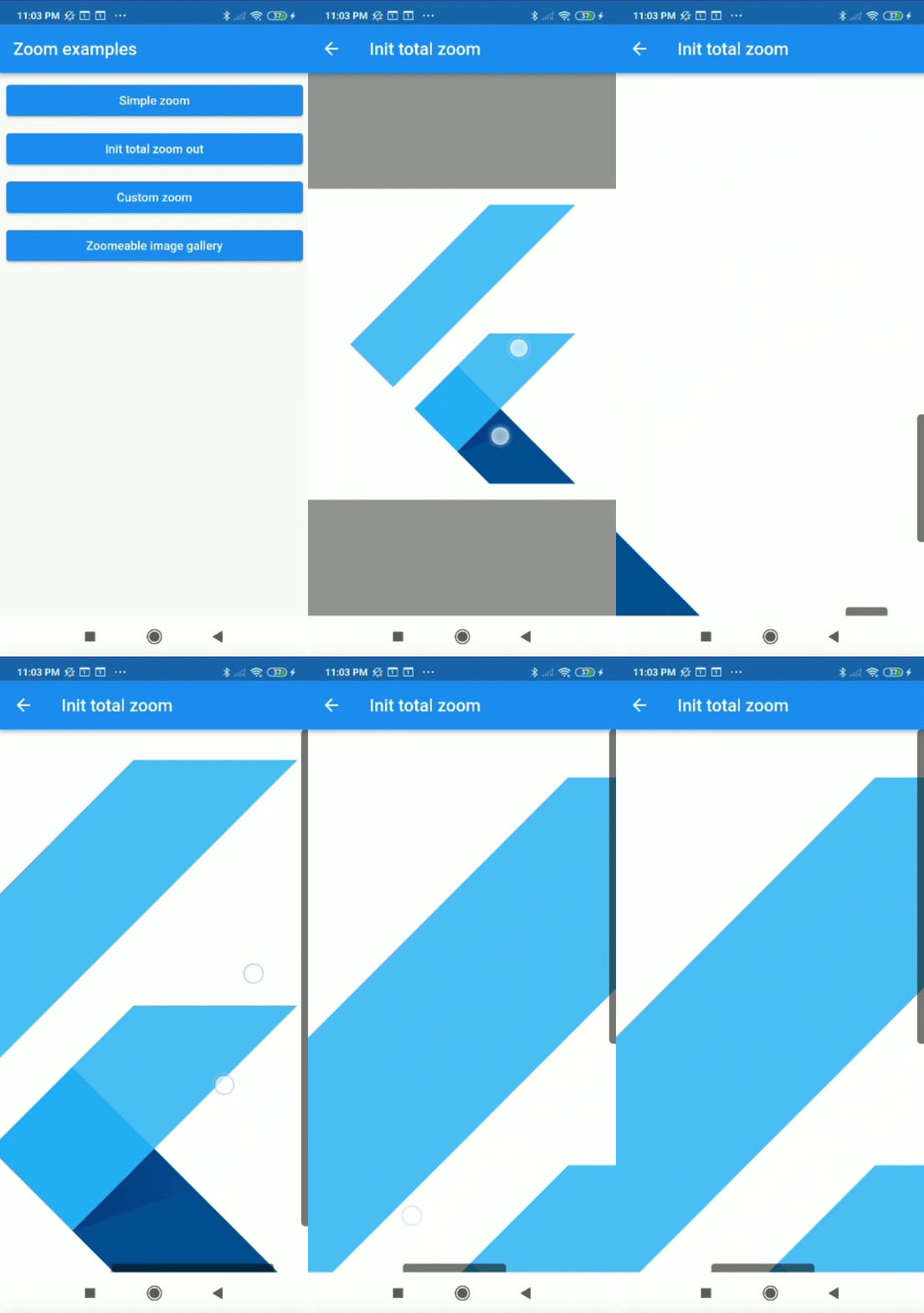
Center flutter logo using all space of view port:

 Zoom(
        initTotalZoomOut: true,
        child: Center(
          child: FlutterLogo(
            size: 1000,
          ),
        ),
      );

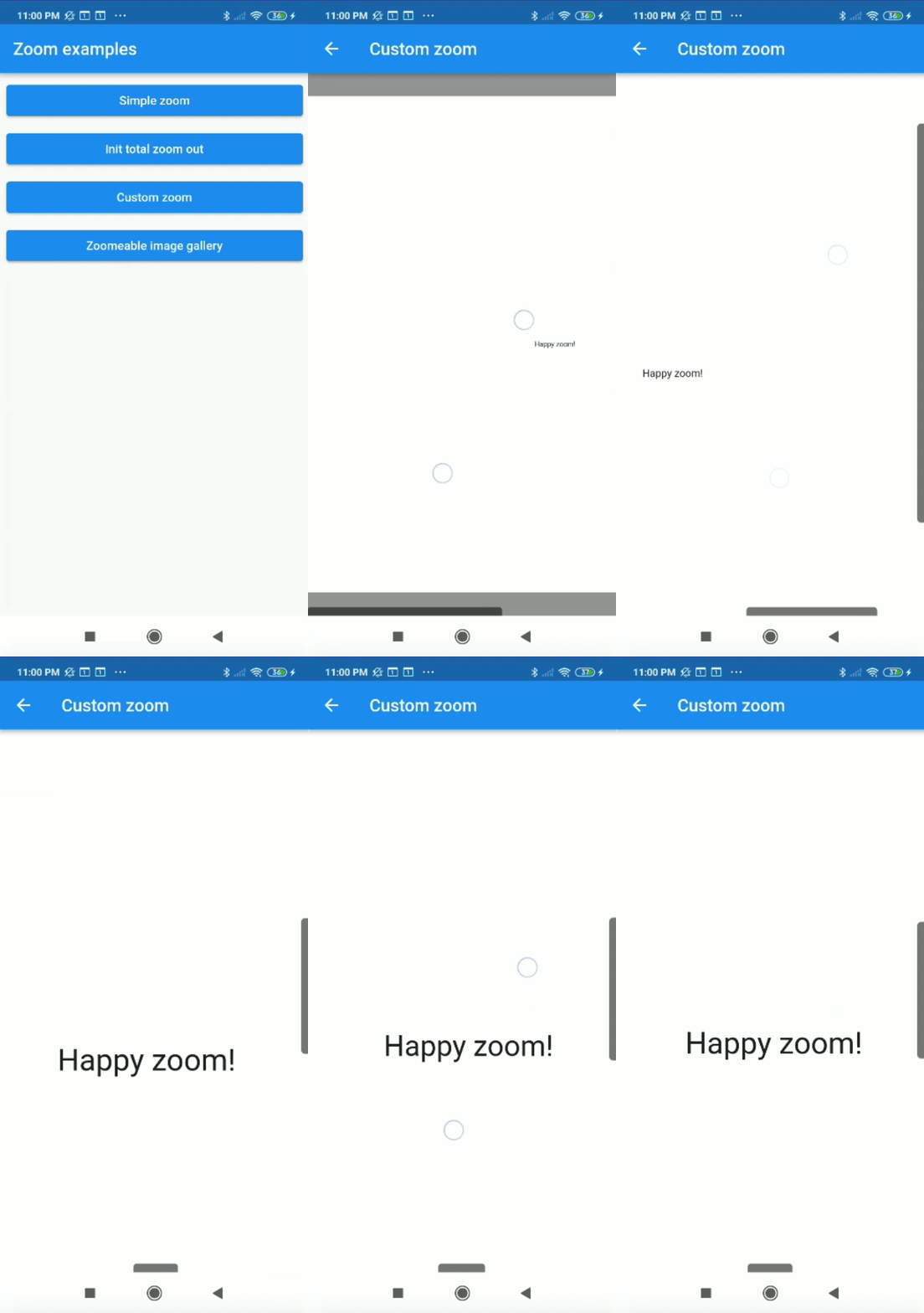
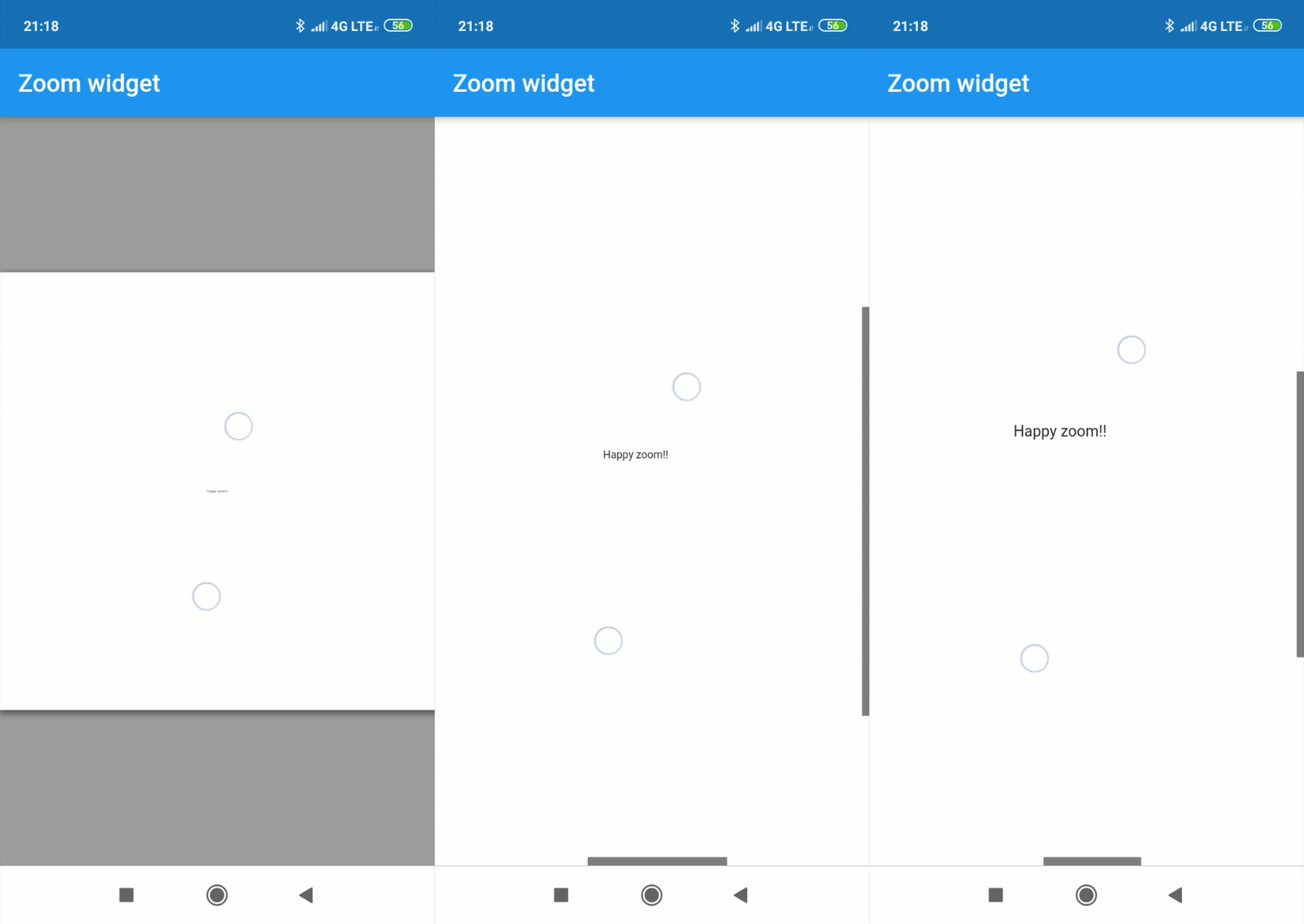
Center text with max width and max height:

Zoom(
    maxZoomWidth: 1800,
    maxZoomHeight: 1800,
    child: Center(
        child: Text("Happy zoom!!"),
    )
);
Callbacks

It is possible to obtain the x and y position of our canvas with respect to the scrolls and and the zoom and scale of our canvas using two simple callbacks in our Zoom instance.

Zoom(
    maxZoomWidth: 1800,
    maxZoomHeight: 1800,
    onTap: (){
        print("Widget clicked");
    },
    onPositionUpdate: (Offset position){
        print(position);
    },
    onScaleUpdate: (double scale,double zoom){
        print("$scale  $zoom");
    },
    child: Center(
        child: Text("Happy zoom!!"),
    )
);
Customize properties

Customizing the properties you can get amazing results.

  • width (Depreceted) double.
  • height (Depreceted) double.
  • maxZoomWidth double.
  • maxZoomHeight double.
  • backgroundColor Color.
  • canvasColor Color.
  • onPositionUpdate() Callaback.
  • onScaleUpdate() Callaback.
  • onTap() Callaback.
  • scrollWeight double.
  • opacityScrollBars double 0.0-1.0.
  • colorScrollBars Color.
  • centerOnScale bool.
  • initZoom (Depreceted) double.
  • initPosition Offset.
  • initScale double
  • enableScroll bool.
  • zoomSensibility double.
  • doubleTapZoom bool.
  • transformationController TransformationController.
  • radiusScrollBars double.
  • doubleTapScaleChange double.
  • doubleTapAnimDuration Duration.
  • initTotalZoomOut bool.
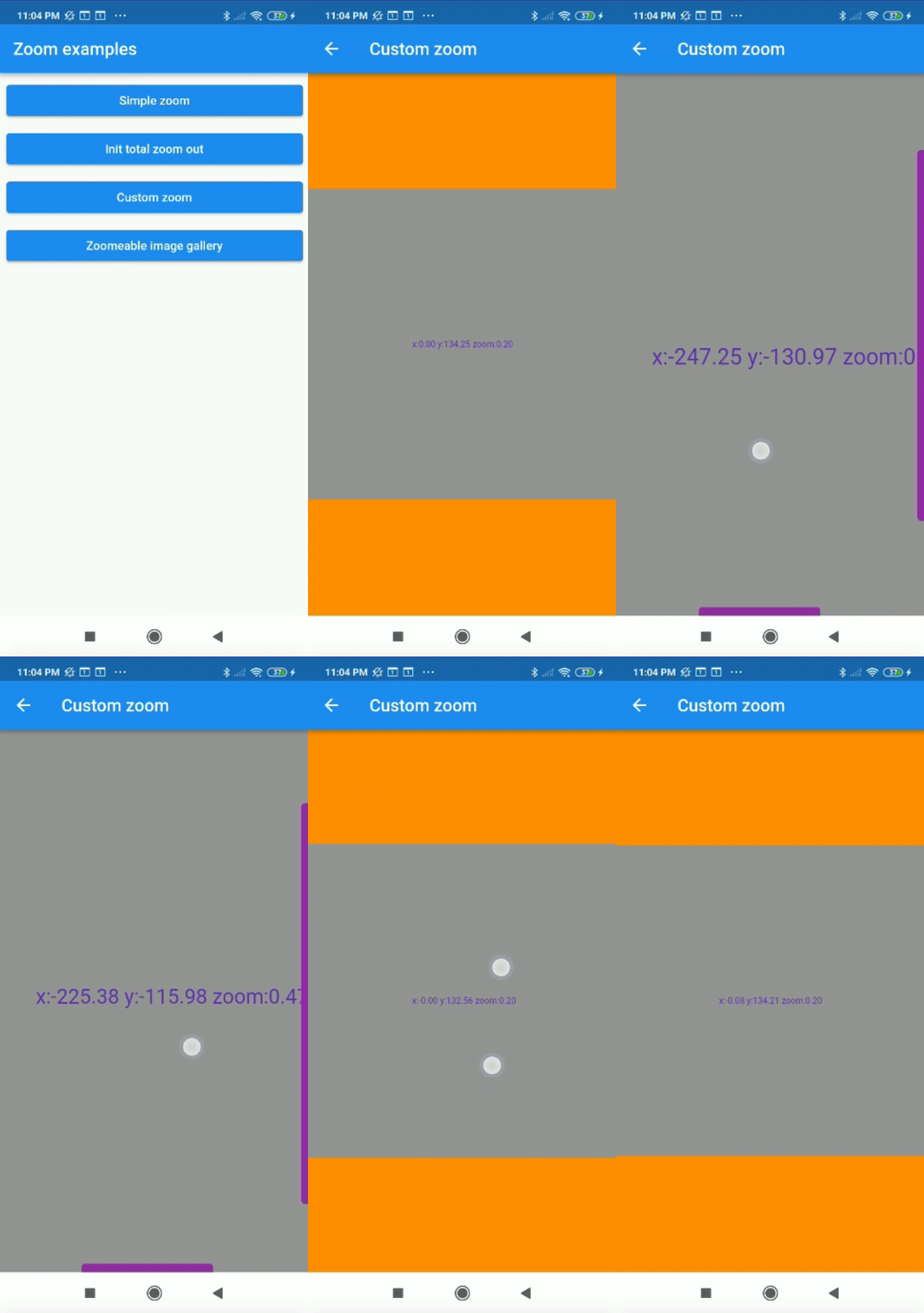
Customized properties example
Zoom(
    maxZoomWidth: 1800,
    maxZoomHeight: 1800,
    canvasColor: Colors.grey,
    backgroundColor: Colors.orange,
    colorScrollBars: Colors.purple,
    opacityScrollBars: 0.9,
    scrollWeight: 10.0,
    centerOnScale: true,
    enableScroll: true,
    doubleTapZoom: true,
    zoomSensibility: 0.05,
    onTap: (){ 
        print("Widget clicked");
    }
    onPositionUpdate: (position){
        setState(() {
            x=position.dx;
            y=position.dy;
        });
    },
    onScaleUpdate: (scale,zoom){
        setState(() {
            _zoom=zoom;
        });
    },
    child: Center(
        child: Text("x:${x.toStringAsFixed(2)} y:${y.toStringAsFixed(2)} zoom:${_zoom.toStringAsFixed(2)}",style: TextStyle(color: Colors.deepPurple,fontSize: 50),),
    ),
);
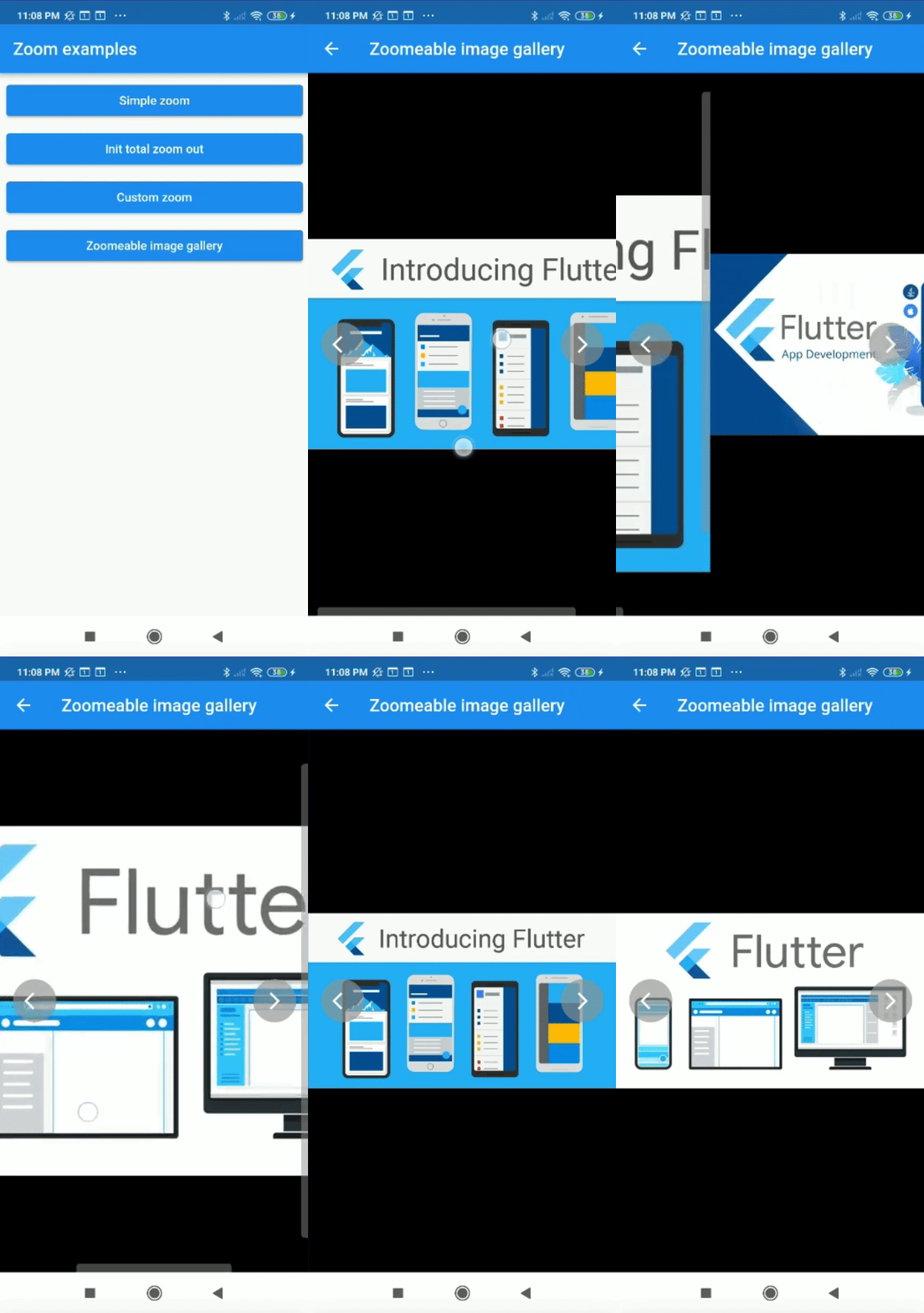
Complex example

It can be used for more complex things like an image gallery.

All examples of gifs are inside the example

카테고리

의존성

의존성 목록 1 개

소스 저장소

이 패키지를 사용하는 프로젝트