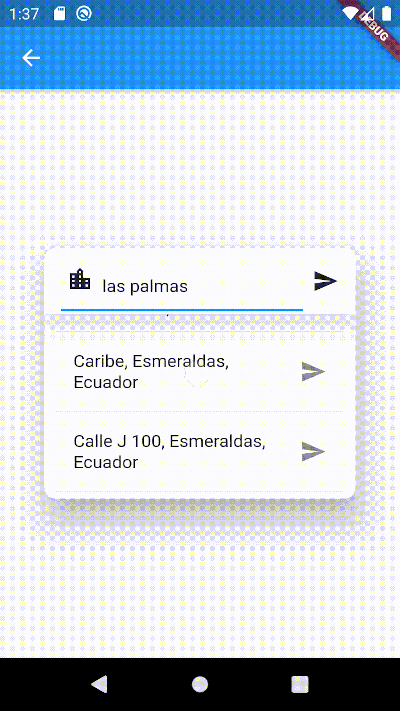
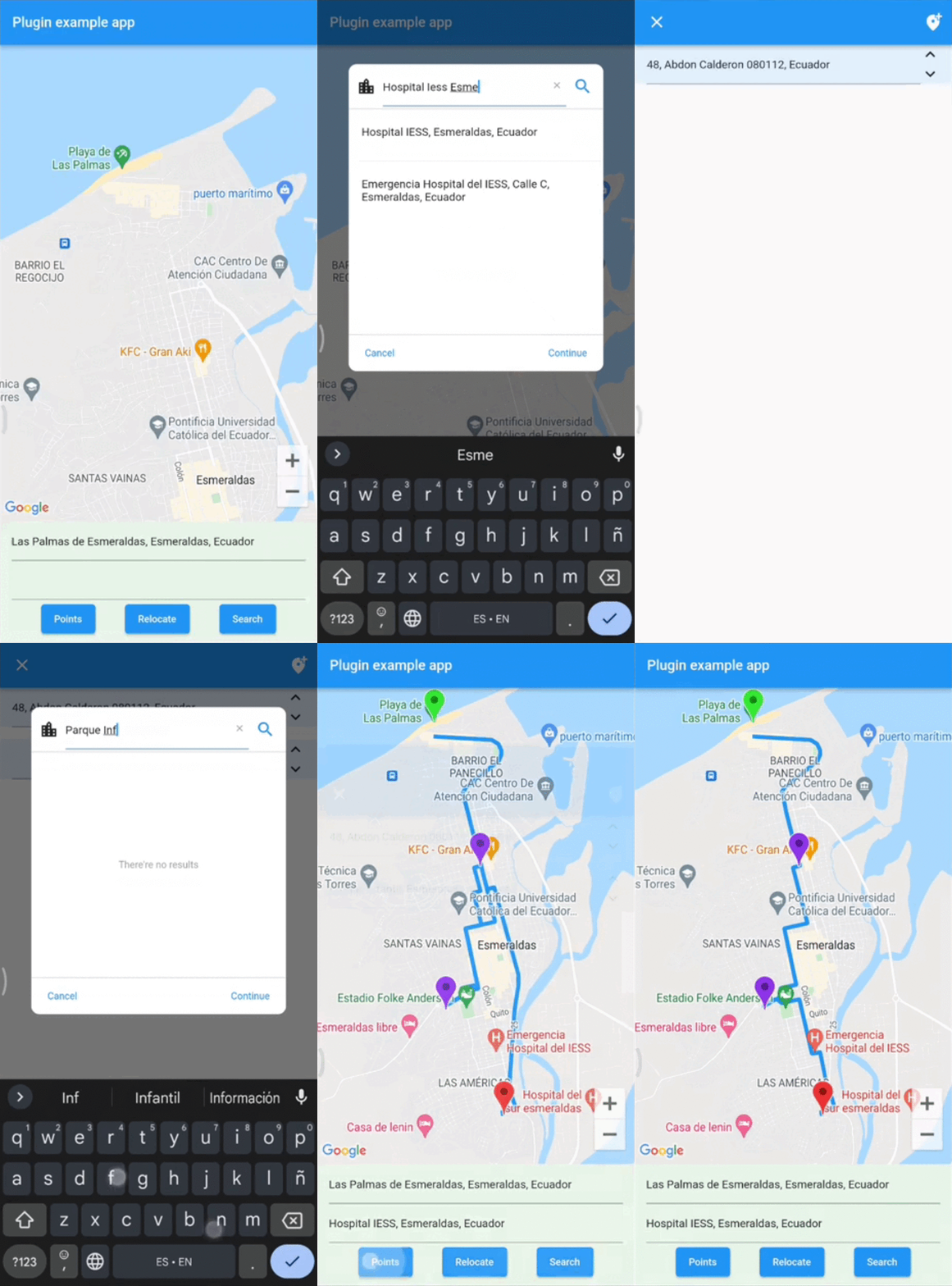
एक पता खोज क्षेत्र जो एक संदर्भ द्वारा पते को स्वचालित रूप से पूरा करने में मदद करता है। इसका उपयोग दो बिंदुओं के बीच दिशानिर्देश प्राप्त करने के लिए किया जा सकता है।
सार्वजनिक जानकारी से बना चयन मार्गदर्शन। केवल संदर्भ हेतु।
एक फ्लटर पैकेज जो संदर्भ का उपयोग करके स्वचालित पूर्ण करने वाली पते की खोज फ़ील्ड प्रदान करता है। यह उपयोगकर्ताओं को त्वरित रूप से पते दर्ज करने और चुनने में सक्षम बनाता है, जो दो बिंदुओं के बीच दिशानिर्देश गणना जैसी स्थान-आधारित सेवाओं के लिए आदर्श है। इस पैकेज को फॉर्म और मानचित्र में बिना किसी बाधा के एकीकृत किया जा सकता है, जिससे हस्तलिखित त्रुटियों को कम करके उपयोगकर्ता अनुभव को बढ़ाया जा सकता है। यह स्थान-संवेदनशील ऐप में पते के इनपुट के लिए हल्के विकल्प की तलाश कर रहे विकासकर्ताओं के लिए डिज़ाइन किया गया है।
उपयोग
मानचित्र पर स्थान खोजना
गंतव्यों के बीच मार्ग की गणना कर रहे हैं
पता सुझाव के साथ फॉर्म इनपुट में सुधार करना
डिलीवरी या राइड-शेयरिंग ऐप्स बनाना
यात्रा ऐप में स्थान जानकारी को एकीकृत करना
मुख्य विशेषताएँ
स्वचालित पता इनपुट
संदर्भ-आधारित पते खोज
हल्का और एकीकरण में आसान
स्थान-आधारित रूटिंग का समर्थन करता है
पते चयन के लिए सरल API
इनके लिए उपयुक्त
नेविगेशन ऐप बना रहे डेवलपर्स
पते के इनपुट फॉर्म की आवश्यकता वाले ऐप्स
स्थान-जागरूक मोबाइल एप्लिकेशन
यात्रा और लॉजिस्टिक्स प्लेटफॉर्म
मैप-एन्कोर्डेड उपयोगकर्ता इंटरफेस
विचार योग्य बातें
पता खोज के लिए इंटरनेट कनेक्शन की आवश्यकता होती है
संदर्भ स्रोत के आधार पर समर्थित क्षेत्रों तक सीमित
कस्टम स्टाइलिंग के लिए अतिरिक्त कॉन्फ़िगरेशन की आवश्यकता हो सकती है
बाहरी भौगोलिक स्थिति सेवाओं पर निर्भर करता है
ऑफलाइन पते के निर्धारण के लिए उपयुक्त नहीं
मूल README
संबंधित सोर्स रिपॉज़िटरी के मूल README का स्नैपशॉट। नवीनतम सामग्री के लिए रिपॉज़िटरी देखें।
Address Search Field
Widget builders to create 'address search widgets' which helps to autocomplete an address using a reference. They can be used to get Directions beetwen two places with optional waypoints. These widgets are made to be showed by onTap in a TextField with the showDialog function.
It uses Dio, Google Maps for Flutter, Flutter Riverpod plugins. (This last plugin is to use extended objects that can be usable with GoogleMap Widget).
On Android you'll need to add the internet permission to your Android Manifest file (located under android/app/src/main). To do so add next lines as direct child of the manifest> tag:
final geoMethods = GeoMethods(
  googleApiKey: 'GOOGLE_API_KEY',
  language: 'en',
  countryCode: 'us',
  countryCodes: ['us', 'es', 'co'],
  country: 'United States',
  city: 'New York',
);

// It will search in unite states, espain and colombia. It just can filter up to 5 countries.
geoMethods.autocompletePlace(query: 'place streets or reference');

geoMethods.geoLocatePlace(
    coords: Coords(0.10, 0.10,)
);

geoMethods.getPlaceGeometry(
    reference: 'place streets',
    placeId: 'ajFDN3662fNsa4hhs42FAjeb5n',
);

// It needs a specific region, it will search in unite states.
geoMethods.getDirections(
    origin: Address(coords: Coords(0.10, 0.10)),
    destination: Address(coords: Coords(0.10, 0.10))
);
AddressSearchBuilder
This widget can search addresses and permits you to work with them using an Address object.
AddressSearchDialog.custom provides you a widget builder with the parameters and methods to create your own AddressSearchDialog and work with the addresses information.
This widget is a simple way to get an address reference in a TextEditingController from coordinates when the AddressSearchDialog is not created into a RouteSearchBox.
Example:
Coords coords;
GeoMethods geoMethods;
TextEditingController controller;
Address initialAddress;
// using coordinates you can get an address reference to be predefined in the widget and save all the address data in a variable.AddressLocator(
coords: coords,
geoMethods: geoMethods,
controller: controller,
child: TextField(
controller: controller,
onTap: () => showDialog(
context: context,
builder: (BuildContext context) => AddressSearchDialog(
controller: controller,
geoMethods: geoMethods,
onDone: (Address address) => initialAddress = address;,
),
),
),
);
RouteSearchBox
This widget helps you to works using a provider from flutter_riverpod. It permits you to work with AddressSearchDialog to search an origin Address, destination Address and optionally waypoints in a List<Address>. This widget is used to get directions from the addresses gotten by an AddressSearchDialog. provider.findRoute() function permits to set an address as origin or destination from a coordinates parameter.
A completed example of how to use this widget could be found here.