पैकेज, रिपॉज़िटरी और ऐप श्रेणियाँ खोजें

currency_textfield कवर
पैकेज विवरणv5.0.0+1

currency_textfield

एक फ्लटर पैकेज जो मुद्रा पाठ इनपुट के लिए नियंत्रक का कार्यान्वयन करता है।

AndroidiOSWebmacOSWindowsLinux
30-दिन डाउनलोड
395
लाइक
53
Pub अंक
160

पैकेज इंस्टॉल करें

flutter pub add currency_textfield

पैकेज अवलोकन

सार्वजनिक जानकारी से बना चयन मार्गदर्शन। केवल संदर्भ हेतु।

एक फ्लटर पैकेज जो मुद्रा टेक्स्ट इनपुट को हैंडल करने के लिए विशेष नियंत्रक प्रदान करता है, जिसमें स्वचालित प्रारूपण, मास्किंग और मान्यता है। यह सुनिश्चित करता है कि उपयोगकर्ता मौद्रिक मूल्यों को एक समान प्रारूप में दर्ज करें, स्वचालित रूप से दशमलव बिंदु और मुद्रा प्रतीक डालते हैं जबकि अमान्य अक्षरों को रोकते हैं। निपुण वित्तीय डेटा दर्ज करने के लिए आवश्यक फॉर्म के लिए आदर्श, यह गतिशील, वेब और डेस्कटॉप जैसे बहुत से प्लेटफॉर्म का समर्थन करता है। इस पैकेज ने उपयोगकर्ता अनुभव को बढ़ावा देने के लिए इनपुट त्रुटियों को कम करने और मुद्रा मूल्यों की पठनीयता में सुधार करने में मदद की है।

उपयोग

  • वित्तीय फॉर्म इनपुट
  • ई-कॉमर्स चेकआउट फ़ील्ड्स
  • बजटिंग एप्लिकेशन
  • इन्वॉइस और भुगतान फॉर्म
  • रियल-टाइम मुद्रा प्रदर्शन

मुख्य विशेषताएँ

  • स्वचालित दशमलव प्रारूपण
  • मुद्रा संकेत प्रविष्टि
  • इनपुट वैधता
  • क्रॉस-प्लेटफ़ॉर्म समर्थन
  • कस्टमाइज़ की गई दशमलव स्थान
  • तत्काल प्रतिक्रिया

इनके लिए उपयुक्त

  • वित्त एप्लिकेशन बनाने वाले डेवलपर्स
  • सटीक मूल्य इनपुट की आवश्यकता वाले ऐप्स
  • सख्त डेटा प्रारूप की आवश्यकता वाले फॉर्म
  • बहुप्लेटफॉर्म वित्तीय उपकरण
  • उपयोगिता और सहीता पर केंद्रित UI

विचार योग्य बातें

  • कस्टम दिखावट के लिए अतिरिक्त स्टाइलिंग की आवश्यकता हो सकती है
  • संख्यात्मक और मुद्रा-विशिष्ट व्यवहार सीमित
  • मुद्रा रूपांतरण का समर्थन नहीं करता है
  • TextEditingController के सही प्रारंभ पर निर्भर करता है
  • अगर सही तरीके से प्रबंधित नहीं किया गया, तो अन्य फॉर्मेटर्स के साथ संभावित टकराव हो सकते हैं

मूल README

संबंधित सोर्स रिपॉज़िटरी के मूल README का स्नैपशॉट। नवीनतम सामग्री के लिए रिपॉज़िटरी देखें।

currency_textfield

Build Status pub package

A Controller for currency text input

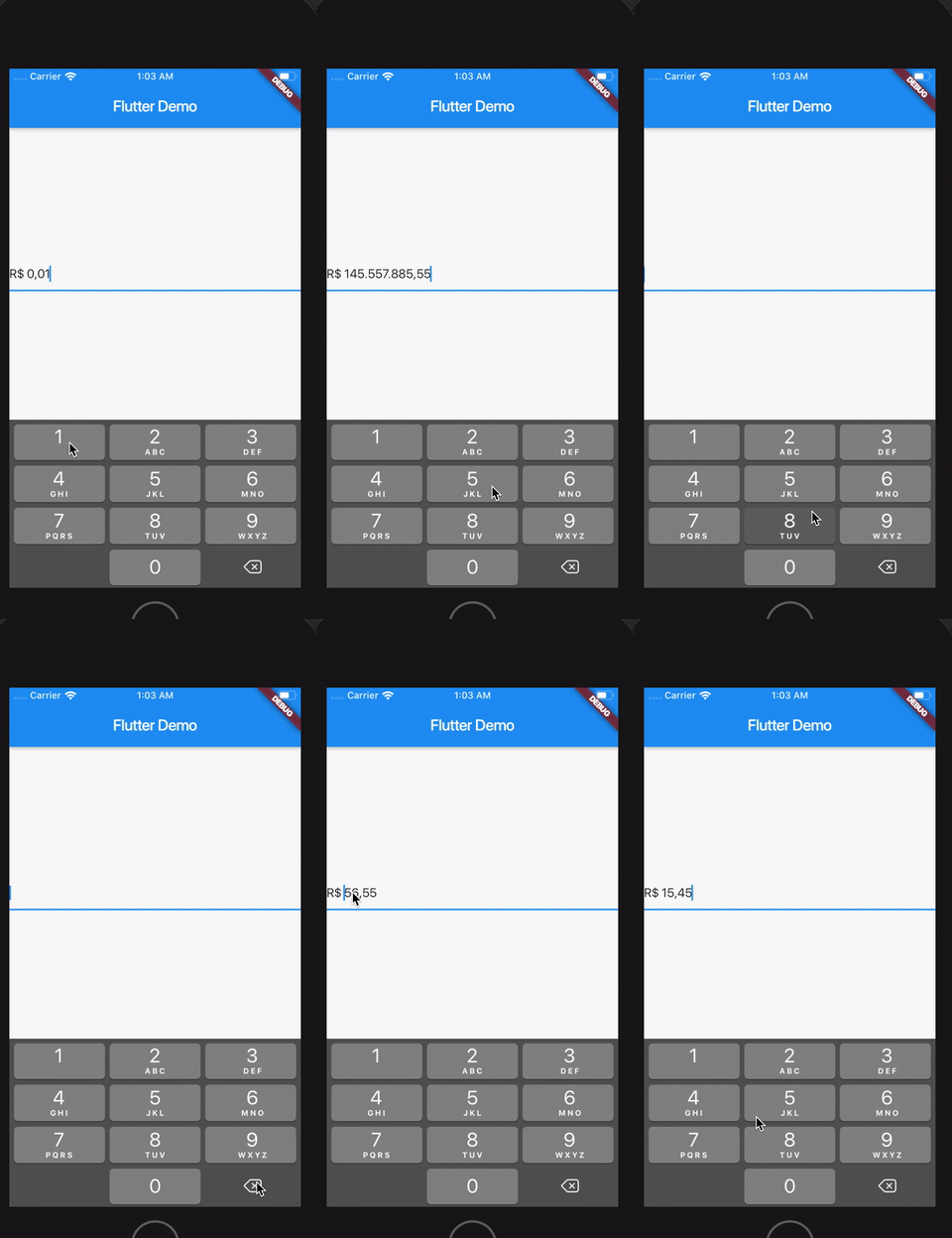
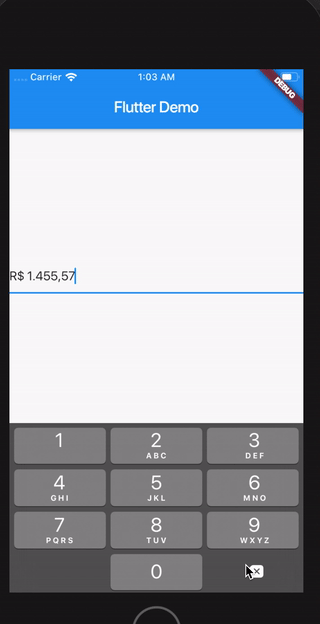
Demo

sample

Install

Follow this guide

Usage

Import the library

import 'package:currency_textfield/currency_textfield.dart';

Create the Controller

CurrencyTextFieldController controller = CurrencyTextFieldController()

Parameters and getters

Currency Symbol, Decimal and Thousand separator

It's possible to customize currencySymbol, decimalSymbol and thousandSymbol:

var controller = CurrencyTextFieldController(currencySymbol: "RR", decimalSymbol: ".", thousandSymbol: ",");
Get double value, get int value and get number in string format

To get the number value from controller, you can use both the doubleValue or the intValue properties:

//Double value:
final double val = controller.doubleValue;
//Int value:
final int val = controller.intValue;
//String number:
final int val = controller.textWithoutCurrencySymbol;
Initial value

You can initialize the controller using a int or a double, but not both at the same time. To make this, just use initDoubleValue or initIntValue:

final CurrencyTextFieldController controller2 = CurrencyTextFieldController(initDoubleValue: 10);
final CurrencyTextFieldController controller3 = CurrencyTextFieldController(initIntValue: 1000);

// this will raise an error!
final CurrencyTextFieldController controller4 = CurrencyTextFieldController(initIntValue: 1000,initDoubleValue: 10);
Position of the symbol and separator

You can decide if the symbol will be before or after the number. To make this, just use currencyOnLeft:

// default with the currency before the number
final CurrencyTextFieldController controller = CurrencyTextFieldController();

// currency after the number
final CurrencyTextFieldController controller2 = CurrencyTextFieldController(currencyOnLeft: false);

And also define the separator between the symbol and the value with currencySeparator:

// the default value is a single space
final CurrencyTextFieldController controller = CurrencyTextFieldController(currencySeparator: ' -> ');
Block the user from setting negative numbers

Just set enableNegative to false

Force a value from outside the TextField
final CurrencyTextFieldController controller = CurrencyTextFieldController();
// using a double
controller.forceValue(initDoubleValue: 300.5);

// using an int
controller.forceValue(initIntValue: 10000);
Change the currency symbol of the controller
final CurrencyTextFieldController controller = CurrencyTextFieldController();
// keeping the current value:
controller.replaceCurrencySymbol('EUR');

// reseting the current value:
controller.replaceCurrencySymbol('EUR', resetValue: true);

श्रेणियाँ

सोर्स रिपॉज़िटरी

इस पैकेज का उपयोग करने वाले प्रोजेक्ट

अभी कोई डेटा उपलब्ध नहीं है।