सार्वजनिक जानकारी से बना चयन मार्गदर्शन। केवल संदर्भ हेतु।
Emoji Alert एक Flutter पैकेज है जो विकासकर्ताओं को इमोजी समर्थन के साथ दिखाई देने वाले और सरल चेतावनी डायलॉग और बॉटम शीट मॉडल बनाने की अनुमति देता है। यह मानक UI घटकों में अभिव्यक्तिपूर्ण, रंगीन तत्वों को जोड़कर उपयोगकर्ता अनुभव को बढ़ाता है। दोस्ताना, आकर्षक प्रतिक्रिया प्रदान करने के लक्ष्य वाले ऐप्स के लिए आदर्श है, यह सभी प्रमुख प्लेटफॉर्म जैसे Android, iOS, Web, macOS, Windows और Linux पर काम करता है। पैकेज हल्का है और आसानी से एकीकृत किया जा सकता है, जिसमें pub के माध्यम से एक ही कमांड की आवश्यकता होती है। इसका डिज़ाइन सरलता और सौंदर्य पर केंद्रित है, फ़ंक्शनलिटी को नहीं छोड़ते हुए।
उपयोग
उपयोगकर्ता नोटिफिकेशन प्रदर्शित कर रहा है
एप स्टेटस अपडेट दिखाएं
ऑनबोर्डिंग अनुभवों को बेहतर बनाना
कार्रवाई के बाद प्रतिक्रिया प्रदान करना
खेलने वाले त्रुटि संदेश बनाना
मुख्य विशेषताएँ
निर्मित इमोजी समर्थन
कस्टमाइज़ किए गए चेतावनी शैलियाँ
क्रॉस-प्लेटफ़ॉर्म संगतता
Flutter के साथ सरल एकीकरण
बॉटम शीट मोडल का समर्थन
हल्का और तेज़
इनके लिए उपयुक्त
मोबाइल और वेब एप्लिकेशन
युवा दर्शकों के लिए लक्षित ऐप्स
ऑनबोर्डिंग फ्लो
प्रतिपुष्टि-आधारित इंटरफेस
सरल नोटिफिकेशन प्रणाली
विचार योग्य बातें
मूलभूत चेतावनी और बॉटम शीट प्रकार तक सीमित
उन्नत उपयोग के मामलों के लिए कस्टम स्टाइलिंग की आवश्यकता हो सकती है
अपडेट्स के लिए बाहरी GitHub भंडार पर निर्भर है
जटिल डायलॉग कार्यप्रवाह के लिए उपयुक्त नहीं
मूल README
संबंधित सोर्स रिपॉज़िटरी के मूल README का स्नैपशॉट। नवीनतम सामग्री के लिए रिपॉज़िटरी देखें।
Flutter Emoji Alert
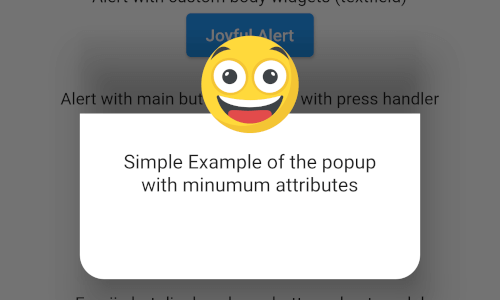
A new Stylish Emoji Alert with a wide variety of emojis, simple to implement and full customizable.
Features
Single line basic alert with default emoji
Add dynamic widgets not only text any widget you want
Add buttons with their onPress handlers
Choose the alert display behavior : Normal Alert or Bottom Sheet dialog
Choose an emoji from a variety of emojis
Animations when displaying the alert popup
Getting Started
To add emoji_alert to your project add this line to your pubspec.yaml
dependencies:emoji_alert:1.1.0
Or you can reference the github repository directly
in this example we used TRANSITION animation but you can choose any other built-in animations (see attributes description above)
EmojiAlert(
	description:  Column(
		children: [
			Text("Simple Example with animation"),
			Text("This is a transition animation"),
		],
	),
	animationType:  ANIMATION_TYPE.TRANSITION
).displayAlert(context);
the result:
Contribution
Of course the project is open source, and you can contribute to it repository link