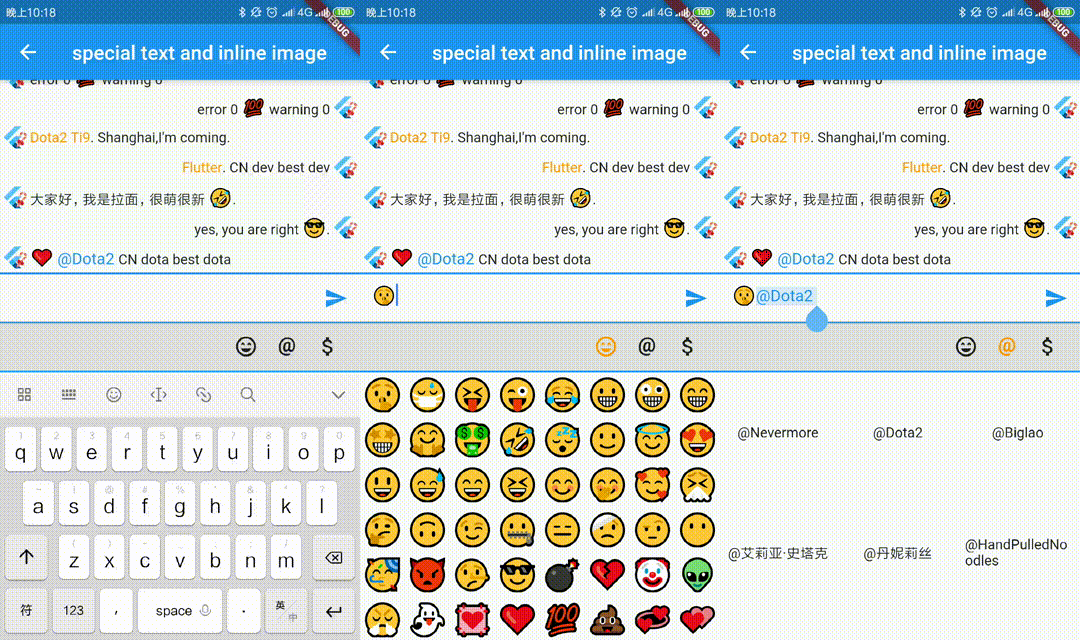
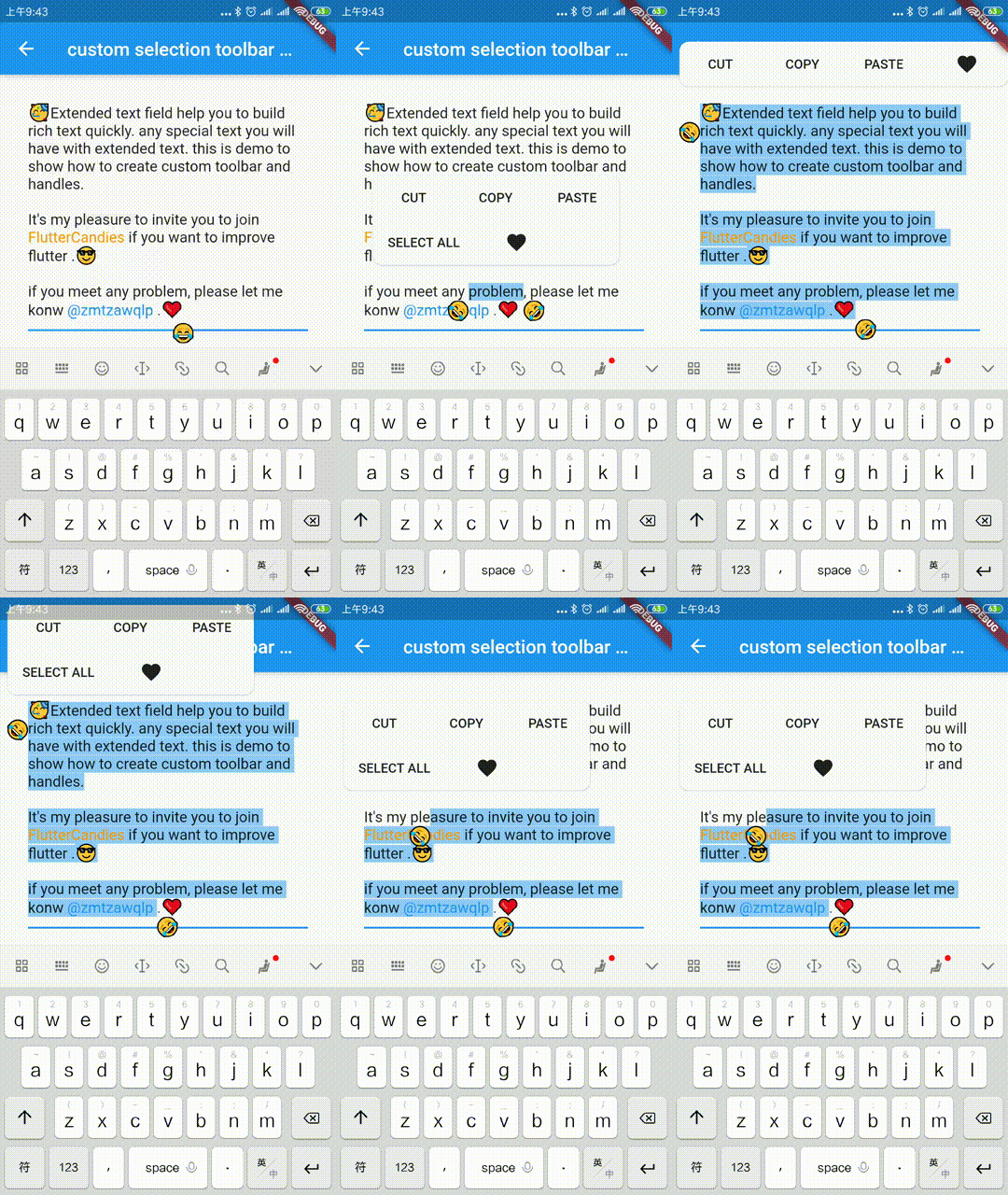
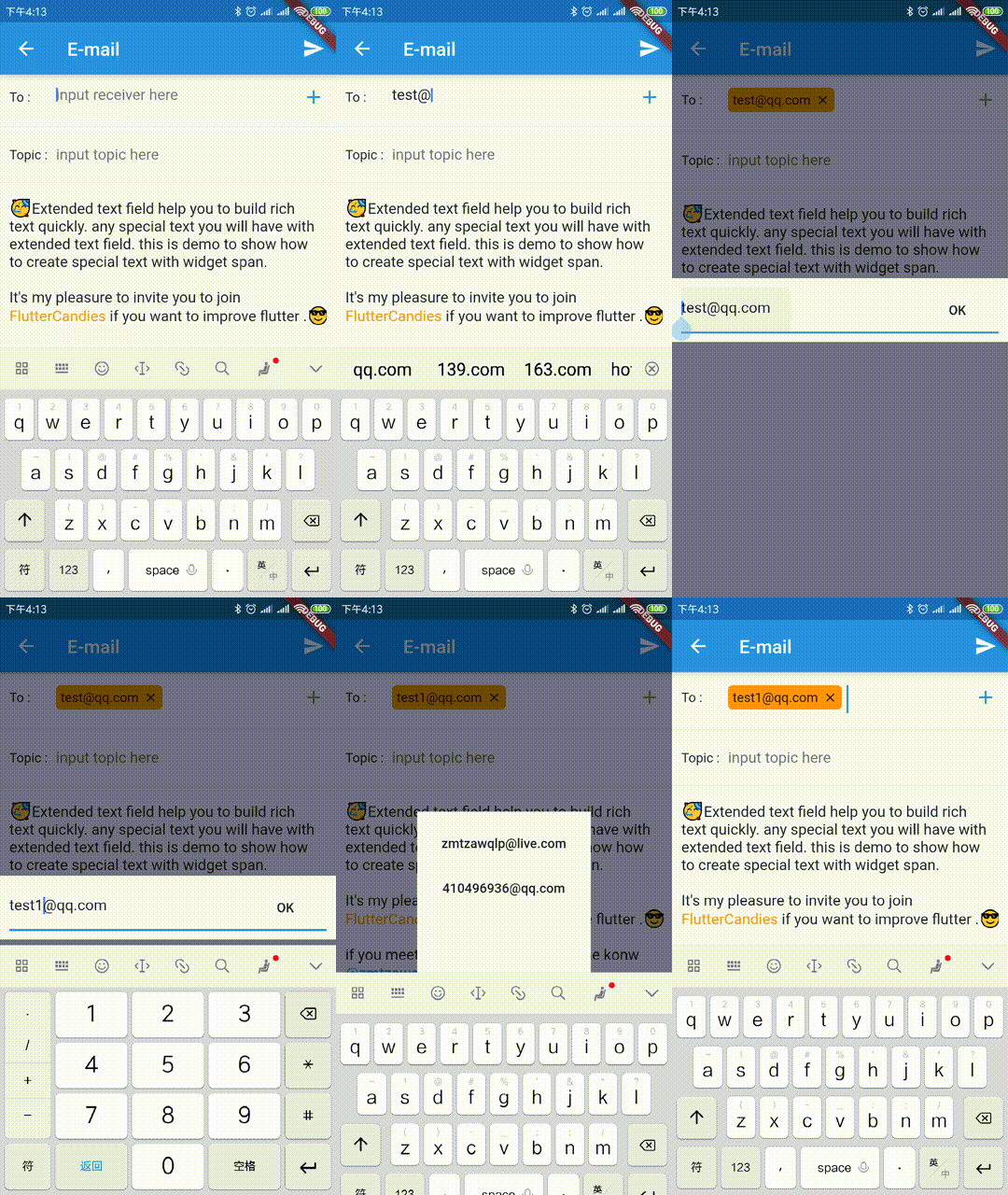
विशेष टेक्स्ट जैसे इनलाइन छवि, @कोई भी, कस्टम बैकग्राउंड आदि को तेजी से बनाने के लिए विस्तारित आधिकारिक टेक्स्ट फ़ील्ड। यह कस्टम सीलेक्शन टूलबार और हैंडल्स बनाने का समर्थन भी करता है।
सार्वजनिक जानकारी से बना चयन मार्गदर्शन। केवल संदर्भ हेतु।
ExtendedTextField एक शक्तिशाली Flutter पैकेज है जो मानक टेक्स्ट फ़ील्ड को सम्मिलित छवियों, उल्लेख (@somebody), और कस्टम पृष्ठभूमि जैसे धनुष्टेक्स्ट विशेषताओं के साथ बढ़ाता है। इसमें कस्टम चयन टूलबार और टच हैंडल्स बनाने का समर्थन है, जिससे उपयोगकर्ता इंटरैक्शन पर अधिक नियंत्रण मिलता है। उन डेवलपर्स के लिए डिज़ाइन किया गया है जो उन्नत टेक्स्ट संपादन क्षमताओं की तलाश में हैं, यह विभिन्न प्लेटफॉर्मों पर इंटरैक्टिव और दृश्य रूप से समृद्ध टेक्स्ट इनपुट के निर्माण को सरल बनाता है।
उपयोग
उल्लेख के साथ चैट इंटरफेस बनाना
पाठ में छवियों को एम्बेड करना
समृद्ध नोट-लेखन एप्लिकेशन बनाना
कस्टम टेक्स्ट सिलेक्शन मेनू का अनुप्रयोग
सोशल मीडिया पाठ क्षेत्र विकसित करना
गतिशील पाठ स्वरूपण जोड़ें
मुख्य विशेषताएँ
इनलाइन छवियों का समर्थन करता है
@उल्लेख और हैशटैग को संभालता है
कस्टमाइज़ किए गए चयन टूलबार
विस्तारयोग्य टेक्स्ट स्पैन प्रकार
क्रॉस-प्लेटफॉर्म संगतता
कॉन्फ़िगरेबल टच हैंडल्स
इनके लिए उपयुक्त
धनात्मक टेक्स्ट संपादक बनाने वाले डेवलपर्स
इंटरैक्टिव टेक्स्ट इनपुट की आवश्यकता वाले एप्लिकेशन
चैट या संदेश एप्लिकेशन
सामग्री निर्माण उपकरण
यूआई-भारी टेक्स्ट कंपोनेंट्स
विचार योग्य बातें
TextSpan और RichText की समझ की आवश्यकता है
एप्लिकेशन परिस्थिति में जटिलता बढ़ सकती है
पाठ चयन तर्क का सावधानीपूर्वक निपटान करने की आवश्यकता है
कोर विजेट्स की तुलना में सीमित दस्तावेज़ीकरण
बहुत स्पैन के साथ संभावित प्रदर्शन प्रभाव
मूल README
संबंधित सोर्स रिपॉज़िटरी के मूल README का स्नैपशॉट। नवीनतम सामग्री के लिए रिपॉज़िटरी देखें।
Extended official text field to build special text like inline image, @somebody, custom background etc quickly.It also support to build custom seleciton toolbar and handles.
The scale to place in the [ImageInfo] object of the image.
1.0
headers
The HTTP headers that will be used with [HttpClient.get] to fetch image from network.
-
cache
whether cache image to local
false
retries
the time to retry to request
3
timeLimit
time limit to request image
-
timeRetry
the time duration to retry to request
milliseconds: 100
cancelToken
token to cancel network request
CancellationToken()
/// Clear the disk cache directory then return if it succeed./// <param name="duration">timespan to compute whether file has expired or not</param>Future<bool> clearDiskCachedImages({Duration duration}) async
TextSelectionControls
override [ExtendedTextField.extendedContextMenuBuilder] and [TextSelectionControls] to custom your toolbar widget or handle widget
constdouble _kHandleSize = 22.0;
/// Android Material styled text selection controls.classMyTextSelectionControlsextendsTextSelectionControlswithTextSelectionHandleControls{
staticWidgetdefaultContextMenuBuilder(
BuildContext context, ExtendedEditableTextState editableTextState) {
returnAdaptiveTextSelectionToolbar.buttonItems(
buttonItems: <ContextMenuButtonItem>[
...editableTextState.contextMenuButtonItems,
ContextMenuButtonItem(
onPressed: () {
launchUrl(
Uri.parse(
'mailto:xxx@live.com?subject=extended_text_share&body=${editableTextState.textEditingValue.text}',
),
);
editableTextState.hideToolbar(true);
editableTextState.textEditingValue
.copyWith(selection: constTextSelection.collapsed(offset: 0));
},
type: ContextMenuButtonType.custom,
label: 'like',
),
],
anchors: editableTextState.contextMenuAnchors,
);
// return AdaptiveTextSelectionToolbar.editableText(// editableTextState: editableTextState,// );
}
/// Returns the size of the Material handle.@overrideSizegetHandleSize(double textLineHeight) =>
constSize(_kHandleSize, _kHandleSize);
/// Builder for material-style text selection handles.@overrideWidgetbuildHandle(
BuildContext context, TextSelectionHandleType type, double textLineHeight,
[VoidCallback? onTap, double? startGlyphHeight, double? endGlyphHeight]) {
finalWidget handle = SizedBox(
width: _kHandleSize,
height: _kHandleSize,
child: Image.asset(
'assets/40.png',
),
);
// [handle] is a circle, with a rectangle in the top left quadrant of that// circle (an onion pointing to 10:30). We rotate [handle] to point// straight up or up-right depending on the handle type.switch (type) {
caseTextSelectionHandleType.left: // points up-rightreturnTransform.rotate(
angle: math.pi / 4.0,
child: handle,
);
caseTextSelectionHandleType.right: // points up-leftreturnTransform.rotate(
angle: -math.pi / 4.0,
child: handle,
);
caseTextSelectionHandleType.collapsed: // points upreturn handle;
}
}
/// Gets anchor for material-style text selection handles.////// See [TextSelectionControls.getHandleAnchor].@overrideOffsetgetHandleAnchor(TextSelectionHandleType type, double textLineHeight,
[double? startGlyphHeight, double? endGlyphHeight]) {
switch (type) {
caseTextSelectionHandleType.left:
returnconstOffset(_kHandleSize, 0);
caseTextSelectionHandleType.right:
returnOffset.zero;
default:
returnconstOffset(_kHandleSize / 2, -4);
}
}
@overrideboolcanSelectAll(TextSelectionDelegate delegate) {
// Android allows SelectAll when selection is not collapsed, unless// everything has already been selected.finalTextEditingValue value = delegate.textEditingValue;
return delegate.selectAllEnabled &&
value.text.isNotEmpty &&
!(value.selection.start == 0 &&
value.selection.end == value.text.length);
}
}
WidgetSpan
support to select and hitTest ExtendedWidgetSpan, you can create any widget in ExtendedTextField.
or you need to override ignoreTextInputShow, you can do as following.
classYourBindingextendsTextInputBinding{
@override// ignore: unnecessary_overridesboolignoreTextInputShow() {
// you can override it base on your case// if NoKeyboardFocusNode is not enoughreturnsuper.ignoreTextInputShow();
}
}
voidmain() {
YourBinding();
runApp(constMyApp());
}
TextInputFocusNode
you should pass the [TextInputFocusNode] into [ExtendedTextField] or [TextField].
finalTextInputFocusNode _focusNode = TextInputFocusNode();
@overrideWidgetbuild(BuildContext context) {
returnExtendedTextField(
// request keyboard if need
focusNode: _focusNode..debugLabel = 'ExtendedTextField',
);
}
@overrideWidgetbuild(BuildContext context) {
returnTextField(
// request keyboard if need
focusNode: _focusNode..debugLabel = 'CustomTextField',
);
}
we prevent system keyboard show base on current focus is [TextInputFocusNode] and ignoreSystemKeyboardShow is true。
finalFocusNode? focus = FocusManager.instance.primaryFocus;
if (focus != null &&
focus isTextInputFocusNode &&
focus.ignoreSystemKeyboardShow) {
returntrue;
}
### CustomKeyboardshow/hide your custom keyboard on [TextInputFocusNode] focus is changed.
if your custom keyboard can be close without unFocus, you need also handle
show custom keyboard when [ExtendedTextField] or [TextField] `onTap`.
``` dart
@overridevoidinitState() {
super.initState();
_focusNode.addListener(_handleFocusChanged);
}
void_onTextFiledTap() {
if (_bottomSheetController == null) {
_handleFocusChanged();
}
}
void_handleFocusChanged() {
if (_focusNode.hasFocus) {
// just demo, you can define your custom keyboard as you want
_bottomSheetController = showBottomSheet<void>(
context: FocusManager.instance.primaryFocus!.context!,
// set false, if don't want to drag to close custom keyboard
enableDrag: true,
builder: (BuildContext b) {
// your custom keyboardreturnContainer();
});
// maybe drag close
_bottomSheetController?.closed.whenComplete(() {
_bottomSheetController = null;
});
} else {
_bottomSheetController?.close();
_bottomSheetController = null;
}
}
@overridevoiddispose() {
_focusNode.removeListener(_handleFocusChanged);
super.dispose();
}