पैकेज, रिपॉज़िटरी और ऐप श्रेणियाँ खोजें

figma_frame_inspector कवर
पैकेज विवरणv0.0.5

figma_frame_inspector

एक फ्लटर प्लगइन जो ऐप में फिग्मा फ्रेम के कितने सटीकता से कार्यान्वयन किया गया है, इसकी जाँच करता है।

AndroidiOSmacOSWindowsLinux
30-दिन डाउनलोड
45
लाइक
25
Pub अंक
150

पैकेज इंस्टॉल करें

flutter pub add figma_frame_inspector

पैकेज अवलोकन

सार्वजनिक जानकारी से बना चयन मार्गदर्शन। केवल संदर्भ हेतु।

Figma Frame Inspector एक Flutter प्लगइन है जिसका उद्देश्य डेवलपर्स को अपने ऐप में Figma डिज़ाइन कार्यान्वयन की सटीकता की जाँच करने में मदद करना है। यह चल रहे ऐप पर सीधे Figma फ्रेम की सीमाओं और आयामों को ओवरले करता है, जिससे डिज़ाइन और विकास के बीच वास्तविक समय में दृश्य तुलना संभव होती है। इस टूल का उपयोग टेस्टिंग के दौरान UI सत्यापन को सरल बनाता है, जिससे डिज़ाइन विनिर्माण के साथ पिक्सेल-परफेक्ट अनुरूपता सुनिश्चित होती है। यह एंड्रॉइड, आईओएस, मैकओएस, विंडोज और लिनक्स जैसे कई प्लेटफॉर्म का समर्थन करता है, जिससे यह क्रॉस-प्लेटफॉर्म टीमों के लिए लचीला बनता है। यह प्लगइन विशेष रूप से डिज़ाइनर और डेवलपर्स के बीच निरंतर सहयोग करने वाले वातावरण में उपयोगी होता है।

उपयोग

  • Figma डिज़ाइन के बराबर UI फिडेलिटी की जांच करना
  • क्रॉस-प्लेटफॉर्म यूआई सामंजस्य जाँच
  • डिज़ाइन हैंडऑफ वेरिफिकेशन
  • लेआउट अंतरों का रियल-टाइम डीबगिंग
  • डिजाइनर और डेवलपर्स के बीच टीम सहयोग

मुख्य विशेषताएँ

  • एप्लिकेशन में फिग्मा फ्रेम सीमाओं को ओवरले करें
  • कई प्लेटफॉर्म का समर्थन करता है
  • रियल-टाइम विजुअल कंपेरिजन
  • pub add के माध्यम से सरल एकीकरण
  • लेआउट विचलन को हाइलाइट करें

इनके लिए उपयुक्त

  • UI/UX विकासकर्ता
  • Flutter के साथ काम कर रहे डिज़ाइनर
  • क्रॉस-प्लेटफॉर्म विकास टीम
  • गुणवत्ता आश्वासन परीक्षक
  • डिज़ाइन के लिए Figma का उपयोग करने वाली टीमें

विचार योग्य बातें

  • केवल विकास/परीक्षण के उपयोग के लिए
  • Figma फ्रेम डेटा की आवश्यकता है
  • उत्पादन बिल्ड्स के लिए उपयुक्त नहीं
  • डिबग मोड में प्रदर्शन पर प्रभाव डाल सकता है
  • सीमित दृश्य परीक्षण, स्वचालित अभिव्यक्ति के बिना

मूल README

संबंधित सोर्स रिपॉज़िटरी के मूल README का स्नैपशॉट। नवीनतम सामग्री के लिए रिपॉज़िटरी देखें।

Figma Frame Inspector

Pub Version

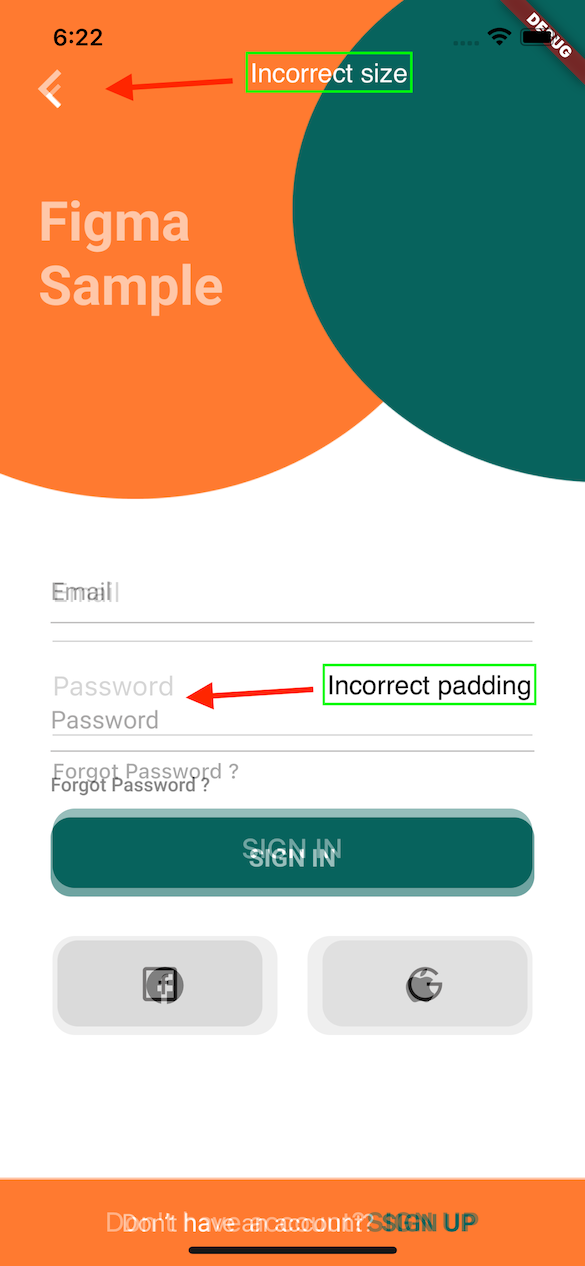
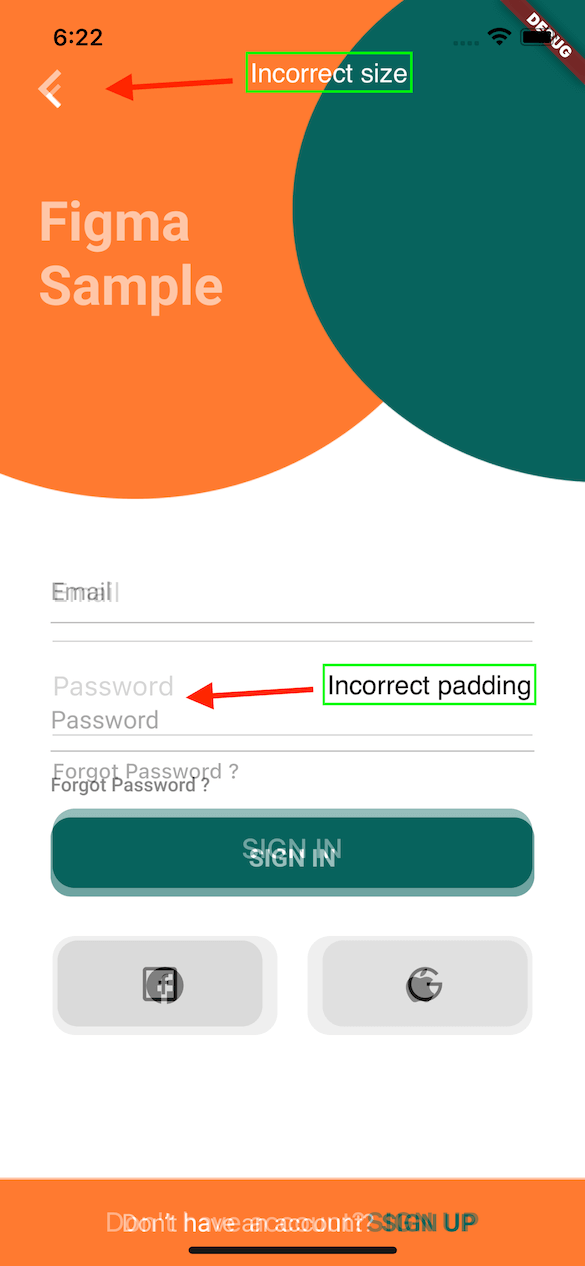
A Flutter plugin to verify how accurately the Figma frame was implemented in the app (whether paddings and elements sizes are correct).

With this tool any developer can verify all the paddings, font styles and elements sizes matches design specification in Figma.

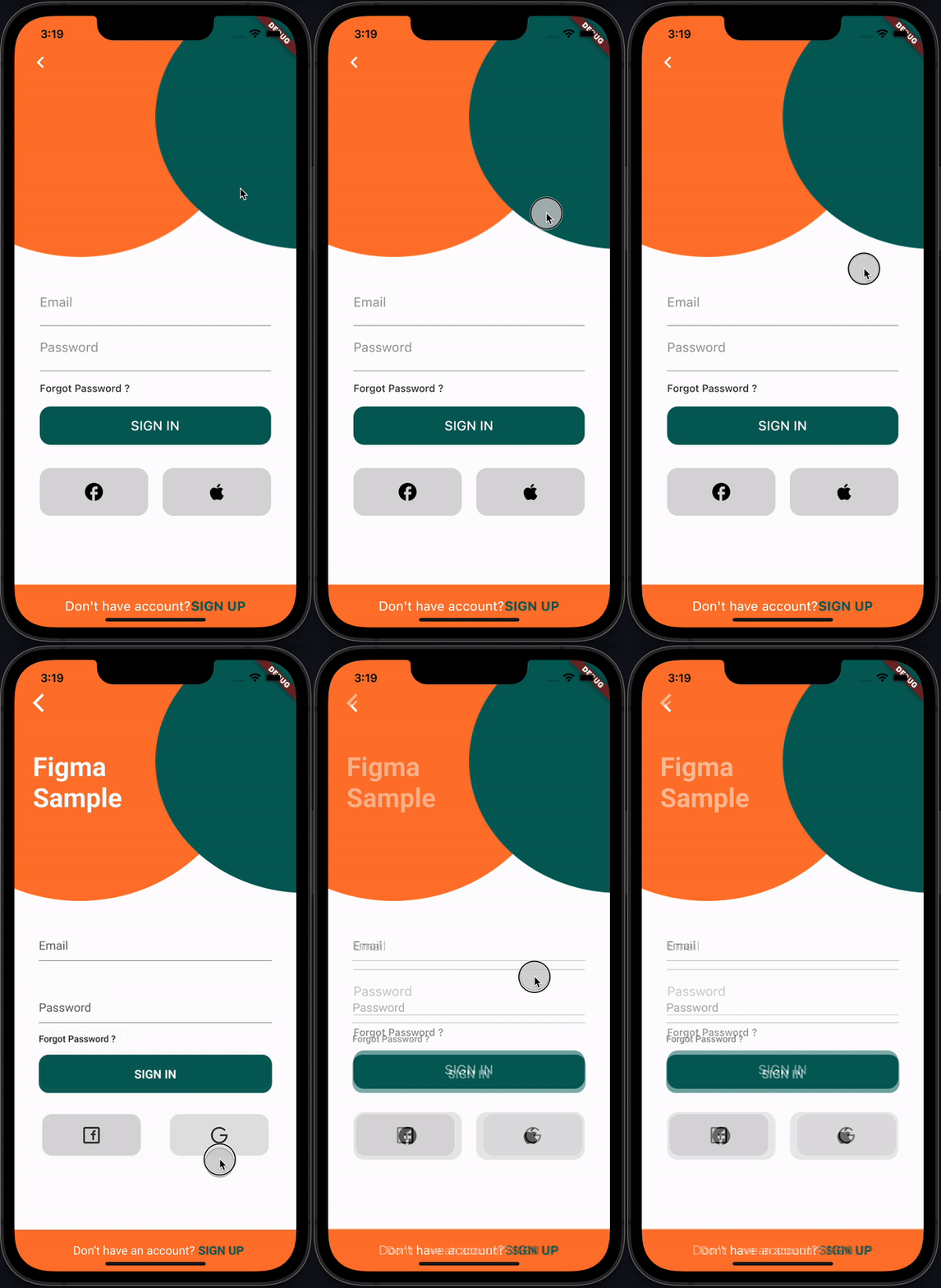
recording

How it works

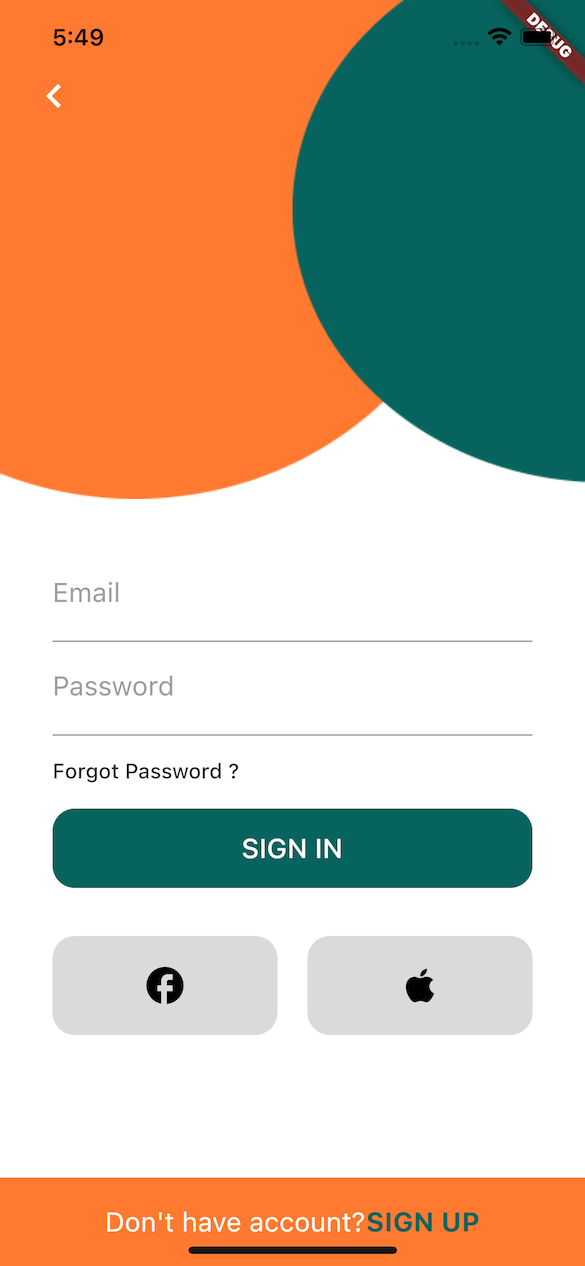
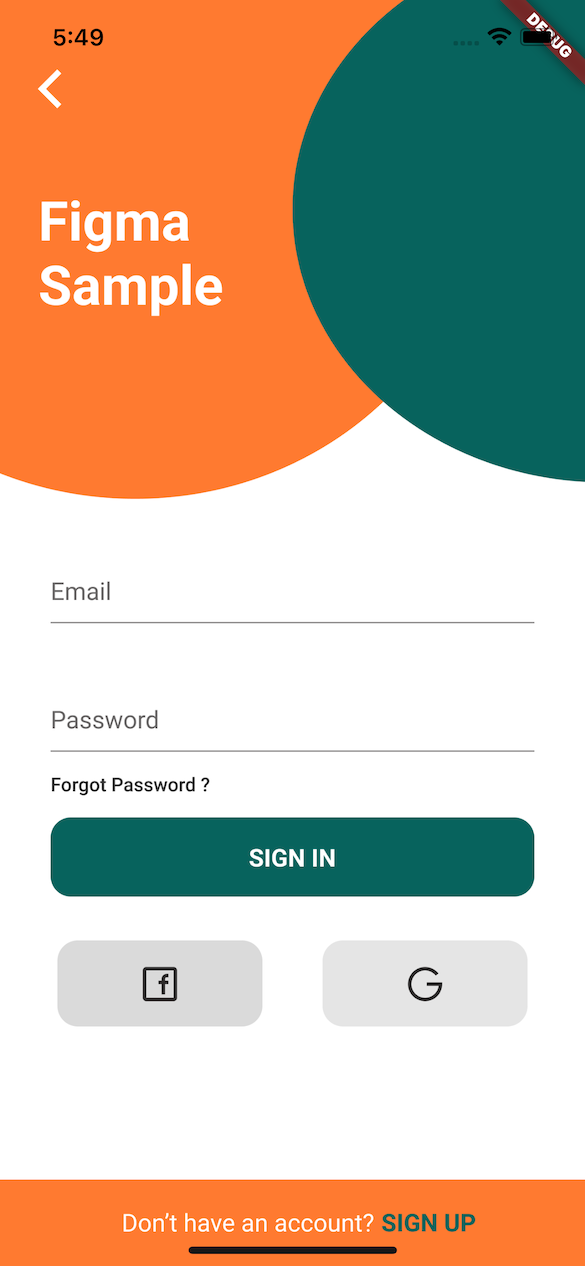
This plugin provides FigmaFrameInspector widget that renders provided Figma frame on top of child screen widget. This helps to check proper frame implementation.

PS: Example Figma frame was taken from here

Implementation Figma Diff

Installation

flutter pub add figma_frame_inspector

Usage

Get Figma Personal Access Token
  • In Figma go to Account -> Personal Access Tokens
  • Generate a new token
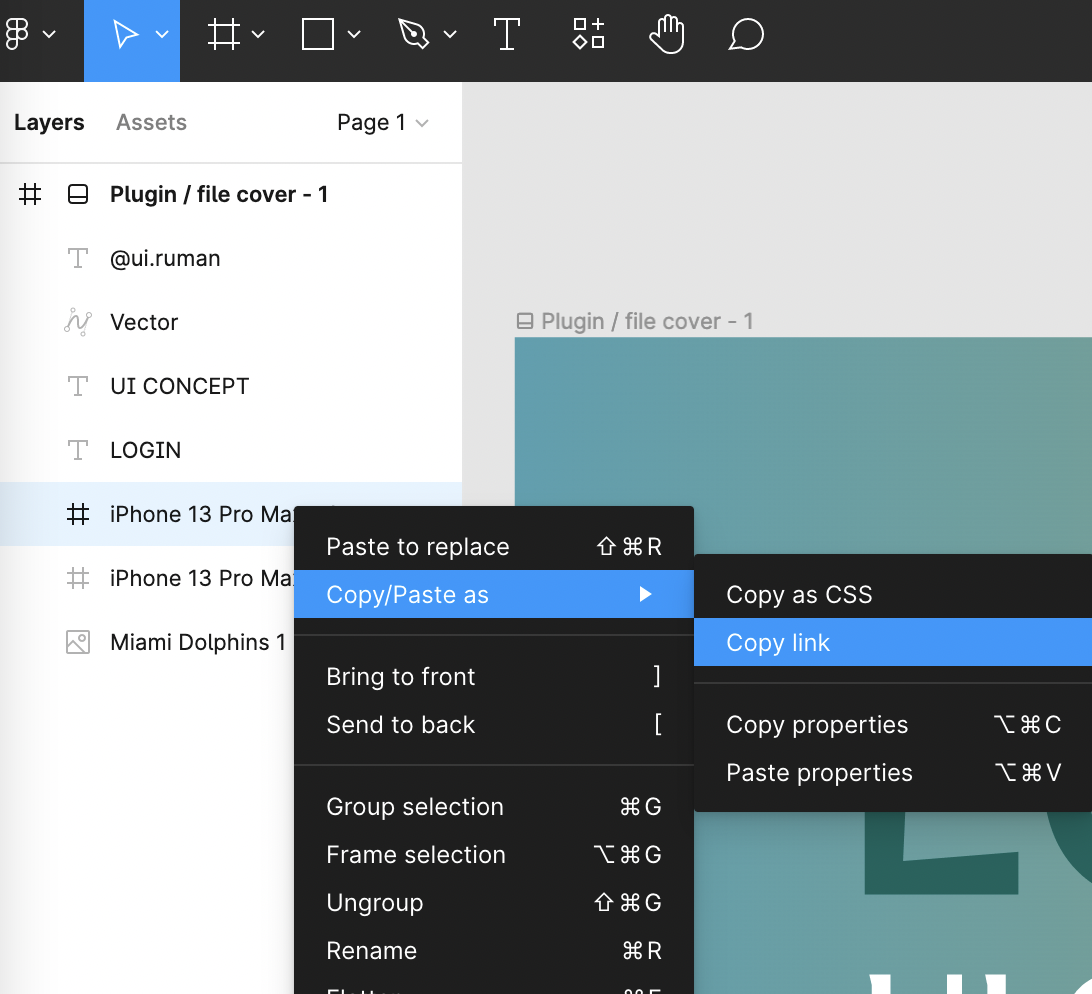
Get Figma Frame URL
  • In Figma open design file
  • On the left side in Layers section select a frame that you need to verify
  • Copy the URL of the frame

figma-copy-frame

Integration
  • import 'package:figma_frame_inspector/figma_frame_inspector.dart';
  • Wrap your app with FigmaFrameInspector widget:
class MyHomePage extends StatelessWidget {
  const MyHomePage({Key? key, required this.title}) : super(key: key);

  final String title;

  @override
  Widget build(BuildContext context) {
    return FigmaFrameInspector( // <-- Wrap your screen widget with this widget.
      frameUrl:
          "<figma-frame-url>", // <-- Specify the Figma frame url. Looks like this: https://www.figma.com/file/<file_key>/<file_name >?node-id=<node_id>
      figmaToken: '<figma-token>', // <-- Specify the Figma `Personal access token` from Account Settings page.
      // Optional parameters:
      scale: 3, // A number between `0.01` and `4`, the image scaling factor.
      initialOpacity: .3, // Opacity of the frame on the screen start (default `30%`).
      enabled: true, // Enable or disable the frame overlay (default `true`).
      isTouchToChangeOpacityEnabled: true, // Enable or disable vertical scroll to change the frame overlay opacity (default `true`).
      child: Scaffold(
        appBar: AppBar(
          title: Text(title),
        ),
        floatingActionButton: const FloatingActionButton(
          onPressed: null,
          tooltip: 'Increment',
          child: Icon(Icons.add),
        ),
      ),
    );
  }
}

Credits

This plugin was heavily inspired by flutter_figma_preview

Figma sample design taken from here https://www.figma.com/community/file/1060856334579637757

License

Can be found here.

श्रेणियाँ

निर्भरताएँ

निर्भरता सूची 2 आइटम

सोर्स रिपॉज़िटरी

इस पैकेज का उपयोग करने वाले प्रोजेक्ट

अभी कोई डेटा उपलब्ध नहीं है।