पैकेज, रिपॉज़िटरी और ऐप श्रेणियाँ खोजें

floating_chat_button कवर
पैकेज विवरणv1.1.0

floating_chat_button

एक फ्लोटिंग बटन जो स्क्रीन पर खींचा जा सकता है और उपयोगकर्ता को संदेश दिखा सकता है

AndroidiOSWebmacOSWindowsLinux
30-दिन डाउनलोड
235
लाइक
56
Pub अंक
150

पैकेज इंस्टॉल करें

flutter pub add floating_chat_button

पैकेज अवलोकन

सार्वजनिक जानकारी से बना चयन मार्गदर्शन। केवल संदर्भ हेतु।

एक फ्लटर पैकेज जो उपयोगकर्ताओं को संदेश दिखाने के लिए एक ड्रैगेबल फ्लोटिंग बटन प्रदान करता है। बटन को स्क्रीन पर आजादी से चलाया जा सकता है, जिससे इंटरैक्टिव चैट इंटरफेस या ऐप-आंतरिक सूचनाओं के लिए उपयुक्त है। यह एंड्रॉइड, आईओएस, वेब, मैकओएस, विंडोज और लिनक्स सहित कई प्लेटफॉर्म को समर्थन देता है, जिससे उपकरणों के बीच संगत व्यवहार सुनिश्चित होता है। सरलता और उपयोगकर्ता अनुकूलता के लिए डिज़ाइन किया गया, यह एक स्थायी, पहुँच योग्य संचार तत्व प्रदान करके उपयोगकर्ता भागीदारी को बढ़ाता है।

उपयोग

  • एप में संदेश प्रणाली
  • उपयोगकर्ता समर्थन चैट विजेट्स
  • इंटरैक्टिव यूआई तत्व
  • रियल-टाइम नोटिफिकेशन प्रदर्शन
  • मोबाइल-पहले चैट इंटरफेस

मुख्य विशेषताएँ

  • ड्रैगेबल इंटरफेस
  • प्लेटफॉर्म के अनुकूलता
  • संदेश प्रदर्शन क्षमता
  • कस्टमाइज़ेबल पोजीशनिंग
  • प्रतिक्रियाशील डिज़ाइन
  • Flutter के साथ आसान एकीकरण

इनके लिए उपयुक्त

  • चैट ऐप्स बनाने वाले डेवलपर्स
  • इंटरैक्टिव तत्वों की तलाश में UI डिजाइनर
  • लगातार उपयोगकर्ता नोटिफिकेशन की आवश्यकता वाले ऐप्स
  • क्रॉस-प्लेटफ़ॉर्म मोबाइल एप्लिकेशन
  • सरल लेकिन प्रभावी संचार उपकरण

विचार योग्य बातें

  • जटिल लेआउट के लिए अतिरिक्त स्टाइलिंग की आवश्यकता हो सकती है
  • कम क्षमता वाले उपकरणों पर प्रदर्शन प्रभाव
  • मूलभूत संदेश रेंडरिंग तक सीमित
  • उच्च आवृत्ति चैट स्ट्रीम के लिए उपयुक्त नहीं
  • UI गड़बड़ी से बचने के लिए सावधानीपूर्वक स्थापित करें
मूल README

संबंधित सोर्स रिपॉज़िटरी के मूल README का स्नैपशॉट। नवीनतम सामग्री के लिए रिपॉज़िटरी देखें।

Show a draggable floating chat icon button and show messages on screens

Features

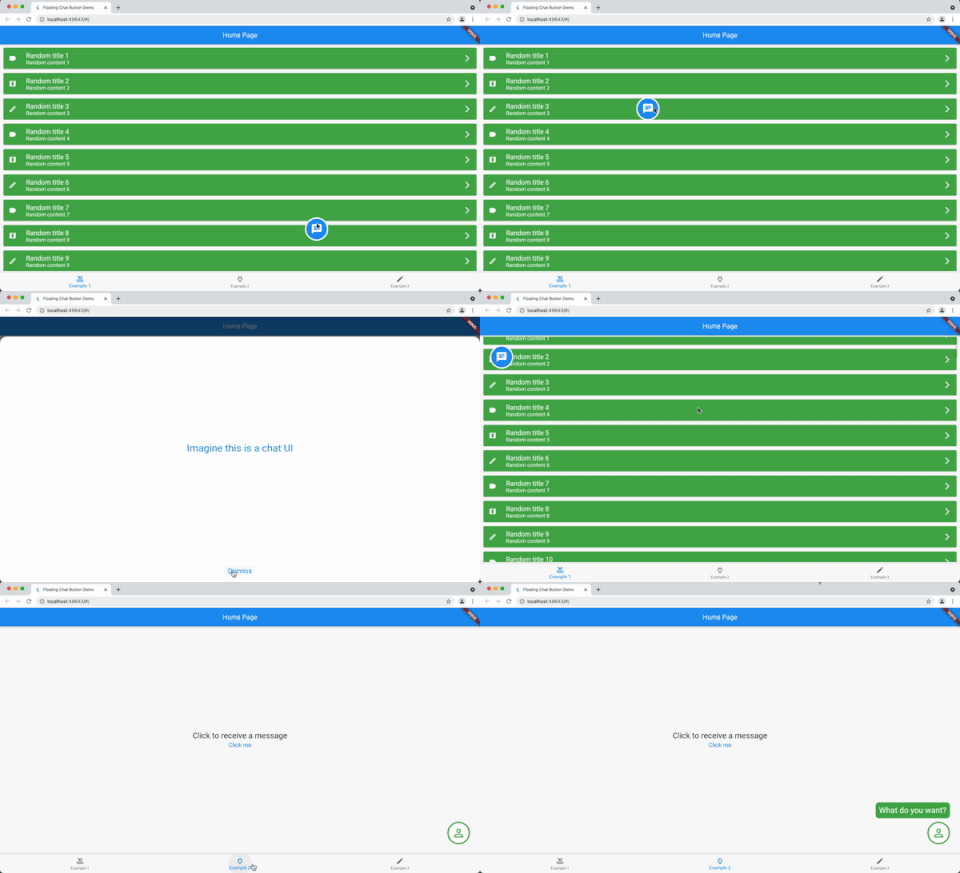
A widget for displaying a chat icon (or custom widget) on top of a background widget.

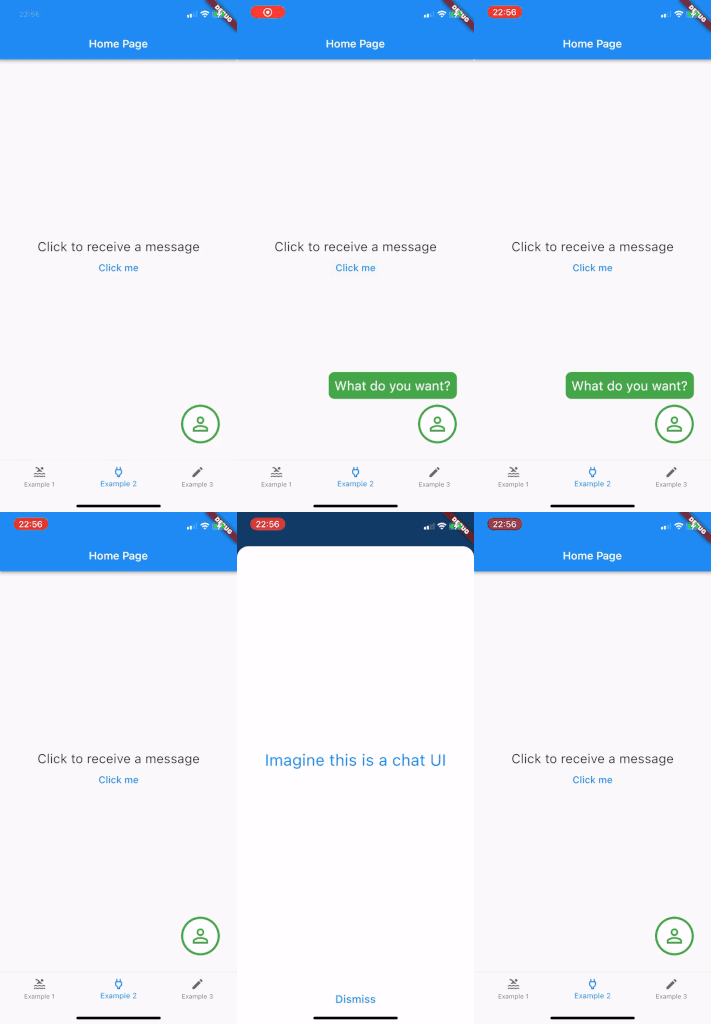
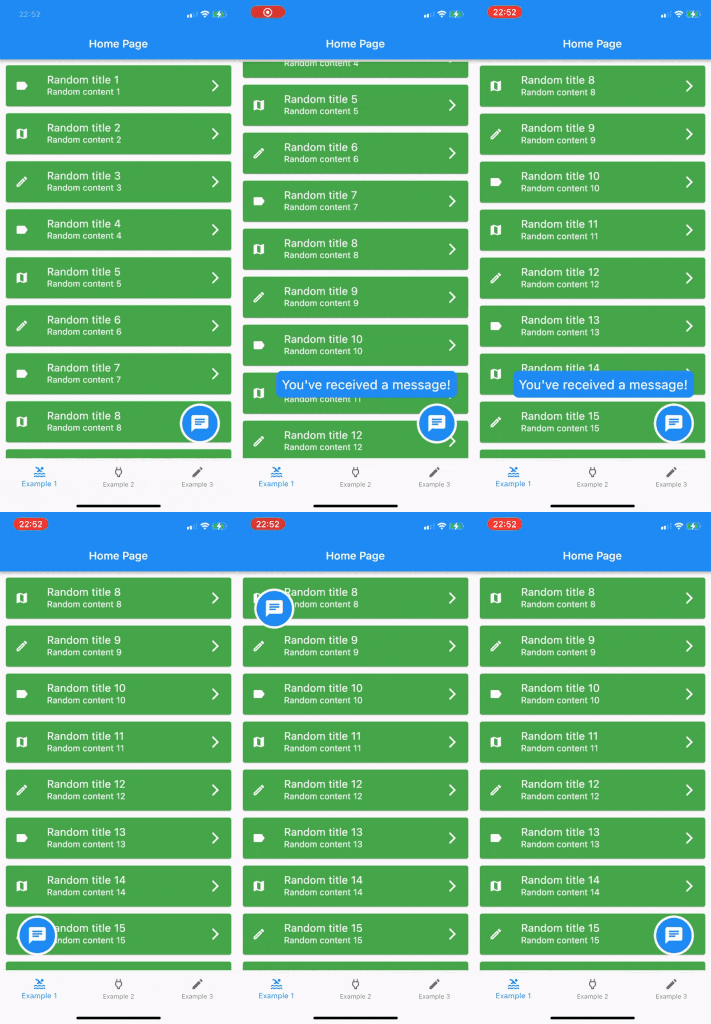
It can show and hide messages or display a message that is passed in its constructor.

Alt text Alt text Alt text

Getting started

Add it as the body of a scaffold (or other full screen view) and then supply the widget that should be shown under the chat widget as the background parameter.

Alternately, use a stack view to position the chat widget and leave the background as null.

The FloatingChatIcon will default to a blue circle with white chat icon and the messageWidget will default to a blue rounded rectangle with white text. All of these colours can be configured or custom widgets can be passed to chatIconWidget, messageWidget or messageTextWidget.

The ShowMessageParameters allows you to show the message passed to the constructor after a given delayDuration, for the amount of time specified in durationToShowMessage and at a random frequency (eg "Only show this message 50% of the time that the widget is instantiated") with showMessageFrequency.

Usage

@override
  Widget build(BuildContext context) {
    return Scaffold(
      appBar: AppBar(
        title: Text(widget.title),
      ),
      body: FloatingChatButton(
          background: BackgroundWidget(),
          onTap: (_) {
            _showBottomSheet(context);
          },
          messageText: "I like this package",
      )
    );
  }

श्रेणियाँ

सोर्स रिपॉज़िटरी

इस पैकेज का उपयोग करने वाले प्रोजेक्ट

अभी कोई डेटा उपलब्ध नहीं है।