सार्वजनिक जानकारी से बना चयन मार्गदर्शन। केवल संदर्भ हेतु।
एक फ्लटर प्लगइन जो प्रक्रिया टेक्स्ट स्ट्रीम के लिए सुनने की अनुमति देता है, जिससे ऐप्स को बाहरी स्रोतों से निरंतर इंटेंट डेटा प्राप्त करने में सक्षम होते हैं। यह एंड्रॉइड और आईओएस के लिए डिज़ाइन किया गया है, जिससे सिस्टम-लेवल टेक्स्ट प्रोसेसिंग वर्कफ्लो के साथ बेहतर तरीके से एकीकरण संभव होता है। प्लगइन वास्तविक समय में टेक्स्ट इंटेंट को कैप्चर करता है, जिससे यह क्लिपबोर्ड मॉनिटरिंग, टेक्स्ट शेयरिंग या अन्य ऐप्स के टेक्स्ट आउटपुट के साथ एकीकरण जैसे उपयोग के मामलों में आदर्श होता है। सरलता और क्रॉस-प्लेटफॉर्म संगतता के ध्यान में रखते हुए बनाया गया, यह डेवलपर्स को आगमन टेक्स्ट स्ट्रीम तक पहुंचने के लिए एक सीधा-आसान API प्रदान करता है।
उपयोग
क्लिपबोर्ड मॉनिटरिंग
पाठ साझाकरण एकीकरण
रियल-टाइम टेक्स्ट प्रोसेसिंग
क्रॉस-एप्लिकेशन टेक्स्ट संचार
इरादे-आधारित डेटा कैप्चर
मुख्य विशेषताएँ
रियल-टाइम टेक्स्ट स्ट्रीम सुनना
क्रॉस-प्लेटफॉर्म समर्थन (Android और iOS)
इरादा डेटा के लिए सरल API
निरंतर पाठ धारा का समर्थन करता है
एम्बेडेड स्ट्रीम प्रोसेसिंग
इनके लिए उपयुक्त
टेक्स्ट-शेयरिंग ऐप्स बनाने वाले डेवलपर्स
क्लिपबोर्ड इंटरैक्शन की आवश्यकता वाले ऐप्स
इरादे-आधारित एप्लिकेशन्स
क्रॉस-प्लेटफॉर्म पाठ प्रोसेसिंग टूल्स
उत्पादकता या स्वचालन के लिए प्लगइन
विचार योग्य बातें
Android पर सही अनुमतियाँ की आवश्यकता है
केवल पाठ इरादा डेटा तक सीमित
पृष्ठभूमि निष्पादन सेटअप की आवश्यकता हो सकती है
अनुपयुक्त गैर-इच्छित पाठ स्रोत के लिए
iOS में पृष्ठभूमि कार्यों की सीमित क्षमता हो सकती है
मूल README
संबंधित सोर्स रिपॉज़िटरी के मूल README का स्नैपशॉट। नवीनतम सामग्री के लिए रिपॉज़िटरी देखें।
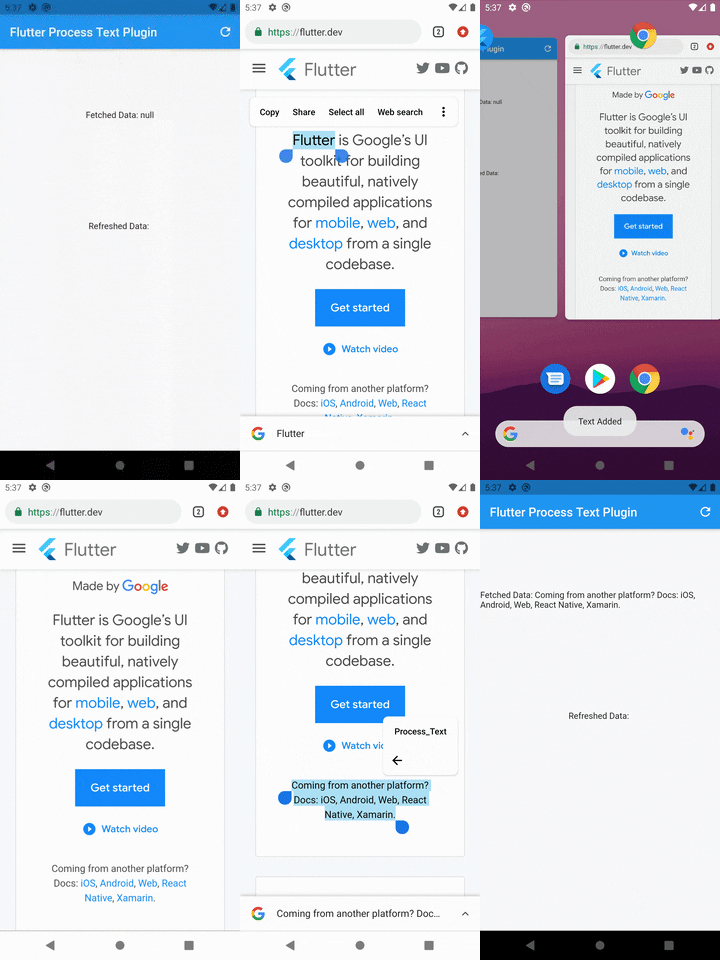
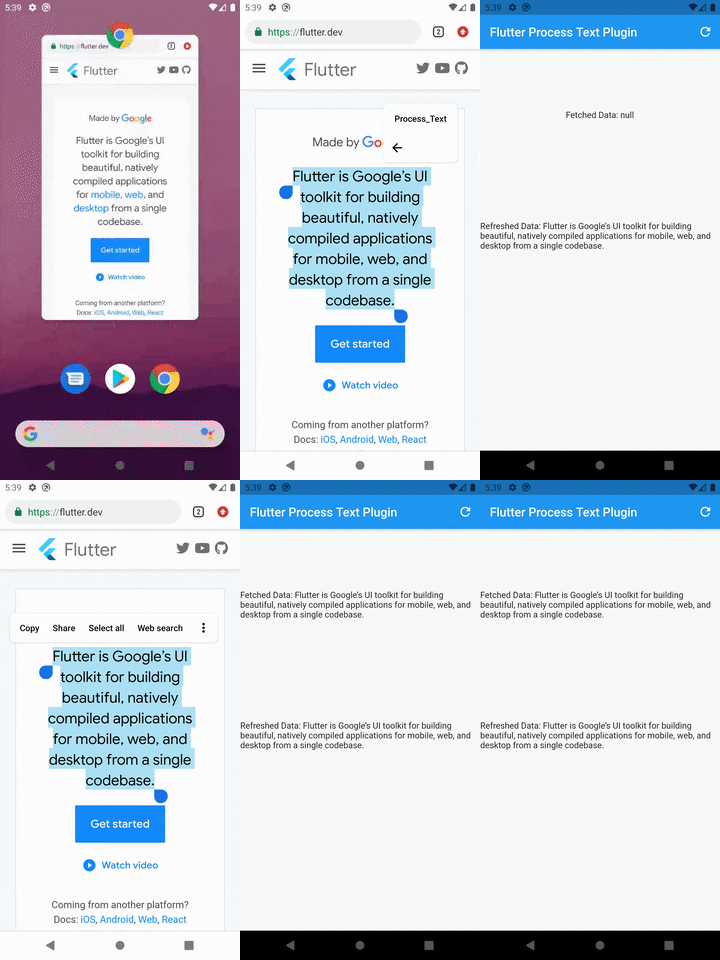
Note: You may change the android:name from ProcessTextActivity to anything you want. also change the android:label from Process_Text to the process action text that you want to display.
Step 3: Create new activity class
Create a new Java/Kotlin file with the same name as android:name in step 2.
Copy the below code and paste in the newly created file.
package com.divyanshushekhar.flutter_process_text_example;

import com.divyanshushekhar.flutter_process_text.FlutterProcessTextPlugin;
import io.flutter.embedding.android.FlutterActivity;
import android.os.Bundle;

public class ProcessTextActivity extends FlutterActivity {

    @Override
    public void onCreate(Bundle savedInstanceState) {
        super.onCreate(savedInstanceState);
        boolean issAppRunning = MainActivity.getIsAppRunning();
        FlutterProcessTextPlugin.listenProcessTextIntent(issAppRunning);
    }
}
Note: Don't forget to change the package name in the above code.
Step 4: Changes in MainActivity
Make the necessary changes in the MainActivity class.
package com.divyanshushekhar.flutter_process_text_example;

import io.flutter.embedding.android.FlutterActivity;

import android.app.ActivityManager;
import android.content.Context;
import android.os.Bundle;
import java.util.List;

public class MainActivity extends FlutterActivity {
   private static boolean isAppRunning;

   public static boolean getIsAppRunning() {
     return isAppRunning;
   }

   @Override
   public void onCreate(Bundle savedInstanceState) {
       super.onCreate(savedInstanceState);
        isAppRunning = isAppRunning(this);
   }

    public static boolean isAppRunning(Context context) {
        final String packageName = context.getPackageName();
        final ActivityManager activityManager = (ActivityManager) context.getSystemService(Context.ACTIVITY_SERVICE);
        final List<ActivityManager.RunningAppProcessInfo> processInfo = activityManager.getRunningAppProcesses();
        if (processInfo != null)
        {
            for (final ActivityManager.RunningAppProcessInfo info : processInfo) {
                if (info.processName.equals(packageName)) {
                    return true;
                }
            }
        }
        return false;
    }
}
Step 5: Connect to flutter
First thing you need to do is to call the initialize method from the FlutterProcessText class in the initState() {} of the page.
There are two ways to work with stream, either create a StreamSubscription to listen for the incoming data or store the Stream and use it in StreamBuilder.