सार्वजनिक जानकारी से बना चयन मार्गदर्शन। केवल संदर्भ हेतु।
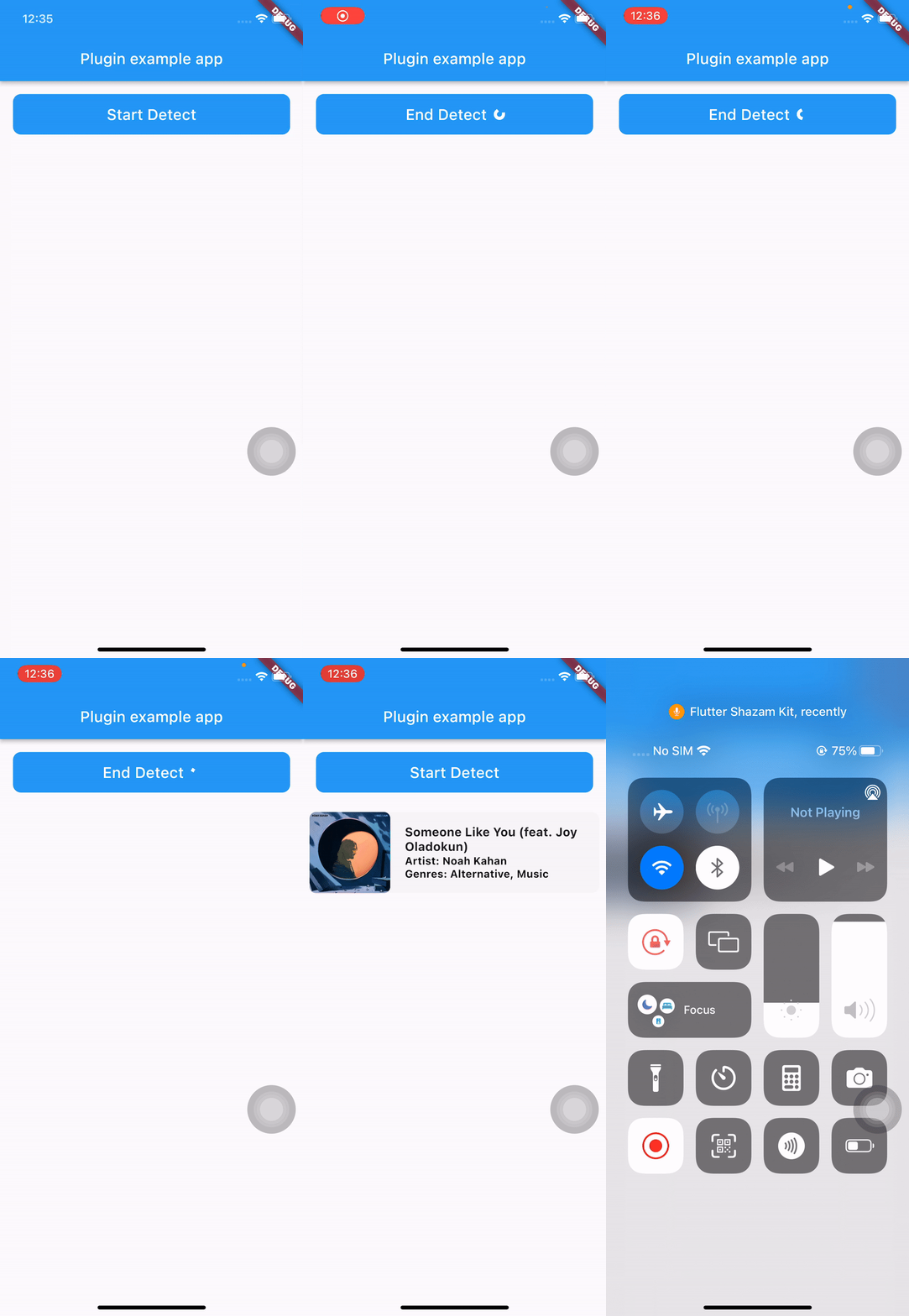
flutter_shazam_kit एक Flutter प्लगइन है जो डिवाइस के माइक्रोफोन का उपयोग करके ऑडियो पहचान को सक्षम करता है, जो वास्तविक समय में गानों की पहचान करता है। यह Flutter एप्लिकेशन में Shazam के शक्तिशाली संगीत डिटेक्शन तकनीक को एकीकृत करता है, जिससे उपयोगकर्ता अपने आसपास बज रहे संगीत की खोज कर सकते हैं। प्लगइन Android और iOS दोनों प्लेटफॉर्म का समर्थन करता है, जो संगीत खोज फीचर बनाने वाले डेवलपर्स के लिए एक निरंतर अनुभव प्रदान करता है। pub add के माध्यम से न्यूनतम सेटअप के साथ, यह गाने की पहचान शुरू करने और ट्रैक नाम, कलाकार और एल्बम जैसे मेटाडेटा प्राप्त करने के लिए एक सीधा-आसान API प्रदान करता है। संगीत खोज या सोशल शेयरिंग पर ध्यान केंद्रित ऐप्स के लिए आदर्श।
उपयोग
रियल-टाइम में संगीत खोज
Shazam-जैसी क्षमता को एकीकृत करना
सोशल मीडिया संगीत टैगिंग
ऑडियो-आधारित खोज सुविधाएँ
लाइव इवेंट म्यूजिक पहचान
मुख्य विशेषताएँ
रियल-टाइम गाने का पता लगाना
Android और iOS का समर्थन करता है
pub add के साथ सरल एकीकरण
गाने के मेटाडेटा को प्राप्त करता है
उपकरण माइक्रोफ़ोन का उपयोग करता है
इनके लिए उपयुक्त
संगीत खोज ऐप्स
सोशल मीडिया प्लेटफॉर्म
इवेंट ऐप्स
ऑडियो पहचान उपकरण
डेवलपर प्रोटोटाइपिंग
विचार योग्य बातें
माइक्रोफोन की अनुमति की आवश्यकता है
इंटरनेट कनेक्टिविटी पर निर्भर करता है
शाजम के डेटाबेस तक सीमित
पृष्ठभूमि का पता लगाने में सीमाएँ हो सकती हैं
सटीकता ऑडियो क्वालिटी पर निर्भर करती है
मूल README
संबंधित सोर्स रिपॉज़िटरी के मूल README का स्नैपशॉट। नवीनतम सामग्री के लिए रिपॉज़िटरी देखें।
Flutter Shazam Kit
A plugin that helps you detect songs through your device's microphone
Note:
This plugin depends on Apple's ShazamKit, requires IOS 15 or higher, and requires Android API level 23 (Android 6.0) or higher.
In the early versions of this plugin, I only use ShazamCatalog, it was the default catalog used as library for music detection and I plan to implement CustomCatalog in the future.
Go to this Download Page and download the latest version of ShazamKit for Android, once you have downloaded it, create a new folder called libs inside your android’s app folder and place the .aar file inside that libs folder.
Your android project’s structure should look like this:
Inside your app-level build.gradle, change minSdkVersion to 23 and sync your project again.
minSdkVersion 23
In order to use ShazamCatalog on Android, you need to have an Apple Developer Token to access ShazamKit service provided by Apple, please follow this link for more details.
If you don’t know how to do that, please follow those steps below:
On the top left, click the add button (+), then enter your key name.
Enable Media Services (MusicKit, ShazamKit) checkbox, the click Configure button on the right.
Select the Media ID you created earlier and click Save.
Click Continue and then click Register.
Download the private key (.p8 file) and remember your Key ID.
3/ Generate a Developer Token
Please refer to this link to learn how to generate a developer token.
Due to apple policy, Developer Token can only be valid for up to 6 months. So you should have a remote place to store and refresh your Developer Token once it is generated, you can either use a Backend Server or an alternative solution like Firebase Remote Config or something similar to store, generate and refresh your Developer Token.
For testing purposes you can use the following Node JS snippet or you can use my repository to create it.
Note: This code snippet use the famous jsonwebtoken library so you need to install this library first before using this code snippet.
"use strict";
const fs = require("fs");
const jwt = require("jsonwebtoken");
const privateKey = fs.readFileSync("<YOUR_P8_FILE_NAME>.p8").toString();
const teamId = "<YOUR_TEAM_ID>";
const keyId = "<YOUR_KEY_ID>";
const jwtToken = jwt.sign({}, privateKey, {
algorithm: "ES256",
issuer: teamId,
expiresIn: "180d", // due to apple policy, developer key can only valid for 180 daysheader: {
alg: "ES256",
kid: keyId,
typ: "JWT"
}
});
console.log(jwtToken);
_flutterShazamKitPlugin.onMatchResultDiscovered((result) {
if (result isMatched) {
print(result.mediaItems)
} elseif (result isNoMatch) {
// do something in no match case
}
});