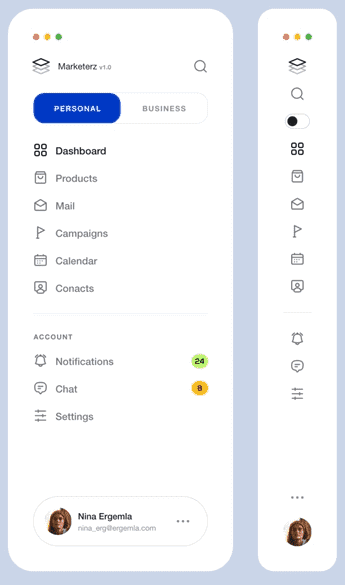
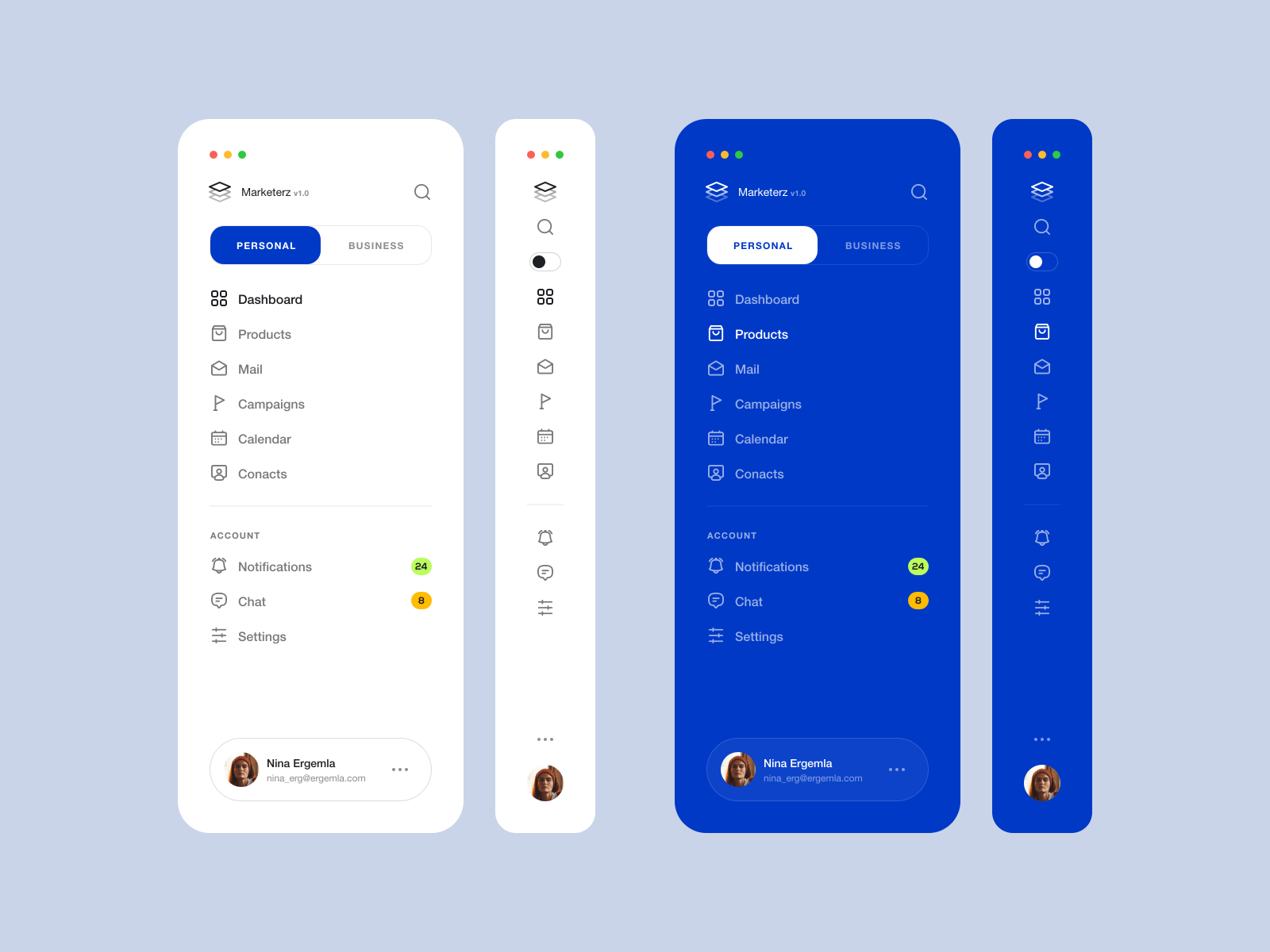
फ्लटर का पूरी तरह से कस्टमाइज़ किया गया साइड मेनू संबंधित पृष्ठों, नेविगेशन आइटम्स, फ़िल्टर साइड और अधिक के लिए डायरेक्टरी के रूप में उपयोग किया गया है
सार्वजनिक जानकारी से बना चयन मार्गदर्शन। केवल संदर्भ हेतु।
Flutter साइड मेनू एक पूरी तरह से कस्टमाइज़ेबल साइड नेविगेशन कंपोनेंट है जो Flutter एप्लिकेशन के लिए डिज़ाइन किया गया है। इसका उपयोग नेविगेशन मेनू, फ़िल्टर पैनल और संबंधित पेज डायरेक्टरी जैसे विभिन्न उपयोग केस के लिए किया जा सकता है। लचीलापन के ध्यान में रखते हुए बनाया गया, यह Android, iOS, Web, macOS, Windows और Linux प्लेटफॉर्म पर बिना किसी दिक्कत के एकीकृत होता है। इस पैकेज के माध्यम से डेवलपर्स को अपने ऐप की आवश्यकताओं के अनुसार मेनू के दिखावट और व्यवहार को ढालने की अनुमति मिलती है, जिससे उपयोगकर्ता अनुभव को बेहतर बनाया जा सकता है। इसका हल्का डिज़ाइन और रिस्पॉन्सिव लेआउट इसे संरचित, सुलभ प्राप्त करने वाले बाएं तरफ के इंटरफ़ेस के लिए आदर्श बनाता है।
उपयोग
नेविगेशन मेनू
फ़िल्टर पैनल
संबंधित पृष्ठ निर्देशिका
डैशबोर्ड लेआउट
सेटिंग नेविगेशन
सामग्री वर्गीकरण
मुख्य विशेषताएँ
पूरी तरह से कस्टमाइज़ किया गया डिज़ाइन
प्लेटफॉर्म-समर्थन
प्रतिक्रियाशील लेआउट
आसान एकीकरण
कस्टमाइज़ेबल एनिमेशन
विस्तारयोग्य संरचना
इनके लिए उपयुक्त
जटिल नेविगेशन वाले ऐप्स
डैशबोर्ड इंटरफेस
मोबाइल और वेब ऐप्स
प्रशासन पैनल
उपयोगकर्ता सेटिंग्स खंड
विचार योग्य बातें
उन्नत कस्टमाइजेशन के लिए हैंडल स्टाइलिंग की आवश्यकता होती है
सीमित बिल्ट-इन थीम्स
अतिरिक्त अवस्था प्रबंधन की आवश्यकता हो सकती है
बहुत बड़ी आइटम सूचियों के लिए अनअनुकूलित
मुख्य विजेट के संदर्भ पर निर्भर करता है
मूल README
संबंधित सोर्स रिपॉज़िटरी के मूल README का स्नैपशॉट। नवीनतम सामग्री के लिए रिपॉज़िटरी देखें।
Flutter Side Menu
Flutter's full customizable side menu has been used as a directory for Related Pages, Navigation Items, Filter side and more.
Return 'SideMenuData' that includes headers, footers, items, or custom child
controller
SideMenuController
null
The 'controller' that can be used to open, close, or toggle side menu.
mode
SideMenuMode
SideMenuMode.auto
The 'SideMenuMode' which is auto, open or compact and can determine the menu state
priority
SideMenuPriority
SideMenuPriority.mode
The 'SideMenuPriority' which is mode or sizer. in sizer mode the side menu width not change if user set custom size with 'Resizer'
position
SideMenuPosition
SideMenuPosition.left
The 'SideMenuPosition' which is left or right.
minWidth
double
50.0
The 'minWidth' value is used to determine the side menu width in the smallest case.
maxWidth
double
250.0
The 'maxWidth' value is used to determine the side menu width in the largest case.
hasResizer
bool
true
The 'hasResizer' enable 'Resizer' widget for side menu. With 'Resizer' the side menu width can be customized by the user.
resizerData
ResizerData
ResizerData()
The 'ResizerData' that can set custom style for a 'Resizer'.
hasResizerToggle
bool
true
The 'hasResizerToggle' enable 'ResizerToggle' widget for side menu. With 'ResizerToggle' button you can toggle the width of the side menu between 'minWidth' or 'maxWidth'.
resizerToggleData
ResizerToggleData
ResizerToggleData()
The 'resizerToggleData' that can set custom style for a 'ResizerToggle'.
backgroundColor
Color
Color(0xffffffff)
The 'backgroundColor' it's used to determine the side menu background color