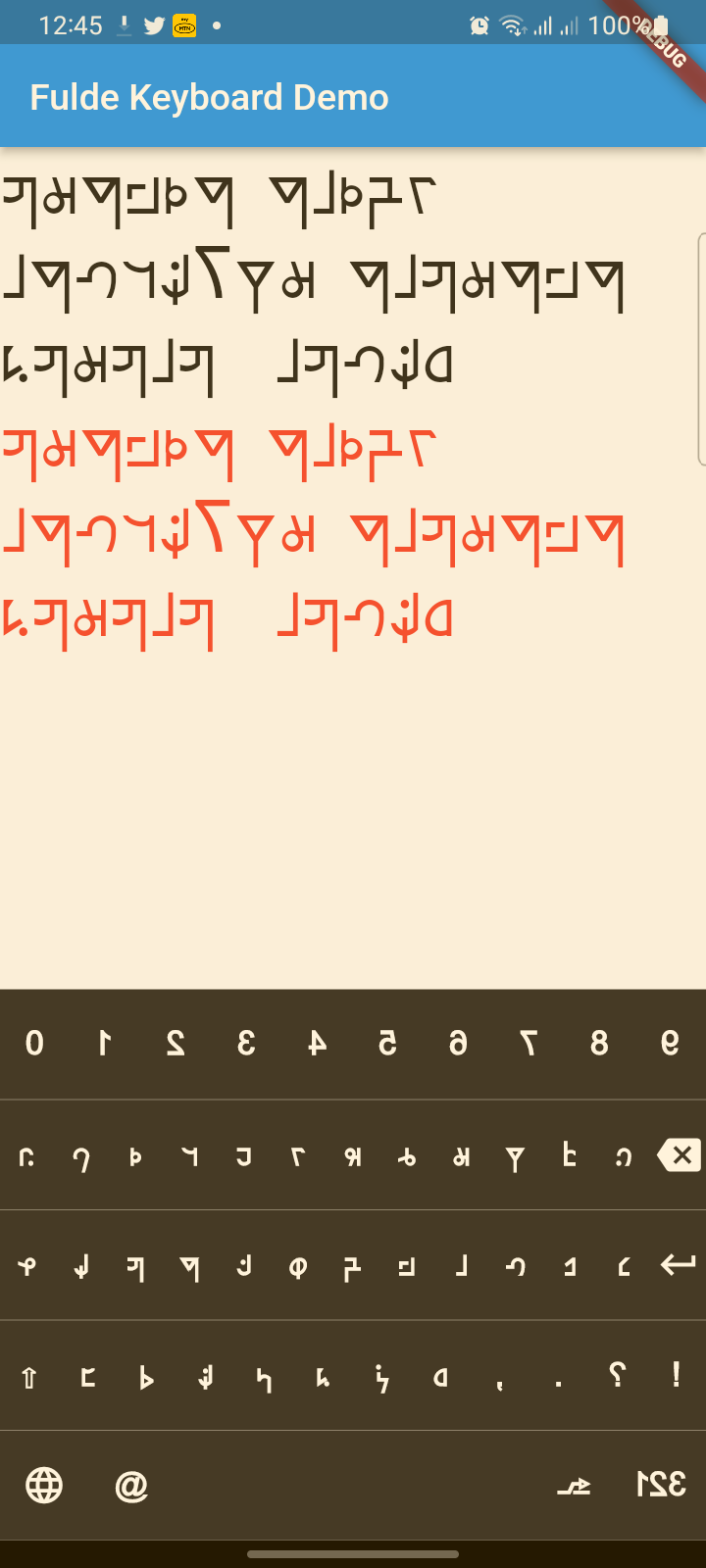
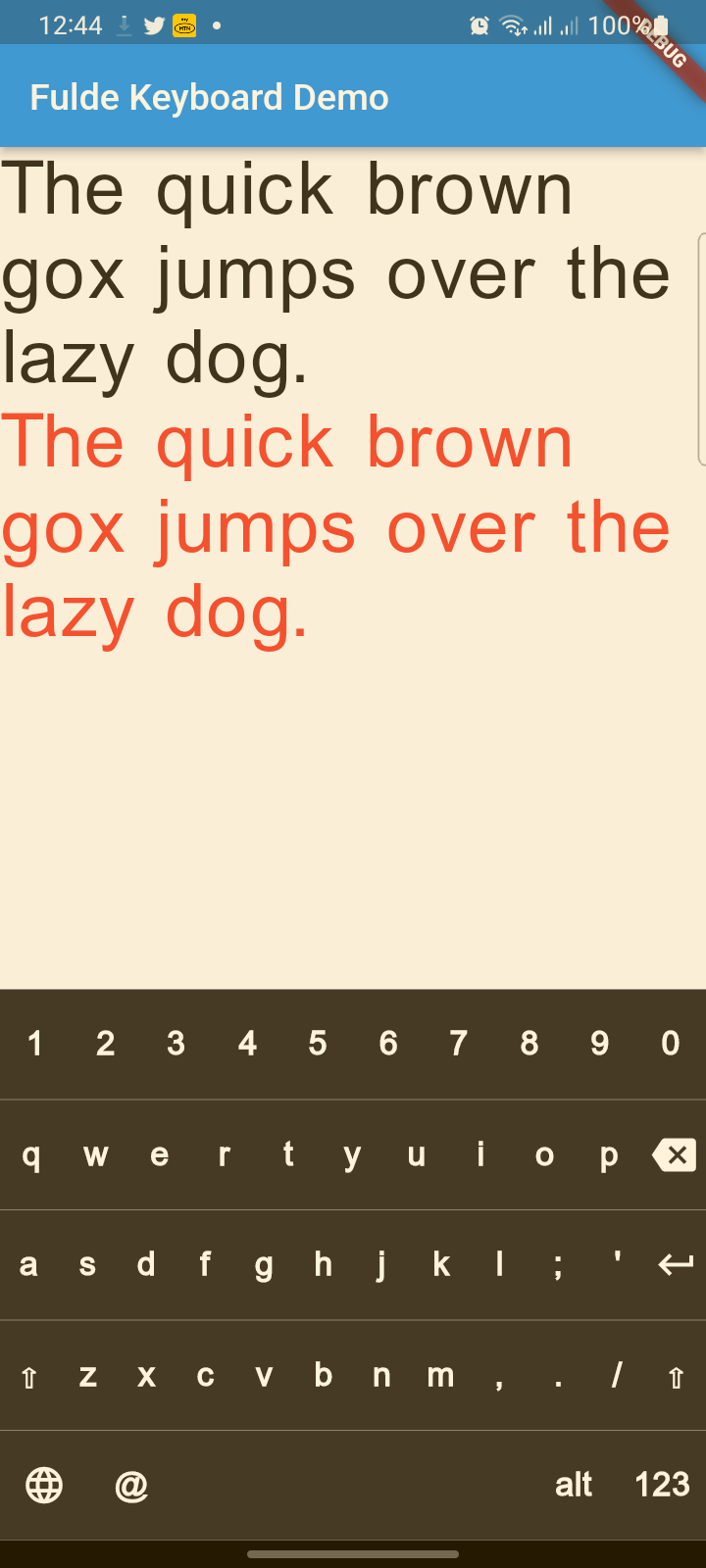
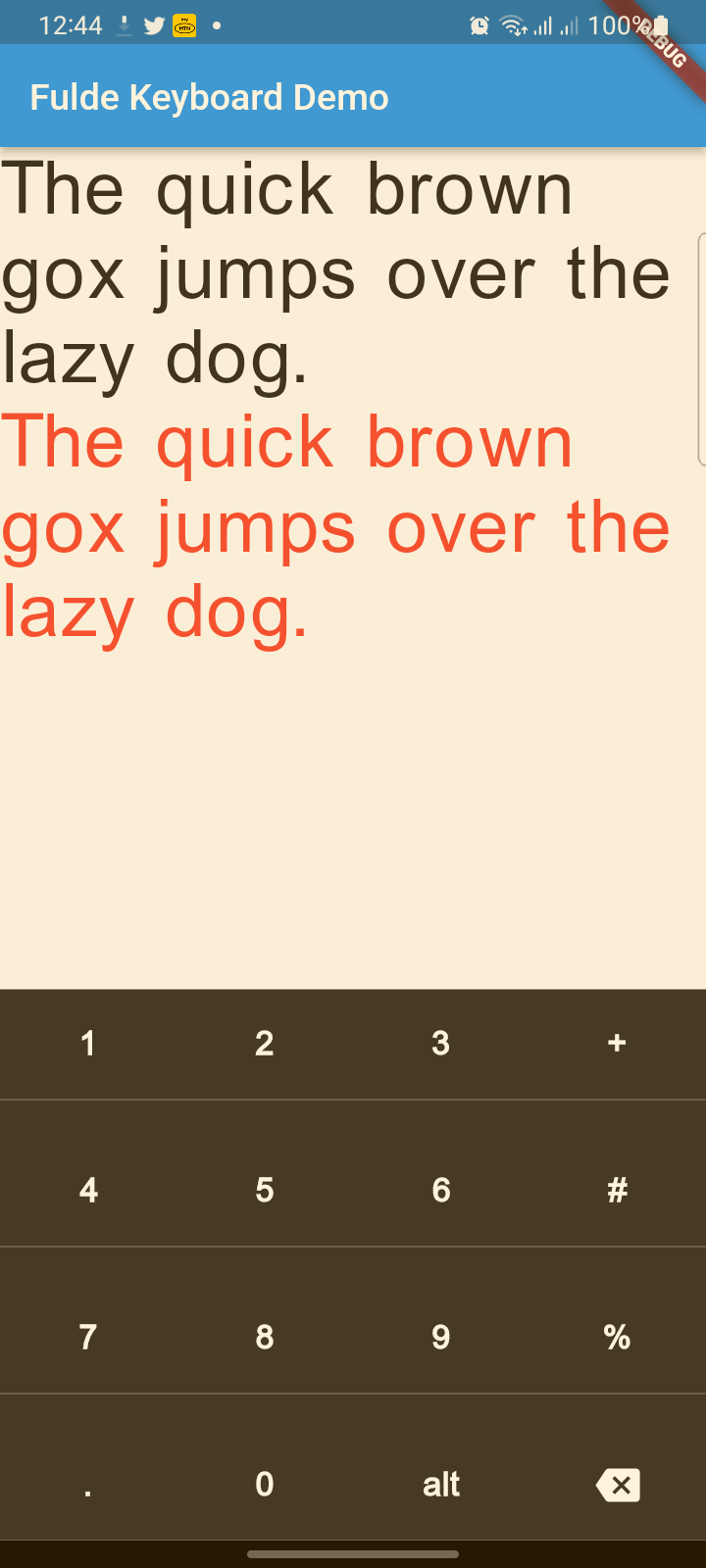
फुल्दे भाषा के लिए आधुनिक, सुंदर वर्चुअल कीबोर्ड पैकेज जिसमें बहुभाषी समर्थन (फुल्दे, लैटिन, अंग्रेजी) है। आधुनिक UI डिज़ाइन, हैप्टिक फीडबैक, एक्सेसिबिलिटी समर्थन और चिकनी एनीमेशन विशेषताएं हैं।
सार्वजनिक जानकारी से बना चयन मार्गदर्शन। केवल संदर्भ हेतु।
Fulde Keyboard एक आधुनिक, दृश्य रूप से आकर्षक वर्चुअल कीबोर्ड पैकेज है जो विशेष रूप से Fulde भाषा के लिए डिज़ाइन किया गया है, जिसमें Fulde, लैटिन और अंग्रेजी लिपि का निरंतर समर्थन है। इसमें एक शानदार UI, हैप्टिक फीडबैक, एक्सेसिबिलिटी सुधार और प्लेटफॉर्मों के बीच चिकनी एनिमेशन है। Flutter पर बनाया गया, यह विविध भाषाई आवश्यकताओं वाले ऐप में आसानी से एकीकृत होता है और Android, iOS, Web, macOS, Windows और Linux पर प्रदर्शन और उपयोगकर्ता अनुभव को बनाए रखता है।
उपयोग
फुल्दे भाषा एप्स में बहुभाषी इनपुट
प्रवेश-केंद्रित पाठ आवेदन
कस्टम कीबोर्ड की आवश्यकता वाले मोबाइल और डेस्कटॉप एप्लिकेशन
फुल्दे भाषा सीखने के लिए शैक्षिक उपकरण
बहुलिपि प्रणाली समर्थित ऐप्स
मुख्य विशेषताएँ
फुल्दे, लैटिन और अंग्रेजी भाषाओं का समर्थन
आधुनिक, एनीमेटेड उपयोगकर्ता इंटरफेस
की प्रेस के लिए हैप्टिक फीडबैक
निर्मित एक्सेसिबिलिटी सुविधाएं
क्रॉस-प्लेटफॉर्म संगतता
इनके लिए उपयुक्त
Fulde भाषा एप्लिकेशन बनाने वाले डेवलपर्स
शैक्षिक सॉफ्टवेयर निर्माता
बहु-लिपि इनपुट की आवश्यकता वाले ऐप्स
डिज़ाइन-सचेत फ्लटर प्रोजेक्ट्स
प्राथमिकता एक्सेसिबिलिटी के साथ ऐप विकास
विचार योग्य बातें
Flutter के टेक्स्ट इनपुट सिस्टम के साथ एकीकरण की आवश्यकता है
गैर-मानक लेआउट के लिए कस्टमाइज़ेशन की आवश्यकता हो सकती है
प्रदर्शन उपकरण की क्षमताओं पर निर्भर करता है
समर्थित भाषाओं तक सीमित, अगर विस्तार किया गया है तो नहीं
वेब समर्थन में ब्राउज़र-विशिष्ट सीमाएं हो सकती हैं
मूल README
संबंधित सोर्स रिपॉज़िटरी के मूल README का स्नैपशॉट। नवीनतम सामग्री के लिए रिपॉज़िटरी देखें।
fulde_keyboard
About
A modern, beautiful virtual keyboard package for Fulde language with multi-language support (Fulde, Latin, English). Features modern UI design, haptic feedback, accessibility support, and smooth animations. Perfect for kiosks, ATMs, and mobile applications.
This project has evolved from a simple virtual keyboard to a comprehensive, production-ready keyboard solution with modern design principles and accessibility features.
✨ Features
🎨 Modern Design
Beautiful UI: Modern gradients, shadows, and rounded corners
Smooth Animations: Key press animations and smooth transitions
Material 3 Design: Latest Material Design principles
Dark/Light Theme: Automatic theme switching support
🌍 Multi-Language Support
Fulde Language: Native Fulde keyboard layout
Latin Script: Latin character support
English: Full English QWERTY layout
Easy Language Switching: Animated language selector with visual indicators
♿ Accessibility & UX
Haptic Feedback: Tactile feedback on key presses
Screen Reader Support: Semantic labels for accessibility
Responsive Design: Works on all screen sizes
Touch Optimized: Proper touch targets and visual feedback
🔧 Technical Features
No Native Dependencies: Pure Dart implementation
Customizable Layouts: Easy to modify and extend
Performance Optimized: Smooth rendering and minimal overhead
Flutter 3.x Compatible: Latest Flutter support
📋 TODO List
(ToDo) Adding Arabic and Hausa keyboards (Rabi'at font)
(ToDo) Adding input result viewer and event handling
(ToDo) Adding spell checker
(ToDo) Voice input integration
Reference
FuldeKeyboard
Flutter widget to show virtual keyboards.
// Keyboard Type: Can be Numeric or Alphanumeric.FuldeKeyboardType type
// Callback for Key press event. Called with pressed `Key` object.Function onKeyPress;
// Virtual keyboard height. Default is 300.double height;
/// Virtual keyboard height. Default is full screen widthdouble width;
// Color for key texts and icons.Color textColor;
// Font size for keyboard keys.double fontSize;;
// Only Caps letters enabled.bool alwaysCaps;;
/// the custom layout for multi or single languageFuldeKeyboardLayoutKeys customLayoutKeys;
/// used for multi-languages with default layouts, the default is English only/// will be ignored if customLayoutKeys is not nullList<FuldeKeyboardDefaultLayouts> defaultLayouts;
/// inverse the layout to fix the issues with right to left languages, default is false.bool reverseLayout;
// Just local variable. Use Text widget or similar to show in UI.String text;
/// Fired when the virtual keyboard key is pressed._onKeyPress(FuldeKeyboardKey key) {
if (key.keyType == FuldeKeyboardKeyType.String) {
text = text + (shiftEnabled ? key.capsText : key.text);
} elseif (key.keyType == FuldeKeyboardKeyType.Action) {
switch (key.action) {
caseFuldeKeyboardKeyAction.Backspace:
if (text.length == 0) return;
text = text.substring(0, text.length - 1);
break;
caseFuldeKeyboardKeyAction.Return:
text = text + '\n';
break;
caseFuldeKeyboardKeyAction.Space:
text = text + key.text;
break;
caseFuldeKeyboardKeyAction.Shift:
shiftEnabled = !shiftEnabled;
break;
default:
}
}
// Update the screensetState(() {});
}