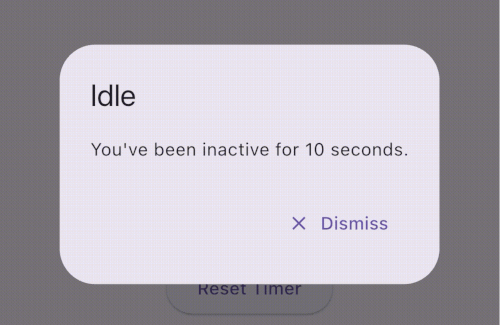
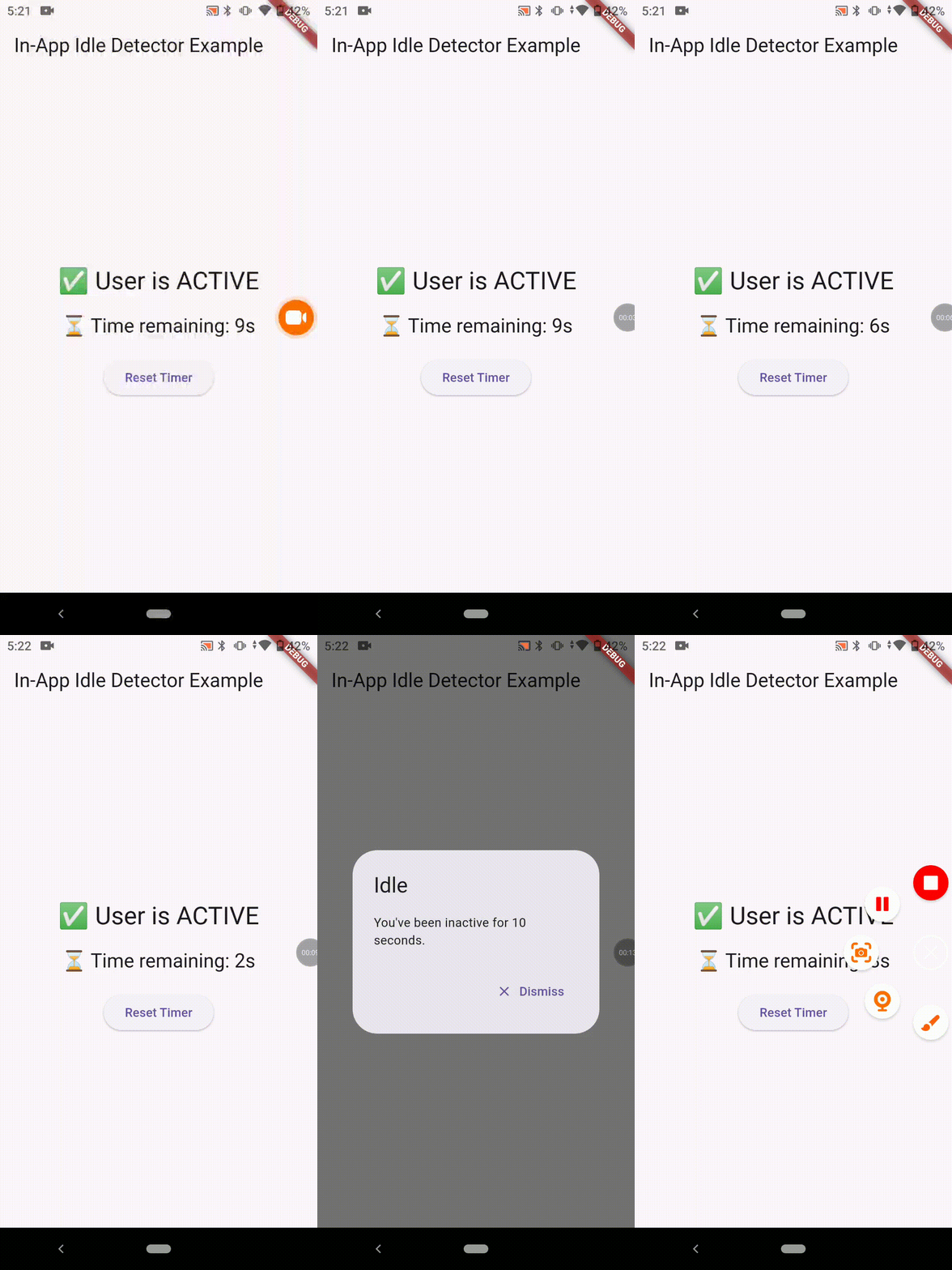
सार्वजनिक जानकारी से बना चयन मार्गदर्शन। केवल संदर्भ हेतु।
in_app_idle_detector पैकेज एक क्रॉस-प्लेटफॉर्म फ्लटर प्लगइन है जो एंड्रॉइड, आईओएस, वेब, मैकओएस, विंडोज और लिनक्स पर उपयोगकर्ता अनाकर्षण (आराम की स्थिति) का पता लगाता है। यह उपयोगकर्ता के बातचीत जैसे टच, माउस गति और कीबोर्ड इनपुट को निगरानी करता है ताकि निर्धारित अवधि के लिए उपयोगकर्ता निष्क्रिय होने का पता लगाया जा सके। इससे विकासकर्ताओं को स्क्रीन समय समाप्ति, सत्र समाप्ति या स्वचालित लॉगआउट फीचर जैसे कार्रवाई शुरू करने में सक्षम बनाया जाता है। प्लगइन हल्का है और मौजूदा फ्लटर एप्लिकेशन में बिना कोई नेटिव कोड बदले बिना बिना किसी दिक्कत के एकीकृत किया जा सकता है।
उपयोग
स्वचालित सत्र समय सीमा
उपयोगकर्ता गतिविधि ट्रैकिंग
अन्यायी स्क्रीन लॉक
अनधिकृत पहुँच से बचें
अक्रियता के बाद स्वचालित लॉगआउट
मुख्य विशेषताएँ
क्रॉस-प्लेटफ़ॉर्म समर्थन
रियल-टाइम अनगत निर्धारण
निर्धारित अव्यवस्थित अवधि
मूल कोड की आवश्यकता नहीं है
सरल API एकीकरण
इनके लिए उपयुक्त
सुरक्षा संवेदनशील ऐप्स
समय-आधारित सत्र प्रबंधन
किओस्क या सार्वजनिक टर्मिनल एप्स
उपयोगकर्ता एंगेजमेंट मॉनिटरिंग की आवश्यकता वाले ऐप
विचार योग्य बातें
लंबे समय तक चलने वाले ऐप में छोटी बैटरी की खपत हो सकती है
कुछ प्लेटफॉर्म पर अनुमति की आवश्यकता होती है
प्लेटफॉर्म के बीच व्यवहार में हल्का अंतर हो सकता है
उच्च अक्षरता समय की आवश्यकताओं के लिए उपयुक्त नहीं
मूल README
संबंधित सोर्स रिपॉज़िटरी के मूल README का स्नैपशॉट। नवीनतम सामग्री के लिए रिपॉज़िटरी देखें।
💤 in_app_idle_detector
A lightweight Flutter plugin that detects user inactivity (idle state) across all platforms: Android, iOS, Web, Windows, macOS, and Linux.
Perfect for banking apps, secure dashboards, or any app that needs to react when the user goes idle.
🔐 Ideal for auto logout, lock screen, and productivity
📦 Installation
dependencies:in_app_idle_detector:^0.0.1
Working Demo
🧑💻 Usage
Initialize the plugin (e.g. inside main())
voidmain() {
runApp(MyApp());
InAppIdleDetector.initialize(
timeout: Duration(seconds: 10), // Set your own duration
onIdle: () {
// Called when user goes idleprint("User is idle");
},
onActive: () {
// Called when user becomes active againprint("User is active");
},
);
}
final timeLeft = InAppIdleDetector.remainingTime;
final idleStatus = InAppIdleDetector.isIdle;
✅ Use Cases
🔒 Auto-logout after inactivity (e.g., in banking apps)
🔐 Lock screen on desktops after idle
⏱️ Countdown timers for session expiration
📉 Inactivity analytics and user behavior tracking
🧪 Platform Support
Platform
Supported
✅ Android
Yes
✅ iOS
Yes
✅ Web
Yes
✅ Windows
Yes
✅ macOS
Yes
✅ Linux
Yes
📚 API Summary
Method Description
initialize(...) Starts the idle detection system
reset() Resets the timer (e.g. after activity)
pause() Temporarily disables tracking
resume() Resumes tracking
isIdle Returns true if currently idle
remainingTime Returns Duration until next idle trigger
💡 Tips
Always use navigatorKey.currentContext for dialogs to ensure it works from anywhere.
You can build a visual countdown using remainingTime and a Timer.periodic.
Support the Project
If you find this plugin helpful, consider supporting its development: