सार्वजनिक जानकारी से बना चयन मार्गदर्शन। केवल संदर्भ हेतु।
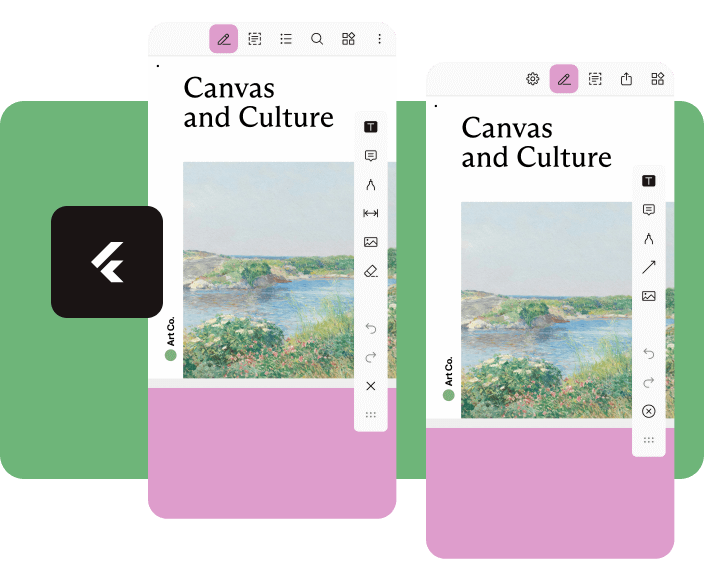
Nutrient Flutter एक शक्तिशाली प्लगइन है जो Nutrient PDF SDK को Flutter एप्लिकेशन में एकीकृत करता है, जिससे समृद्ध PDF देखने और संपादन क्षमता प्राप्त होती है। यह Android और iOS प्लेटफॉर्म पर उच्च प्रदर्शन के साथ PDF के रेंडरिंग, टिप्पणी, हस्ताक्षर और संचालन का समर्थन करता है। विकासकर्ताओं के लिए बनाया गया है जो निरंतर, विशाल PDF अनुभव चाहते हैं, यह एक मूल जैसा इंटरफ़ेस प्रदान करता है जिसमें कस्टमाइज़ करने योग्य उपकरण और विश्वसनीय दस्तावेज़ प्रबंधन होता है। यह प्लगइन जटिल PDF कार्यप्रवाह को सरल बनाता है, जिससे यह उन एप्लिकेशन के लिए आदर्श होता है जिनमें उन्नत दस्तावेज़ अंतरक्रिया की आवश्यकता होती है।
उपयोग
दस्तावेज प्रबंधन ऐप्स
ई-हस्ताक्षर कार्यप्रवाह
शैक्षिक प्लेटफॉर्म
PDF संकेत उपकरण
सहयोगात्मक संपादन वातावरण
मुख्य विशेषताएँ
उच्च प्रदर्शन वाला PDF रेंडरिंग
इंटरैक्टिव अनुमान
डिजिटल हस्ताक्षर समर्थन
कस्टमाइज़ेबल यूआई कंपोनेंट्स
प्लेटफॉर्म के अनुकूलता
इनके लिए उपयुक्त
दस्तावेज-केंद्रित एप्लिकेशन बना रहे डेवलपर्स
सुरक्षित PDF प्रबंधन की आवश्यकता वाली टीमें
दस्तावेजों पर उपयोगकर्ता सहयोग की आवश्यकता वाले ऐप्स
एंटरप्राइज स्तर का PDF एकीकरण
विचार योग्य बातें
nutrient.io से लाइसेंस की आवश्यकता है
SDK शामिल होने के कारण ऐप का आकार बढ़ सकता है
उन्नत कॉन्फ़िगरेशन के बिना सीमित कस्टमाइज़ेशन
बाह्य SDK अपडेट पर निर्भर
नए उपयोगकर्ताओं के लिए संभावित सीखने का ढलान
मूल README
संबंधित सोर्स रिपॉज़िटरी के मूल README का स्नैपशॉट। नवीनतम सामग्री के लिए रिपॉज़िटरी देखें।
Flutter Document SDK by Nutrient
Add powerful PDF functionality to your Flutter apps with the Nutrient Flutter SDK. View, annotate, and edit PDFs seamlessly across Android, iOS, and Web platforms.
Requirements
Flutter SDK (latest stable version)
For Android:
Android Studio (latest stable version)
Android NDK
Android Virtual Device or physical device
For iOS:
Xcode 16 or later
iOS 17.0 or later
For Web:
Modern web browser with WebAssembly support
Installation
Add the Nutrient Flutter SDK to your pubspec.yaml:
dependencies:nutrient_flutter:any
Run the following command:
flutter pub get
Platform Setup
Android Setup
Update your Android configuration in android/app/build.gradle:
Note: Replace 1.13.0 with the latest version of Nutrient Web SDK. Check the latest releases for the current version.
Option 2: Local Installation
Download Nutrient Web SDK. The download will start immediately and save a .tar.gz archive like PSPDFKit-Web-binary-<version>.tar.gz to your computer.
Once downloaded, extract the archive and copy the entire contents of its dist folder to your project's web/assets folder.
Verify your assets folder contains:
nutrient-viewer.js file
nutrient-viewer-lib directory with library assets
Add the Nutrient library to your web/index.html:
<scriptsrc="assets/nutrient-viewer.js"></script>
Note: Your server must have the Content-Type: application/wasm MIME type configured for WebAssembly files.
Sample Document Setup
Create a PDFs directory in your project root:
mkdir PDFs
Download our sample PDF document and save it as Document.pdf in the PDFs directory.
Add the assets directory to your pubspec.yaml:
flutter:assets:-PDFs/
Usage
Create a new file lib/main.dart with the following content:
import'package:flutter/material.dart';
import'package:nutrient_flutter/nutrient_flutter.dart';
import'dart:io';
import'package:flutter/foundation.dart';
constString documentPath = 'PDFs/Document.pdf';
voidmain() async {
WidgetsFlutterBinding.ensureInitialized();
// Initialize the Nutrient SDK with your license keyawaitNutrient.initialize(
androidLicenseKey: 'YOUR_ANDROID_LICENSE_KEY',
iosLicenseKey: 'YOUR_IOS_LICENSE_KEY',
webLicenseKey: 'YOUR_WEB_LICENSE_KEY',
);
runApp(constMaterialApp(
home: MyApp(),
));
}
classMyAppextendsStatelessWidget{
constMyApp({super.key});
Future<String> extractAsset(BuildContext context, String assetPath) async {
if (kIsWeb) {
return assetPath;
}
final bytes = awaitDefaultAssetBundle.of(context).load(assetPath);
final list = bytes.buffer.asUint8List();
final tempDir = awaitNutrient.getTemporaryDirectory();
final tempDocumentPath = '${tempDir.path}/$assetPath';
final file = File(tempDocumentPath);
await file.create(recursive: true);
file.writeAsBytesSync(list);
return file.path;
}
@overrideWidgetbuild(BuildContext context) {
returnScaffold(
body: FutureBuilder<String>(
future: extractAsset(context, documentPath),
builder: (context, snapshot) {
if (snapshot.hasData) {
/// NutrientView is a widget that displays a PDF document.returnNutrientView(
documentPath: snapshot.data!,
);
} elseif (snapshot.hasError) {
returnCenter(
child: Text('${snapshot.error}'),
);
} else {
returnconstCenter(
child: CircularProgressIndicator(),
);
}
}),
);
}
}
Note: Replace 'YOUR_ANDROID_LICENSE_KEY', 'YOUR_IOS_LICENSE_KEY', and 'YOUR_WEB_LICENSE_KEY' with your actual license keys. Do not pass any license keys if you want to run the SDK in demo mode, the SDK will run in demo mode with a watermark.