पैकेज, रिपॉज़िटरी और ऐप श्रेणियाँ खोजें

overlay_pop_up कवर
पैकेज विवरणv1.0.6+6

overlay_pop_up

एक नया Flutter प्लगइन जो Android में ऐप बंद या मारे गए होने के बावजूद अन्य ऐप्स के ऊपर पॉप-अप या स्क्रीन दिखाता है।

Android
30-दिन डाउनलोड
21
लाइक
53
Pub अंक
160

पैकेज इंस्टॉल करें

flutter pub add overlay_pop_up

पैकेज अवलोकन

सार्वजनिक जानकारी से बना चयन मार्गदर्शन। केवल संदर्भ हेतु।

एक फ्लटर प्लगइन जो एंड्रॉइड पर ऐप बंद या समाप्त होने के बाद भी पॉप-अप या ओवरले स्क्रीन को दिखाने की अनुमति देता है। यह अन्य ऐप्स के ऊपर कंटेंट दिखाने के लिए एंड्रॉइड के सिस्टम-स्तर के ओवरले अनुमतियों का उपयोग करता है, जो सूचनाओं, त्वरित कार्रवाइयों या स्थायी UI तत्वों के लिए उपयोगी है। प्लगइन फ्लटर के साथ बिना किसी दिक्कत के एकीकृत है और काम करने के लिए उपयोगकर्ता की अनुमति की आवश्यकता होती है। यह केवल एंड्रॉइड के लिए डिज़ाइन किया गया है और iOS का समर्थन नहीं करता है। डेवलपर्स ओवरले के दिखावट और व्यवहार को कार्यक्रमात्मक रूप से कस्टमाइज़ कर सकते हैं।

उपयोग

  • स्थायी नोटिफिकेशन दिखाएं
  • फ्लोटिंग एक्शन पैनल बनाना
  • ऐप को बैकग्राउंड में होने पर चेतावनी दिखाएं
  • त्वरित पहुँच उपकरण कार्यान्वयन
  • अन्य ऐप्स के माध्यम से वास्तविक समय के अपडेट प्रदान करना

मुख्य विशेषताएँ

  • जब ऐप को मार दिया जाता है, भी काम करता है
  • Android-केवल ओवरले समर्थन
  • कस्टमाइज़ किए गए ओवरले सामग्री
  • सिस्टम स्तर की अनुमति प्रबंधन
  • Flutter के साथ सरल एकीकरण

इनके लिए उपयुक्त

  • हमेशा चालू यूआई घटक बनाने वाले विकासकर्ता
  • स्थायी ओवरले वाले ऐप्स
  • प्रारंभिक दृश्यता की आवश्यकता होती है
  • नोटिफिकेशन-सुधारित एप्लिकेशन
  • तैयार इंटरफेस वाले उपयोगी ऐप्स

विचार योग्य बातें

  • Android सिस्टम ओवरले अनुमति की आवश्यकता है
  • iOS पर उपलब्ध नहीं है
  • उपकरण निर्माता द्वारा सीमित हो सकता है
  • उपयोगकर्ता को अनुमति स्वचालित रूप से सक्षम करनी होगी
  • बैटरी और प्रदर्शन पर प्रभाव डाल सकता है

मूल README

संबंधित सोर्स रिपॉज़िटरी के मूल README का स्नैपशॉट। नवीनतम सामग्री के लिए रिपॉज़िटरी देखें।

overlay_pop_up

A new Flutter plugin to display pop ups or screens over other apps in Android even when app is closed or killed.

Buy Me A Coffee

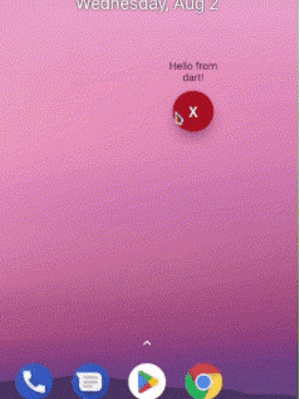
Demo

Preview

Android

add this to your AndroidManifest.xml

 <uses-permission android:name="android.permission.SYSTEM_ALERT_WINDOW" />

 <application>
        ...
        <service
           android:name="com.requiemz.overlay_pop_up.OverlayService"
           android:exported="false" />
    </application>
Android 14

applications that target SDK 34 and use foreground service should include foregroundServiceType attribute(see documentation).

 <uses-permission android:name="android.permission.SYSTEM_ALERT_WINDOW" />

 <application>
        ...
        <service
           android:name="com.requiemz.overlay_pop_up.OverlayService"
           android:exported="false"
           <!-- add this -->
           android:foregroundServiceType="camera, dataSync, location, etc" />
    </application>

Flutter implementation

configure your main.dart entry point a widget to display (make sure to add @pragma('vm:entry-point'))

NOTE: Now you can pass as parameter the dart entry point method name when showOverlay is called

@pragma("vm:entry-point")
void overlayPopUp() {
  WidgetsFlutterBinding.ensureInitialized();
  runApp(const MaterialApp(
    debugShowCheckedModeBanner: false,
    home: Text('Hello Pub.dev!'),
  ));
}

Overlay Methods

returns true when overlay permission is alreary granted if permission is not granted then open app settings

await OverlayPopUp.requestPermission();

returns true or false according to permission status

await OverlayPopUp.checkPermission();

display your overlay and return true if is showed

PARAMS

  • height is not required by default is MATCH_PARENT

  • width is not required by default is MATCH_PARENT

  • verticalAlignment is not required by default is CENTER for more info see: https://developer.android.com/reference/android/view/Gravity

  • horizontalAlignment is not required by default is CENTER for more info see: https://developer.android.com/reference/android/view/Gravity

  • backgroundBehavior by default is focusable flag that is you can take focus inside a overlay for example inside a textfield and [tapThrough] you can tap through the overlay background even if has MATCH_PARENT sizes.

  • screenOrientation by default orientation is portrait.

  • closeWhenTapBackButton by default when user presses back button the overlay no has any action if you pass true then back button will close overlay.

  • isDraggable by default is false therefore the overlay can´t be dragged.

  • entryPointMethodName by default is 'overlayPopUp' if you want you can change it

    await OverlayPopUp.showOverlay();
    

    returns true if overlay closed correctly or already is closed

    await OverlayPopUp.closeOverlay();
    

    returns the overlay status true = open, false = closed

    await OverlayPopUp.isActive();
    

    returns the last overlay position if drag is enabled

    await OverlayPopUp.getOverlayPosition();
    

    share dynamic data to overlay

    await OverlayPopUp.sendToOverlay({'data':'hello!'});
    await OverlayPopUp.sendToOverlay('hello');
    

    receive the data from flutter as stream

    await OverlayPopUp.dataListener();
    

श्रेणियाँ

निर्भरताएँ

निर्भरता सूची 1 आइटम

  • plugin_platform_interface^2.1.8

सोर्स रिपॉज़िटरी

इस पैकेज का उपयोग करने वाले प्रोजेक्ट

अभी कोई डेटा उपलब्ध नहीं है।