पैकेज, रिपॉज़िटरी और ऐप श्रेणियाँ खोजें

slidable_bar कवर
पैकेज विवरणv1.1.1

slidable_bar

एक फ्लटर पैकेज जो साइडबार दिखाता है और इसे छिपाता है और अपने क्लिकर को कस्टमाइज़ करता है।

AndroidiOSWebmacOSWindowsLinux
30-दिन डाउनलोड
61
लाइक
48
Pub अंक
150

पैकेज इंस्टॉल करें

flutter pub add slidable_bar

पैकेज अवलोकन

सार्वजनिक जानकारी से बना चयन मार्गदर्शन। केवल संदर्भ हेतु।

SlidableBar एक Flutter पैकेज है जो विभिन्न प्लेटफॉर्मों पर कस्टमाइज़ेबल स्लाइडिंग साइडबार नेविगेशन कंपोनेंट को लागू करने में डेवलपर्स की सहायता करता है। यह उपयोगकर्ताओं को स्लाइडिंग एनिमेशन के साथ साइडबार को दिखाने या छिपाने की अनुमति देता है, जिससे डिज़ाइन और इंटरैक्शन में लचीलापन मिलता है। पैकेज साइडबार के दिखावट और व्यवहार के विभिन्न कस्टमाइज़ेशन विकल्पों का समर्थन करता है, जिससे यह आसान नेविगेशन की आवश्यकता वाले ऐप्स के लिए आदर्श है। यह Flutter प्रोजेक्ट में बिना किसी समस्या के एकीकृत होता है और Android, iOS, Web, macOS, Windows और Linux पर काम करता है।

उपयोग

  • सहायक नेविगेशन मेनू का लागू करना
  • मोबाइल और वेब के लिए प्रतिक्रियाशील लेआउट बनाना
  • साइडबार नियंत्रण के लिए स्वाइप गेस्चर जोड़ना
  • कस्टम ड्रॉयर इंटरफेस डिज़ाइन करना
  • डैशबोर्ड-स्टाइल एप्लिकेशन बनाना
  • एनिमेटेड ट्रांजिशन के साथ उपयोगकर्ता अनुभव में सुधार करना

मुख्य विशेषताएँ

  • स्मूथ स्लाइडिंग एनिमेशन
  • कस्टमाइज़ की गई साइडबार दिखावट
  • स्वाइप गेस्चर का समर्थन
  • प्लेटफॉर्म के अनुकूलता
  • मौजूदा Flutter ऐप्स के साथ आसान एकीकरण
  • निर्धारित खोलें/बंद करें व्यवहार

इनके लिए उपयुक्त

  • नेविगेशन-भारी ऐप्स बनाने वाले डेवलपर्स
  • इंटरैक्टिव UI कंपोनेंट्स खोज रहे डिजाइनर
  • कई प्लेटफॉर्म के लक्षित प्रोजेक्ट्स
  • हल्के नेविगेशन समाधान की आवश्यकता वाले ऐप्स
  • फ्लटर का उपयोग पूर्ण स्टैक विकास के लिए करने वाली टीमें
  • डायनामिक UI लेआउट के प्रोटोटाइपिंग

विचार योग्य बातें

  • जटिल डिजाइन के लिए अतिरिक्त स्टाइलिंग की आवश्यकता हो सकती है
  • साइडबार के भीतर भारी विजेट्स के साथ प्रदर्शन प्रभाव
  • अन्य पैकेज की तुलना में सीमित आंतरिक थीम
  • हस्तगत संघर्षों का सावधानीपूर्वक निपटारा करने की आवश्यकता है
  • बहुत बड़े नेविगेशन आइटम के लिए अनअप्टिमाइज़्ड
  • मध्यम आकार की नेविगेशन संरचना के लिए सबसे उपयुक्त

मूल README

संबंधित सोर्स रिपॉज़िटरी के मूल README का स्नैपशॉट। नवीनतम सामग्री के लिए रिपॉज़िटरी देखें।

slidable_bar

A Flutter side bar slider can be with any widget you want

review

Features

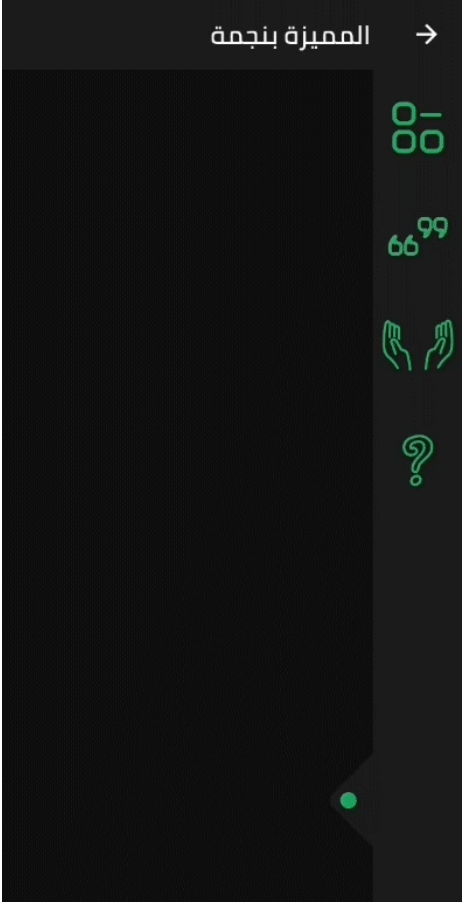
  • The SlidableBar can have four positions: top, bottom, right and left.
  • Customizable clicker, you can change the clicker widget with what you want.
  • Just like Flutter's Drawer, but with new way.

Things to note

  • The SlidableBar should have specific width and height, it works fine with scaffold's body.
  • The SlidableBar doesn't create it's own context, so it will appear under floating action button if you add one.

Usage

    final SlidableBarController controller = SlidableBarController(initialStatus: true);
    
    SlidableBar(
        size: 50, // this will be bar's height in case Side is bottom or top and width in case Side is left or right 
        children: <Widget>[], // here is the widgets inside the bar
        child: Container(), // here is your widget that will be under the bar 
        // optional
        frontColor: Colors.green, // the color of the cycle inside the default clicker
        slidableController: controller, // the contoller to change and listen to the bar status
        barRadius: const BorderRadius.circular(10.0), // the contoller to change and listen to the bar status
        side: Side.bottom, // Side.right is the default
        clickerPosition: 1.0, // the position of the clicker, 0.0 is the default
        clickerSize: 60, // the sizer of the default clicker, 55 is the default
        onChange: (int index){
            print(index); // this will print the index of the widget you clicked inside the bar
        },
        duration: Duration(milliseconds: 500), // the duration of the animation, (300 mil) is the default
        isOpenFirst: true, // the initial state of the bar, false is default
        backgroundColor: Colors.black, // primary color is default
        curve: Curves.ease, // the animation curve, linear is defualt
        clicker: Icon(Icons.arrow_forward_ios), // this will build instead of the default clicker
      )

Getting started

In the pubspec.yaml of your flutter project, add the following dependency:

dependencies:
  slidable_bar: "^1.1.0"

Then run $ flutter pub get. In your library, add the following import:

import 'package:slidable_bar/slidable_bar.dart';

Preview Images (The positions)

right left

top bottom

Custom Clicker

custom-clicker

Author

Mahmoud Haj Ali - GitHub

श्रेणियाँ

सोर्स रिपॉज़िटरी

इस पैकेज का उपयोग करने वाले प्रोजेक्ट

अभी कोई डेटा उपलब्ध नहीं है।