पैकेज, रिपॉज़िटरी और ऐप श्रेणियाँ खोजें

पैकेज विवरणv2.7.8

zerker

Zerker एक लचीला और हल्का Flutter कैनवास ग्राफिक एनिमेशन लाइब्रेरी है।

AndroidiOSWebmacOSWindowsLinux
30-दिन डाउनलोड
90
लाइक
92
Pub अंक
135

पैकेज इंस्टॉल करें

flutter pub add zerker

पैकेज अवलोकन

सार्वजनिक जानकारी से बना चयन मार्गदर्शन। केवल संदर्भ हेतु।

Zerker एक हल्का और लचीला Flutter लाइब्रेरी है जिसका उपयोग कैनवास-आधारित ग्राफिक एनीमेशन बनाने के लिए किया जाता है। यह डेवलपर्स को कैनवास पर स्मूथ, प्रदर्शनीय एनीमेशन बनाने में सक्षम बनाता है, जो इंटरैक्टिव विजुअल्स और गेम-जैसे अनुभवों के लिए आदर्श है। Zerker कई प्लेटफॉर्म—जैसे Android, iOS, Web, macOS, Windows और Linux—में समर्थन प्रदान करता है, जिससे क्रॉस-प्लेटफॉर्म सुविधा मिलती है। इसका न्यूनतम फुटप्रिंट और सरल API इसे सरल एनीमेशन से लेकर जटिल दृश्य प्रभावों तक के लिए उपयुक्त बनाता है, चाहे वे गेम में हों या डायनामिक UI में।

उपयोग

  • एनिमेटेड गेम तत्व बनाना
  • इंटरैक्टिव यूआई कंपोनेंट्स बनाना
  • कस्टम ड्राइंग एनीमेशन का लागू करना
  • क्रॉस-प्लेटफॉर्म कैनवास ग्राफिक्स विकसित करना
  • मोबाइल ऐप्स में विजुअल प्रभाव जोड़ना
  • रियल-टाइम रेंडरिंग इंटरफेस डिज़ाइन करना

मुख्य विशेषताएँ

  • कैनवास-आधारित एनीमेशन इंजन
  • हल्का और उच्च प्रदर्शन
  • प्लेटफॉर्म के अनुकूलता
  • लचीला एनिमेशन नियंत्रण
  • रियल-टाइम रेंडरिंग का समर्थन
  • जटिल दृश्य के लिए सरल API

इनके लिए उपयुक्त

  • Flutter का उपयोग करने वाले गेम डेवलपर्स
  • कस्टम एनिमेशन की आवश्यकता वाले UI डिज़ाइनर
  • इंटरैक्टिव डैशबोर्ड बनाने वाले डेवलपर्स
  • दृश्य कला एप्लिकेशन के निर्माता
  • कई प्लेटफॉर्म का लक्ष्य बनाने वाली टीमें

विचार योग्य बातें

  • कैनवास ड्राइंग के बारे में समझ की आवश्यकता है
  • प्रदर्शन-आवश्यक एनीमेशन के लिए सबसे उपयुक्त
  • अतिरिक्त अवस्था प्रबंधन की आवश्यकता हो सकती है
  • बेसिक विजेट संक्रमण के लिए आदर्श नहीं
  • सीमित आंतरिक एनीमेशन प्रीसेट
  • शुरुआती लोगों के लिए सीखने का ढाल अधिक है

मूल README

संबंधित सोर्स रिपॉज़िटरी के मूल README का स्नैपशॉट। नवीनतम सामग्री के लिए रिपॉज़िटरी देखें।


pub package Made-with-Flutter Made-with-Dart

What is Zerker

Zerker is a flexible and lightweight flutter canvas graphic animation library.

With Zerker, you can create a lot of seemingly cumbersome animation effects, such as animated animations, pop-up animations, scene transitions, icon effects, and more.

At the same time, you can create a lot of simple games with Zerker. Zerker contains elements such as sprites, scrolling backgrounds, and atlases, making it easy to create game worlds with them.

➤ More detailed documentation about Zerker is here https://flutterkit.github.io/zerkerdocs/

An image

Installation

Add this to your package's pubspec.yaml file, And execute the commandflutter pub get:

dependencies:
  zerker: <latest_version_here>
More detailed installation steps, you can refer to here. https://pub.dev/packages/zerker/install

Getting started

Import the package
import 'package:zerker/zerker.dart';
Useage
Create a zerker widget
class _MyHomePageState extends State<MyHomePage> {
  @override
  Widget build(BuildContext context) {
    return Scaffold(
        appBar: AppBar(
          title: Text(widget.title),
        ),
        body: Center(
          child: Zerker(app: MyZKApp(), clip: true, interactive: true, width: 350, height: 350),
        ));
  }
}
Create your Zerker class inherited from ZKApp
class MyZKApp extends ZKApp {

  @override
  init() {
    super.init();
    /// init zerker scene
  }

  @override
  update(int time) {
    super.update(time);
    sprite.position.x++;
  }
}
Initialize the scene and create elements in the init function
/// Create a zerker sprite
ZKSprite bigboy = ZKSprite(key: "bigboy")
  ..animator.make("front", [0, 1, 2, 3, 4])
  ..animator.make("left", ['5-9'])
  ..animator.make("after", ['10-14'])
  ..animator.make("right", ['15-19'])
  ..onTapDown = (event) {
    bigboy.animator.play("right", 8, true);
  };
stage.addChild(bigboy);

/// Create a zerker text
ZKText text = ZKText()
  ..setPosition(100, 100)
  ..text = "hello world"
  ..setStyle(color: Colors.blueGrey, backgroundColor: Colors.red[50]);
stage.addChild(_text);

More cases

You can quickly start learning an example here. https://flutterkit.github.io/zerkerdocs/guide/tutorial.html

More zerker examples you can view here https://github.com/flutterkit/zerker-samples. If you have any questions about Zerker, please let me know by email, thank you very much!

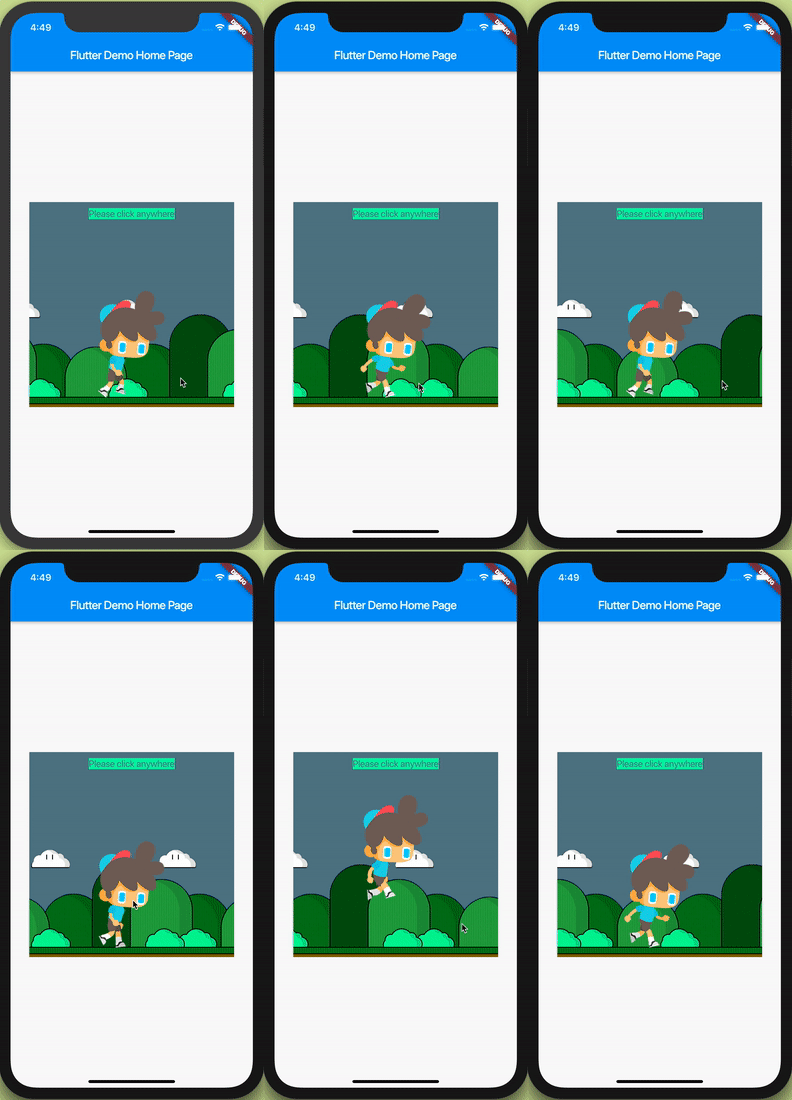
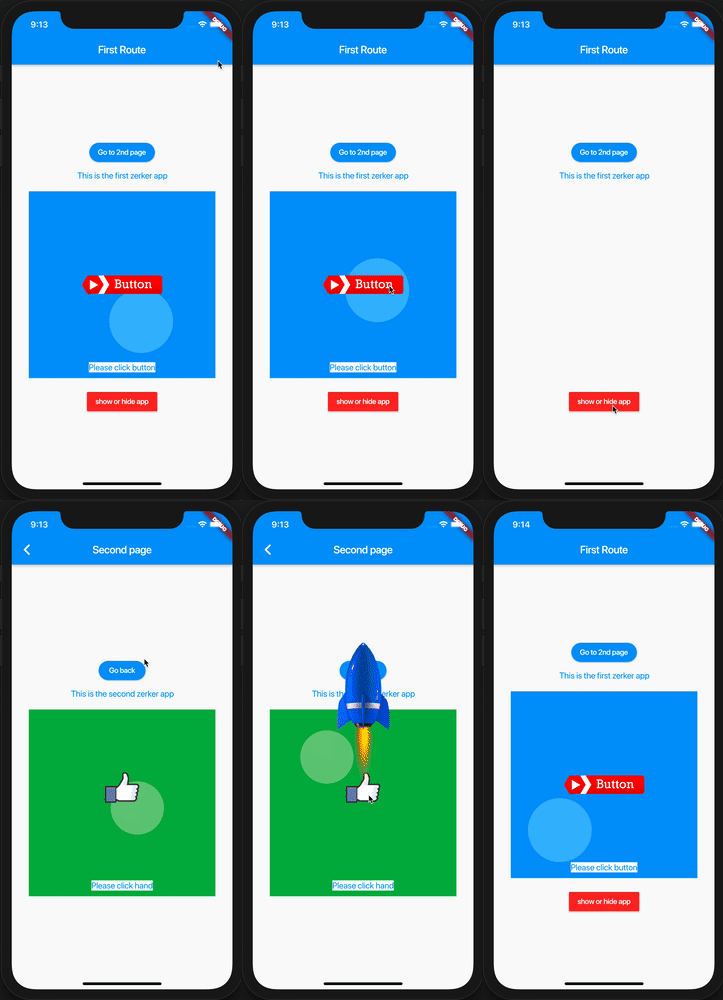
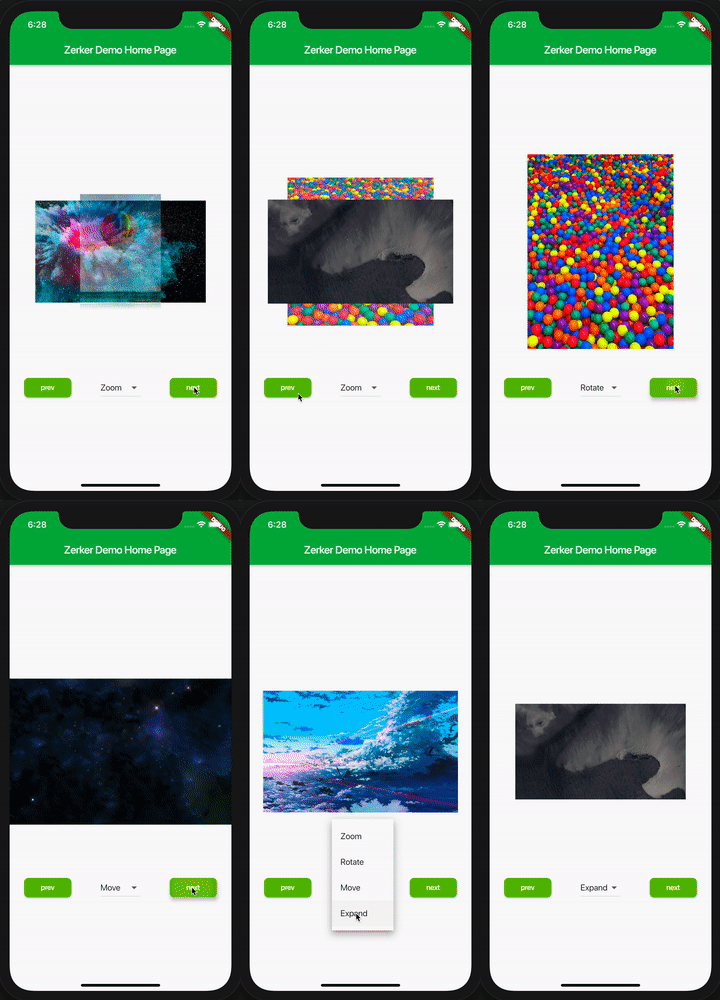
img img img

License

Zerker is licensed under MIT license. View license. https://github.com/flutterkit/zerker/blob/master/LICENSE

श्रेणियाँ

सोर्स रिपॉज़िटरी

इस पैकेज का उपयोग करने वाले प्रोजेक्ट

अभी कोई डेटा उपलब्ध नहीं है।