パッケージ、リポジトリ、アプリカテゴリを検索

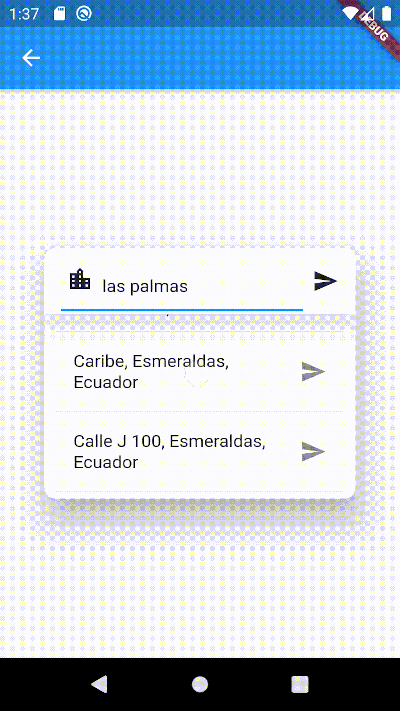
address_search_field のカバー
パッケージ詳細v5.0.3

address_search_field

参照によって住所の自動補完を支援するアドレス検索フィールドです。2点間の経路情報を取得するために使用できます。

30日間ダウンロード
293
いいね数
95
Pub ポイント
60

パッケージをインストール

flutter pub add address_search_field

パッケージ概要

公開情報に基づく選定ガイドです。参考としてご利用ください。

参照を使用して、住所検索フィールドとオートコンプリート機能を提供するFlutterパッケージです。ユーザーが迅速に住所を入力および選択できるようにし、2点間の経路計算などの場所ベースのサービスを必要とするアプリケーションに最適です。フォームやマップにスムーズに統合され、手動入力エラーを減らすことでユーザー体験を向上させます。場所認識アプリにおける住所入力のための軽量なソリューションを探している開発者向けに設計されています。

用途

  • 地図上の場所を検索する
  • 目的地点間のルートを計算中
  • 住所の候補でフォーム入力を強化する
  • 配達またはライドシェアリングアプリの構築
  • 旅行アプリにおける位置情報の統合

主な機能

  • 住所の自動補完入力
  • 参照ベースのアドレス検索
  • 軽量で統合が簡単
  • 場所ベースのルーティングをサポートしています
  • 住所選択用のシンプルな API

適している対象

  • ナビゲーションアプリを開発する開発者
  • 住所入力フォームを必要とするアプリ
  • 場所を認識するモバイルアプリケーション
  • 旅行および物流プラットフォーム
  • マップ統合型ユーザーインターフェース

注意事項

  • 住所検索にはインターネット接続が必要です
  • 参照ソースに基づく対応地域に限定される
  • カスタムスタイルには追加の構成が必要になる場合があります
  • 外部のジオコーディングサービスに依存しています
  • オフラインアドレス解決には適していません

元の README

関連するソースリポジトリの README 原文のスナップショットです。最新の内容はリポジトリをご覧ください。

Address Search Field

Widget builders to create 'address search widgets' which helps to autocomplete an address using a reference. They can be used to get Directions beetwen two places with optional waypoints. These widgets are made to be showed by onTap in a TextField with the showDialog function. It uses Dio, Google Maps for Flutter, Flutter Riverpod plugins. (This last plugin is to use extended objects that can be usable with GoogleMap Widget).

Getting Started

To use this plugin, add address_search_field as a dependency in your pubspec.yaml file. For example:

dependencies:
  address_search_field: ^5.0.3

Permissions

Android

On Android you'll need to add the internet permission to your Android Manifest file (located under android/app/src/main). To do so add next lines as direct child of the manifest> tag:

<uses-permission android:name="android.permission.INTERNET"/>

Usage

Import the package:

import 'package:address_search_field/address_search_field.dart';

GeoMethods

GeoMethods(
  googleApiKey: String,
  language: String,
  countryCode: String?,
  countryCodes: List<String>?,
  country: String?,
  city: String?,
  mode: DirectionsMode?,
  units: DirectionsUnits?,
);
  • This object makes calls to Google APIs using the parameters set. It can do requests to Google places, geocode and directions APIs Get API key.
  • Language support list here.
  • List of countries here. Example:
final geoMethods = GeoMethods(
  googleApiKey: 'GOOGLE_API_KEY',
  language: 'en',
  countryCode: 'us',
  countryCodes: ['us', 'es', 'co'],
  country: 'United States',
  city: 'New York',
);

// It will search in unite states, espain and colombia. It just can filter up to 5 countries.
geoMethods.autocompletePlace(query: 'place streets or reference');

geoMethods.geoLocatePlace(
    coords: Coords(0.10, 0.10,)
);

geoMethods.getPlaceGeometry(
    reference: 'place streets',
    placeId: 'ajFDN3662fNsa4hhs42FAjeb5n',
);

// It needs a specific region, it will search in unite states.
geoMethods.getDirections(
    origin: Address(coords: Coords(0.10, 0.10)), 
    destination: Address(coords: Coords(0.10, 0.10))
);

AddressSearchBuilder

This widget can search addresses and permits you to work with them using an Address object.

Example:

GeoMethods geoMethods;
TextEditingController controller;
Address destinationAddress;

TextField(
  controller: controller,
  onTap: () => showDialog(
    context,
    builder: (BuildContext context) => AddressSearchDialog(
      geoMethods: geoMethods,
      controller: controller,
      onDone: (Address address) => destinationAddress = address,
    )
  ),
);

AddressSearchDialog.custom provides you a widget builder with the parameters and methods to create your own AddressSearchDialog and work with the addresses information.

Example:

GeoMethods geoMethods;
TextEditingController controller;
Address destinationAddress;

TextField(
  controller: controller,
  onTap: () => showDialog(
    context,
    builder: (BuildContext context) {
      return AddressSearchDialog.custom(
        geoMethods: geoMethods,
        builder: (
          BuildContext context,
          AsyncSnapshot<List<Address>> snapshot,
          Future<void> Function() searchAddress,
          Future<Address> Function(Address address) getGeometry,
          void Function() dismiss,
        ) {
          return MyCustomWidget(
            snapshot: snapshot,
            searchAddress: searchAddress,
            getGeometry: getGeometry,
            dismiss: dismiss,
            controller: controller,
            address: destinationAddress,
          );
        }
      );
    }
  ),
);

AddressLocator

This widget is a simple way to get an address reference in a TextEditingController from coordinates when the AddressSearchDialog is not created into a RouteSearchBox.

Example:

Coords coords;
GeoMethods geoMethods;
TextEditingController controller;
Address initialAddress;

// using coordinates you can get an address reference to be predefined in the widget and save all the address data in a variable.
AddressLocator(
  coords: coords,
  geoMethods: geoMethods,
  controller: controller,
  child: TextField(
    controller: controller,
    onTap: () => showDialog(
      context: context,
      builder: (BuildContext context) => AddressSearchDialog(
        controller: controller,
        geoMethods: geoMethods,
        onDone: (Address address) => initialAddress = address;,
      ),
    ),
  ),
);

RouteSearchBox

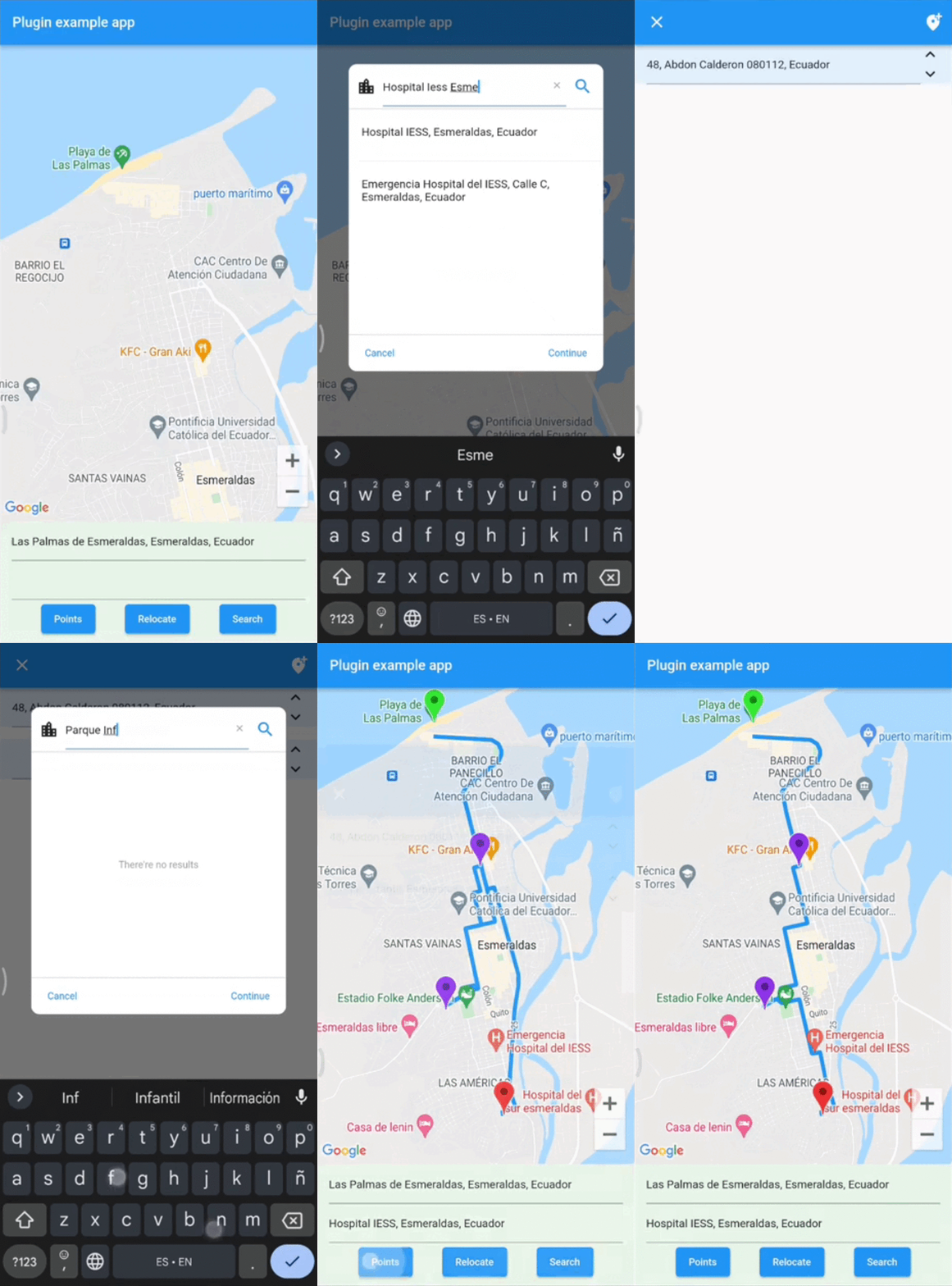
This widget helps you to works using a provider from flutter_riverpod. It permits you to work with AddressSearchDialog to search an origin Address, destination Address and optionally waypoints in a List<Address>. This widget is used to get directions from the addresses gotten by an AddressSearchDialog. provider.findRoute() function permits to set an address as origin or destination from a coordinates parameter. A completed example of how to use this widget could be found here.

Example:

final routeProvider =
    ChangeNotifierProvider<RouteNotifier>((ref) => RouteNotifier());

GeoMethods geoMethods;
TextEditingController originCtrl;
TextEditingController destCtrl;
Coords initialCoords;

RouteSearchBox(
  provider: routeProvider,
  geoMethods: geoMethods,
  originController: originCtrl,
  destinationController: destCtrl,
  locationSetters: [
    LocationSetter(
      coords: initialCoords,
      addressId: AddressId.origin,
    ),
  ],
  child: Column(
    children: [
      TextField(
        controller: originCtrl,
        onTap: () => showDialog(
          context: context,
          builder:(context) => 
              AddressSearchDialog.withProvider(
            provider: routeProvider,
            addressId: AddressId.origin,
          ),
        ),
      ),
      TextField(
        controller: destCtrl,
        onTap: () => showDialog(
          context: context,
          builder:(context) => 
              AddressSearchDialog.withProvider(
            provider: routeProvider,
            addressId: AddressId.destination,
          ),
        ),
      ),
      Consumer(
        builder: (BuildContext context, WidgetRef ref, Widget? _) {
          return ElevatedButton(
            child: const Text('Search'),
            onPressed: () async {
              final route = await ref.read(routeProvider).findRoute();
            },
          );
        },
      ),
    ],
  )
);

License

MIT License

Contact

You can contact me if you have problems or ideas. Hablo español e inglés.

josluna1098@gmail.com

カテゴリー

依存関係

依存関係一覧 3 件

ソースリポジトリ

このパッケージを使用しているプロジェクト

データはまだありません。