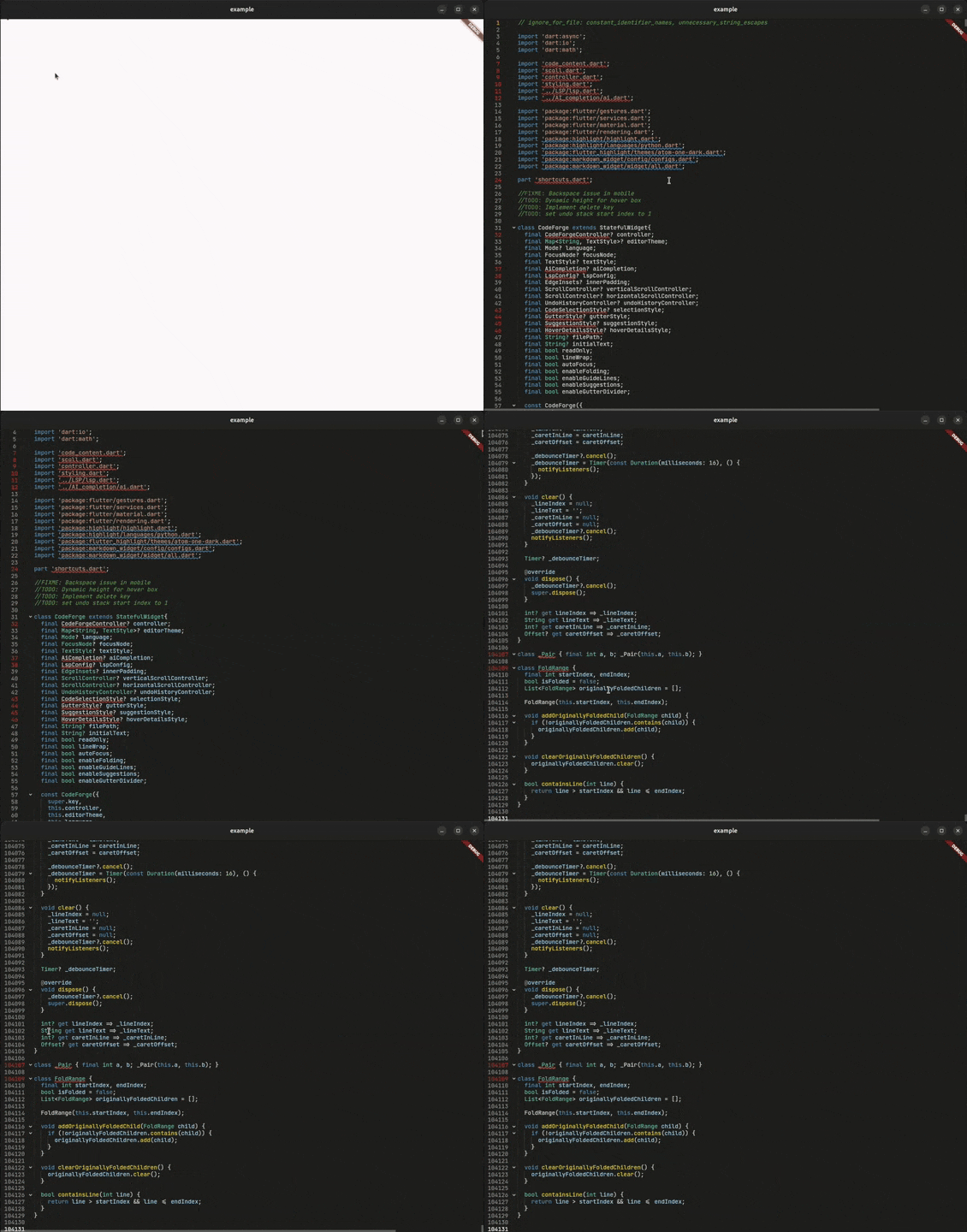
The debug build is 60% slower than the profile and release builds because of the frequent FFI calls made by the editor to the rust backend, which is expensive in JIT mode. It doesn't affect the AOT mode used in profile and release. So debug builds can get extremely slow and laggy on large files.
Why CodeForge?
CodeForge is a next-generation code editor widget designed for developers who demand more. Whether you're building an IDE, a code snippet viewer, or an educational coding platform, CodeForge delivers:
To see working examples of all CodeForge features including AI Code Completion, LSP Integration, Smart Code Folding, Syntax Highlighting, Search and Replace, and RTL Language Support, visit the features showcase page above.
More Features
Complete Feature List
Editor Core
Rope Data Structure — Optimized for large files
180+ Languages — Via re_highlight package
Code Folding — Smart block detection
Indentation Guides — Visual code structure
Line Numbers — With active line highlighting
Smart Undo/Redo — Timestamp-based grouping
Search Highlighting — Find and highlight matches
Line Operations — Move, duplicate, delete lines
LSP Features
Intelligent Completions — Context-aware code suggestions with auto-import
Hover Documentation — Rich markdown tooltips with type information
Real-time Diagnostics — Errors and warnings with quick fixes
Semantic Highlighting — Token-based coloring with modifiers
Signature Help — Function signatures and parameter hints
Code Actions — Quick fixes and refactoring suggestions
Inlay Hints — Inline annotations for types and parameters
Document Highlight — Highlight symbol occurrences
Document Colors — Color value detection and picker
Go to Definition — Navigate to symbol definitions
Symbol Renaming — Rename symbols across workspace
Multiple Protocols — Stdio and WebSocket support
Capability Control — Selectively enable/disable LSP features
Customization
Full Theming — Every element customizable
Gutter Styling — Colors, icons, sizes
Selection Styling — Cursor, selection, bubbles
Popup Styling — Suggestions, hover details
Scrollbar Styling — Scrollbar shape, color, line indicator.
Installation
1 . Make sure to install rustup and add it to the $PATH.
2 . Add CodeForge to your pubspec.yaml:
dependencies:code_forge:^10.14.0
3 . Then run:
flutter pub get
4 . Add await RustLib.init(); in your main function:
voidmain() async {
awaitRustLib.init(); // Add this linerunApp(constMyApp());
}
Quick Start
Basic Usage
Import a theme and a language from the re_highlight package and you are good to go. (Defaults to plain text and lightFlairTheme):
import'package:flutter/material.dart';
import'package:code_forge/code_forge.dart';
import'package:re_highlight/languages/python.dart';
import'package:re_highlight/styles/atom-one-dark.dart';
voidmain() => runApp(constMyApp());
classMyAppextendsStatelessWidget{
constMyApp({super.key});
@overrideWidgetbuild(BuildContext context) {
returnMaterialApp(
home: Scaffold(
body: CodeForge(
language: langPython, // Defaults to Mode(), means plain text
editorTheme: atomOneDarkTheme, // Defaults to lightFlairTheme
),
),
);
}
}
With Controller
For more control over the editor:
class_EditorStateextendsState<Editor> {
final _controller = CodeForgeController();
final _undoController = UndoRedoController();
@overrideWidgetbuild(BuildContext context) {
returnCodeForge(
controller: _controller, // Optional controller for more features.
undoController: _undoController, // Optional undo controller to control the undo-redo operations.
);
}
}
LSP Integration
Connect to any Language Server Protocol compatible server for intelligent code assistance.
CodeForge provides a built-in LSP client that allows you to connect to any LSP server for intelligent highlighting, completions, hover details, diagnostics, and more.
Types
There are two ways to configure LSP client with the CodeForge:
Using WebSocket (easy and recommended)
Using stdio
1. Using WebSocket
The class LspSocketConfig is used to connect to an LSP server using WebSocket. It takes the following parameters:
serverUrl: The WebSocket URL of the LSP server.
filePath: A filePath is required by the LSP server to provide completions and diagnostics.
workspacePath: The workspace path is the current directory or the parent directory which holds the filePath file.
languageId: This is a server specific parameter. eg: 'python' is the language ID used in basedpyright/pyright language server.
You can easily start any language server using websocket using the lsp-ws-proxy package. For example, to start the basedpyright language server, you can use the following command:
(On Android, you can use Termux)
cd /Downloads/lsp-ws-proxy_linux # Navigate to the directory where lsp-ws-proxy is located

./lsp-ws-proxy --listen 5656 -- basedpyright-langserver --stdio # Start the pyright language server on port 5656
Example:
create a LspSocketConfig object and pass it to the CodeForgeController widget.
Then pass the lspConfig instance to the CodeForgeController widget:
final _controller = CodeForgeController(
  lspConfig: lspConfig // Pass the LspConfig here.
)

CodeForge(
    controller: _controller, // Pass the controller here.
    theme: anOldHopeTheme,
    filePath: "/home/athul/Projects/lsp/example.py"
),
2. Using Stdio
This method is easy to start—no terminal setup or extra packages are needed—but it does require a bit more setup in your code. The LspStdioConfig.start() method connects to an LSP server using stdio and is asynchronous, so you'll typically use a FutureBuilder to handle initialization. It accepts the following parameters:
executable: Location of the LSP server executable file.
args: Arguments to pass to the LSP server executable.
filePath: A filePath is required by the LSP server to provide completions and diagnostics.
workspacePath: The workspace path is the current directory or parent directory which holds the filePath file.
languageId: This is a server specific parameter. eg: 'python' is the language ID used in pyright language server.
To get the executable path, you can use the which command in the terminal. For example, to get the path of the basedpyright-langserver, you can use the following command:
which basedpyright-langserver
Example:
Create an async method to initialize the LSP configuration.
CodeForge(
// Enable/disable features
enableFolding: true, // Code folding
enableGutter: true, // Line numbers
enableGuideLines: true, // Indentation guides
enableGutterDivider: false, // Gutter separator line
enableLocalSuggestions: true, // Enable or disable local word suggestions. False by default.
enableKeyboardSuggestions: true// Suggestions from the OS keyboard// Behavior
readOnly: false, // Read-only mode
autoFocus: true, // Auto-focus on mount
lineWrap: false, // Line wrapping
)
API Reference
CodeForge Widget
Property
Type
Description
controller
CodeForgeController?
Text and selection controller
findController
FindController?
Finder controller for managing search functionality
undoController
UndoRedoController?
Undo/redo history controller
editorTheme
Map<String, TextStyle>?
Syntax color theme
language
Mode?
Syntax highlighting language
focusNode
FocusNode?
Focus node for managing keyboard focus
textStyle
TextStyle?
Base text style
ghostTextStyle
TextStyle?
Text style for ghost text (inline suggestions)
innerPadding
EdgeInsets?
Padding inside the editor content area
verticalScrollController
ScrollController?
Custom scroll controller for vertical scrolling
horizontalScrollController
ScrollController?
Custom scroll controller for horizontal scrolling
selectionStyle
CodeSelectionStyle?
Selection styling
gutterStyle
GutterStyle?
Gutter styling
suggestionStyle
SuggestionStyle?
Suggestion popup styling
hoverDetailsStyle
HoverDetailsStyle?
Hover popup styling
matchHighlightStyle
MatchHighlightStyle?
Highlight the matching words in the controller.findWord() API
filePath
String?
File path for LSP
initialText
String?
Initial editor content
readOnly
bool
Read-only mode
lineWrap
bool
Line wrapping
autoFocus
bool
Auto-focus on mount
enableFolding
bool
Enable code folding
enableGuideLines
bool
Show indentation guides
enableGutter
bool
Show line numbers
enableGutterDivider
bool
Show gutter divider
enableSuggestions
bool
Enable autocomplete suggestions
enableKeyboardSuggestions
bool
Show auto completions in OS virtual keyboard
extraLanguages
List<Mode>
Useful for languages that embed other grammars (for example, TSX using XML/HTML sub-languages)
keyboardType
TextInputType
Type of virtual keyboard
customCodeSnippets
List<CustomCodeSnippet>?
Custom code snippets shown in the suggestion popup
customContextMenuItems
List<CustomContextMenu>?
Custom context items shown in the context menu (The menu shown on right click)
deleteFoldRangeOnDeletingFirstLine
bool
When true, deleting the first line of a folded block removes the entire block