パッケージ、リポジトリ、アプリカテゴリを検索

color_picker_field のカバー
パッケージ詳細v2.1.0

color_picker_field

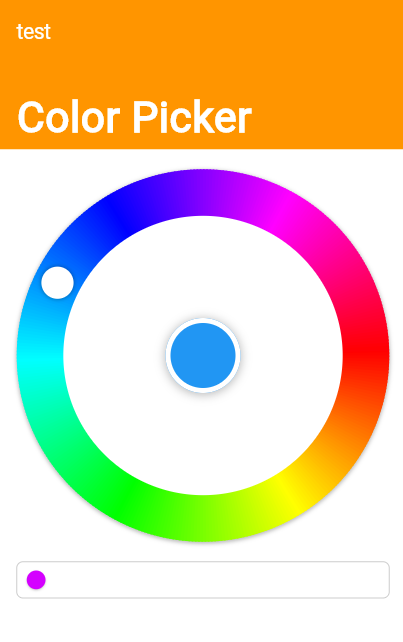
Material および Cupertino 向けのカラーピッカー フィールド、色相ベースの円形カラーピッカーを含む

AndroidiOSWebmacOSWindowsLinux
30日間ダウンロード
199
いいね数
16
Pub ポイント
150

パッケージをインストール

flutter pub add color_picker_field

パッケージ概要

公開情報に基づく選定ガイドです。参考としてご利用ください。

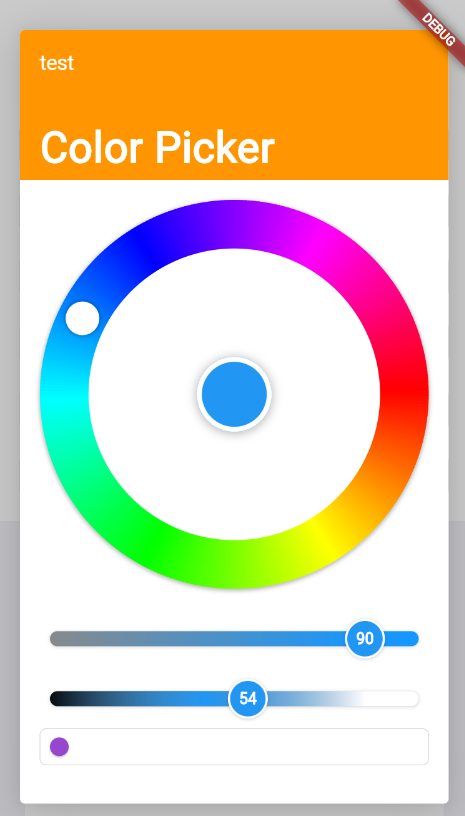
Material および Cupertino デザイン向けにカスタマイズ可能なカラーピッカー フィールドを提供する Flutter パッケージで、直感的な色の選択が可能な Hue をベースとしたラジアルカラーピッカーを備えています。Android、iOS、Web、macOS、Windows、Linux など複数のプラットフォームをサポートしています。このウィジェットはフォームにスムーズに統合でき、円形の色相ホイールと彩度/明度スライダーを使用してユーザーが正確に色を選択できるようにします。UI のカスタマイズやデザインツールで動的に色を入力する必要があるアプリに最適です。

用途

  • 色選択を必要とするフォーム入力
  • UI テーマのカスタマイズ
  • デザインツールインターフェース
  • カラーパレットの作成
  • モバイルおよびウェブアプリのスタイリング
  • ダッシュボード内のインタラクティブなカラーピッカー

主な機能

  • ラジアル色相ベースのカラーピッカー
  • 素材およびCupertino互換性
  • クロスプラットフォーム対応
  • カスタマイズ可能な UI コンポーネント
  • フォームフィールドとの統合
  • リアルタイムカラーのプレビュー

適している対象

  • デザインツールを構築するアプリ開発者
  • カラーピッカーを実装するUI/UXデザイナー
  • 動的テーマオプションを必要とするアプリ
  • カラーフィールドを含むフォーム中心のアプリケーション
  • クロスプラットフォームモバイルおよびウェブアプリ

注意事項

  • 複雑なテーマには追加のスタイリングが必要になる場合があります
  • 多数のインスタンスによるパフォーマンスへの影響
  • 基本的な色の選択に限定(高度な色モデルは対応していません)
  • 高精度カラー作業フローには適していません
  • 外部の依存関係管理に依存しています

元の README

関連するソースリポジトリの README 原文のスナップショットです。最新の内容はリポジトリをご覧ください。

Color Picker Field

Pub

Color Picker field for Material and Cupertino, including a Radial Color picker(Hue based)

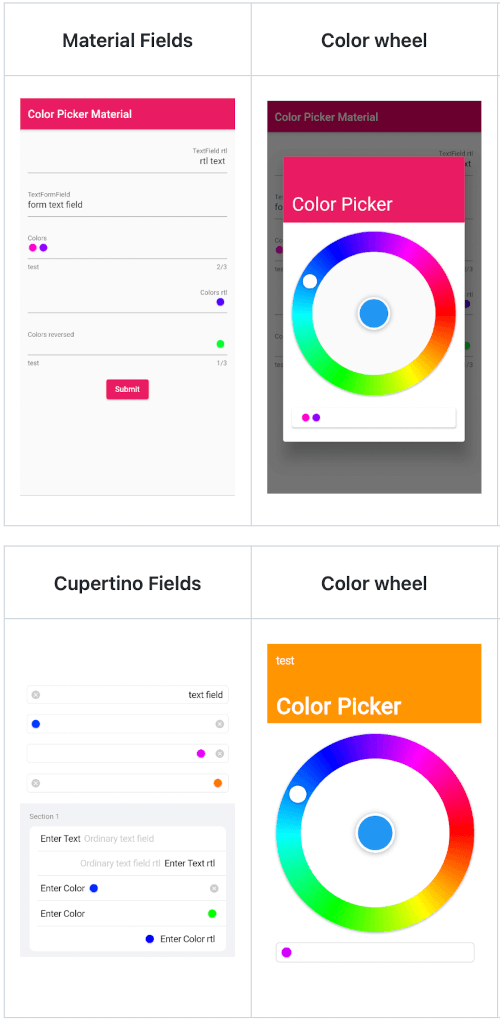
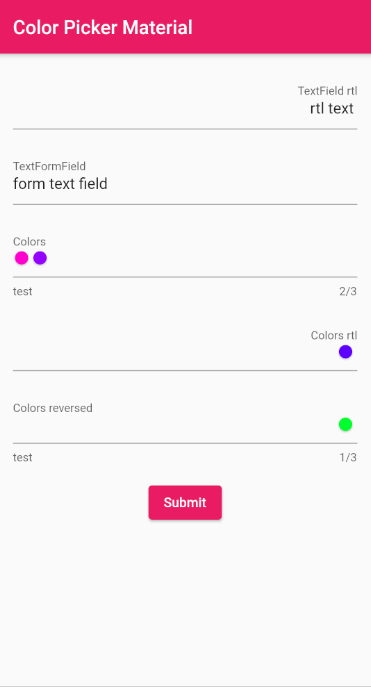
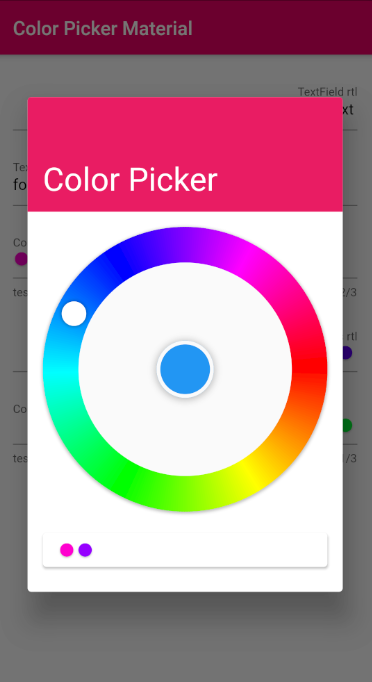
Material

Material Fields Color wheel Remove colors Saturation and Lightness

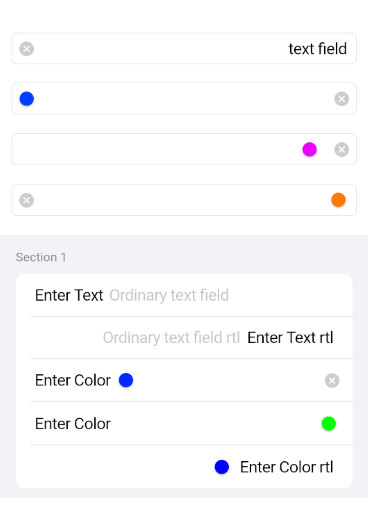
Cupertino

Cupertino Fields Color wheel Remove colors Saturation and Lightness

Usage

Just the ColorPickerField without a Form with a controller set
final ColorPickerFieldController controller = ColorPickerFieldController();
ColorPickerField(
  colors: [],
  defaultColor: Colors.blue,
  onChanged: (Color value) {},
  controller: controller,
  decoration: InputDecoration(
    labelText: 'Colors',
  ),
),
ColorPickerFieldFor with a validator, decoration and an onChange callback
ColorPickerFormField(
  initialValue: [],
  defaultColor: Colors.blue,
  autovalidateMode: AutovalidateMode.onUserInteraction,
  maxColors: 3,
  decoration: InputDecoration(
    labelText: 'Colors',
    helperText: 'test',
  ),
  validator: (List<Color>? value) {
    if (value!.isEmpty) {
      return 'a minimum of 1 color is required';
    }
    return null;
  },
  onChanged: (Color value) {},
),
Just a CupertinoColorPickerField without a Form
CupertinoColorPickerField(
  placeholder: 'CupertinoColorPickerField',
  colors: [],
  defaultColor: Colors.blue,
  onChanged: (Color value) {},
  clearButtonMode: ClearButtonVisibilityMode.always,
),
A CupertinoColorPickerField inside a CupertinoFormSection using CupertinoColorPickerFormFieldRow
CupertinoFormSection.insetGrouped(
  header: const Text('Section 1'),
  children: [
    // A field with an always showing clear button
    CupertinoColorPickerFormFieldRow(
      prefix: const Text('Enter Color'),
      defaultColor: defaultColor,
      clearButtonMode: ClearButtonVisibilityMode.always,
      placeholder: 'Enter Color',
      onChanged: _onChanged,
      validator: (List<Color>? value) {
        if (value == null || value.isEmpty) {
          return 'Please enter at least one color';
        }
        return null;
      },
    ),
    
    // A field with a reversed position and order of the chosen colors list
    CupertinoColorPickerFormFieldRow(
      prefix: const Text('Enter Color'),
      defaultColor: defaultColor,
      placeholder: 'Enter Color',
      onChanged: (Color value) {},
      colorListReversed: true,
      validator: (List<Color>? value) {
        if (value == null || value.isEmpty) {
          return 'Please enter at least one color';
        }
        return null;
      },
    ),

    // Forcing Text Direction using Directionality widget, 
    // by default the TextDirection will be read from the Localization
    Directionality(
      textDirection: TextDirection.rtl,
      child: CupertinoColorPickerFormFieldRow(
        prefix: const Text('Enter Color rtl'),
        defaultColor: defaultColor,
        placeholder: 'Enter Color rtl',
        onChanged: (Color value) {},
        validator: (List<Color>? value) {
          if (value == null || value.isEmpty) {
            return 'Please enter at least one color';
          }
          return null;
        },
      ),
    ),
  ],
),

API reference

カテゴリー

依存関係

依存関係一覧 2 件

ソースリポジトリ

このパッケージを使用しているプロジェクト

データはまだありません。