パッケージ、リポジトリ、アプリカテゴリを検索

country_code_picker のカバー
パッケージ詳細v3.4.1

country_code_picker

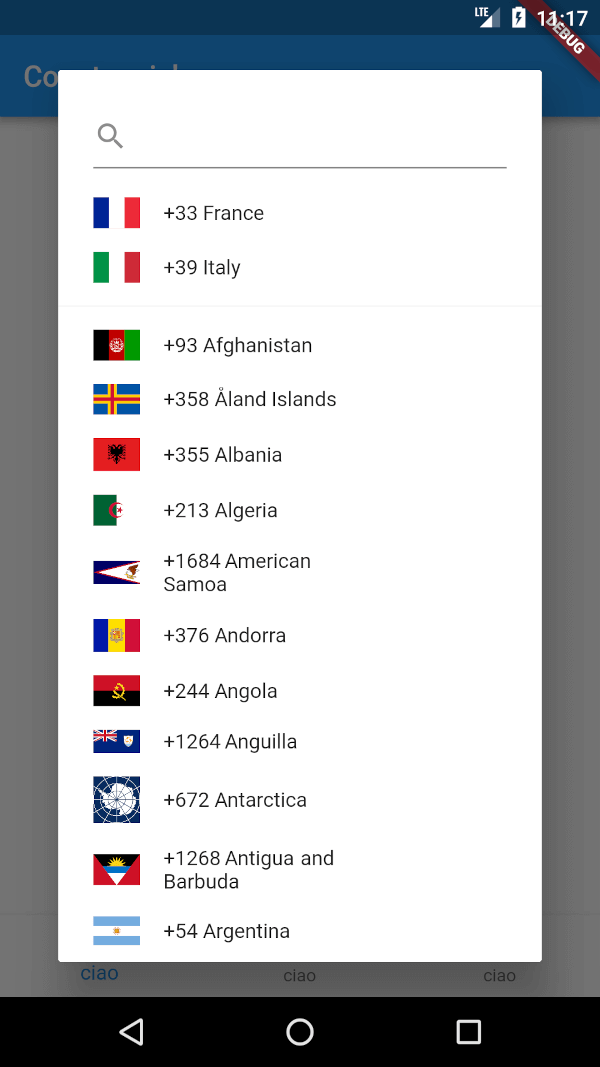
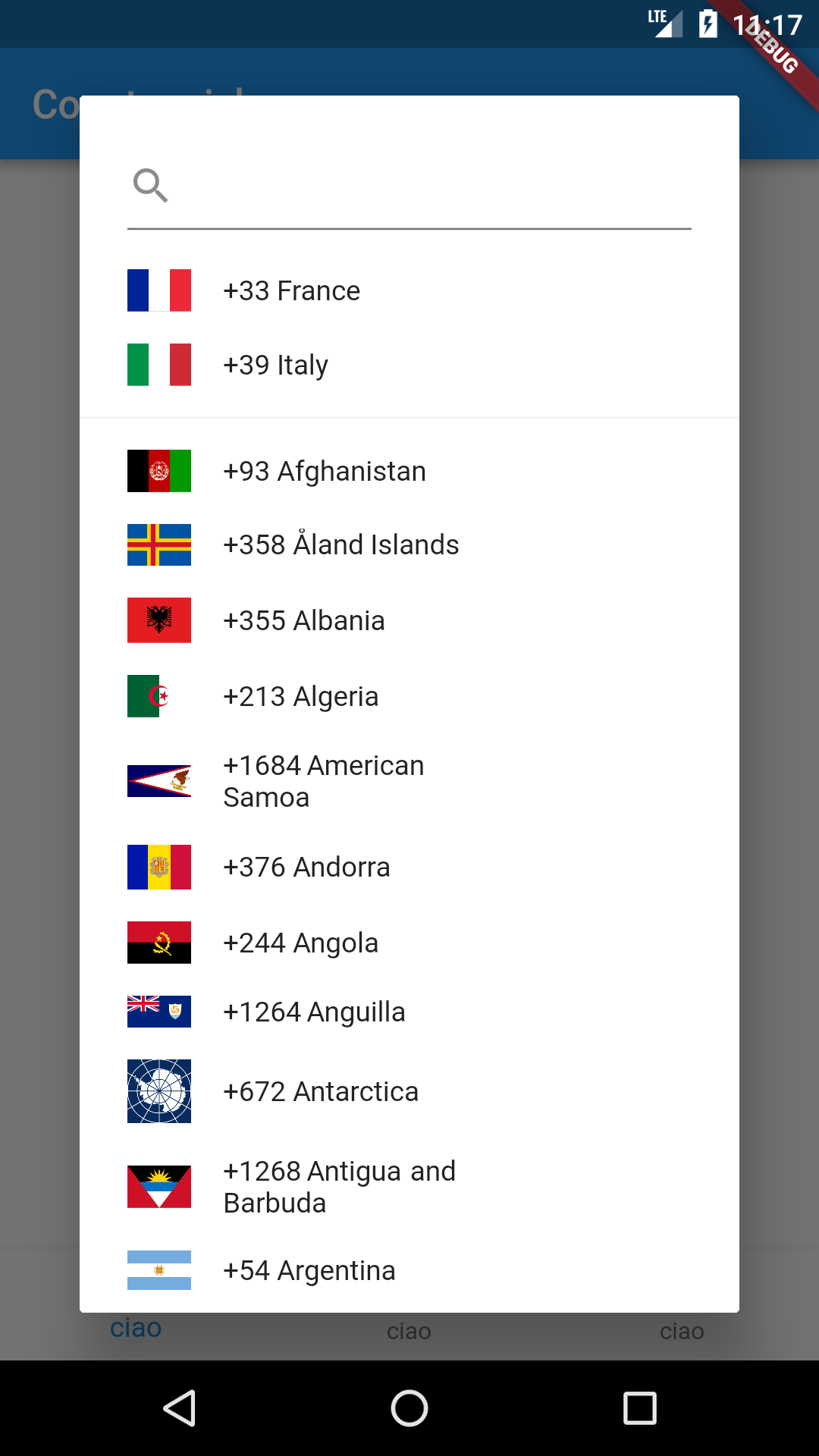
国コードセレクタを表示するためのFlutterパッケージです。さらに、お気に入りの国リストを選択したり、簡単な検索ボックスを使って検索することもできます。

AndroidiOSWebmacOSWindowsLinux
30日間ダウンロード
17.3万
いいね数
932
Pub ポイント
160

パッケージをインストール

flutter pub add country_code_picker

パッケージ概要

公開情報に基づく選定ガイドです。参考としてご利用ください。

お気に入りの国と検索機能をサポートする国コードセレクタを提供するFlutterパッケージです。包括的なリストから簡単に国を選択でき、好みの国をカスタマイズし、検索ボックスを使って迅速に国を検索できます。国際電話番号入力が必要なフォームに最適で、Android、iOS、Web、macOS、Windows、Linuxなど複数のプラットフォームをサポートしています。軽量でカスタマイズ可能であり、既存のFlutterアプリケーションにスムーズに統合できます。

用途

  • 国際電話番号入力
  • 国選択付きのユーザープロファイル設定
  • 多言語または地域ベースのアプリ機能
  • 旅行または配送フォームの国選択
  • カスタマイズ可能な国のお気に入りリスト

主な機能

  • 検索可能な国リスト
  • お気に入りの管理
  • クロスプラットフォーム互換性
  • Flutter フォームとの簡単な統合
  • カスタマイズ可能な UI と動作
  • ISO 3166 国家コードのサポート

適している対象

  • 国際電話番号の入力が必要なアプリ
  • グローバル対象のアプリケーションを開発する開発者
  • 国別データが必要なフォーム
  • 複数の地域または言語をサポートするプロジェクト
  • クリーンでインタラクティブな国選択ツールを希望するユーザー

注意事項

  • フォームで選択された国コードの手動処理が必要です
  • 検索アルゴリズムのカスタマイズオプションが限られている
  • プラットフォーム間で一貫した外観を確保するために、追加のスタイリングが必要になる場合があります
  • 電話番号の組み込み検証を含んでいません
  • 国データの取得に外部ソースに依存しています

元の README

関連するソースリポジトリの README 原文のスナップショットです。最新の内容はリポジトリをご覧ください。

GitHub code size

All Contributors

GitHub contributors Pub Linkedin LinkedIn Linkedin LinkedIn

country_code_picker

A flutter package for showing a country code selector.

It supports i18n for 70 languages.

Check the example on web! https://imtoori.dev/CountryCodePicker/#/

Usage

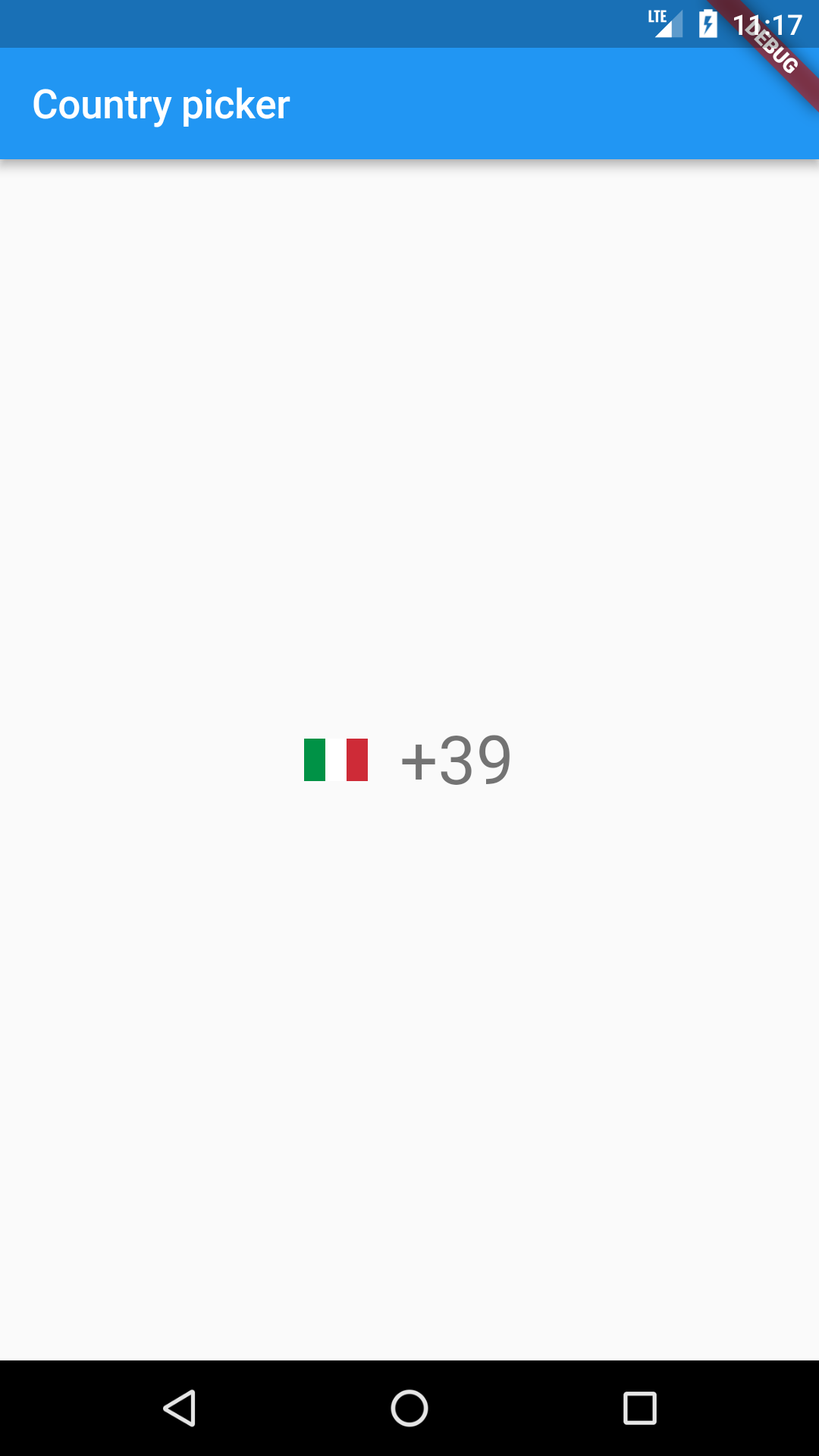
Just put the component in your application setting the onChanged callback.


@override
 Widget build(BuildContext context) => new Scaffold(
     body: Center(
       child: CountryCodePicker(
         onChanged: print,
         // Initial selection and favorite can be one of code ('IT') OR dial_code('+39')
         initialSelection: 'IT',
         favorite: ['+39','FR'],
         // optional. Shows only country name and flag
         showCountryOnly: false,
         // optional. Shows only country name and flag when popup is closed.
         showOnlyCountryWhenClosed: false,
         // optional. aligns the flag and the Text left
         alignLeft: false,
       ),
     ),
 );

Example:


void _onCountryChange(CountryCode countryCode) {
    //TODO : manipulate the selected country code here
    print("New Country selected: " + countryCode.toString());
  }

i18n

Just add the CountryLocalizations.delegate in the list of your app delegates

Default Usage (Localization Enabled)
 return new MaterialApp(
      supportedLocales: [
         Locale("af"),
        Locale("am"),
        Locale("ar"),
        Locale("az"),
        Locale("be"),
        Locale("bg"),
        Locale("bn"),
        Locale("bs"),
        Locale("ca"),
        Locale("cs"),
        Locale("da"),
        Locale("de"),
        Locale("el"),
        Locale("en"),
        Locale("es"),
        Locale("et"),
        Locale("fa"),
        Locale("fi"),
        Locale("fr"),
        Locale("gl"),
        Locale("ha"),
        Locale("he"),
        Locale("hi"),
        Locale("hr"),
        Locale("hu"),
        Locale("hy"),
        Locale("id"),
        Locale("is"),
        Locale("it"),
        Locale("ja"),
        Locale("ka"),
        Locale("kk"),
        Locale("km"),
        Locale("ko"),
        Locale("ku"),
        Locale("ky"),
        Locale("lt"),
        Locale("lv"),
        Locale("mk"),
        Locale("ml"),
        Locale("mn"),
        Locale("ms"),
        Locale("nb"),
        Locale("nl"),
        Locale("nn"),
        Locale("no"),
        Locale("pl"),
        Locale("ps"),
        Locale("pt"),
        Locale("ro"),
        Locale("ru"),
        Locale("sd"),
        Locale("sk"),
        Locale("sl"),
        Locale("so"),
        Locale("sq"),
        Locale("sr"),
        Locale("sv"),
        Locale("ta"),
        Locale("tg"),
        Locale("th"),
        Locale("tk"),
        Locale("tr"),
        Locale("tt"),
        Locale("uk"),
        Locale("ug"),
        Locale("ur"),
        Locale("uz"),
        Locale("vi"),
        Locale("zh")
      ],
      localizationsDelegates: [
        CountryLocalizations.delegate,
        GlobalMaterialLocalizations.delegate,
        GlobalWidgetsLocalizations.delegate,
      ],
Force English (Localization Disabled)
 return new MaterialApp(
      localizationsDelegates: [
        CountryLocalizations.delegate(enableLocalization: false),
        GlobalMaterialLocalizations.delegate,
        GlobalWidgetsLocalizations.delegate,
      ],

Customization

Here is a list of properties available to customizeccc your widget:

Name Type Description
onChanged ValueChanged callback invoked when the selection changes
onInit ValueChanged callback invoked during initialization of the widget
initialSelection String used to set the initial selected value
favorite List used to populate the favorite country list
textStyle TextStyle TextStyle applied to the widget button
padding EdgeInsetsGeometry the padding applied to the button
showCountryOnly bool true if you want to see only the countries in the selection dialog
searchDecoration InputDecoration decoration applied to the TextField search widget
searchStyle TextStyle style applied to the TextField search widget text
emptySearchBuilder WidgetBuilder use this to customize the widget used when the search returns 0 elements
builder Function(CountryCode) use this to build a custom widget instead of the default FlatButton
enabled bool set to false to disable the widget
textOverflow TextOverflow the button text overflow behaviour
dialogSize Size the size of the selection dialog
countryFilter List uses a list of strings to filter a sublist of countries
showOnlyCountryWhenClosed bool if true it'll show only the country
alignLeft bool aligns the flag and the Text to the left
showFlag bool shows the flag everywhere
showFlagMain bool shows the flag only when closed
showFlagDialog bool shows the flag only in dialog
flagWidth double the width of the flags
flagDecoration Decoration used for styling the flags
comparator Comparator use this to sort the countries in the selection dialog
hideSearch bool if true the search feature will be disabled

Contributions

Contributions of any kind are more than welcome! Feel free to fork and improve country_code_picker in any way you want, make a pull request, or open an issue.

Getting involved

First of all, thank you for even considering to get involved. You are a real super :star: and we :heart: you!

Reporting bugs and issues

Use the configured Github issue report template when reporting an issue. Make sure to state your observations and expectations as objectively and informative as possible so that we can understand your need and be able to troubleshoot.

Discussions and ideas

We're happy to discuss and talk about ideas, post your question to StackOverflow.

Contributors ✨

Thanks goes to these wonderful people (emoji key):

Chandra Abdul Fattah

🚇 💻
Salvatore Giordano
Salvatore Giordano

🚇 💻
Nilashish Roy
Nilashish Roy

🚇 💻

This project follows the all-contributors specification. Contributions of any kind welcome!

カテゴリー

依存関係

依存関係一覧 2 件

ソースリポジトリ

このパッケージを使用しているプロジェクト

ランキング