This Dart package offers developers a streamlined library of Flutter widgets, useful for expanding widgets and text views, when users interact with them.
There are two main 'expand' widgets:
Expand Child: Useful to show more widgets related to the content already visible by the user.
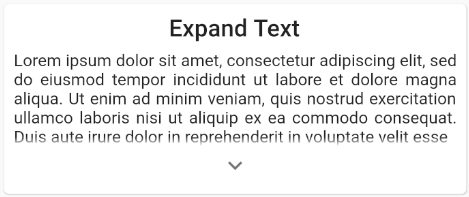
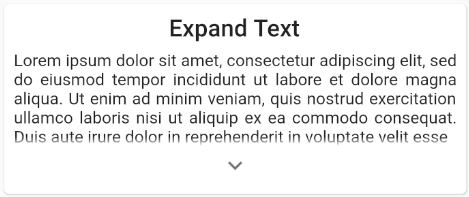
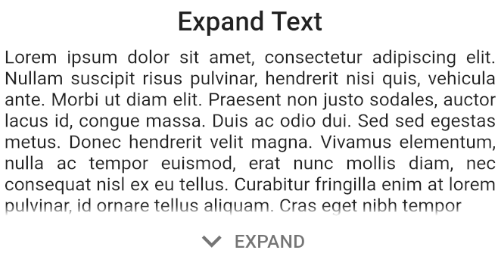
Expand Text: Useful when texts can be quite big for a certain screen. It adds the ability to show the full content when the user wants to.
Features
The ExpandIndicatorStyle parameter allows you to select various render options, related to the expand arrow itself.
Hide the arrow widget when the view is being expanded, using the hideIndicatorOnExpand parameter.
Custimze the arrow widget itself: color, size, padding, icon...
You can also provide your own widget for the expand indicator, using the indicatorBuilder for both expaning widgets.
Use custom expanding hint strings! By default, it will use the ones provided by MaterialLocalizations.
Expand text view with swipe-down gestures, using the expandOnGesture, which by default is set to false.
You can also customize expand animation duration and curve easilly.
The collapsedVisibilityFactor (exclusive to the ExpandChild widget), allows the reveal of a section of the hidden content.
Example
Here is an example of a simple use of this package, featuring the ExpandChild & ExpandText widgets.
If you want to take a deeper look at the example, take a look at the example folder provided with the project.
ExpandText(
  'Lorem ipsum dolor sit amet, consectetur adipiscing elit, sed do eiusmod tempor incididunt ut labore et dolore magna aliqua.',
  textAlign: TextAlign.justify,
),
Getting Started
This project is a starting point for a Dart package, a library module containing code that can be shared easily across multiple Flutter or Dart projects.
For help getting started with Flutter, view our online documentation, which offers tutorials, samples, guidance on mobile development, and a full API reference.