パッケージ、リポジトリ、アプリカテゴリを検索

flutter_map_line_editor のカバー
パッケージ詳細v8.0.0

flutter_map_line_editor

`flutter_map` 用の基本的なラインおよびポリゴンエディタ(ドラッグマーカーを使用)

AndroidiOSWebmacOSWindowsLinux
30日間ダウンロード
6040
いいね数
32
Pub ポイント
130

パッケージをインストール

flutter pub add flutter_map_line_editor

パッケージ概要

公開情報に基づく選定ガイドです。参考としてご利用ください。

flutter_map ウィジェット内でラインおよびポリゴンのインタラクティブな編集を可能にする Flutter パッケージです。頂点の調整にドラッグ可能なマーカーを提供し、ユーザーが地図上でベクトル形状を直接作成または編集できるようにします。地図のジオメトリにユーザー入力を必要とする位置情報アプリケーション向けに設計されており、flutter_map の既存機能とシームレスに統合されます。エディタはラインおよびポリゴンの両方の形状をサポートし、すべての対応プラットフォームでタッチまたはマウス操作による直感的なポイント操作を提供します。

用途

  • 地図ベースの形状作成
  • インタラクティブなルート計画
  • ジオスパティアルデータのアノテーション
  • ポリゴン境界の編集
  • リアルタイムマップ描画
  • ユーザー主導の地図ジオメトリ入力

主な機能

  • ドラッグ可能な頂点マーカー
  • ラインおよびポリゴンのサポート
  • flutter_map とのシームレスな統合
  • クロスプラットフォーム互換性
  • リアルタイムの形状更新
  • 初期化およびイベント処理のためのシンプルな API

適している対象

  • GISアプリケーション
  • ユーザー入力付きマッピングツール
  • インタラクティブマップダッシュボード
  • フィールドデータ収集アプリ
  • 教育マッピングソフトウェア
  • マップインタラクション機能のプロトタイピング

注意事項

  • flutter_map の依存関係が必要です
  • 基本的な形状編集に限定
  • 組み込みのスナップ機能や整列機能なし
  • マーカー用のカスタムスタイルが必要になる場合があります
  • 多数の頂点によるパフォーマンスへの影響
  • 複雑な幾何演算には適していません

元の README

関連するソースリポジトリの README 原文のスナップショットです。最新の内容はリポジトリをご覧ください。

Line & Polygon Editor for flutter_map

pub package License: MIT Support me on Ko-fi

A basic line and polygon editor that works with flutter_map, relying on DragMarker from flutter_map_dragmarker.

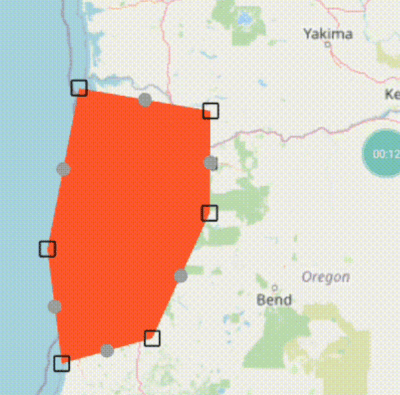
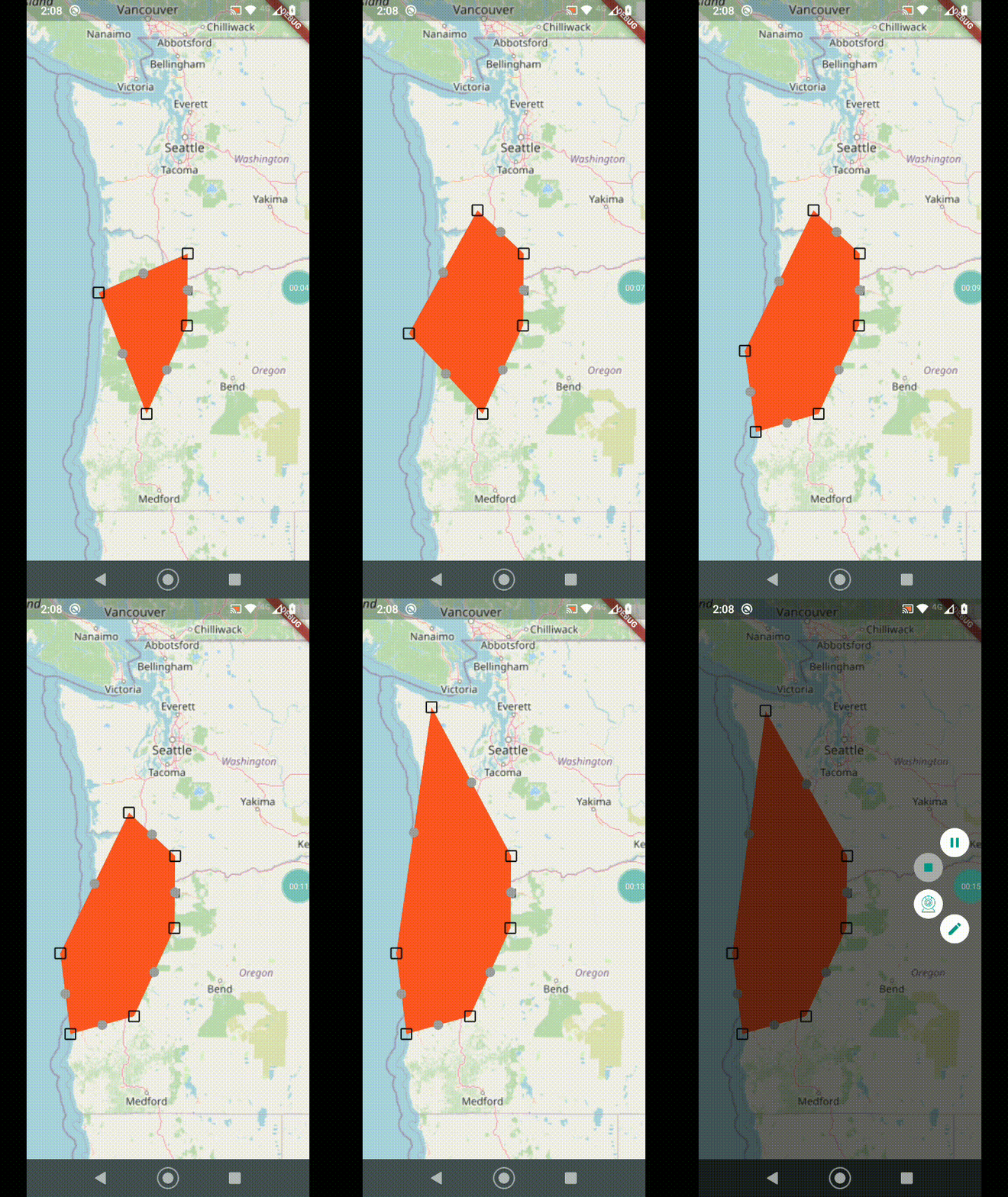
Demo

Demo

Getting started

To use this package, first add flutter_map_line_editor as a dependency in your pubspec.yaml file:

dependencies:
  flutter_map_line_editor: <latest version>

See the example directory for a complete example app demonstrating the usage of this package, here are the most important features:

  • Tap the map to add a marker, add as many as you want.
  • Drag the main points to move them.
  • Drag the intermediate points to create a new point there and drag to where you want.
  • Long press to delete a point.

Usage

Once the package is installed, make sure to import the package in the file that you are going to need it, you may also need to import flutter_map_dragmarker:

import 'package:flutter_map_dragmarker/flutter_map_dragmarker.dart';
import 'package:flutter_map_line_editor/flutter_map_line_editor.dart';

Set up a new editor instance, tipically inside initState():

var polyEditor = PolyEditor(
  points: testPolyline.points,
  pointIcon: Icon(Icons.crop_square, size: 23),
  intermediateIcon: Icon(Icons.lens, size: 15, color: Colors.grey),
  callbackRefresh: () => { this.setState(() {})},
  addClosePathMarker: false, // set to true if polygon
);

The PolyEditor takes a list of LatLng points that are used to put DragMarker's over these locations. PolyEditor does not care if the given list of points is a polyline, it could be something else. This list will be edited in place so that when the build method is triggered it will use updated points.

You must also pass a Widget (tipically an Icon) using the pointIcon parameter that will be used to represent each DragMarker.

You may also pass the optional parameter intermediateIconto display another DragMarker halfway between the main points. Dragging this marker will create another main point and the line will be split.

The screen needs to be updated during a drag, so callbackRefresh takes a function that will get called each drag frame.

For polygons or “closed paths” set the parameter addClosePathMarker to true so that the end auto-returns to the start. Otherwise, if you just want a basic polyline, set this to false.

You can add a point programmatically using the onTap callback in MapOptions:

onTap: (ll) {
  polyEditor.add(testPolyline.points, ll);
},

Add the correspondent layers as FlutterMap childrens:

FlutterMap(
  options: MapOptions(
    onTap: (_, ll) {
      polyEditor.add(testPolyline.points, ll);
    },
  ),
  children: [
    // .....
    PolylineLayer(polylines: polyLines),
    DragMarkers(markers: polyEditor.edit()),
  ],
),

Report issues or feature requests in the GitHub repository, Pull Requests are welcome!

License

This package is licensed under the permissive MIT License. See the LICENSE file in this repository to get a full copy.

カテゴリー

依存関係

依存関係一覧 2 件

ソースリポジトリ

このパッケージを使用しているプロジェクト