パッケージ、リポジトリ、アプリカテゴリを検索

パッケージ詳細v0.0.12

holdable_button

ユーザーが長押しジェスチャー付きのボタンを作成できるようにし、押している間ボタン周りにローディングアニメーションをトリガーするFlutterプラグインです。

AndroidiOSWebmacOSWindowsLinux
30日間ダウンロード
84
いいね数
30
Pub ポイント
140

パッケージをインストール

flutter pub add holdable_button

パッケージ概要

公開情報に基づく選定ガイドです。参考としてご利用ください。

HoldableButtonは、Flutterパッケージであり、開発者が押しっぱなしのジェスチャーを持つボタンを実装できるようにします。押されて保持されると、ボタンの周囲にローディングアニメーションがトリガーされ、長時間のインタラクション中に視覚的なフィードバックを提供します。Android、iOS、Web、macOS、Windows、Linuxなど複数のプラットフォームをサポートしており、タクトイルフィードバックが必要なインタラクティブUIに最適です。このプラグインは軽量で簡単に統合でき、フォームや確認、意図的な入力が必要なアクションにおけるユーザー体験を向上させます。

用途

  • 確認付きのフォーム送信
  • 意図的な入力を必要とするアクションのトリガー
  • 長時間の操作中のロード状態
  • フィードバック付きのインタラクティブUI要素
  • ゲーム化されたアプリインタラクション

主な機能

  • ジェスチャー検出
  • 円形ロードアニメーション
  • クロスプラットフォーム対応
  • シンプルな統合
  • カスタマイズ可能な期間と外観
  • 組み込みフィードバックメカニズム

適している対象

  • インタラクティブなフォームを構築する開発者
  • 確認ジェスチャーが必要なアプリ
  • ユーザー体験を重視したモバイルおよびWebアプリ
  • ゲーム化アプリケーション
  • 迅速なプロトタイプインタラクションフロー

注意事項

  • カスタムデザインには追加のスタイル設定が必要になる場合があります
  • 低スペックデバイスへのパフォーマンスへの影響
  • 単一ボタン長押し動作に制限される
  • 高速タップベースのワークフローには適していません
  • 最適なUXを実現するためには、タイミングの設定に注意が必要です

元の README

関連するソースリポジトリの README 原文のスナップショットです。最新の内容はリポジトリをご覧ください。

Holdable Button Flutter Plugin

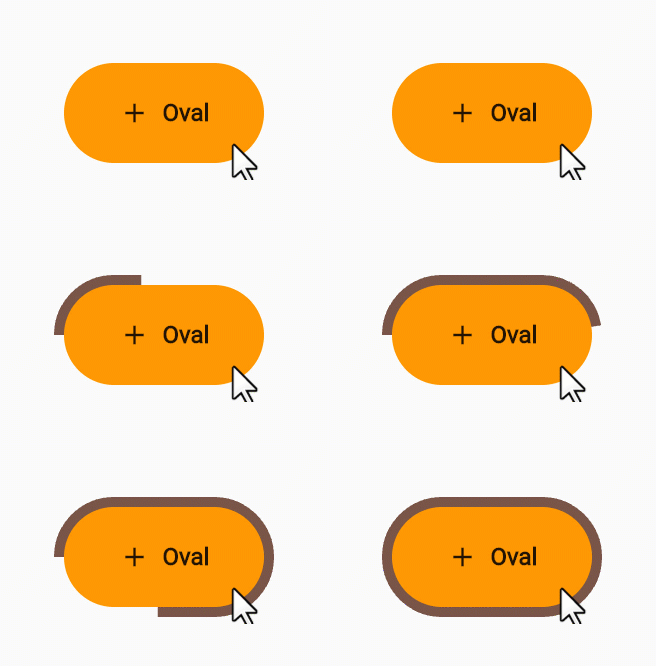
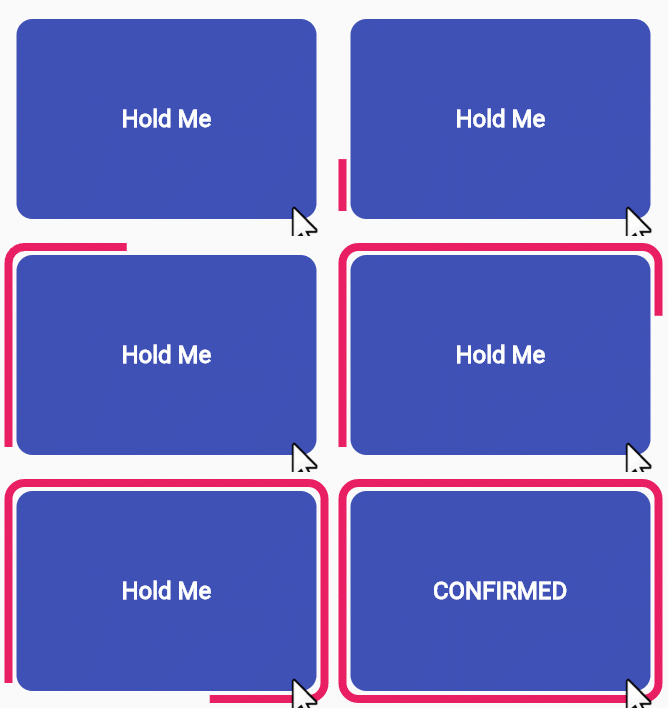
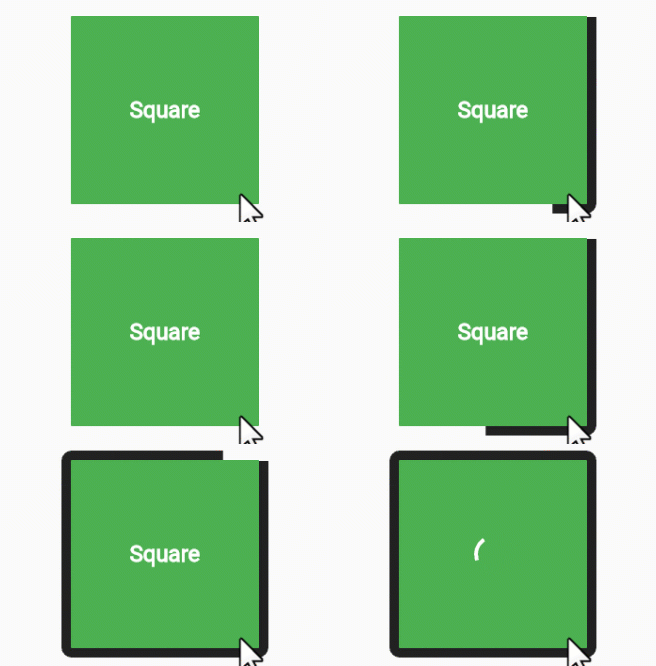
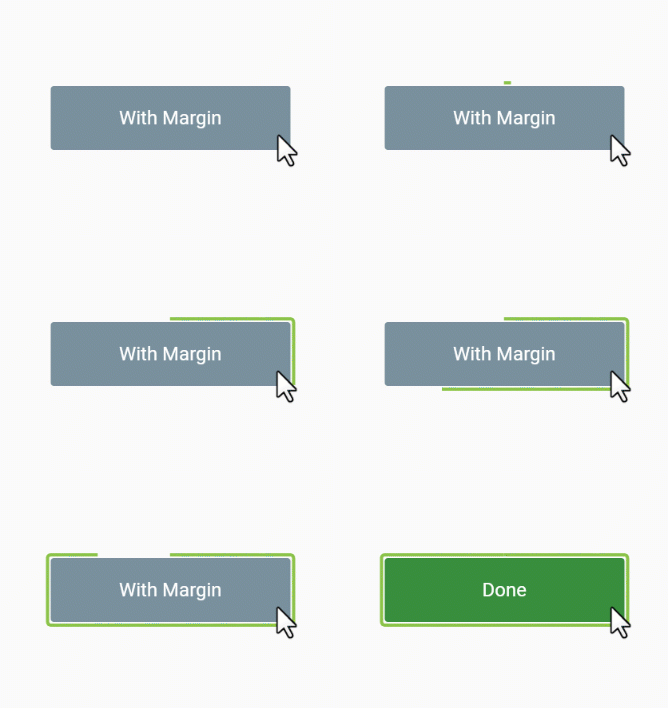
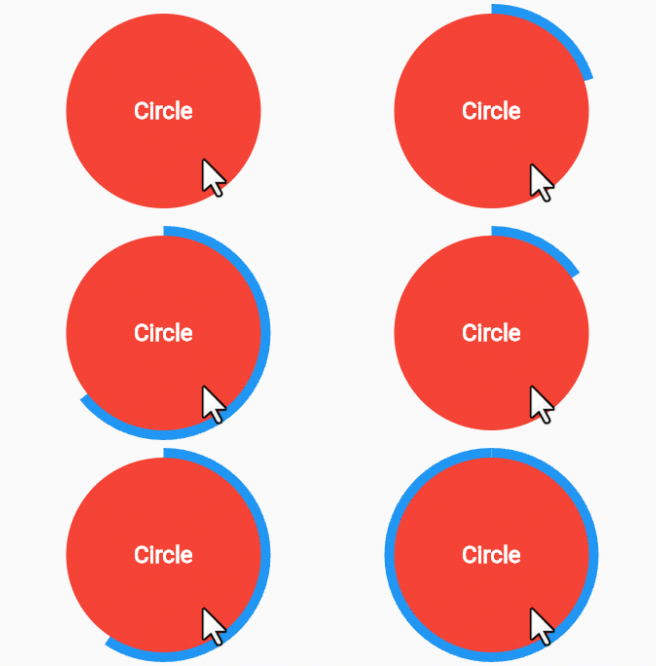
Holdable Button is a Flutter plugin that allows you to create interactive buttons with a unique animation. It enables users to hold a button, displaying a loading animation along its border, and then triggering a callback once the animation completes.

Demo 🎥

edge loading type:

voice oval

rectangle square

filling loading type:

long circle

Benefits 🚀

  • Interactive Animation: Engage users with a button that responds to long presses, offering an interactive and visually appealing experience.

  • Customizable: Tailor the button to match your app's design by adjusting parameters such as button color, loading color, border radius, child widget, animation duration, and start position.

  • User Engagement: Encourage users to interact with your app by introducing a novel way to trigger actions.

How to Use 🛠️

  1. Add the Holdable Button plugin to your pubspec.yaml file:

    dependencies:
      holdable_button: any
    
  2. Install the plugin by running:

    flutter pub get
    
  3. Import the package in your Dart code:

    import 'package:holdable_button/holdable_button.dart';
    
  4. Implement the HoldableButton widget:

    HoldableButton(
      loadingType: LoadingType.edgeLoading,
      width: 300,
      height: 200,
      buttonColor: Colors.blue,
      loadingColor: Colors.white,
      radius: 15.0,
      child: Text('Hold Me'),
      duration: 5,
      startPoint: 0.25,
      hasVibrate: true,
      onConfirm: () {
        // Callback when animation completes
      },
    )
    

Customization ⚙️

The HoldableButton widget supports the following parameters:

  • loadingType: the loading type: edgeLoading or fillingLoading.
  • buttonColor: The color of the button.
  • loadingColor: The color of the loading animation.
  • radius: The border radius of the button.
  • child: The widget inside the button.
  • duration: The duration of the animation in seconds.
  • startPoint: Start position in edgeLoading type.
  • hasVibrate: Enable Vibration after loading complete.
  • onConfirm: Callback when the animation completes.

Feel free to experiment with these parameters to achieve the desired look and behavior.

Contributing 🤝

Contributions are welcome! Please feel free to submit issues or pull requests.

カテゴリー

依存関係

依存関係一覧 2 件

  • plugin_platform_interface^2.1.7
  • web^1.0.0

ソースリポジトリ

このパッケージを使用しているプロジェクト

データはまだありません。