パッケージ、リポジトリ、アプリカテゴリを検索

icon_picker のカバー
パッケージ詳細v2.1.0

icon_picker

アイコンのコレクションを含むダイアログを表示し、1つを選択してjason iconDataを返すFlutterウィジェットです。

30日間ダウンロード
61
いいね数
18
Pub ポイント
60

パッケージをインストール

flutter pub add icon_picker

パッケージ概要

公開情報に基づく選定ガイドです。参考としてご利用ください。

Icon Picker は、簡単な選択のためにアイコンのコレクションを表示するためのダイアログウィジェットを提供するFlutterパッケージです。ユーザーがアイコンを選択でき、選択されたアイコンのデータをJSON形式で返します。シンプルさと統合性を重視して設計されており、カスタムアイコンセットのサポートも可能で、フォームや設定でアイコン選択が必要なアプリに最適です。軽量で使いやすさに焦点を当てており、UIワークフローへの実装が簡単です。

用途

  • アプリ設定でアイコンを選択する
  • ユーザーが作成したコンテンツにアイコンを追加する
  • アイコンを使用してUI要素をカスタマイズする
  • テーマオプションの設定
  • アイコン入力を使用したフォームビルダーの構築
  • ダッシュボードへのアイコン選択の統合

主な機能

  • スクロール可能なアイコンコレクションを表示します
  • 選択されたアイコンをJSONデータとして返す
  • シンプルなダイアログベースのインターフェース
  • カスタムアイコンセットをサポート
  • 軽量で統合が簡単
  • 最小限のセットアップが必要

適している対象

  • UI重視のアプリを開発する開発者
  • アイコンカスタマイズを必要とするアプリ
  • 視覚的要素を備えたフォームビルダー
  • アイコン選択の統合を行うデザイナー
  • 最小限の依存関係を持つプロジェクト
  • プロトタイプアイコン選択機能

注意事項

  • アイコンデータのパースを手動で処理する必要があります
  • カスタマイズされない限り、事前に定義されたアイコンコレクションに制限される
  • 組み込みの検索またはフィルタリングなし
  • 非常に大きなアイコンセットには最適化されていません
  • 外部のアイコンセット定義に依存しています
  • 一貫した外観を確保するために追加のスタイル設定が必要になる場合があります

元の README

関連するソースリポジトリの README 原文のスナップショットです。最新の内容はリポジトリをご覧ください。

icon_picker

pub package

Buy Me A Beer

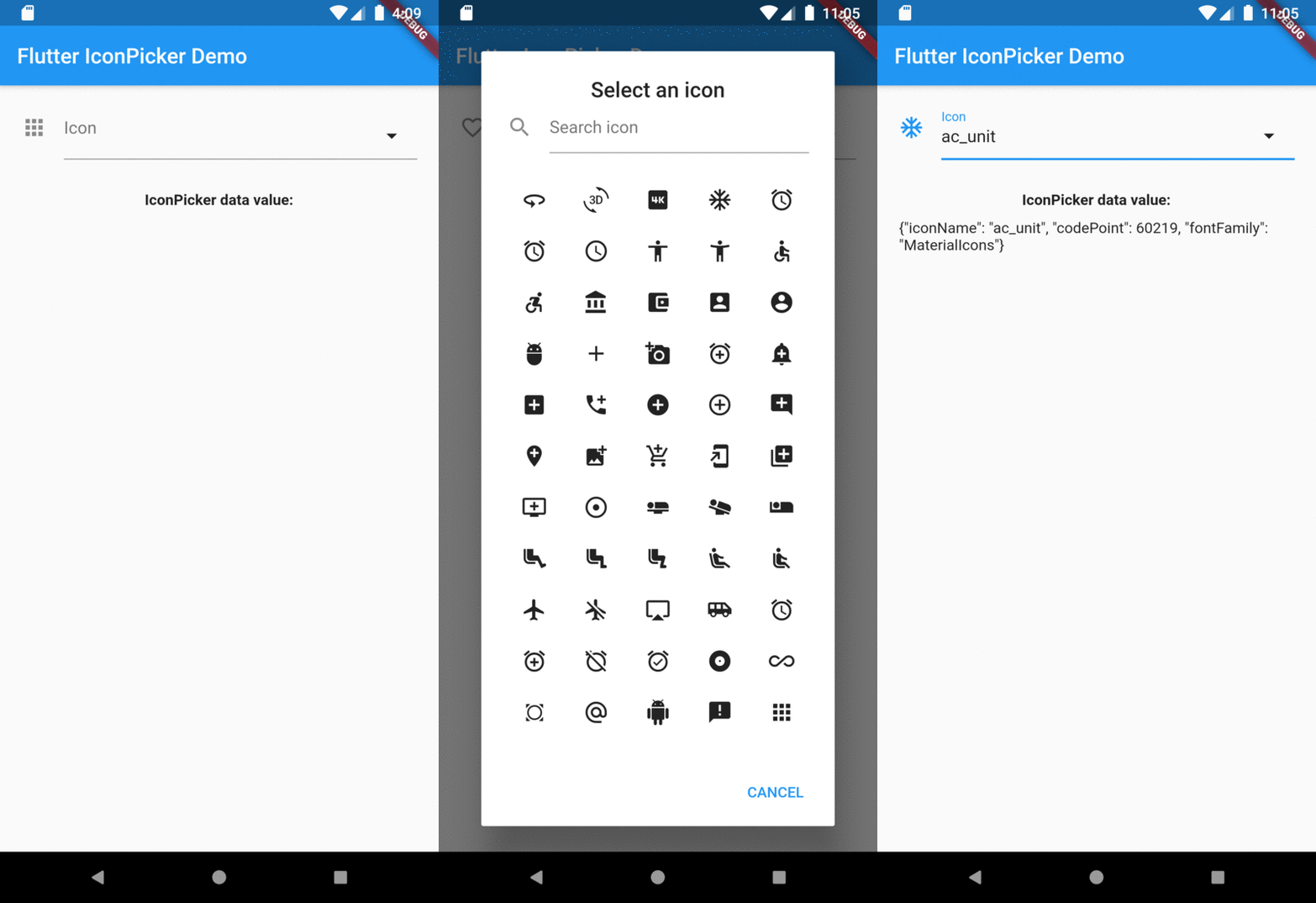
A Flutter widget to show an icon collection to pick.
This widget extend TextField and has a similar behavior as TextFormField

Usage

In the pubspec.yaml of your flutter project, add the following dependency:

dependencies:
  ...
  icon_picker: "^2.1.0"

In your library add the following import:

import 'package:icon_picker/icon_picker.dart';

For help getting started with Flutter, view the online documentation.

Example

IconPicker use an internal MaterialIcon collection by default, but you can set your own icon collection.
You just need to pass in iconCollection param a Map<String, IconData>.

final Map<String, IconData> myIconCollection = {
  'favorite': Icons.favorite,
  'home': Icons.home,
  'android': Icons.android,
  'album': Icons.album,
  'ac_unit': Icons.ac_unit,
  ...
}
IconPicker(
  initialValue: 'favorite',
  icon: Icon(Icons.apps),
  labelText: "Icon",
  title: "Select an icon",
  cancelBtn: "CANCEL",
  enableSearch: true,
  searchHint: 'Search icon',
  iconCollection: myIconCollection,
  onChanged: (val) => print(val),
  onSaved: (val) => print(val),
);

The result of val in onChanged, validator and onSaved will be a json String.
So, if you tap the icon ac_unit in the dialog window, the result value will be:

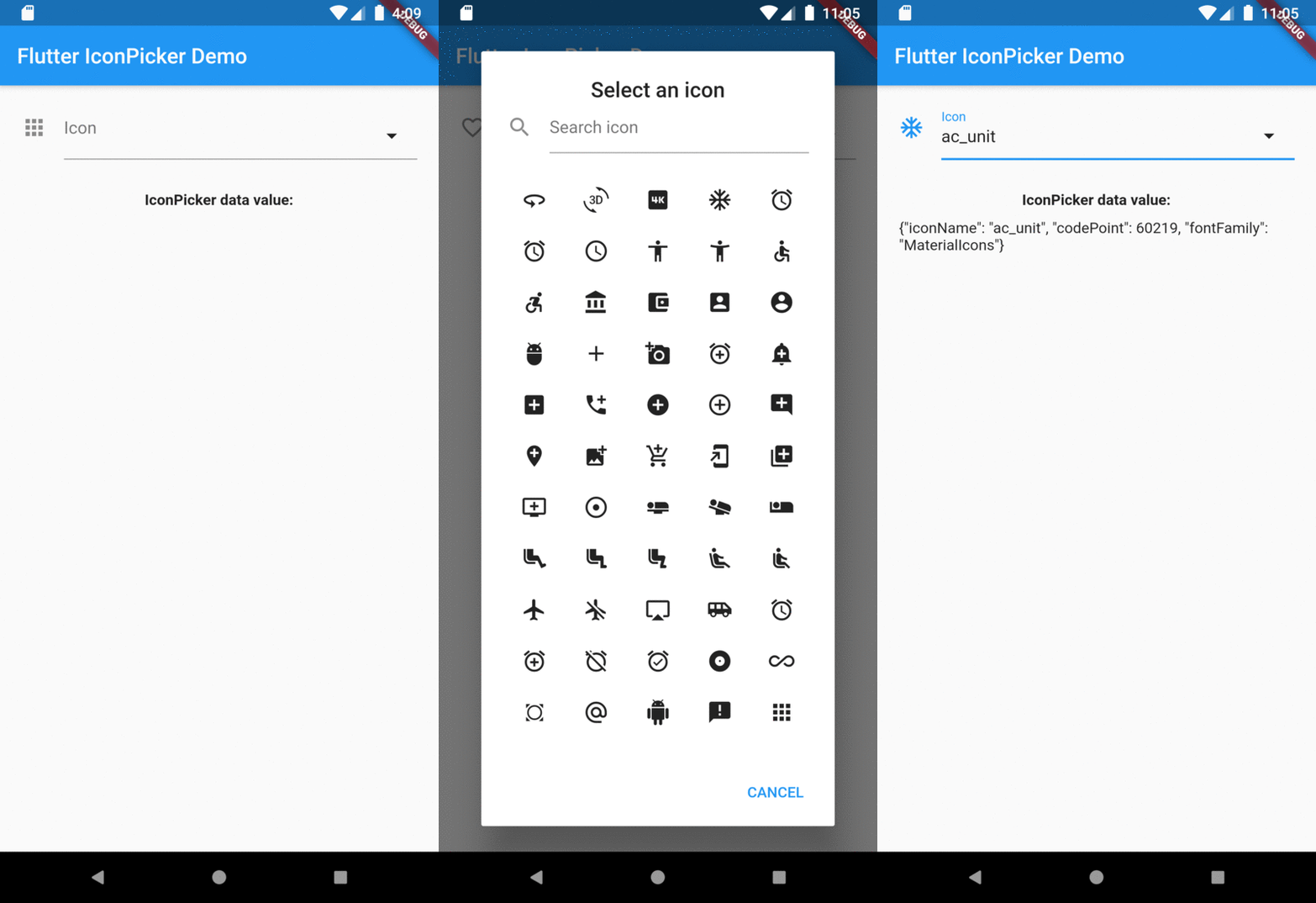
'{"iconName": "ac_unit", "codePoint": 60219, "fontFamily": "MaterialIcons"}'

Transforming the String result of IconPicker in an IconData:

String value = '{"iconName": "ac_unit", "codePoint": 60219, "fontFamily": "MaterialIcons"}'
var iconDataJson = jsonDecode(value);
IconData icon = IconData(iconDataJson['codePoint'], fontFamily: iconDataJson['fontFamily']);
Icon(icon);

Preview

Overview

カテゴリー

ソースリポジトリ

このパッケージを使用しているプロジェクト

データはまだありません。