パッケージ、リポジトリ、アプリカテゴリを検索

image_editor_dove のカバー
パッケージ詳細v0.0.3

image_editor_dove

切り取り、スクラビル、モザイク、テキスト追加、反転、回転機能を備えた画像エディタ。

AndroidiOS
30日間ダウンロード
24
いいね数
36
Pub ポイント
130

パッケージをインストール

flutter pub add image_editor_dove

パッケージ概要

公開情報に基づく選定ガイドです。参考としてご利用ください。

切り取り、スケッチ、モザイクの適用、テキストの追加、反転、回転などの基本ツールを備えた画像編集用のFlutterパッケージです。アプリに基本的だが強力な画像編集機能を直接統合したい開発者向けに設計されています。AndroidおよびiOSの両方のプラットフォームをサポートし、一般的な編集作業に簡単なAPIを提供します。オープンソースでGitHubにホストされており、コミュニティによる貢献と透明性を実現しています。外部サービスに依存せずにアプリ内で写真をカスタマイズする必要があるアプリに最適です。

用途

  • アプリ内での写真編集
  • ソーシャルメディアアプリの機能
  • ユーザー プロフィール画像のカスタマイズ
  • 写真共有アプリケーション
  • コンテンツ作成ツール

主な機能

  • 画像を切り抜く
  • スクリブルツールで描画する
  • モザイク効果を適用する
  • カスタムテキストを追加
  • 画像を反転および回転する
  • クロスプラットフォーム対応

適している対象

  • モバイルアプリ開発者
  • ソーシャルメディアプラットフォーム
  • 写真編集ツール
  • ユーザー生成コンテンツアプリ
  • 軽量な画像編集が必要なアプリ

注意事項

  • 基本的な編集機能に限定されています
  • 高度なフィルターやエフェクトなし
  • 画像の保存には手動処理が必要です
  • 圧縮に外部の依存関係に依存しています
  • 高解像度画像向けに最適化されていません

元の README

関連するソースリポジトリの README 原文のスナップショットです。最新の内容はリポジトリをご覧ください。

image_editor_dove

A high-performance image editor with crop, scribble, mosaic, add-text, flip, rotated functions.

Support custom ui style.

  • drawing

draw.gif

  • rotate

flip&rotate.gif

  • mosaic

mosaic.gif

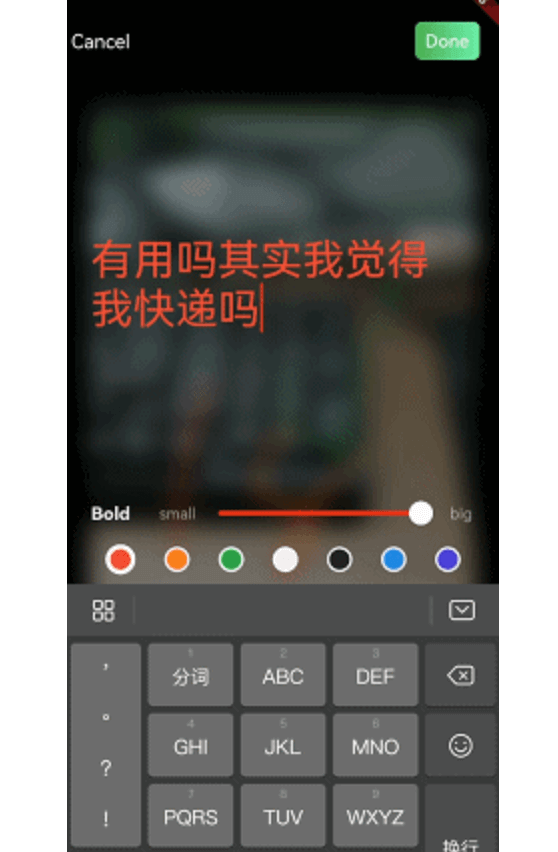
  • add or delete text

text_delete.gif

addtext_done.gif

Getting Started

First, add image_editor: as a dependency in your pubspec.yaml file.

import

import 'package:image_editor/flutter_image_editor.dart';

iOS Add the following keys to your Info.plist file, located in /ios/Runner/Info.plist:

  • NSPhotoLibraryUsageDescription - describe why your app needs permission for the photo library. This is called Privacy - Photo Library Usage Description in the visual editor.
  • NSCameraUsageDescription - describe why your app needs access to the camera. This is called Privacy - Camera Usage Description in the visual editor.
  • NSMicrophoneUsageDescription - describe why your app needs access to the microphone, if you intend to record videos. This is called Privacy - Microphone Usage Description in the visual editor. Or in text format add the key:
<key>NSPhotoLibraryUsageDescription</key>
<string>Used to demonstrate image picker plugin</string>
<key>NSCameraUsageDescription</key>
<string>Used to demonstrate image picker plugin</string>
<key>NSMicrophoneUsageDescription</key>
<string>Used to capture audio for image picker plugin</string>

Android

No configuration required - the plugin should work out of the box.

Usage

pick an image that wanna edit, and pass it to image editor like this:

  Future<void> toImageEditor(File origin) async {
    return Navigator.push(context, MaterialPageRoute(builder: (context) {
      return ImageEditor(
        originImage: origin,
        //this is nullable, you can custom new file's save postion
        savePath: customDirectory
      );
    })).then((result) {
      if (result is EditorImageResult) {
        setState(() {
          _image = result.newFile;
        });
      }
    }).catchError((er) {
      debugPrint(er);
    });
  }

custom ui style

You can extends ImageEditorDelegate and custom editor's widget:

ImageEditor.uiDelegate = YouUiDelegate();

class YouUiDelegate extends ImageEditorDelegate{
    ...
}

カテゴリー

依存関係

依存関係一覧 3 件

ソースリポジトリ

このパッケージを使用しているプロジェクト

データはまだありません。