パッケージ、リポジトリ、アプリカテゴリを検索

パッケージ詳細v2.3.0

implicitly_animated_list

新しいアイテムで再構築されるたびに、リストを暗黙的にアニメーションするFlutterウィジェットです。

AndroidiOSmacOSWindowsLinux
30日間ダウンロード
2.3万
いいね数
33
Pub ポイント
150

パッケージをインストール

flutter pub add implicitly_animated_list

パッケージ概要

公開情報に基づく選定ガイドです。参考としてご利用ください。

新しいデータでリストが再構築されたときに、リストアイテムを自動的にアニメーション化するFlutterウィジェットです。手動でのアニメーション管理の必要がなくなります。挿入、削除、更新をインプリシットアニメーションを使用してスムーズに処理し、チャットインターフェースやタスクボードのような動的リストに最適です。標準的なFlutterリストとシームレスに統合され、最小限のセットアップで利用可能です。すべての主要プラットフォームをサポートしており、シンプルさとパフォーマンスを重視して設計されています。

用途

  • 動的リストの更新
  • メッセージ到着付きチャットUI
  • タスクリスト管理
  • リアルタイムデータフィード
  • アニメーション付きアイテムの遷移

主な機能

  • 自動挿入アニメーション
  • スムーズな削除トランジション
  • 組み込みの更新処理
  • 最小限のボイラープレート
  • クロスプラットフォーム対応

適している対象

  • シンプルなリストアニメーションを探している開発者
  • 頻繁に更新されるリストを備えたアプリ
  • 変更に対する視覚フィードバックを必要とするUI
  • Flutterアニメーションを学ぶ初心者
  • 開発者の生産性を最優先とするプロジェクト

注意事項

  • アニメーションカーブのカスタマイズが限定的
  • 複雑なカスタムアニメーションには向かない
  • 非常に大きなリストではパフォーマンスに影響する可能性があります
  • ちらつきを避けるために、状態の管理に注意が必要です
  • 中程度のデータセットに最適

元の README

関連するソースリポジトリの README 原文のスナップショットです。最新の内容はリポジトリをご覧ください。

Often, your lists represent some kind of data.

You can just pass the original list data to the ImplicitlyAnimatedList as well as an itemBuilder for building a widget from one data point, and it'll animate whenever the data changes:

ImplicitlyAnimatedList(
  // When you change items of this list and hot reload, the list animates.
  itemData: [1, 2, 3, 4],
  itemBuilder: (_, number) => ListTile(title: Text('$number')),
),

It works with all classes and works well with StreamBuilder:

class User {
  const User({required this.firstName, required this.lastName});

  final String firstName;
  final String lastName;

  // The ImplicitlyAnimatedList uses the == operator to compare items.
  bool operator ==(Object other) => other is User
    && firstName == other.firstName
    && lastName == other.lastName;
}

...

StreamBuilder<List<User>>(
  stream: someSource.usersStream,
  builder: (context, snapshot) {
    if (!snapshot.hasData) {
      return ...;
    }
    return ImplicitlyAnimatedList(
      itemData: snapshot.data,
      itemBuilder: (context, user) {
        return ListTile(title: Text('${user.firstName} ${user.lastName}'));
      }
    );
  }
)

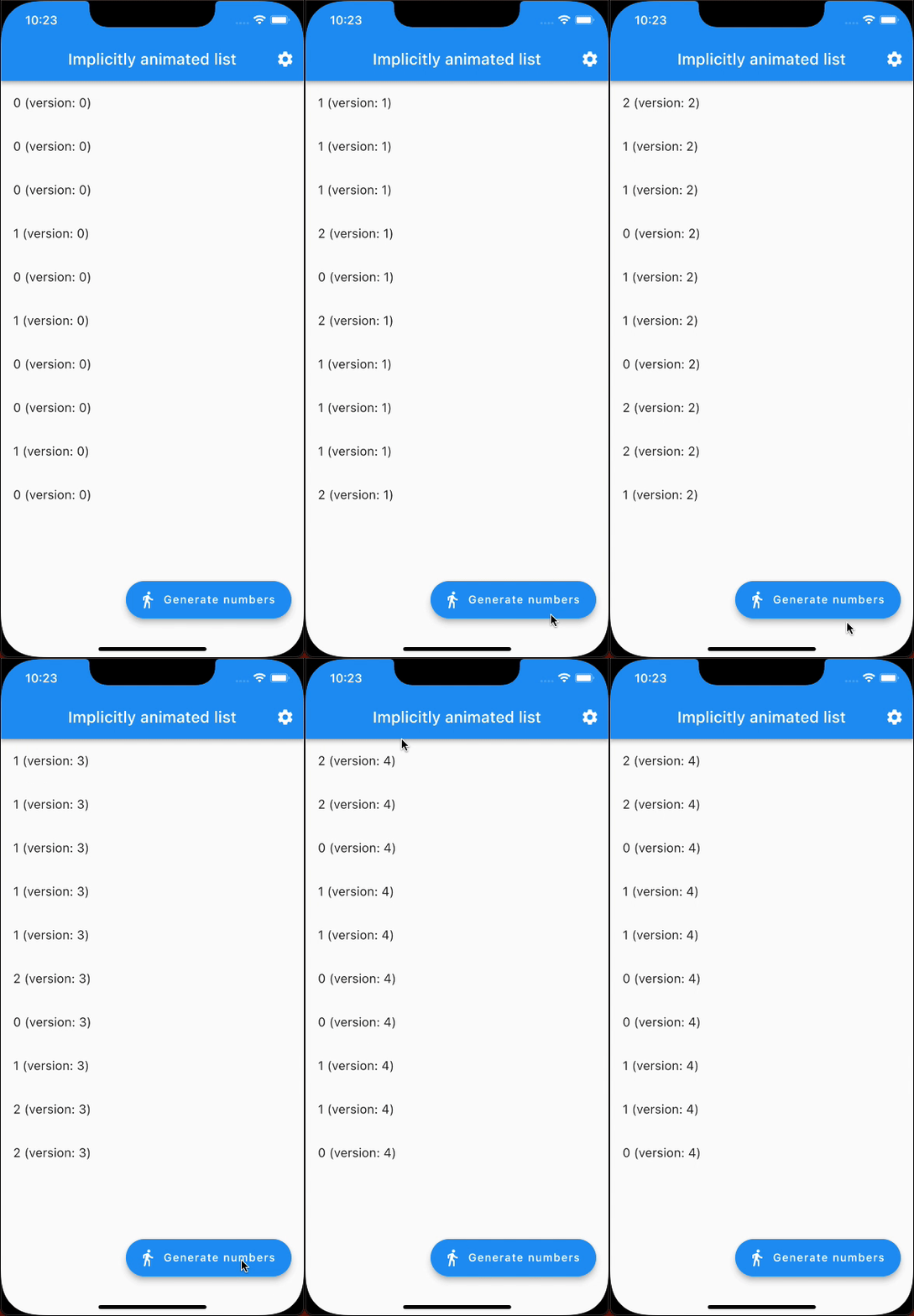
Here's an example that generates random numbers and animates from one state to the next (notice it's only 10 fps because of being a GIF):

example showcase

In addition to ImplicitlyAnimatedList, there's also SliverImplicitlyAnimatedList for use in a CustomScrollView:

CustomScrollView(
  slivers: [
    SliverImplicitlyAnimatedList(
      itemData: myListOfItems,
      itemBuilder: (context, item) => ListTile(title: Text('$item')),
    ),
    // ...
  ],
),

カテゴリー

依存関係

依存関係一覧 1 件

  • list_diff^2.0.0

ソースリポジトリ

このパッケージを使用しているプロジェクト